KMS Commands: AWS CLI for Key Management Service (original) (raw)
Last Updated : 23 Jul, 2025
AWS Key Management Service is a fully managed service that enables the user to create and control the encryption keys that encrypt their data. AWS KMS is very instrumental in securing sensitive information for data integrity in a secure cloud environment. AWS KMS integrates well with different AWS services, making it easy, therefore, to deploy encryption across all AWS ecosystems. This article will look at some KMS commands in AWS CLI that give developers and administrators the ability to manage encryption keys and perform key cryptographic operations programmatically.
Primary Terminologies
- **KMS - Key Management Service: AWS KMS is a managed service that makes it easy for you to create, control, and use the encryption keys across all AWS services and in your applications. It enables you to protect the data encryption process while maintaining control over the encryption keys.
- **Customer Master Key (CMK): CMKs are encryption keys that you manage in KMS. You use them to encrypt and decrypt data directly or to encrypt data keys, which in return encrypt the actual data.
- **Data Key: A key generated by KMS used to encrypt large volumes of data; it is encrypted by a CMK and can be decrypted by KMS if needed.
- **Envelope Encryption: It is the process by which data is always encrypted with a data key, and that data key is then encrypted with a CMK. Envelope encryption reduces the performance overhead that is involved in encrypting large data volumes.
- **AWS CLI: AWS Command Line Interface is a unified tool to manage AWS services from a terminal session using scripts. By using AWS CLI, it is quite easy to interact with AWS KMS through command-line commands.
Step-by-Step Process on how to manage KMS keys using AWS CLI
Step 1: AWS CLI Installed
Ensure you have the AWS CLI installed on your local machine or the EC2 instance.
aws --version

Step 2: AWS CLI Configured
Ensure that your AWS CLI is configured with the necessary credentials and default region.
aws configure

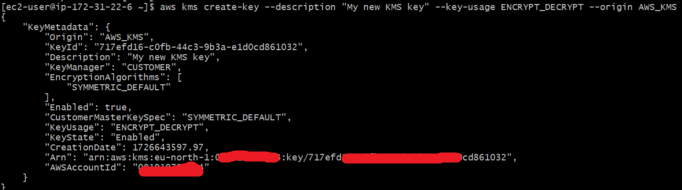
Step 3: Create a KMS Key
To create a new KMS key, use the following command. You can specify key usage, description, and key policy if needed.
aws kms create-key --description "My new KMS key" --key-usage ENCRYPT_DECRYPT --origin AWS_KMS
Step 4: List KMS Keys
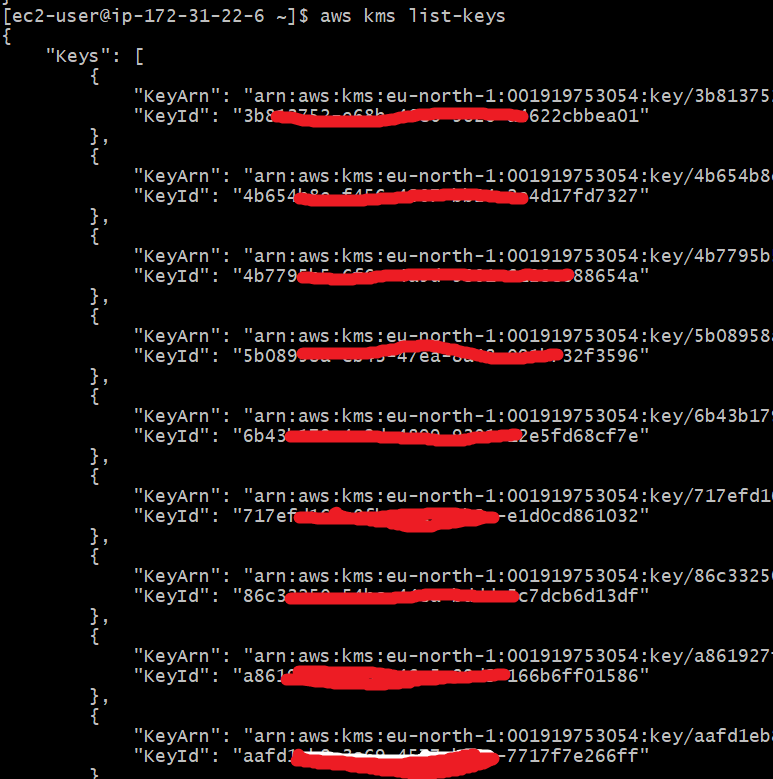
You can list all your KMS keys using:
aws kms list-keys
Step 5: Describe a Specific KMS Key
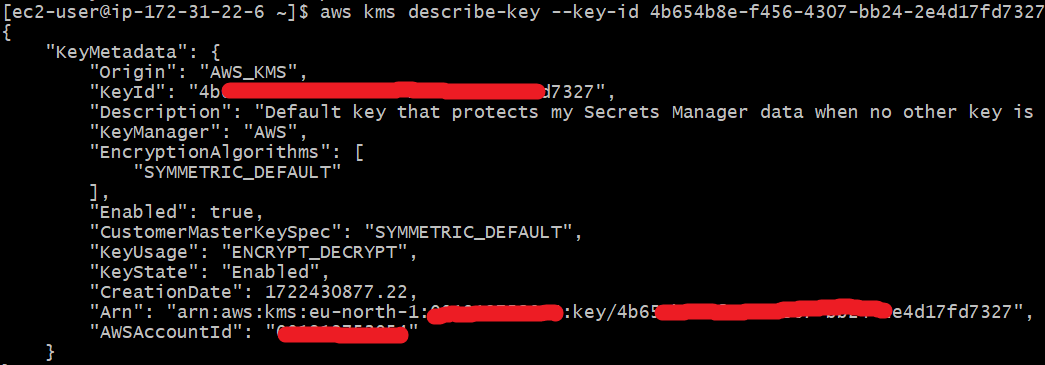
To get more details about a specific key, use the describe-key command and provide the Key ID or ARN(Amazon Resource Name):
aws kms describe-key --key-id
Step 6: Enable/Disable a KMS Key
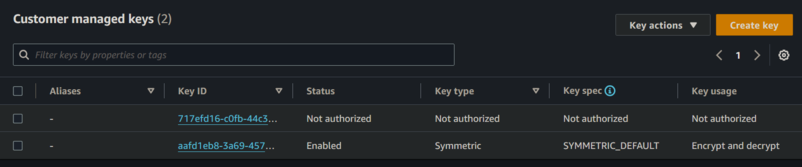
**Disable a Key: To temporarily disable a key (so it can't be used for encrypting or decrypting data), use:
aws kms disable-key --key-id

We can check in KMS Console

**Enable a Key: To re-enable a disabled key:
aws kms enable-key --key-id

We can check in KMS Console
Step 7: Encrypt Data Using a KMS Key
You can encrypt plaintext data using a specific KMS key:
aws kms encrypt --key-id --plaintext "My secret data"
This will return the encrypted data in base64 format.

Step 8: Decrypt Data Using a KMS Key
To decrypt data that was encrypted using a KMS key, use the decrypt command. The ciphertext must be base64-encoded.
aws kms decrypt --ciphertext-blob

Step 9: Rotate a KMS Key
You can enable automatic key rotation for a KMS key (only available for symmetric keys):
aws kms enable-key-rotation --key-id

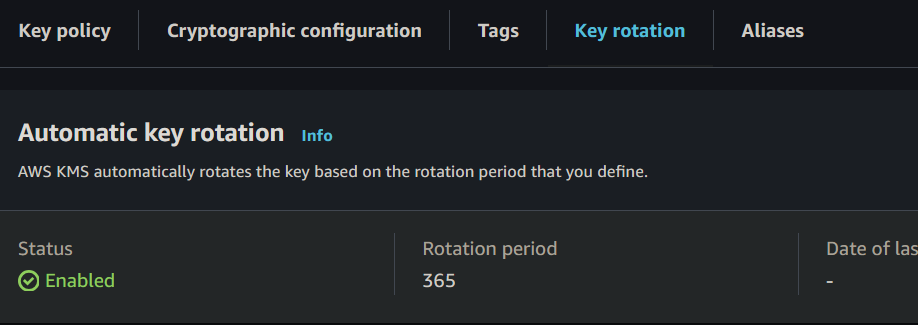
To disable key rotation:
aws kms disable-key-rotation --key-id

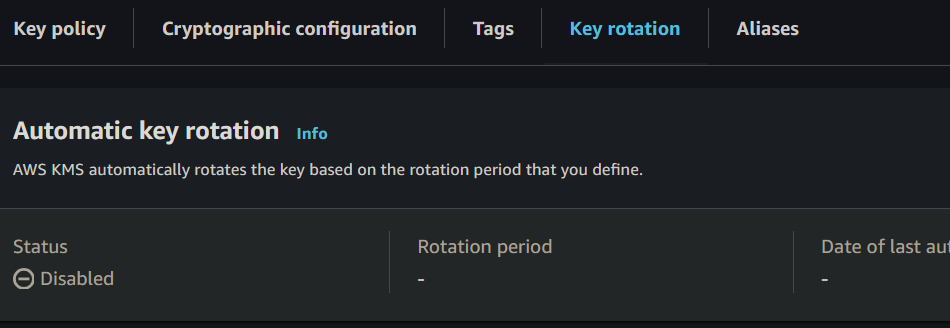
Step 10: check key policies
- Command to check key policies:
aws kms get-key-policy --key-id --policy-name default

Step 11: Delete a KMS Key
Deleting a KMS key involves scheduling the deletion, as AWS KMS does not delete the key immediately. The minimum waiting period is 7 days, and the maximum is 30 days.
aws kms schedule-key-deletion --key-id --pending-window-in-days 7

If needed, you can cancel the scheduled deletion within the pending window:
aws kms cancel-key-deletion --key-id

Conclusion
AWS Key Management Service or KMS is a competent and effective service for letting users securely manage keys used for encryption of data in various services of AWS. Automation of key management tasks is made difficult by the use of the AWS Command Line Interface, through which users can carry out effective encryption processes with tight control over their cryptographic operation. Starting from key creation, also known as Customer Master Keys or CMKs, to the encryption and decryption of data, AWS KMS keeps sensitive information snugly secured and efficiently processed. A developer or administrator who learns KMS commands will be in a position to use them in protecting data, meeting compliance, as well as reinforcing the security posture of the AWS environment.