8 Most Popular Linux Distributions (2025) (original) (raw)
Last Updated : 20 Jan, 2026
Linux is an open-source operating system that offers a wide range of distributions tailored to different user needs and preferences. These distributions, known as distros, provide flexibility from beginner-friendly to highly customizable systems.
- Linux distributions vary from easy-to-use options like Ubuntu and Linux Mint to advanced ones like Arch Linux.
- Each distro includes its own package manager and desktop environment.
- Distros differ in default software and system configuration.
- This diversity makes Linux suitable for beginners, developers, and system administrators alike.
Popular Linux Distributions
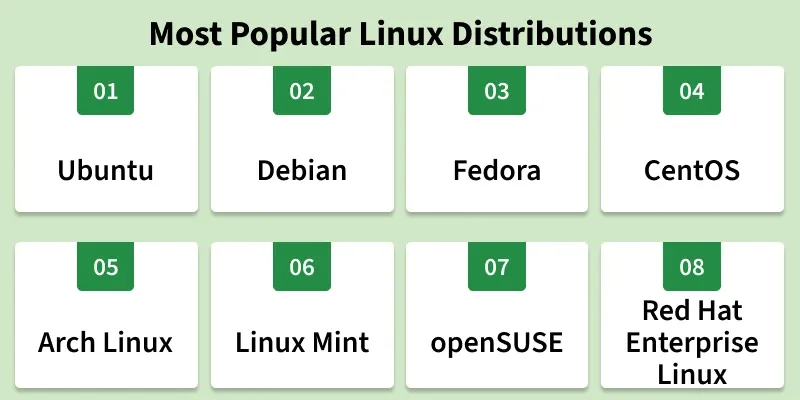
1. Ubuntu
Ubuntu is a widely used Linux distribution known for its ease of use, stability, and strong software support. Based on Debian, it is suitable for desktops, development, and servers.
- Offers regular releases, including LTS versions with five years of support.
- Provides a secure and stable environment for various use cases.
- Has a large community and extensive software compatibility.
Features of Ubuntu:
- **User-Friendly Interface: Offers an intuitive desktop environment, ideal for new users.
- **Large Software Repository: Provides easy access to a wide range of applications and packages.
- **Security & Stability: Regular updates with long-term support in LTS releases.
- **Versatile Usage: Suitable for desktops, servers, and cloud environments.
- **Strong Community Support: Backed by an active global community and extensive documentation.
Why Ubuntu?
Ubuntu is an ideal choice for newcomers to Linux, developers, and anyone looking for a versatile operating system with excellent community support.
2. Debian
Debian is one of the oldest Linux distributions, recognized for its strong focus on stability and free software. It is widely respected for its reliable and well-tested software ecosystem.
- Follows strict testing to ensure security and reliability.
- Acts as the base for many distributions, including Ubuntu.
- Emphasizes open-source and free software principles.
Features of Debian:
- **Stability & Reliability: Known for strong stability, ideal for servers and critical systems.
- **Broad Hardware Support: Runs on a wide range of hardware, including older and embedded systems.
- **APT Package Management: Simplifies software installation, updates, and dependency handling.
- **Community-Driven: Maintained by a global volunteer community ensuring regular updates and support.
- **Flexible & Customizable: Supports multiple desktop environments and configurable software stacks.
Why Debian?
Debian's emphasis on free software and system stability makes it a go-to choice for servers, developers, and users who prefer a conservative approach to updates.
3. Fedora
Fedora is a modern Linux distribution sponsored by Red Hat, focused on innovation and the latest technologies. It provides an up-to-date and secure environment ideal for developers and enthusiasts.
- Delivers the latest software and features early.
- Strongly follows open-source and community-driven principles.
- Emphasizes security and modern development tools.
Features of Fedora:
- **Leading-Edge Technology: Provides the latest software and emerging technologies.
- **Developer-Friendly: Includes strong development tools and container support like Podman and Docker.
- **Modular Design: Allows flexible and customizable software stacks.
- **Security Focus: Uses SELinux, encryption, and frequent security updates.
- **Community-Driven: Actively supported and improved by a global open-source community.
Why Fedora?
Fedora is perfect for developers and tech enthusiasts who want access to the latest software and features in a secure and stable environment.
4. CentOS
CentOS is a free Linux distribution built from the source code of Red Hat Enterprise Linux (RHEL). It is widely used for servers due to its stability and reliability.
- Derived from RHEL and compatible with enterprise environments.
- Known for strong stability and long-term reliability.
- Free to use and supported by a large community.
Features of CentOS:
- **Stability and Reliability: CentOS is built from the same source code as Red Hat Enterprise Linux (RHEL), providing a stable and reliable platform with long-term support and regular security updates.
- **Enterprise-Class Performance: Designed for enterprise use, CentOS offers high performance, scalability, and security features suitable for critical applications and services.
- **Package Management: Uses the YUM (Yellowdog Updater, Modified) package manager, which makes it easy to install, update, and manage software packages and dependencies.
- **Security: Includes SELinux (Security-Enhanced Linux) for enhanced security policies and access controls, ensuring a secure operating environment.
Why CentOS?
CentOS is an excellent choice for businesses and developers seeking a free, stable, and enterprise-level server solution.
5. Arch Linux
**Arch Linux is a rolling-release operating system that continuously delivers the latest software updates. It offers high flexibility and is designed for experienced users.
- Provides up-to-date packages through a rolling-release model.
- Allows extensive system customization and control.
- Best suited for users comfortable with manual setup and maintenance.
Features of Arch Linux:
- **Rolling Release Model: Arch Linux uses a rolling release model, meaning that users receive continuous updates without needing to reinstall the system. This ensures that the software is always up-to-date with the latest features and security patches.
- **Pacman Package Manager: The Pacman package manager is a powerful and efficient tool that handles package installation, updates, and management with ease, providing a seamless experience for managing software.
- **Arch User Repository (AUR): The AUR is a community-driven repository that contains a vast array of user-contributed packages, making it easy to find and install software that is not available in the official repositories.
- **Documentation: Arch Linux boasts comprehensive and well-maintained documentation, known as the Arch Wiki. This resource provides detailed guides and tutorials, making it easier for users to configure and troubleshoot their systems.7
Why Arch Linux?
Arch Linux is ideal for power users who want to customize every aspect of their operating system and stay on the cutting edge of software updates.
6. Linux Mint
**Linux Mint is famous for being easy to use. It can play videos and music right away. People who used Windows before can feel at home with Linux Mint. It has a straightforward desktop. It also works smoothly without crashing.
Features of Linux Mint:
- **User-Friendly Interface: Linux Mint offers a familiar and intuitive desktop environment, with options like Cinnamon, MATE, and Xfce, making it accessible for users transitioning from other operating systems.
- **Stability and Reliability: Built on the stable base of Ubuntu LTS (Long-Term Support), Linux Mint inherits its robustness and long-term stability, with updates and security patches provided regularly.
- **Pre-Installed Software: Linux Mint comes with a comprehensive suite of pre-installed software, including multimedia codecs, office applications, and utilities, ensuring a ready-to-use experience out of the box.
- **Software Manager: The Linux Mint Software Manager is a user-friendly application that simplifies the process of browsing, installing, and managing software, with access to a vast repository of applications.
Why Linux Mint?
Linux Mint is perfect for users looking for a stable and intuitive Linux experience, especially those transitioning from Windows.
7. openSUSE
Using openSUSE is a flexible Linux distribution that offers both stable and rolling release options. It is well known for its powerful YaST configuration tool.
- Provides two release models: Leap (stable) and Tumbleweed (rolling).
- Includes the YaST tool for easy system configuration and management.
- Supports multiple desktop environments for user choice.
Features of openSUSE:
- **YaST (Yet another Setup Tool): A comprehensive system management tool that simplifies system configuration, software management, network settings, and more through a user-friendly interface.
- **Zypper Package Manager: A powerful command-line package management tool that provides efficient handling of software installation, updates, and dependency resolution.
- **Btrfs and Snapper: openSUSE uses Btrfs as the default filesystem for the root partition, enabling advanced features like snapshots. Snapper is integrated with Btrfs, allowing users to create, manage, and restore system snapshots easily, enhancing system recovery capabilities.
- **High-Security Standards: openSUSE prioritizes security with features like AppArmor, which provides mandatory access control, and regular security updates to protect against vulnerabilities.
Why openSUSE?
openSUSE is ideal for users who want a reliable system with advanced configuration tools, along with the option to choose between a stable or rolling release.
8. Red Hat Enterprise Linux
Red Hat Enterprise Linux (RHEL) is an enterprise-grade Linux distribution developed by Red Hat, designed for stability, security, and performance. It is widely used for mission-critical business environments.
- Built for enterprise and production workloads.
- Provides long-term support, security updates, and certifications.
- Trusted by organizations for reliability and scalability.
Features of Red Hat Enterprise Linux:
- **Enterprise Support: Professional support with certified hardware and software compatibility.
- **Security & Compliance: Regular updates and compliance with standards like FIPS and Common Criteria.
- **Scalability & Performance: Optimized for large-scale, cloud, and enterprise workloads.
- **Rich Ecosystem: Includes tools like Red Hat Satellite and OpenShift.
- **Long-Term Stability: Predictable releases with extended support.
- **Documentation & Training: Extensive resources and official training programs.
Why RHEL?
RHEL is perfect for organizations that require a commercially supported Linux distribution with strong security and stability.
Selection Criteria
**Intended Use:
- Identify whether the distribution is meant for personal use, servers, development, or specialized tasks.
- Choose a distro optimized for your specific workload and environment.
**Stability vs. Cutting Edge:
- Stable distros (e.g., Debian, CentOS) focus on reliability and long-term support.
- Cutting-edge distros (e.g., Fedora, Arch Linux) provide the latest features and updates.
**Package Management:
- Different distros use different package managers such as APT, DNF/YUM, or Pacman.
- Select a package manager that fits your preference and ease of use.
**Desktop Environment:
- Consider the default desktop environment like GNOME, KDE, or Xfce.
- Check how customizable and resource-efficient it is.
**Community and Support:
- Look for active communities, forums, and documentation.
- Strong community support helps with troubleshooting and learning.
**Hardware Compatibility:
- Ensure the distro supports your hardware configuration.
- Important for older systems or specialized devices.
**Security Features:
- Check for built-in security tools such as SELinux or AppArmor.
- Regular security updates are essential for system protection.