Development and Build Automation Commands in Linux (original) (raw)
Last Updated : 7 Jan, 2026
Development and build automation commands in Linux are used to compile source code, generate build files, debug programs, and automate the software build process. These commands are essential for developers working with C, C++, and related tools, as they simplify compilation, dependency handling, and debugging in large projects.
These commands are mainly used to:
- Compile C and C++ programs into executables
- Generate and manage build configuration files
- Automate the build process using standard tools
- Debug and analyze binaries and executables
Below are the commonly used Development and Build Automation Commands in Linux
1. aclocal
The aclocal command generates aclocal.m4 files required by Autotools during the build process.
- Prepares macro definitions for autoconf
- Used in projects that use GNU build tools
- Helps in portable software builds
**Syntax:
aclocal
**Example:
aclocal
**Note : This generates the aclocal.m4 file for the project.
2. addr2line
The addr2line command converts memory addresses into file names and line numbers.
- Helps debug crashes
- Maps addresses to source code lines
- Useful with core dumps
**Syntax:
addr2line [address] -e executable
**Example:
addr2line 0x4005d4 -e program
**Note : This shows the source file and line number for the address.
3. autoconf
The autoconf command generates a configure script from configure.ac.
- Creates portable configuration scripts
- Checks system features automatically
- Widely used in open-source projects
**Syntax:
autoconf
**Example:
autoconf
This generates the configure script.
Note :autoconfusually runs without output and generates aconfigurescript.
The autoheader command creates template header files for configuration.
- Generates config.h.in
- Used with autoconf
- Helps manage feature macros
**Syntax:
autoheader
**Example:
autoheader
**Note : This creates a configuration header template.
5. automake
The automake command generates Makefile.in files automatically.
- Simplifies Makefile creation
- Follows GNU coding standards
- Used with autoconf
**Syntax:
automake
**Example:
automake --add-missing
**Note : This generates required build files.
6. autoreconf
The autoreconf command runs multiple Autotools commands automatically.
- Prepares build environment in one step
- Saves manual configuration effort
- Useful for rebuilding autotools files
**Syntax:
autoreconf
**Example:
autoreconf -i
**Note : This initializes all necessary build files or all Autotools setup steps in one shot.
7. autoupdate
The autoupdate command updates older autoconf files.
- Converts old macros to new ones
- Helps maintain compatibility
- Used during project upgrades
**Syntax:
autoupdate
**Example:
autoupdate
**Note : This updates configure.ac syntax.
8. bison
The bison command is a parser generator similar to yacc.
- Generates parsers for programming languages
- Used in compiler development
- Supports grammar-based parsing
**Syntax:
bison file.y
**Example:
bison parser.y
**Note : This generates parser source files.
9. cc
The cc command is a generic C compiler interface.
- Compiles C programs
- Often links to gcc or clang
- Portable across systems
**Syntax:
cc file.c
**Example:
cc example.c
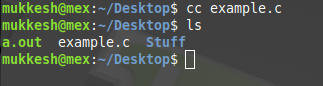
**Note : This compiles the C source file.
10. cpp
The cpp command is the C preprocessor.
- Expands macros
- Processes include directives
- Used before compilation
**Syntax:
cpp file.c
**Example:
cpp main.c
**Note : This preprocesses the source file.
11. ctags
The ctags command generates an index of source code symbols.
- Helps navigate large codebases
- Used with editors like vim
- Indexes functions and variables
**Syntax:
ctags files
**Example:
ctags *.c
**Note : This generates tags for all C files.
12. g++
The g++ command compiles C++ programs.
- Compiles and links C++ source code
- Supports modern C++ standards
- Part of GNU Compiler Collection
**Syntax:
g++ file.cpp
**Example:
g++ main.cpp
**Note : This compiles the C++ source file.
13. gcc
The gcc command is the GNU C Compiler.
- Compiles C programs
- Supports multiple languages
- Widely used in Linux
**Syntax:
gcc file.c
**Example:
gcc source.c
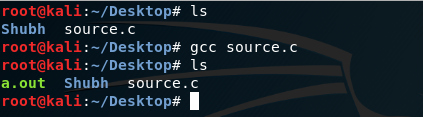
**Note : This compiles the C program.
14. gdb
The gdb command is the GNU Debugger.
- Debugs C and C++ programs
- Allows breakpoint and variable inspection
- Helps fix runtime errors
**Syntax:
gdb executable
**Example:
gdb a.out

**Note : This starts debugging the executable.
15. ranlib
The ranlib command generates an index for static libraries.
- Updates library symbol tables
- Used with archive files
- Improves linker performance
**Syntax:
ranlib library.a
**Example:
ranlib libtest.a
**Note : This updates the static library index.
16. readelf
The readelf command displays information about ELF binaries.
- Shows headers and sections
- Helps analyze executables
- Useful in low-level debugging
**Syntax:
readelf [options] file
**Example:
readelf -h a.out
**Note : This displays the ELF header information.