Terminal and Session Management Commands in Linux (original) (raw)
Last Updated : 7 Jan, 2026
Terminal and Session Management Commands in Linux are used to control terminal screens, manage sessions, handle keyboard input, and interact with virtual consoles. These commands help users work efficiently inside the Linux terminal and manage different terminal environments.
- Used to manage terminal sessions and virtual consoles.
- Helps reset, configure, and control terminal behavior.
- Useful for debugging keyboard and terminal related issues.
- Supports switching terminals, capturing keystrokes, and managing sessions.
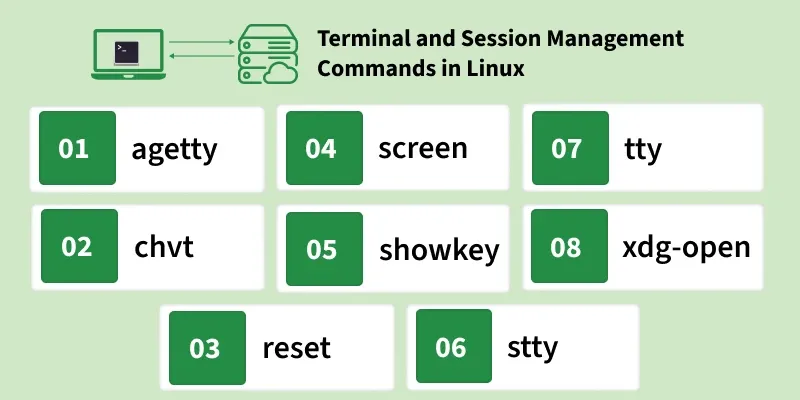
Below is a list of important terminal and session management commands used in Linux.
Terminal and Session Management Commands in Linux
**1. agetty
The agetty command is used to manage physical or virtual terminal login prompts. It initializes terminals and handles user login sessions.
- Starts terminal login shells
- Commonly used in system boot processes
- Handles authentication prompt
- Useful for virtual console management
**Syntax:
agetty [options] port baud_rate term
**Example:
agetty tty1 9600
**Output:

**2. chvt
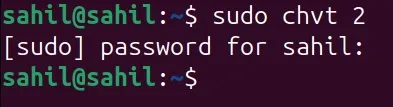
The chvt command is used to switch between different virtual terminals in Linux. Each terminal is identified by a number.
- Switches between virtual consoles
- Requires root privileges in some systems
- Useful in multi-terminal environments
- Helps access different terminal sessions
**Syntax:
chvt
**Example:
chvt 2
**Output:
**3. reset
The reset command is used to restore the terminal to its normal working condition. It clears incorrect display formatting and fixes terminal glitches.
- Resets terminal settings
- Fixes broken terminal display
- Clears unwanted output issues
- Useful after command execution errors
**Syntax:
reset
**Example:
reset
**Output:

**4. screen
The screen command is used to create multiple terminal sessions inside a single terminal window. It allows users to detach and resume sessions anytime.
- Creates multiple terminal sessions
- Allows session detaching and resuming
- Useful in remote SSH sessions
- Helps continue processes even after disconnect
**Syntax:
screen
**Example:
screen
**Output:
**5. showkey
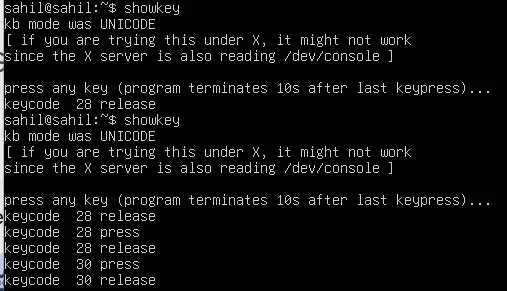
The showkey command displays the keycodes of keys pressed on the keyboard. It is mainly used for debugging keyboard input.
- Shows keycodes of pressed keys
- Useful for keyboard debugging
- Works in virtual terminals
- Helps diagnose input issues
**Syntax:
showkey
**Example:
showkey
**Output:
**6. stty
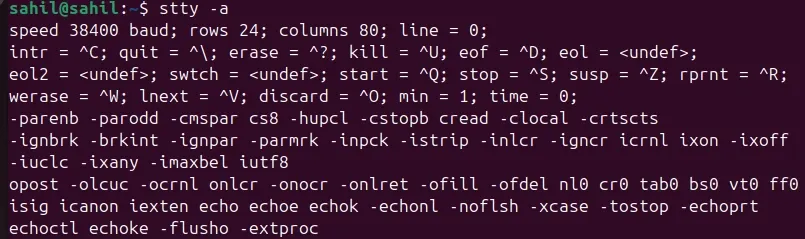
The stty command is used to change and display terminal line settings. It controls terminal attributes like input, output, and control characters.
- Modifies terminal behavior
- Displays terminal settings
- Controls input/output configurations
- Useful in shell scripting and automation
**Syntax:
stty [options]
**Example:
stty -a
**Output:
**7. tty
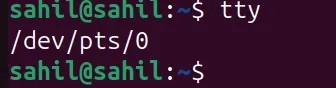
The tty command prints the filename of the terminal connected to the standard input. It helps identify the current terminal session.
- Displays current terminal name
- Shows terminal device path
- Useful in scripting
- Helps identify session terminal
**Syntax:
tty
**Example:
tty
**Output:
****8. xdg-**open
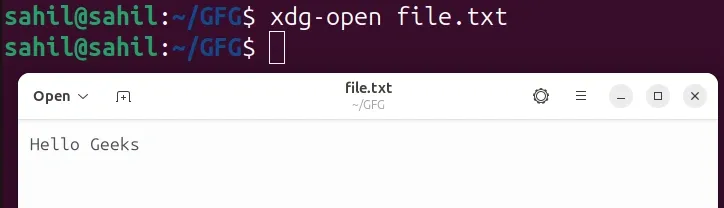
The xdg-open command is used to open files, directories, or URLs using the system’s default applications. It works in graphical desktop environments.
- Opens files and directories
- Opens websites in default browser
- Works with GUI-based systems
- Useful for launching applications from terminal
**Syntax:
xdg-open filename_or_URL
**Example:
xdg-open file.txt
or
xdg-open https://www.geeksforgeeks.org
**Output: