Creating and Deploying an Atlas Cluster in MongoDB (original) (raw)
Last Updated : 5 May, 2026
MongoDB Atlas is a fully managed cloud database service that lets you deploy, manage, and scale MongoDB clusters on major cloud platforms without handling infrastructure.
- **Fully Managed Service: MongoDB handles provisioning, scaling, backups, and maintenance.
- **Cloud Providers: Supports AWS, Google Cloud, and Microsoft Azure.
- **Developer-Friendly: Lets teams focus on building apps instead of managing servers.
There are two types of Clusters
**1. Replica Sets: A set of duplicate MongoDB nodes maintaining copies of the same data to ensure high availability and redundancy.
**2. Sharded Clusters: Data is distributed across several MongoDB servers to improve performance and handle larger datasets.
Setup of Atlas Cluster in MongoDB
Create an Atlas cluster, whitelist network access, add database users, and connect applications using the connection URI for scalable, highly available cloud hosting.
1. Creating Atlas Cluster
- Sign up or log in to MongoDB Atlas.
- Complete the required profile and project details, then accept the terms.
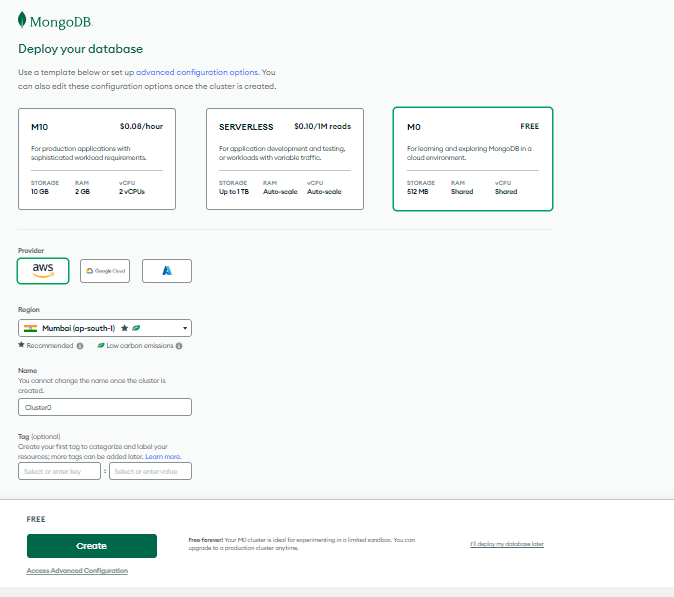
- Select a cluster tier (e.g., M0 Free), choose a region (e.g., Mumbai), optionally rename the cluster (default: Cluster0), and click Create.
2. Whitelisting of IP Address
From the Atlas home page, open Database in the left panel and locate your cluster (e.g., Cluster0).
-min.jpg)
- Next, we will have to click on "Add your Current IP Address" and it will fetch our IP Address automatically and ask you for reconfirmation.
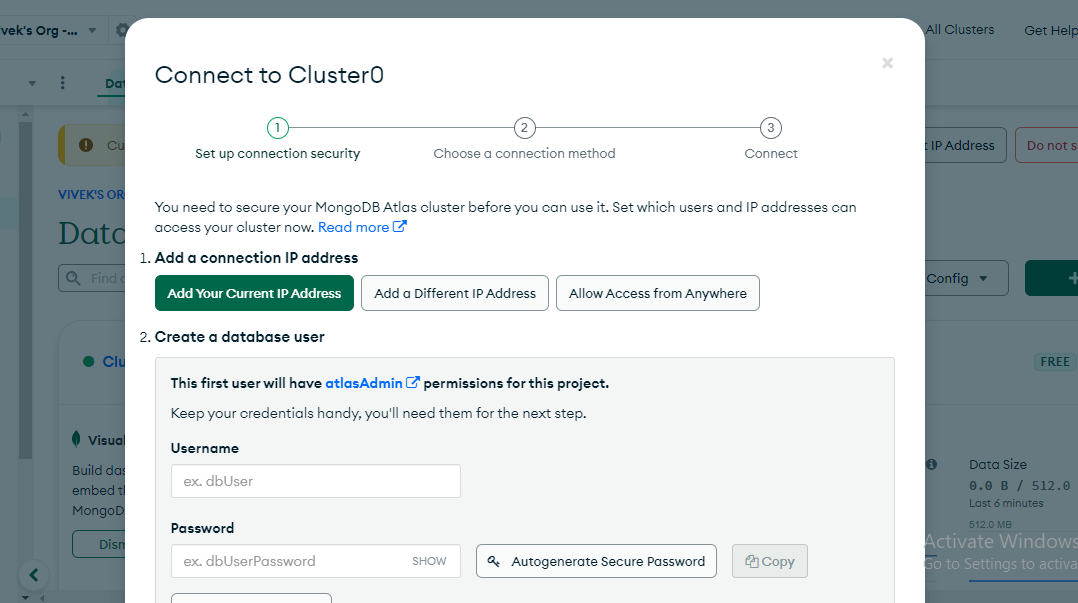
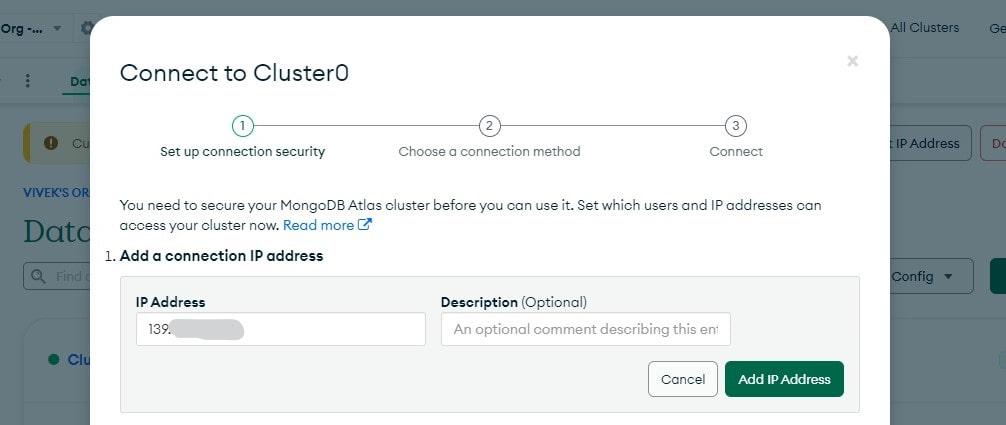
- Click on "Add IP Address". Now, you have successfully added your current IP Address.
3. Setup a MongoDB user for your Cluster
- Click Connect next to your cluster on the Atlas dashboard.
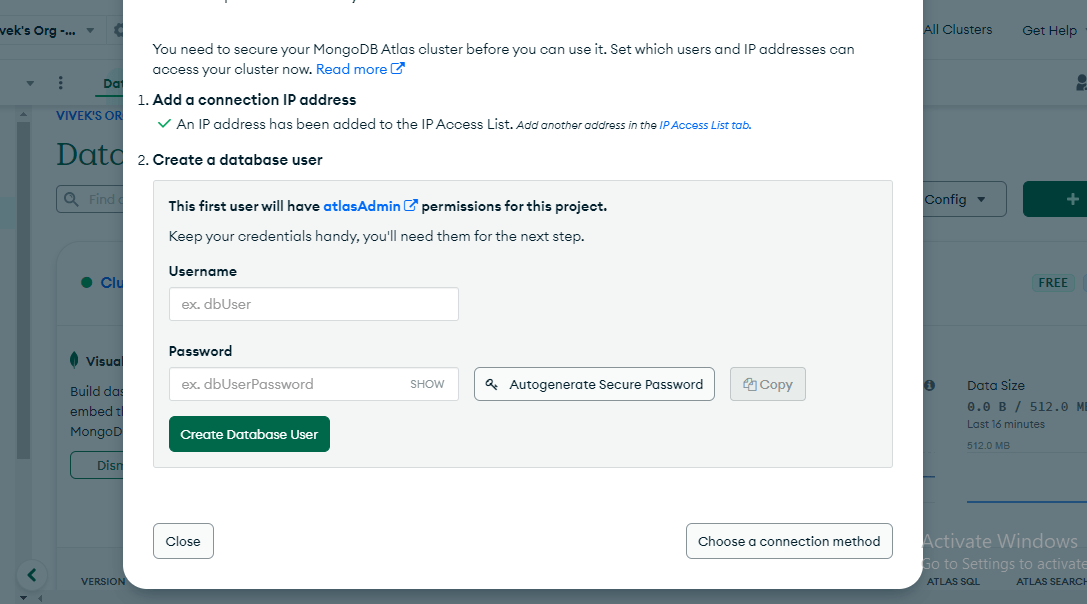
- Select Create a database user, set a username and password (or use Autogenerate secure password).
- Save the credentials securely (the password can’t be viewed again) and click Create database user.
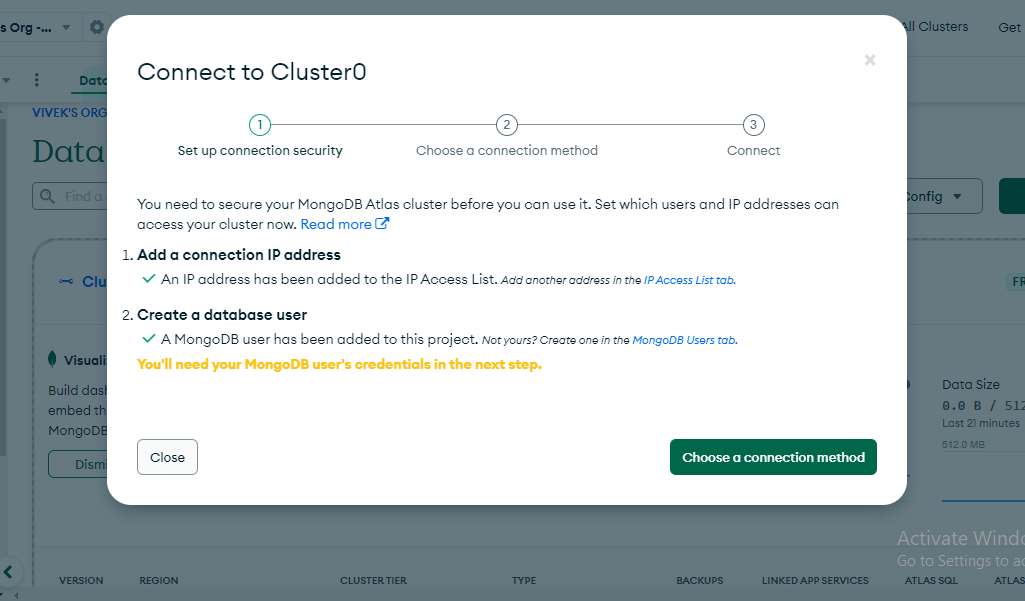
4. Connecting Atlas Cluster to MongoDB Compass
- Download and install MongoDB Compass (GUI based).
- In Atlas, open your cluster and click Connect.
- Choose Connect with MongoDB Compass (or Choose a connection method if prompted).
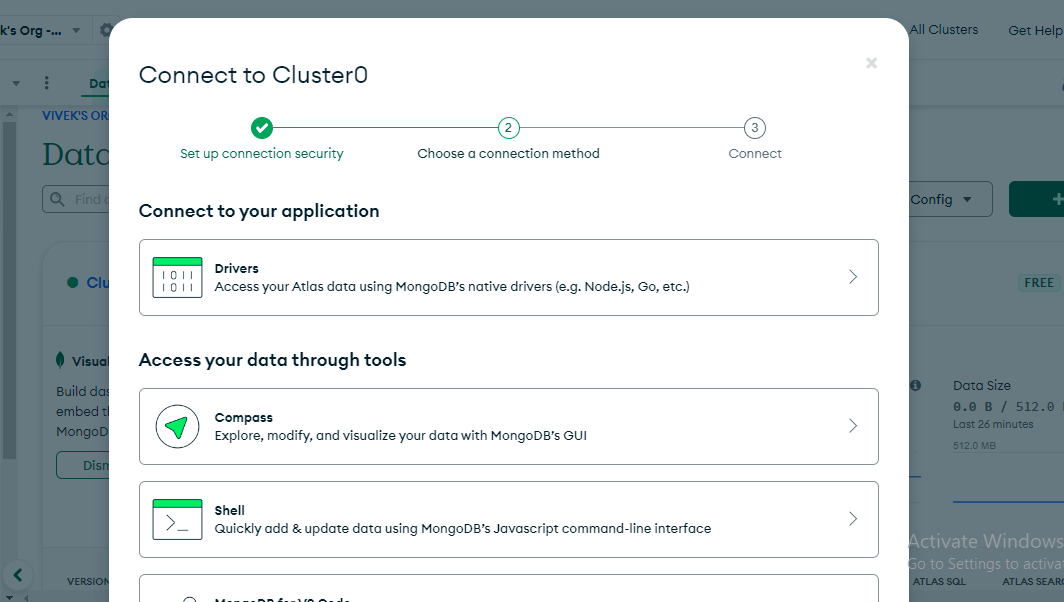
- Now, here you can click on "Compass".
- After that click on "I have MongoDB Compass Installed" copy the connection string and replace the password with the password you have created for the database user in step 3.
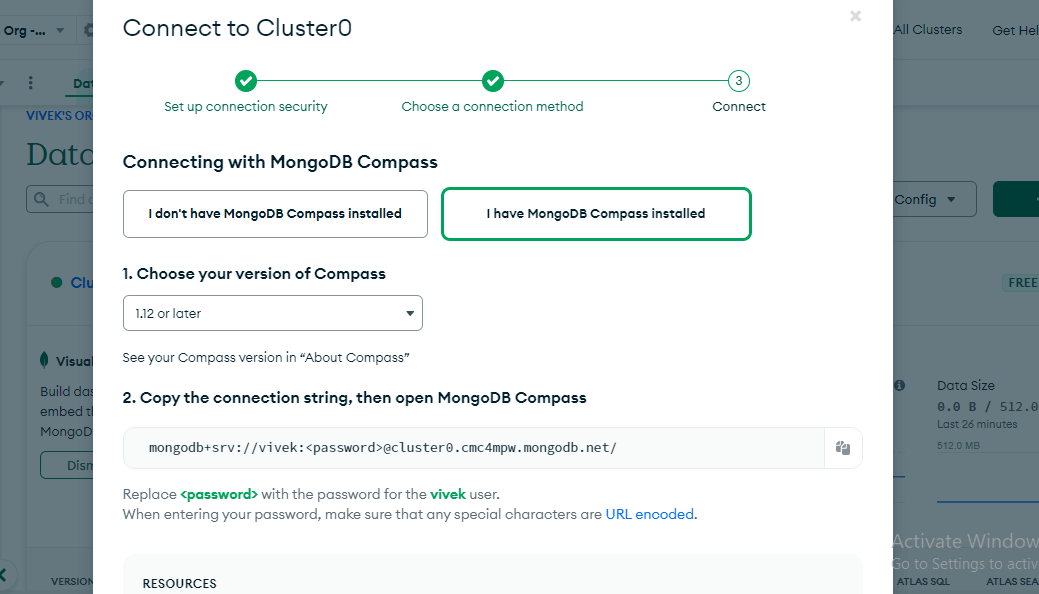
- Now, Open the MongoDB Compass Paste the connection string with your database password and, Click on "Connect".
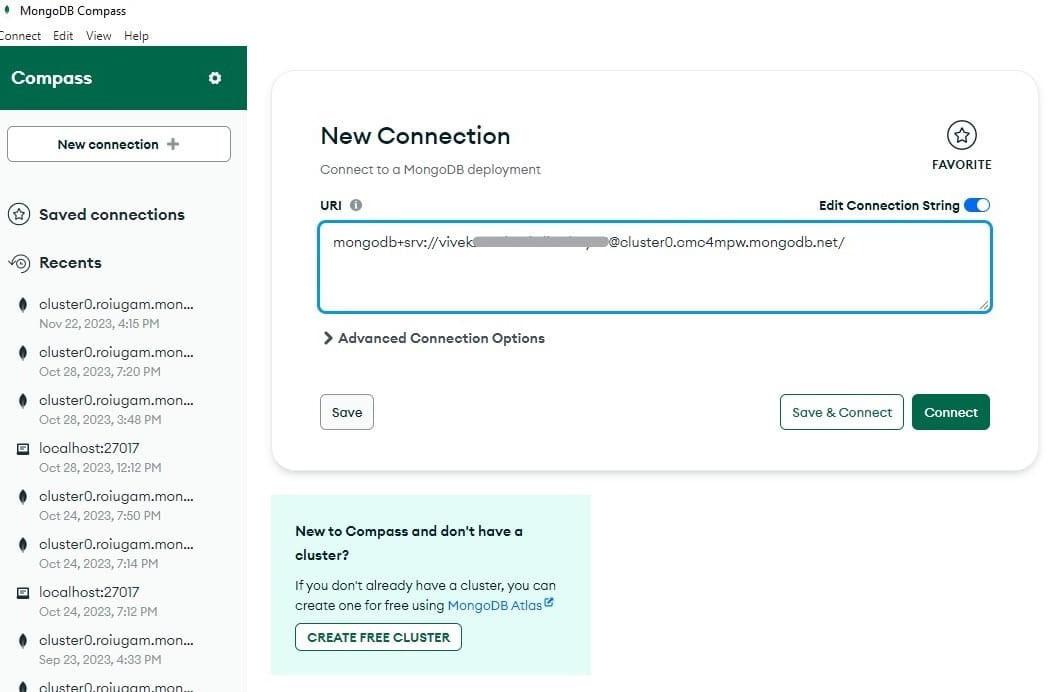
- You have been successfully connected to the cloud database.
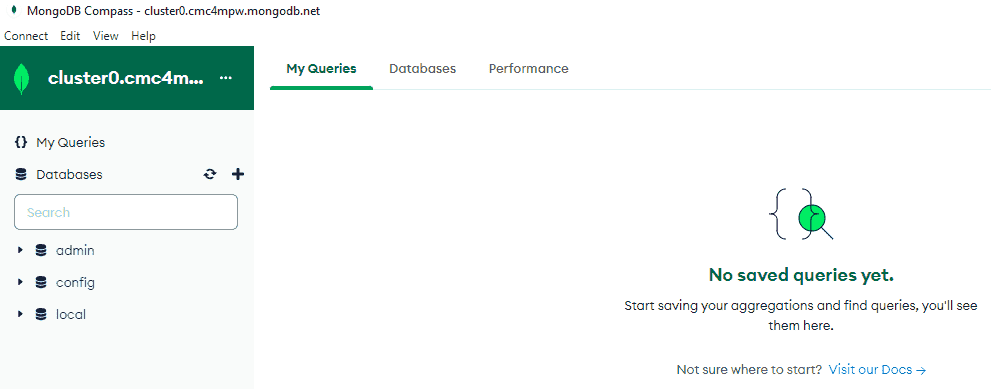
You have successfully connected your Database with MongoDB Atlas Cluster and If you want to know more about MongoDB you can visit their official site and read the documentation.