MongoDB Compound Indexes (original) (raw)
Last Updated : 5 May, 2026
MongoDB compound indexes combine multiple fields in a single structure to speed up queries that filter or sort on more than one field, improving query performance.
- Indexes multiple fields together and stores their combined values in sorted order.
- Improves database performance for queries that filter or sort on multiple fields.
- Supports covered queries using only indexed fields.
- Reduces full collection scans, with efficiency depending on the order of fields in the index.
Create a Compound Index
In MongoDB, we can create a compound index using the createIndex() method.
**Syntax:
db.collection.createIndex({: , : , ...})
- , are the fields included in the compound index.
- , define the index order 1 for ascending and -1 for descending.
Examples of Compound Indexes
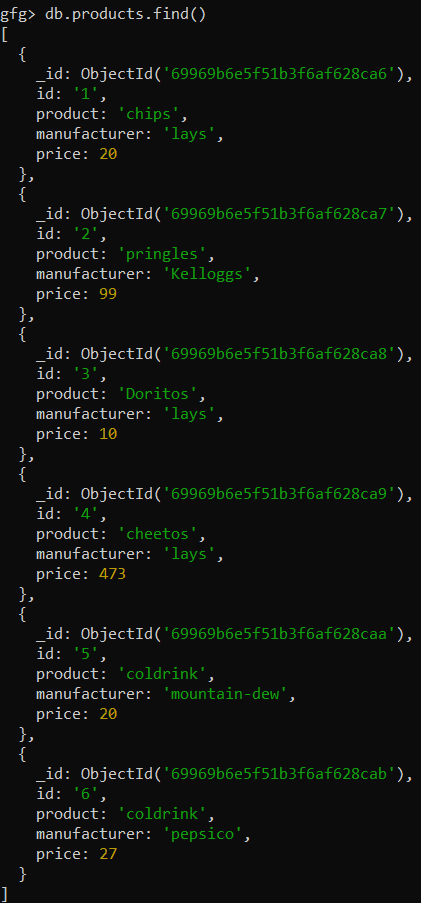
In the following examples, we are working with:
- **Database: gfg
- **Collection: products
- **Documents: Six documents that contain the details of the products in the form of field-value pairs.
Example 1: Creating a compound index on manufacture and price
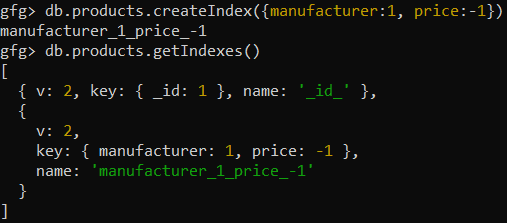
Creating an index on manufacturer in ascending order and then on price in descending order.
db.products.createIndex({manufacturer:1, price:-1})
**Output:
Example 2: Creating a compound index on product, manufacturer, and price
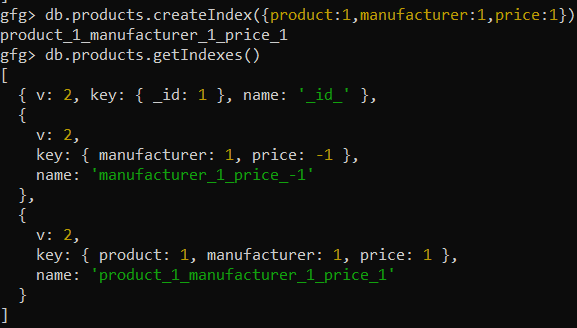
Creating an index on the product in ascending order then it will be sorted for the manufacturer in ascending order, and then it will again be sorted for price
**Query:
db.products.createIndex({product:1,manufacturer:1,price:1})
**Output:
Sorting using Compound Indexes
MongoDB can use indexes to efficiently perform sorting when the sort keys match an index prefix.
- The sort() operation can leverage an index because index entries are stored in sorted order.
- MongoDB uses an index for sorting when sort keys match the index prefix.
- Without a suitable index, MongoDB performs a blocking in-memory sort.
- Matching the index prefix allows results to be returned without an extra sort stage.
The created index can be used for sorting on the following prefixes -
| Example | Prefix |
|---|---|
| db.data.find().sort({a: 1}) | {a: 1} |
| db.data.find().sort({a: -1}) | {a: 1} |
| db.data.find().sort({a: 1, b: -1}) | {a: 1, b: -1} |
| db.data.find().sort({a: -1, b: 1}) | {a: 1, b: -1} |
| db.data.find().sort({a: 1, b: -1, c: 1}) | {a: 1, b: -1, c: 1} |
**Example: Fixes the prefix field and sorts using the remaining indexed fields.
Consider the following data for the query.
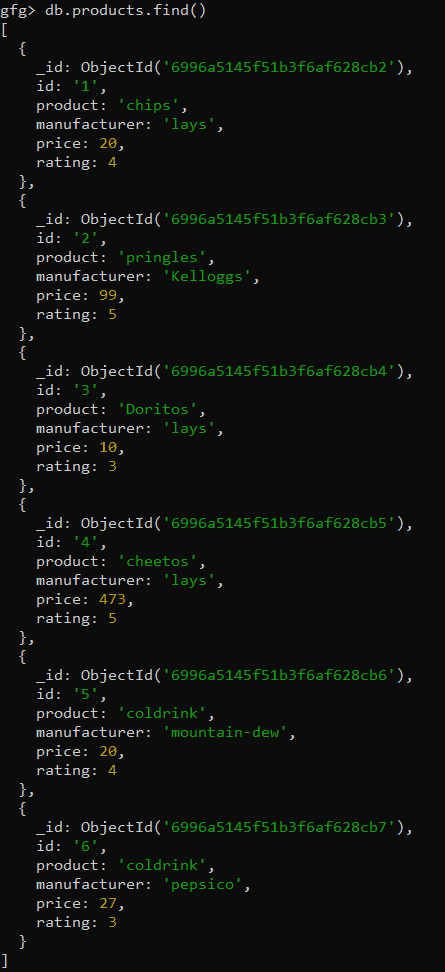
**Create Index first.
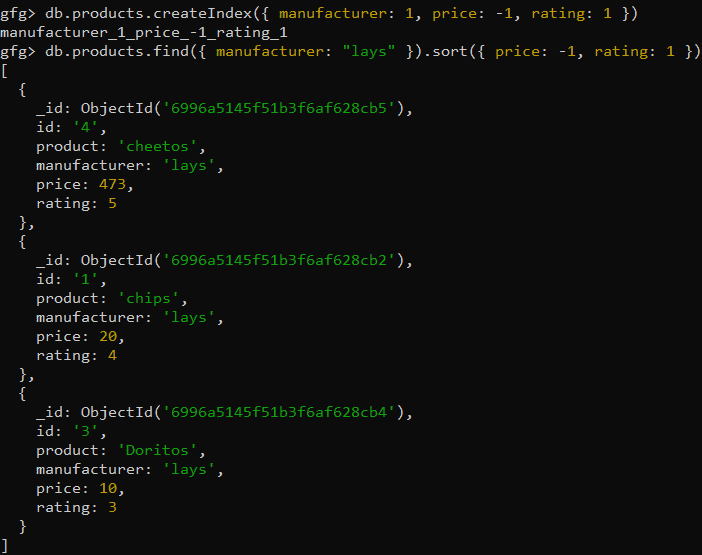
db.products.createIndex({ manufacturer: 1, price: -1, rating: 1 })
**Then,
db.products.find({ manufacturer: "lays" }).sort({ price: -1, rating: 1 })
**Output: