MongoDB $min Operator (original) (raw)
Last Updated : 5 May, 2026
The $min operator in MongoDB updates a field only when the new value is smaller than the current value, helping enforce minimum limits and keep data consistent.
- **Conditional Update: Changes a value only when the new value is smaller.
- **Minimum Thresholds: Helps enforce lower bounds on fields like rank or score.
- **Nested Fields: Supports updates on embedded fields using dot notation.
- **Auto Field Creation: Creates the field if it doesn’t exist.
- **BSON Comparison: Compares values using BSON type-aware rules.
Syntax
{ $min: { field1: value1, field2: value2 ... } }
- ****$min:** Operator that applies conditional minimum updates.
- **field1, field2: Target fields to be checked and updated.
- **value1, value2: New values to compare against current values.
Examples of Using the $min Operator
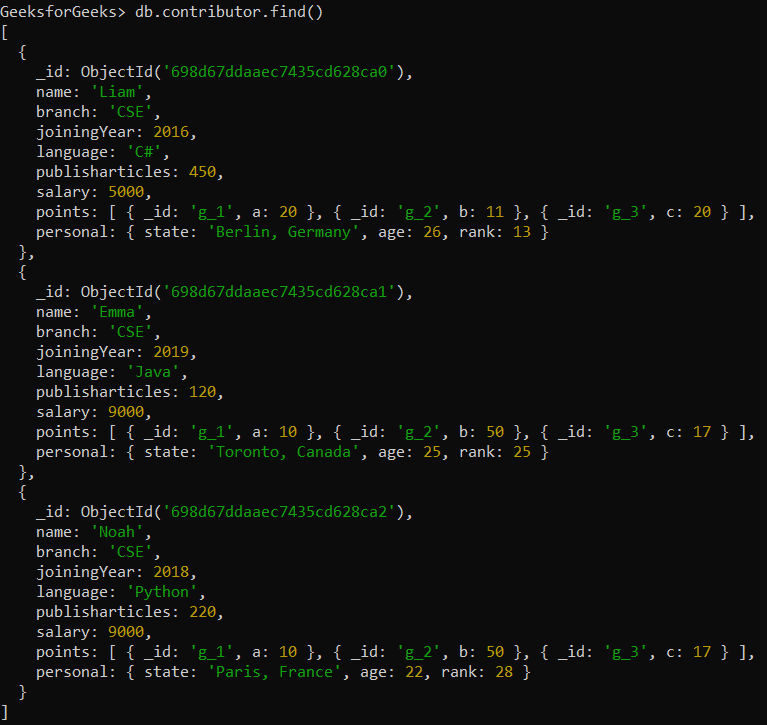
We have a MongoDB collection for contributors with the following structure:
- **Database: GeeksforGeeks
- **Collection: contributor
- **Document: Three documents that contain the details of the contributors in the form of field-value pairs.
Example 1: Comparing Values Using $min operator
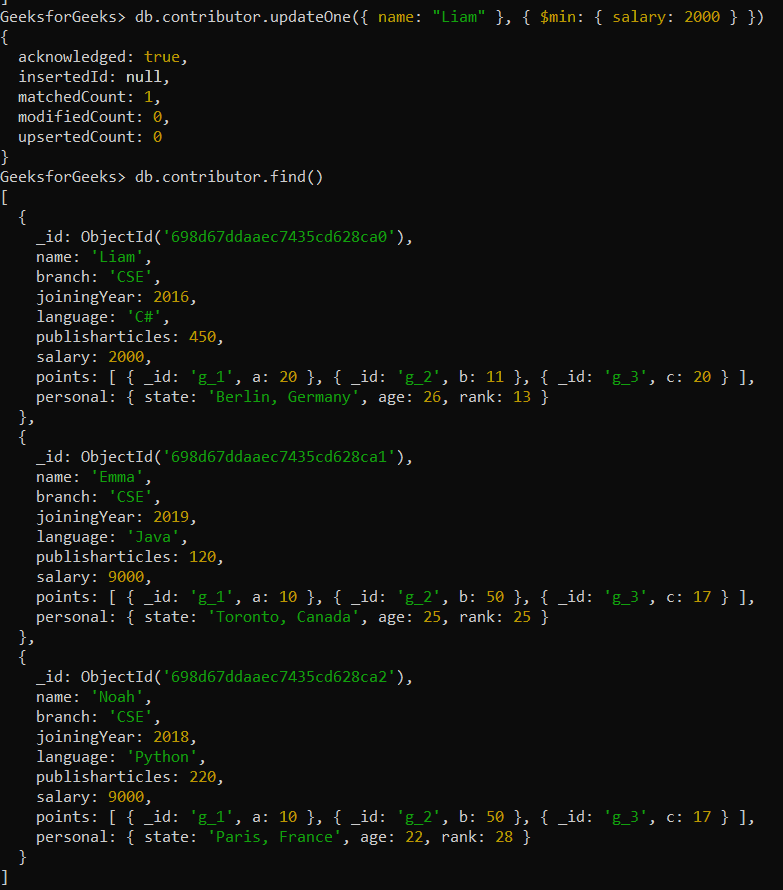
We compare the existing salary field with the specified value 2000. Since 2000 is smaller than the current value, the $min operator will update the salary field to 2000.
db.contributor.updateOne({ name: "Liam" }, { $min: { salary: 2000 } })
**Output:
Example 2: No Update When Specified Value is Greater
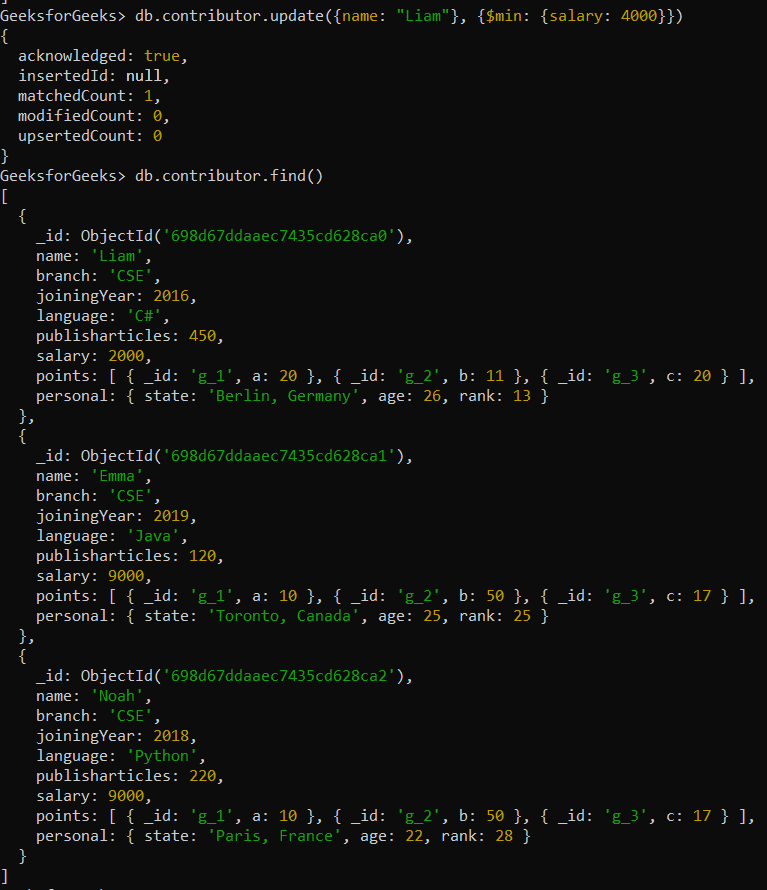
When using $min to update Liam’s salary to 4000, if the current value is less than or equal to 4000, no update will occur.
db.contributor.update({name: "Liam"}, {$min: {salary: 4000}})
**Output:
Example 3: Updating Nested Documents Using $min
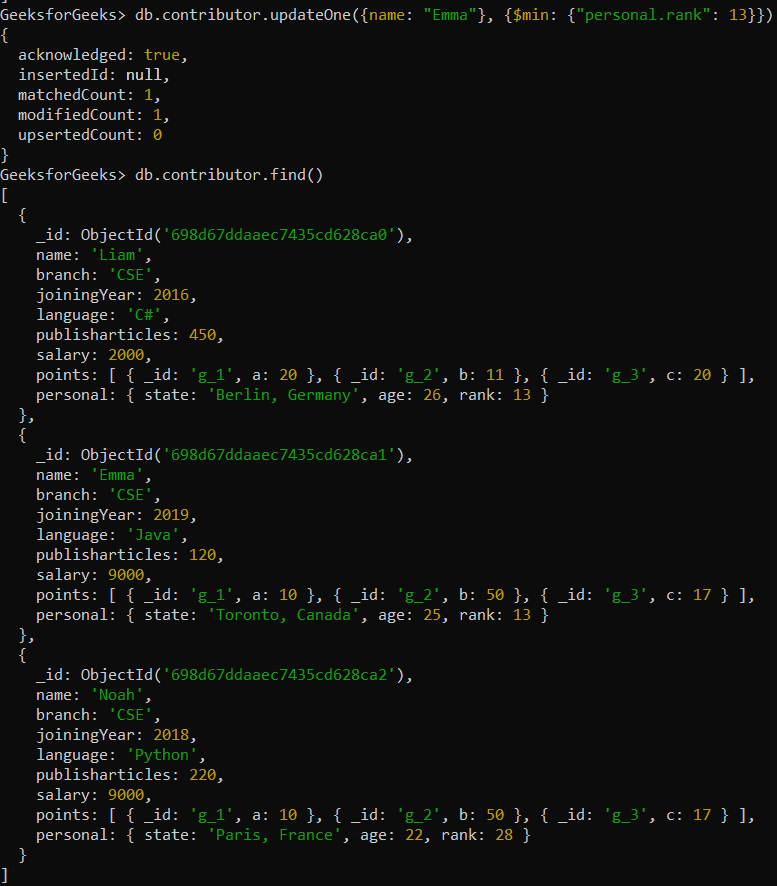
Using dot notation, the $min operator compares the current value of the field inside the embedded documents (personal.rank) with the specified value 13.
db.contributor.updateOne({name: "Emma"}, {$min: {"personal.rank": 13}})
**Output:
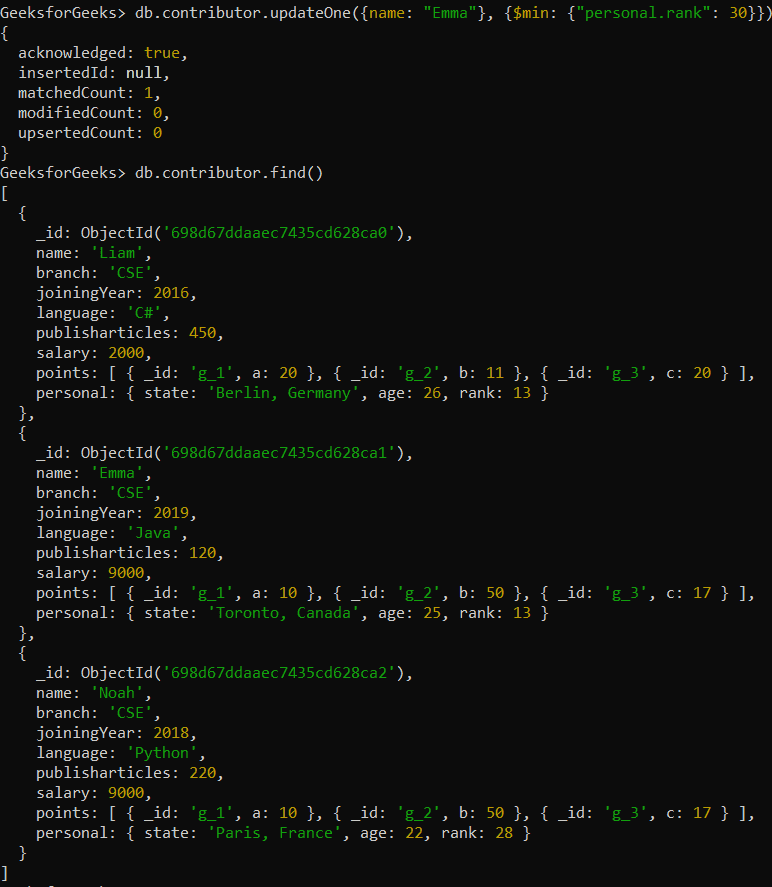
Example 4: No Update on Lower Values in Nested Documents
If the current value is already less than or equal to the specified value, the $min operator will not update the field.
db.contributor.updateOne({name: "Emma"}, {$min: {"personal.rank": 30}})
**Output:
Important Points of $min Operator
The $min operator helps maintain data integrity by enforcing minimum value constraints during updates.
- Updates a field only if the specified value is less than the current value.
- Supports nested fields using dot notation in embedded documents.
- Creates the field and assigns the value if it does not exist.
- Works with MongoDB update methods like updateOne() and updateMany().
- Useful for enforcing minimum thresholds on fields such as ranks or salaries.