MySQL Drop Database (original) (raw)
Last Updated : 20 Mar, 2026
The DROP DATABASE command in MySQL is used to permanently delete an entire database along with all its associated objects. It is a powerful but risky operation, as the deletion is irreversible and results in complete data loss.
- Permanently removes the database, including all tables, views, stored procedures, and data.
- Must be used with caution, as once executed, the database and its contents cannot be recovered.
Dropping a database in MySQL can be achieved through several methods. Some most important ones are given below.
1. Using MySQL Command Line Client
Using the MySQL Command Line Interface (CLI), the DROP DATABASE command is executed with the database name specified.
**Syntax:
DROP DATABASE database_name;
This command permanently erases the specified database, so ensure the correct database name is used to prevent unintended deletions.
Example of DROP Database
Follow the steps below to understand how to create, view, drop, and verify the deletion of a database in MySQL.
**Step 1: Create the Database using the Command Line Interface, see the below command to Creating Database Library.
**Query:
CREATE DATABASE library;
**Output:

Create the database
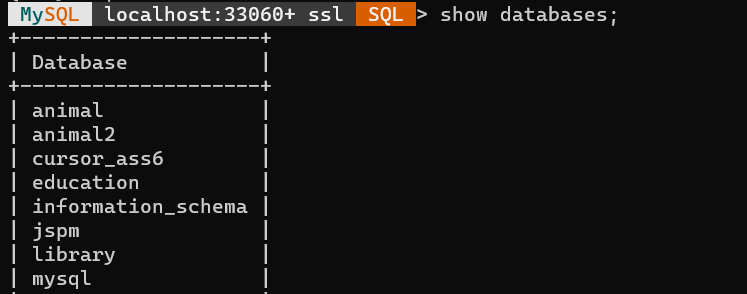
**Step 2: Retrieve the List of Database to Confirm that the Database is Created Successfully.
SHOW DATABASES;
**Output:
**Step 3: Drop the Database library using the following Command.
DROP DATABASE library;
**Output:

**Step 4: Verifying that the database library is deleted successfully from the list of databases
SHOW DATABASES;
**Output:

2. Using MySQL Workbench
MySQL Workbench is a visual interface for MySQL, offers an alternative method to dropping the database. Follow the below process step by step to drop the database using MySQL Workbench.
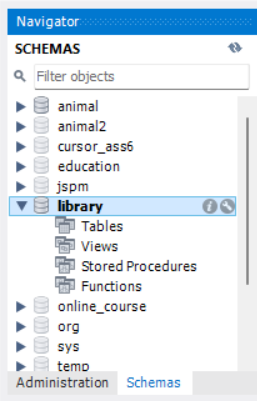
**Step 1: Navigate to the SCHEMAS Section in the Sidebar.
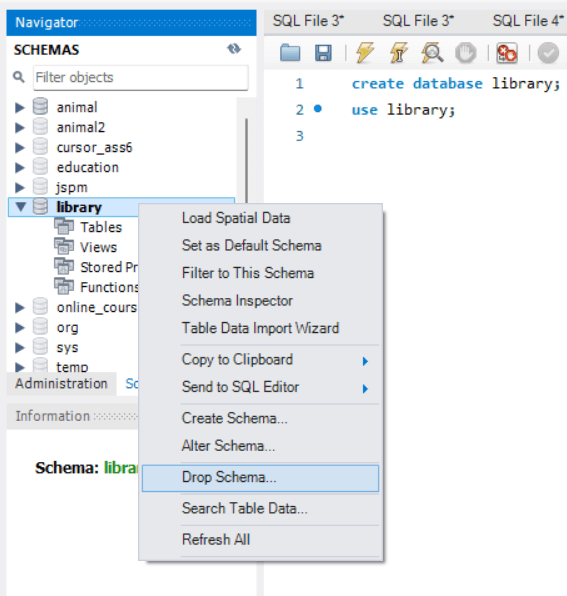
**Step 2: Right Click on the Target Database and Select Drop Schema.
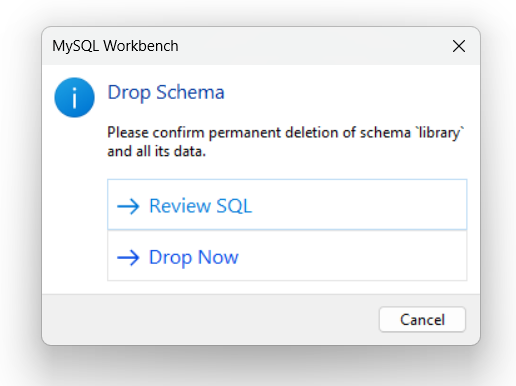
**Step 3: Confirm the Deletion in the Prompt.