NodeJS Basics (original) (raw)
Last Updated : 25 Apr, 2026
Node.js is a JavaScript runtime environment built on Chrome’s V8 JavaScript engine that allows developers to execute JavaScript code outside the browser. It can make console-based and web-based Node.js applications.
**Some of the features of Node.js are mentioned below:
- **Non-blocking I/O: Node.js is asynchronous, enabling efficient handling of concurrent requests.
- **Event-driven architecture: Developers can create event-driven applications using callbacks and event emitters.
- **Extensive module ecosystem: npm (Node Package Manager) provides access to thousands of reusable packages.
- **Single-threaded Model: Node.js runs on a single thread. Despite being asynchronous, it uses an event loop to handle requests.
Setting Up Node.js
To start using Node.js, you’ll first need to install it on your system.
Step 1: Download and Install Node.js
- Go to the Node.js official website or you can follow our article to install Node.js
- Download the appropriate installer for your operating system (Windows, macOS, or Linux).
- Follow the installation steps to set up Node.js.
Step 2: Verify Installation
Once installed, you can verify the installation by opening your terminal and typing the following commands:
node -v
npm -v
Step 3: Create a Node.js Project
Create a new directory for your project and initialize it with npm by running.
mkdir node-project
cd node-project
This will generate a package.json file, which is essential for managing your project dependencies.
npm init -y
Step 4: Write Your First Node.js Application
Create a new file called app.js and add the following code to create a simple HTTP server:
JavaScript `
const http = require('http');
const server = http.createServer((req, res) => { res.write('Hello World!'); res.end(); });
server.listen(3000, () => { console.log('Server running on port 3000'); });
`
**Output:
node app.js
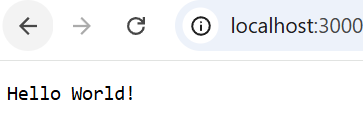
NodeJs
- The http module is imported using require('http') to allow you to create an HTTP server.
- http.createServer creates a new server that listens for incoming HTTP requests.
- The callback function (req, res) handles requests and responses.
- Inside the callback, res.write('Hello, World!') sends "Hello, World!" as a response, and res.end() ends the response.
- server.listen(3000) starts the server on port 3000. Once the server is running, it logs "Server running on port 3000" to the console.
Node.js Architecture
Node****.**js follows a single-threaded event loop model that handles all client requests using a single thread. It is based on a non-blocking I/O model, meaning the server can process multiple requests without waiting for one task to complete before starting the next.
- **Event Loop: The event loop processes tasks without blocking, allowing Node.js to handle many requests concurrently on a single thread.
- **Asynchronous Execution: Non-blocking functions are used for tasks such as reading from the file system or querying databases. This ensures the application remains responsive.
Basic Node.js Concepts
1. Modules in Node.js
Node.js is based on modules, which are reusable pieces of code that can be imported into applications. These include built-in modules (like fs and http) and external packages installed using NPM.
**Common Node.js Modules
- **HTTP Module: The http module creates web servers and handles requests and responses.
- **FS (File System) Module: The fs module reads, writes, and manages files.
- **Path Module: The path module handles and transforms file paths across platforms.
- **Event Module: The events module enables emitting and listening to events.
- **Express Framework: The Expressframework simplifies routing, middleware, and handling HTTP request.
2. Event Loop and Asynchronous Programming
Node.js uses an event loop to handle asynchronous tasks without blocking execution, making applications fast and responsive.
- Runs tasks in the background (non-blocking I/O).
- Uses callbacks when tasks complete.
- Handles multiple requests efficiently.
- Suitable for real-time and web applications.
Advantages of Using Node.js
- **High Performance: Uses a non-blocking I/O model and V8 engine for fast execution, ideal for real-time and large-scale applications.
- **Scalable: Event-driven architecture handles many concurrent connections efficiently.
- **Cross-Platform: Runs on Windows, macOS, and Linux.
- **Active Community: Strong community support with a large ecosystem of open-source libraries and tools.