Shell in Operating System (original) (raw)
Last Updated : 18 Sep, 2025
A shell in an operating system allows users to interact with the OS by entering commands. It acts as a bridge between the user and the kernel, translating user inputs into actions performed by the system. Shells can be command-line based (like Bash in Linux) or graphical. They support scripting to automate tasks and provide control over system operations.
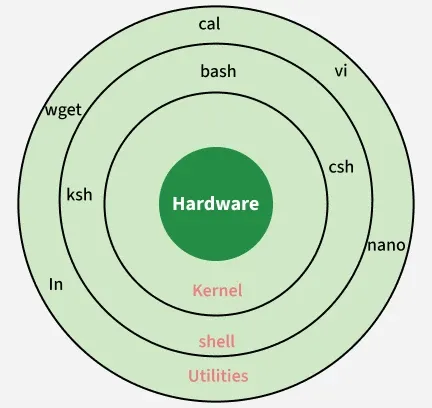
Shell in OS
Types of Shells
Shells can broadly be categorized into two types:
1. Command Line Shell (CLI)
Command Line shell provides a command-line interface where users type commands to perform specific tasks. It is lightweight, faster and preferred by developers and system administrators.
**Examples:
- **Bash (Bourne Again Shell): Most commonly used in Linux.
- **sh (Bourne Shell): The original Unix shell.
- **csh (C Shell): Syntax similar to C programming.
- **zsh (Z Shell): An extended version of bash with advanced features.
2. Graphical Shell (GUI Shell)
Graphical shell provides a graphical interface to interact with the operating system using windows, icons and menus instead of typing commands.
**Examples:
- GNOME Shell in Linux.
- Windows Explorer in Microsoft Windows.
Popular Shells Comparison
Comparison between some most popularly used shell in various operating systems are given below:
| Shell | Features | Used In |
|---|---|---|
| Bash | Command history, scripting, job control | Linux, macOS |
| Zsh | Auto-completion, themes, plugins | Power users on Linux/macOS |
| Csh | C-like syntax | Older Unix systems |
| Fish | User-friendly, syntax highlighting | Linux |
Components of a Shell
- **Prompt: A symbol or message indicating the shell is ready to accept input.
- **Input/Command Parser: Interprets the entered command.
- **Execution Environment: Interacts with the kernel to execute commands.
- **Scripting Capabilities: Allows users to write shell scripts for automation.
Functions of a Shell
- **Command Interpretation: Reads user input and interprets commands.
- **Program Execution: Initiates execution of programs or utilities.
- **Input/Output Redirection: Manages redirection of input/output using symbols like >, <, >>.
- **Pipe Communication: Passes output of one command as input to another using |.
- **Scripting Support: Allows creation of shell scripts for automating repetitive tasks.
- **Environment Customization: Users can configure aliases, environment variables, etc.
Shell Scripting
Shell scripting is a method of writing a series of commands in a text file to be executed by the shell. It enhances efficiency, automates routine tasks and allows conditional logic, loops and functions.
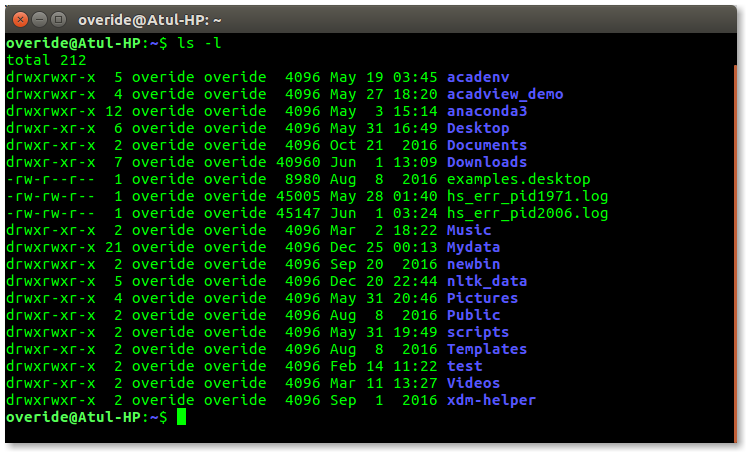
Shell Scripting
**Basic Example (Bash Script):
#!/bin/bash
echo "Welcome to Shell Scripting!"
Advantages of Shell
- Lightweight and fast.
- Powerful for system administration.
- Highly customizable.
- Suitable for scripting and automation.
Disadvantages of Shell
- Complex for beginners to learn CLI.
- CLI shells require memorizing commands.
- Syntax errors in scripts can cause failures.