PostgreSQL List Indexes (original) (raw)
Last Updated : 15 Jul, 2025
Indexes in **PostgreSQL are crucial for optimizing query performance, helping speed up data retrieval by allowing faster access to rows in a table. PostgreSQL does not provide a direct SHOW INDEXES command like some other databases; however, you can use the pg_indexes view and the psql command line to **list and manage indexes effectively.
In this article, we will provide a **comprehensive understanding of **how to list indexes in PostgreSQL using different methods, accompanied by **examples and **explanations. Effective **index management is important for optimizing **database performance, and knowing how to retrieve index details is a **valuable skill for PostgreSQL users.
**Understanding PostgreSQL Indexes
**Indexes are database objects created on one or more columns of a table to **improve query efficiency. They work by **reducing the **amount of data that needs to be scanned, which speeds up **data retrieval. Proper management of indexes can lead to significantly better **database performance.
Listing Indexes in PostgreSQL
We can list indexes in PostgreSQL by two methods, namely:
- **Using the
pg_indexesview - **Using the
psqlcommand
Each of these methods provides useful insights into **PostgreSQL index management, and we will cover both in detail with examples.
1. Using 'pg_indexes'view
The '****pg_indexes'**view allows us to access useful information on each index in the PostgreSQL database. The '****pg_indexes'**view consists of five columns:
- ****'schemaname':** stores the name of the schema that contains tables and indexes.
- ****'tablename':** stores name of the table to which the index belongs.
- ****'indexname':** stores name of the index.
- ****'tablespace':** stores name of the tablespace that contains indexes.
- ****'indexdef':** stores index definition command in the form of CREATE INDEX statement.
Example 1: Listing Indexes by Schema
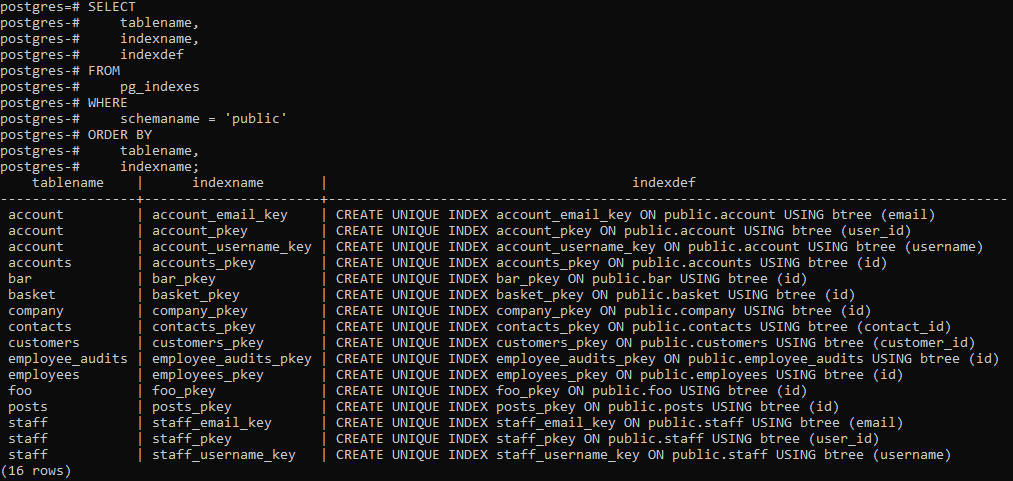
To retrieve a list of all **indexes within the public schema of the **current database, use the following query:
**Query:
SELECT
tablename,
indexname,
indexdef
FROM
pg_indexes
WHERE
schemaname = 'public'
ORDER BY
tablename,
indexname;
**Output
**Explanation:
This query **retrieves and **sorts indexes based on their **associated tables within the public schema.
Example 2: Listing Indexes for a Specific Table
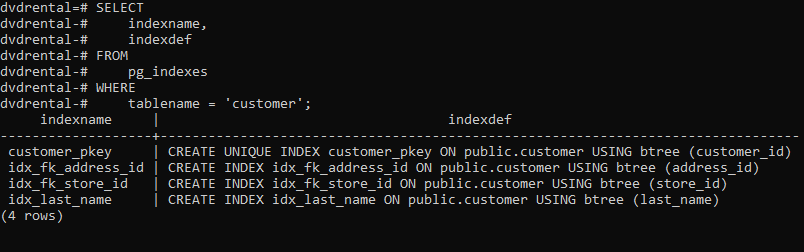
The following statement lists all the indexes for the **customertable, we use the following statement:
**Query:
SELECT
indexname,
indexdef
FROM
pg_indexes
WHERE
tablename = 'customer';
**Output
**Explanation:
This query filters by table name to retrieve index information specifically for the customer table.
2. Using psql command
who prefer using the **command-line interface with PostgreSQL, the psql command provides an efficient method for **listing indexes. The \d command in psql can display detailed index information for given table.
**Syntax:
The below syntax is used to list all the indexes of a table using **psql command:
\d table_name;
**Example 1: Viewing Indexes for 'customer' Table
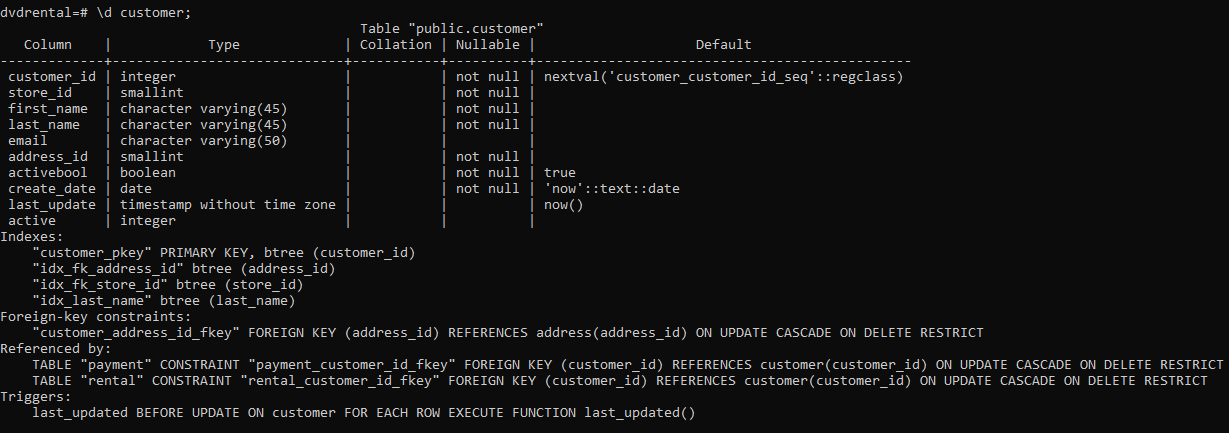
Here we will list all the indexes of the customer table of the sample database as shown below:
\d customer;
**Output
**Explanation:
This command fetches and displays all indexes associated with the '**customer'**table.
**Example 2: Viewing Indexes for 'film' Table
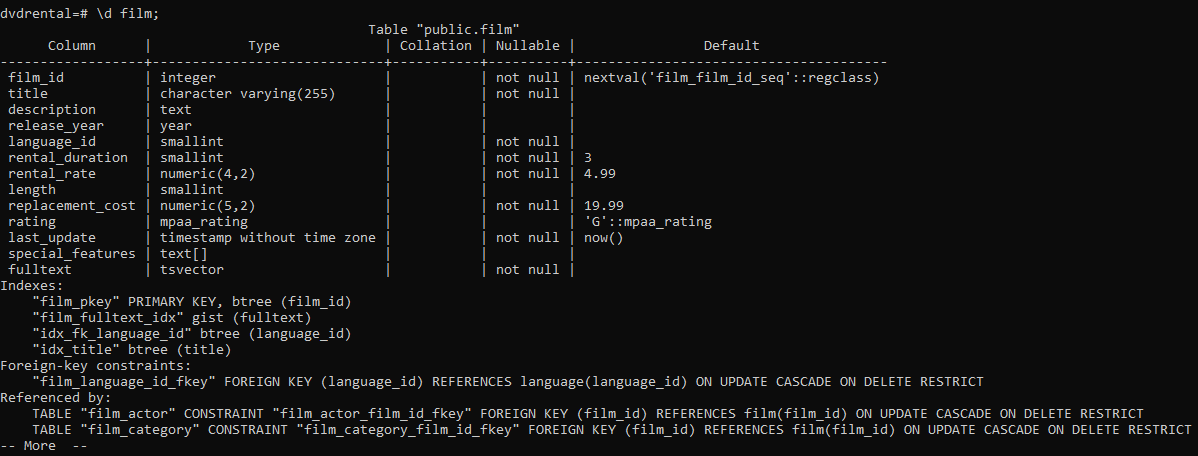
Here we will list all the indexes of the film table of the sample database as shown below:
\d film;
**Output
**Explanation:
This command retrieves index information for the '**film'**table.
Conclusion
By using the pg_indexes view or the psql command, **PostgreSQL users can efficiently list and manage indexes within their databases. Both methods provide critical insights into **schema organization and index definitions, which are essential for optimizing **database performance. Efficient **index management in PostgreSQL enhances performance, and understanding how to list indexes is a **foundational skill for database administrators and developers alike.