Convert PyMongo Cursor to JSON (original) (raw)
Last Updated : 15 Jul, 2025
Prerequisites: MongoDB Python Basics This article is about converting the PyMongo Cursor to JSON. Functions like find() and find_one() returns the Cursor instance. Let's begin:
- Importing Required Modules: Import the required module using the command:
from pymongo import MongoClient
from bson.json_util import dumps
If MongoDB is already not installed on your machine you can refer to the guide: Guide to Install MongoDB with Python - Creating a Connection: Now we had already imported the module, its time to establish a connection to the MongoDB server, presumably which is running on localhost (host name) at port 27017 (port number).
client = MongoClient(‘localhost’, 27017) - Accessing the Database: Since the connection to the MongoDB server is established. We can now create or use the existing database.
mydatabase = client.name_of_the_database - Accessing the Collection: We now select the collection from the database using the following syntax:
collection_name = mydatabase.name_of_collection - Getting the documents: Getting all the documents from the collection using find() method. It returns the instance of the Cursor.
cursor = collection_name.find() - Converting the Cursor to JSON: Converting the Cursor to the JSON. First, we will convert the Cursor to the list of dictionary.
list_cur = list(cursor)
Now, converting the list_cur to the JSON using the method dumps() from bson.json_util
json_data = dumps(list_cur)
You can now save it to the file or can use it in the program using loads() function.
Below is the implementation.
Python3 1== `
Python Program for
demonstrating the
PyMongo Cursor to JSON
Importing required modules
from pymongo import MongoClient from bson.json_util import dumps, loads
Connecting to MongoDB server
client = MongoClient('host_name',
'port_number')
client = MongoClient('localhost', 27017)
Connecting to the database named
GFG
mydatabase = client.GFG
Accessing the collection named
gfg_collection
mycollection = mydatabase.College
Now creating a Cursor instance
using find() function
cursor = mycollection.find()
Converting cursor to the list
of dictionaries
list_cur = list(cursor)
Converting to the JSON
json_data = dumps(list_cur, indent = 2)
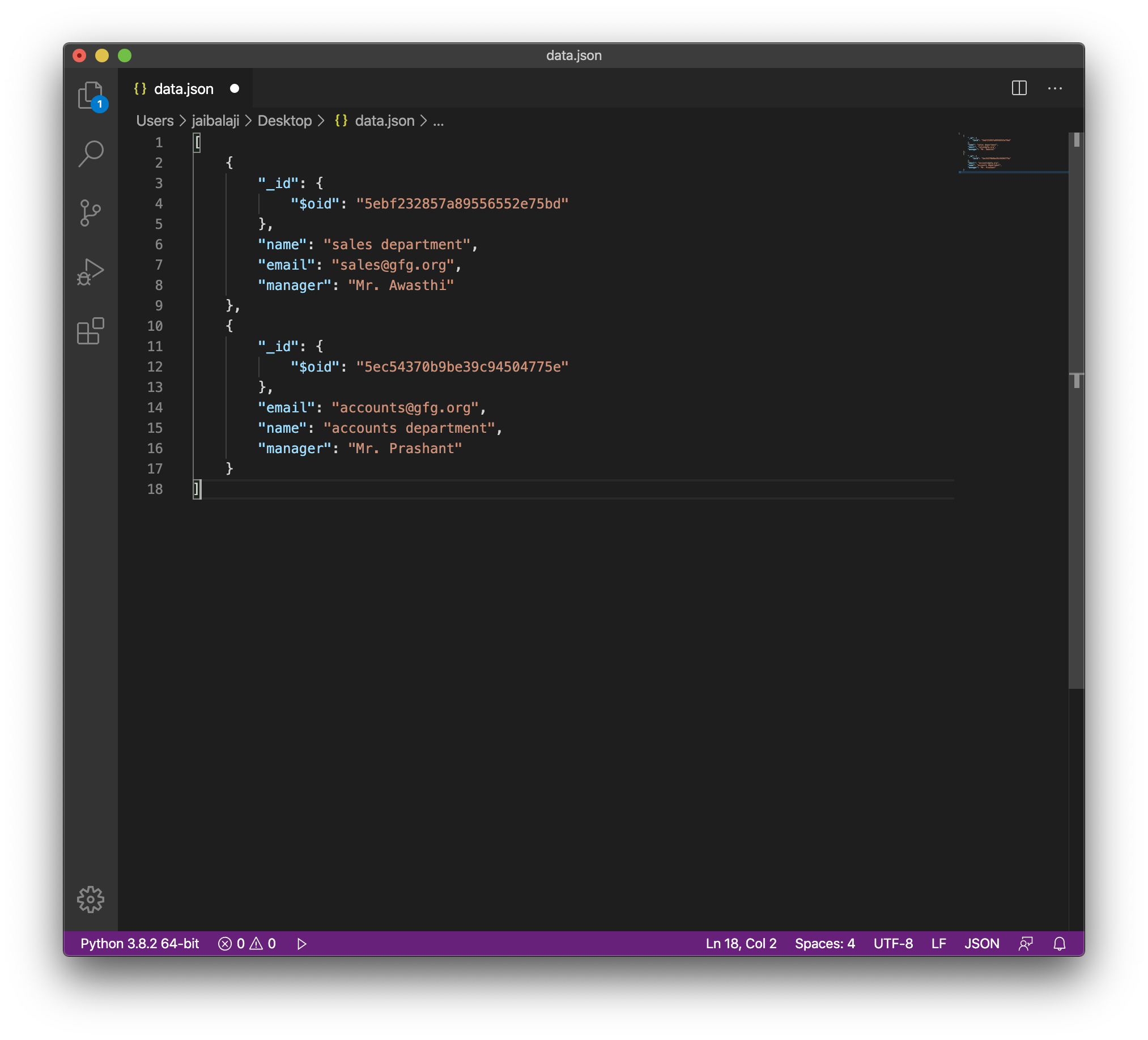
Writing data to file data.json
with open('data.json', 'w') as file: file.write(json_data)
`
Output: