Flask Creating First Simple Application (original) (raw)
Last Updated : 7 Jan, 2026
In this article, we will learn how to build a basic web application using Flask, which is a lightweight Python framework create and run web apps.
Prerequisites
To follow this article, you need:
- Python 3.x installed on your system
- pip (Python package manager)
- Flask (will be installed during the steps)
Step-by-Step Process
**Step 1: Install Flask
To install Flask, open your terminal or command prompt and enter below command:
pip install Flask
This command installs Flask along with the required supporting libraries.
**Step 2: Create Your First Flask Application
Create a new Python file named app.py. This file will contain the code for your first Flask web application.
Python `
from flask import Flask
app = Flask(name)
@app.route('/') def hello_world(): return 'Hello World'
if name == 'main': app.run()
`
**Explanation:
- Flask(__name__) creates the Flask application
- @app.route('/') connects the home URL (/) to a function
- The function returns text shown in the browser
- app.run() starts the local server
**Step 3: Run the Flask Application
Run the command and you will see following in your terminal:

Run the Flask Application
Open the given URL in your web browser to view your first Flask web page showing Hello World.
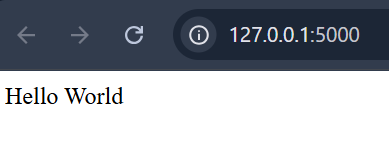
Output of the above FlaskAPI app
**Step 4: Handling a POST Request Using an HTML Form
To understand how POST requests work in Flask, we will create a form that sends a user’s name to the server and displays it after submission.
**Folder Structure
Before writing any code, organize your project folder as shown below:
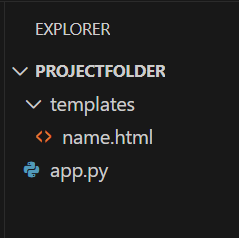
App Folder Structure
**Explanation:
- **app.py: Main Flask application file
- **templates/: Flask automatically looks here for HTML files
- **name.html: HTML form used to send POST data
**Create the HTML Form
Inside the templates folder, create a file named name.html and add the following code:
HTML `
Enter Your Name
`
**Explanation:
- The form uses method="post" to send data securely
- The input field sends the value using the name username
- Clicking Submit sends the data to the Flask server
Now, Update app.py as shown below:
Python `
from flask import Flask, request, render_template
app = Flask(name)
@app.route('/login', methods=['GET', 'POST']) def login(): if request.method == 'POST': name = request.form['username'] return f"Hello {name}, POST request received" return render_template('name.html')
if name == 'main': app.run(debug=True)
`
**Output
Open the browser and visit http://127.0.0.1:5000/login
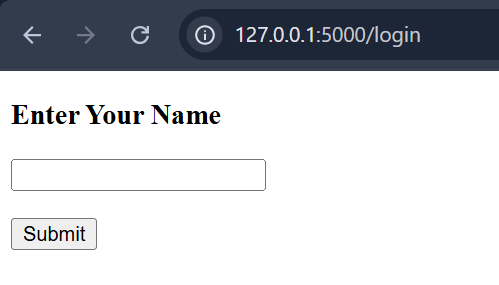
Flask development server running successfully.
Now, Enter a name and click Submit
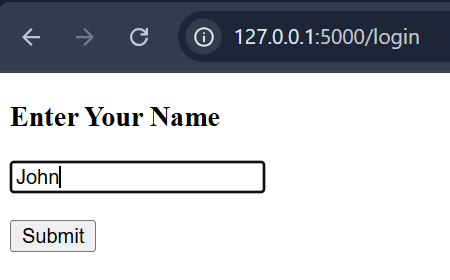
Entering a name in the form before submission.
The browser displays:
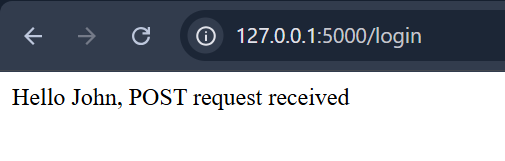
Output displayed after submitting the form using POST request.
**Explanation:
- render_template() displays the HTML form
- methods=['GET', 'POST'] allows both request types
- GET request shows the form in the browser
- POST request reads submitted form data using request.form
- debug=True helps during development