How to Store Username and Password in Flask using MySQL (original) (raw)
Last Updated : 29 May, 2026
Learn how to store usernames and passwords in a Flask web application using MySQL, implement user registration and login functionality, and display a welcome message after successful authentication.
Installation
First create a virtual environment. After creating and activating virtual environment install Flask and Flask-MySQLdb using the following command:
pip install Flask Flask-MySQLdb
To learn how to create and activate a virtual environment, refer to: Python virtual environment.
Template Folder
Create a "Templates" folder and in the templates folder create three files in it:
register.html
This HTML file contains a straightforward registration form that asks for three inputs: username, email address and password.
HTML `
User Registration FormGFG User Registration
Note : fill following details !
{% if message is defined and message %}Already have an account? Login here
`
**Output:
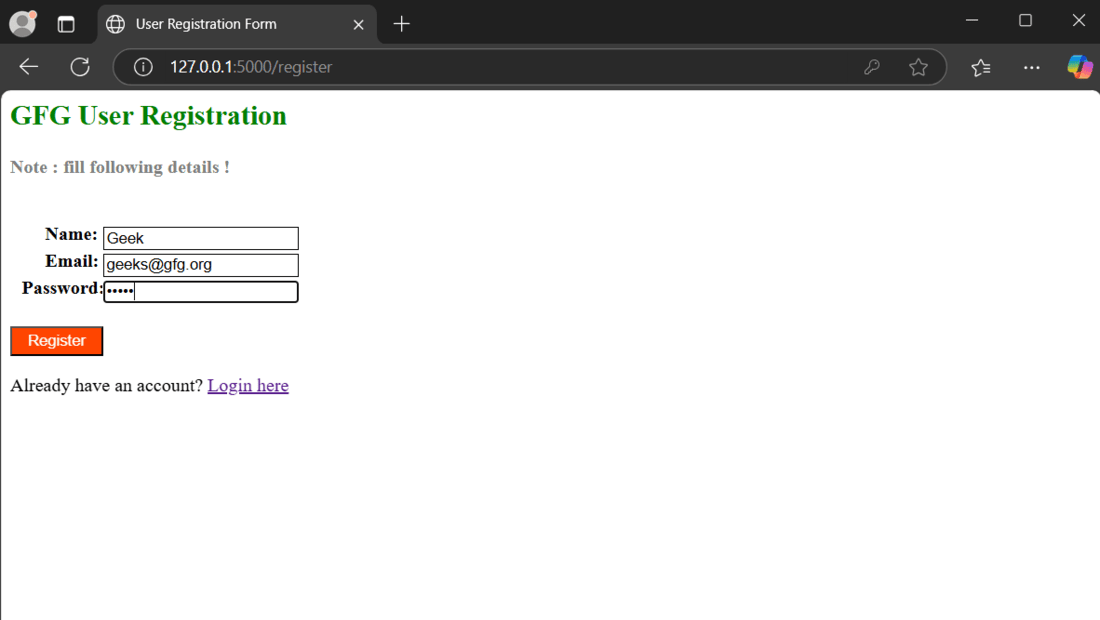
regsister.html
login.html
In login.html, we have two input fields for username and password. If the correct credentials are entered, the user is redirected to the profile page after successful login.
HTML `
User Login FormGFG User Login
{% if message is defined and message %}Don't have an account? Register here
`
**Output:
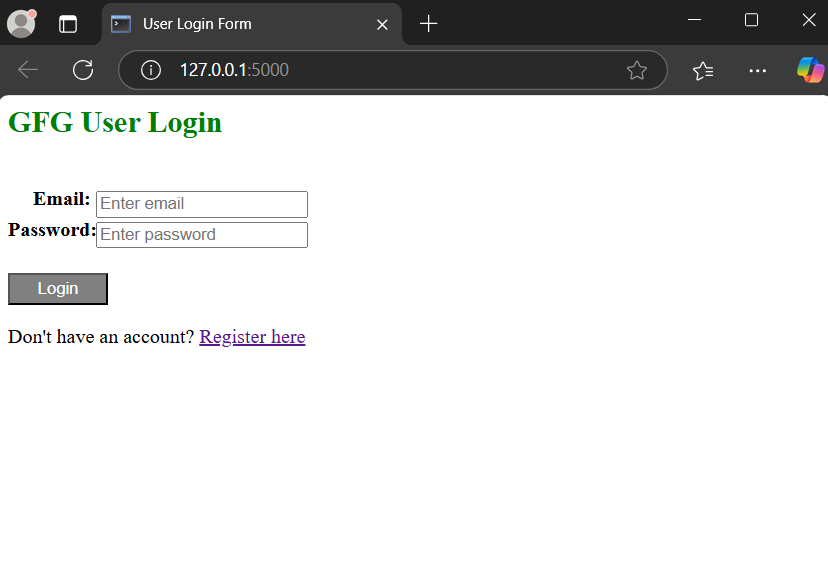
login.html
user.html
This pages displays a welcome message after a successful login.
HTML `
User AccountUser Profile
    <h2>Welcome to the User profile page...</h2>
</div>
`
**Output:
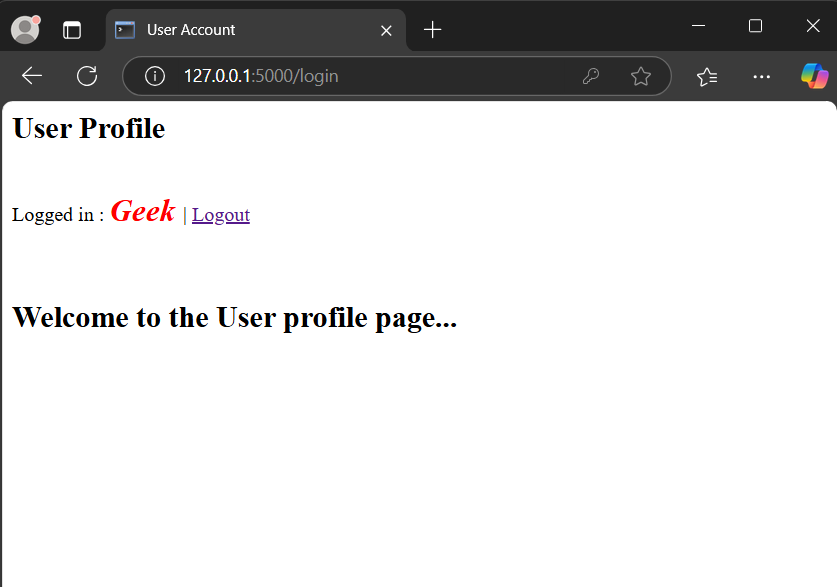
user.html
Setting up Flask app
The complete Flask app for user registration, login and database setup is shown below. For a detailed explanation of creating routes and configuring the database, refer to Login and Registration in Flask.
Python `
from flask import * from flask_mysqldb import MySQL import MySQLdb.cursors import re
initialize first flask
app = Flask(name) app.secret_key = 'GeeksForGeeks'
Set MySQL data
app.config['MYSQL_HOST'] = 'localhost' app.config['MYSQL_USER'] = 'root' app.config['MYSQL_PASSWORD'] = '________' # Use you mysql password app.config['MYSQL_DB'] = 'user_table'
mysql = MySQL(app)
def create_table(): cursor = mysql.connection.cursor() cursor.execute(""" CREATE TABLE IF NOT EXISTS user ( userid INT AUTO_INCREMENT PRIMARY KEY, name VARCHAR(100) NOT NULL, email VARCHAR(100) NOT NULL UNIQUE, password VARCHAR(255) NOT NULL ) """) mysql.connection.commit() cursor.close()
Call the function when the app starts
with app.app_context(): create_table()
@app.route('/') @app.route('/login', methods=['GET', 'POST']) def login(): message = '' if request.method == 'POST' and 'email' in request.form and 'password' in request.form: email = request.form['email'] password = request.form['password'] cursor = mysql.connection.cursor(MySQLdb.cursors.DictCursor) cursor.execute( 'SELECT * FROM user WHERE email = %s AND password = %s', (email, password, )) user = cursor.fetchone() if user: session['loggedin'] = True session['userid'] = user['userid'] session['name'] = user['name'] session['email'] = user['email'] message = 'Logged in successfully !' return render_template('user.html', message=message) else: message = 'Please enter correct email / password !' return render_template('login.html', message=message)
Make function for logout session
@app.route('/logout') def logout(): session.pop('loggedin', None) session.pop('userid', None) session.pop('email', None) session.pop('name', None) return redirect(url_for('login'))
@app.route('/register', methods=['GET', 'POST']) def register(): message = '' if request.method == 'POST' and 'name' in request.form and 'password' in request.form and 'email' in request.form: userName = request.form['name'] password = request.form['password'] email = request.form['email'] cursor = mysql.connection.cursor(MySQLdb.cursors.DictCursor) cursor.execute('SELECT * FROM user WHERE email = %s', (email, )) account = cursor.fetchone() if account: message = 'Account already exists !' elif not re.match(r'[^@]+@[^@]+.[^@]+', email): message = 'Invalid email address !' elif not userName or not password or not email: message = 'Please fill out the form !' else: cursor.execute( 'INSERT INTO user VALUES (NULL, %s, %s, %s)', (userName, email, password, )) mysql.connection.commit() message = 'You have successfully registered !' elif request.method == 'POST': message = 'Please fill out the form !' return render_template('register.html', message=message)
run code in debug mode
if name == "main": app.run(debug=True)
`
**Explanation:
- **Importing Libraries: import Flask for web handling, flask_mysqldb for MySQL database connectivity, and re for input validation.
- **Flask App Configuration: configures the app, including MySQL connection settings and a secret key for session handling.
- **Login Route (/login): handles user authentication by checking the username and password against the database.
- **Logout Route (/logout): ends the session and redirects to the login page.
- **Registration Route (/register): handles new user registrations by validating input and inserting user details into the database.
- **Running the App: the app runs in debug mode, enabling easy debugging during development.
Run the flask application using command mentioned below in the terminal and visit the development server URL to launch it.
python app.py
Adding Users
After launching the app, register two users:
- name = GEEK , email = geek@gfg.org, password = 12345
- name = Geek , email = geeks@gfg.org, password = 12345
Now, login to my sql server in the terminal using command:
mysql -u root -p
enter MySQL password when prompted to check if these two users have been added to the table or not.
The contents of the current user_table can be displayed by executing the following SQL query:
USE user_table;
SELECT * FROM user;
Here is the snapshot of the live demonstration:
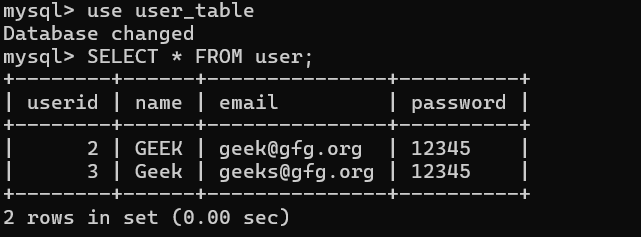
User table