Recipe Recommendation System Using Python (original) (raw)
Last Updated : 23 Jul, 2025
In this article, we will explore how to build a Recipe Recommendation System using Streamlit and OpenAI. We will create the GUI using the Streamlit library and recommend the recipe by using the OpenAI API. We will see in this article how we can create the OpenAI API and use it on our Recipe Recommendation System using a Python app.
Recipe Recommendation System Using Python
Here, we will create the step-by-step implementation of the Recipe Recommendation System using Python. Let's start.
Step 1: Generate OpenAI API
Procedure to Obtain OpenAI API Key:
- Visit OpenAI's official website OpenAI Platform.
- Sign in to your existing account or create a new one if needed.
- **Navigate to the API section: Upon signing in, locate and access the API section on the website.
- **Create an API Key: Follow the provided instructions to generate a new API key.
- Once generated, securely copy the API key and store it for future use.
Step 2: Create Virtual Environment
Create the virtual environment using the commands below.
python -m venv env
.\env\Scripts\activate.ps1
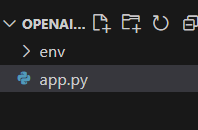
**File Strcutrue
Step 3: Install Necessary Libraries
First, install Streamlit for creating a graphical user interface (GUI), OpenAI to access the OpenAI API, and LangChain, which can be installed using the following command:
pip install streamlit
pip install openai
pip install langchain_community
Step 4: **Import necessary libraries
Here, the code imports the Streamlit library as st and the OpenAI class from the langchain_community.llms module.
import streamlit as st
from langchain_community.llms import OpenAI
Step 5: Implement the Logic
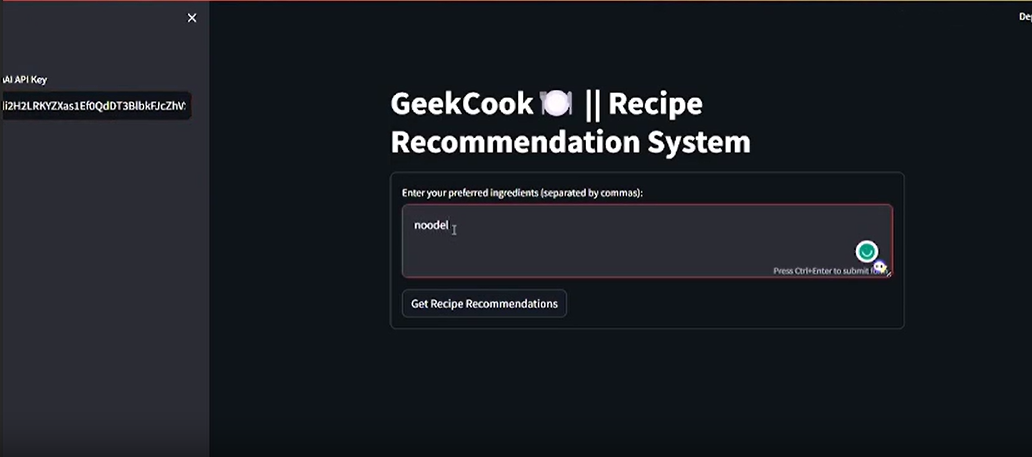
In this example , Python code creates a user friendly app that suggests recipes. Users enter their OpenAI API key on the side, list their favorite ingredients in a form, and click to get recipe ideas. The app uses OpenAI API to provide detailed recipes. If everything goes smoothly, it displays the suggested recipe. If there's an issue, the app shows an error message.
Python3 `
import streamlit as st from langchain_community.llms import OpenAI
st.title('GeekCook ???? || Recipe Recommendation System')
openai_api_key = st.sidebar.text_input('OpenAI API Key')
def generate_recommendations(input_text): try: llm = OpenAI(temperature=0.7, openai_api_key=openai_api_key, model="gpt-3.5-turbo-instruct") prompt = f"Given the ingredients: {input_text }, suggest an easy-to-cook step-by-step recipe." response = llm(prompt) return response except Exception as e: st.error(f"An error occurred: {str(e)}")
with st.form('my_form'):
user_input = st.text_area('Enter your preferred ingredients
(separated by commas):')
submitted = st.form_submit_button('Get Recipe Recommendations')
if submitted and openai_api_key.startswith('sk-'): recommended_recipe = generate_recommendations(user_input) st.info(recommended_recipe)
`
**Run the Server
streamlit run "app.py_file_path"
**Output
**Video Demonstration