turtle.pos() method in Python (original) (raw)
Last Updated : 15 Jul, 2025
The Turtle module provides turtle graphics primitives, in both object-oriented and procedure-oriented ways. Because it uses Tkinter for the underlying graphics, it needs a version of Python installed with Tk support.
turtle.pos()
This method is used to find the turtle's current location (x, y), as a Vec2D-vector. This method has the Aliases: pos | position.
Syntax: turtle.pos() or turtle.position()
Return: turtle's current location in terms of (x, y) coordinate
This function does not require any argument and returns the current position of the turtle in the format (x,y) where x and y represent the 2D vector. The default value is (0.0, 0.0).
Below is the implementation of the above method with some examples :
Example 1 :
Python3 `
import turtle package
import turtle
print the default
position i.e; (0.0, 0.0)
print(turtle.pos())
forward turtle by 150 pixels
turtle.forward(150)
print current position
i.e; (150.0, 0.0)
print(turtle.pos())
forward turtle by 150 pixels
after taking turn right
by 90 degrees
turtle.right(90) turtle.forward(150)
print position (after next move)
i.e; (150.0, -150.0)
print(turtle.pos())
`
Output:
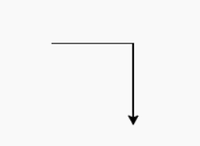
(0.0, 0.0) (150.0, 0.0) (150.0, -150.0)
Example 2:
Python3 `
import turtle package
import turtle
print position (by default)
i.e; (0.0, 0.0)
print(turtle.pos())
turtle move forward
by 40 pixels
turtle.forward(40)
print position (after move)
i.e; (150.0, 0.0)
print(turtle.position())
turtle move forward by 40 pixels
after taking right turn
by 45 degrees
turtle.right(45) turtle.forward(40)
print position
(after next move)
print(turtle.pos())
turtle move forward by 80
pixels after taking left
turn by 90 degrees
turtle.left(90) turtle.forward(80)
print position
(after next move)
print(turtle.pos())
turtle move forward
by 40 pixels after taking
right turn by 90 degrees
turtle.right(90) turtle.forward(40)
print position (after next move)
print(turtle.position())
turtle move forward by
40 pixels after taking
left turn by 45 degrees
turtle.left(45) turtle.forward(40)
print position
(after final move)
print(turtle.pos())
`
Output :
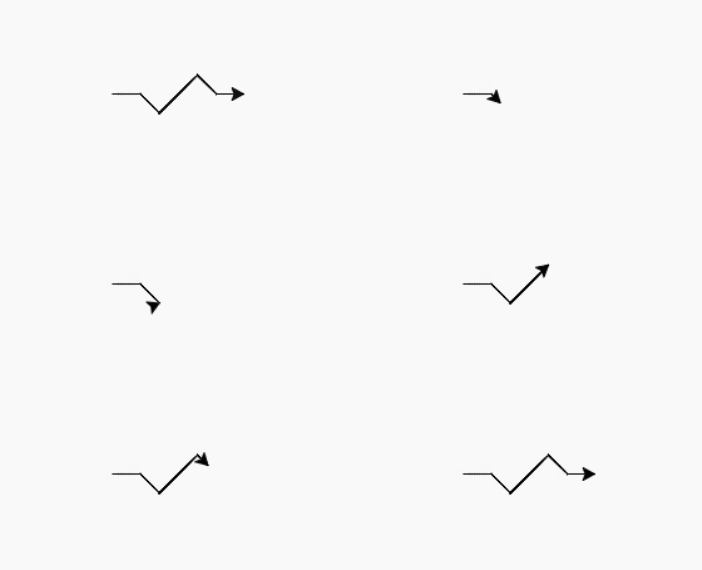
(0.0, 0.0) (40.0, 0.0) (68.2842712475, -28.2842712475) (124.852813742, 28.2842712475) (153.13708499, 0.0) (193.13708499, 0.0)