Next.js Routing (original) (raw)
Last Updated : 25 Feb, 2026
Routing in Next.js is a built-in, file-based system that automatically maps URLs to files and folders, making navigation simple, fast, and efficient without extra libraries.
- Uses file-based routing via the pages/ or app/ directory with no extra setup.
- Supports dynamic and nested routes through folder and file naming.
- Provides fast navigation using the built-in Link component with preloading.
- Allows redirects, SEO-friendly URLs, and optimized performance by default.
**Types of Routes in Next.js
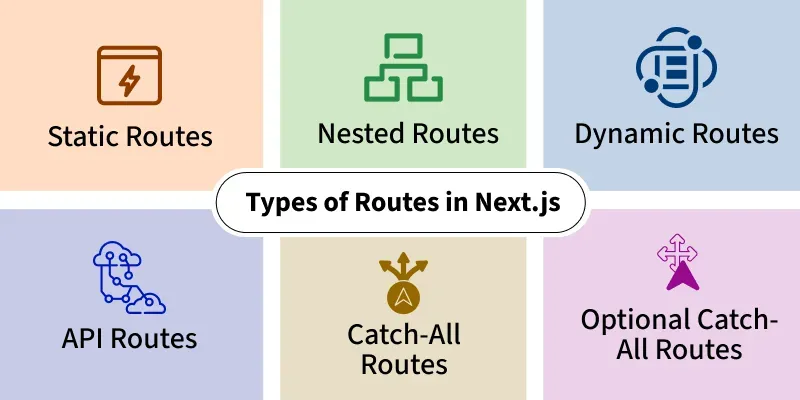
Next.js provides a powerful file-based routing system that supports static, dynamic, nested, and API routes. This makes navigation easy to implement without relying on external libraries.
**1. Static Routes
A static route in Next.js is created by adding a file with a fixed name inside the pages/ or app/ directory, which automatically maps to a URL.
Example: We create a file in the pages directory named index.js.
// pages/index.js
const Home = () => {
return(
Home Page
);
}
export default Home;
It could be accessed by going to http://localhost:3000/
**2. Nested Routes
A nested route in Next.js is created by placing a file inside a subfolder, which maps to a hierarchical URL path automatically.
Example: Create a new folder named users and add a file called about.js inside it.
// pages/user/about.js
const About = () => {
return(
About Page
);
}
export default About;
We can access this file by visiting http://localhost:3000/users/about.
**3. Dynamic Routes
Dynamic Routes in Next.js allow you to create routes with variable path segments by using square brackets (e.g., [id].js), enabling pages to render dynamically based on the URL.
Example: Creating a file named [id].js inside the pages directory.
// pages/users/[id].js
import { useRouter } from 'next/router';
const User= () => {
const router = useRouter();
const { id } = router.query;
return
User: {id}
;};
export default User;
It allows the component to access the dynamic id parameter and render content accordingly by visiting localhost:3000/.
**4. API Routes
API Routes in Next.js allow you to build backend endpoints inside the application by creating files in the pages/api directory, enabling server-side logic without a separate backend.
// Filename : pages/api/hello.js
export default function handler(req, res) {
res.status(200).json({ message: 'Hello, world!' });
}
Advanced Routing
Advanced routing in Next.js includes features like catch-all routes, optional catch-all routes, nested layouts, parallel routes, and intercepting routes (in Next.js 13+). These features give developers more flexibility and control over complex navigation flows.
5. Catch-All Routes
We can catch all paths in Next.js using catch-all routes. For this, we have to add three dots inside the square brackets in the name of the file as shown below:
./pages/[...file_name].js
6. Optional Catch-All Routes
Optional catch-all routes in Next.js handle URLs with zero or more dynamic path segments.
- Created using double square brackets with three dots: [[...slug]].js
- Match multiple route patterns, including the base path with no segments.
Example:
./pages/[[...file_name]].js
Navigation in Next.js (Link Component & useRouter Hook)
In Next.js, navigation can be handled using the Link component for client-side routing and the useRouter hook for programmatic navigation. These tools make page transitions faster and provide more control over route handling.
Linking Between Pages
Next.js provides the Link component for seamless navigation between pages using client-side routing.
- Enables fast client-side navigation without full page reloads.
- Improves user experience with smoother page transitions.
useRouter hook
The useRouter hook allows you to access the Next.js router object and obtain information about the current route, query parameters, and other route-related details.
import { useRouter } from 'next/router';
function MyComponent() {
//Main Syntax
const router = useRouter();

// Accessing route information using router object
console.log(router.pathname); // Current route
console.log(router.query);    // Query parameters

return (
    // Your component JSX
);
}
Steps to Implement Next.js Routing
**Step 1: Run the following command to create a new Next Application.
npx create-next-app myproject
When we open our app in a code editor we see the following project structure.
**Project Structure

Next.js Folder Structure
- Use the default index route as the homepage.
- Create a users folder inside pages.
- Add index.js, about.js, and [id].js to test route types.
- Use the Link component to navigate between routes. JavaScript ``
//pages/index.js
import React from "react"; import Link from "next/link"; const HomePage = () => { // This is id for dynamic route, you // can change it to any value. const id = 1; return ( <>
Home Page
- Users
- About Users
-
<Link href={
/users/${id}}> User with id {id}
export default HomePage;
`` JavaScript `
//pages/users/index.js
import React from "react";
const Users = () => { return
Users Page
; };export default Users;
JavaScript
//pages/users/about.js
import React from 'react'
const Users = () => { return (
Users About Page
) }export default Users
JavaScript
//pages/users/[id].js
import React from 'react' import { useRouter } from 'next/router'
const User = () => { const router = useRouter() return
User with id {router.query.id}
}export default User;
`
**Note: In Next.js 13 and later, the
<Link>component no longer requires an<a>tag inside it.
**Step 2: Run the application.
npm run dev
**Output
Uses of Next.js Routing
- **Static Websites: File-based routing makes building and deploying static pages simple.
- **Blogs & Content Sites: Dynamic and nested routes support categories, tags, and structured content.
- **E-commerce Platforms: Dynamic routes handle product pages, categories, and backend logic via API routes.
- **User Dashboards: Nested routing helps organize sections like profiles, settings, and activities.
- **Full-Stack Applications: Routing with API routes enables frontend and backend in one project.
- **SPAs: Client-side navigation and prefetching provide fast, seamless page transitions.