Send Get request in Postman (original) (raw)
Last Updated : 29 May, 2026
A GET request in Postman is used to retrieve data from a server or API without modifying it. It is one of the most commonly used HTTP methods for fetching information.
- Used to fetch data from a server/API.
- Does not change or update data on the server.
- Easy to test APIs by sending requests and viewing responses.
GET Request
A GET request is an HTTP request used to retrieve data from a server. It is considered safe because it does not modify any data on the server. When the same GET request is sent multiple times, it is expected to return the same result.
Ways to Send GET Request
There are different ways to send a Get request. Some of the ways are listed below:
1. Using Web Browser
A GET request can be sent directly through a browser by entering the API URL in the address bar. The browser displays the response returned by the server.
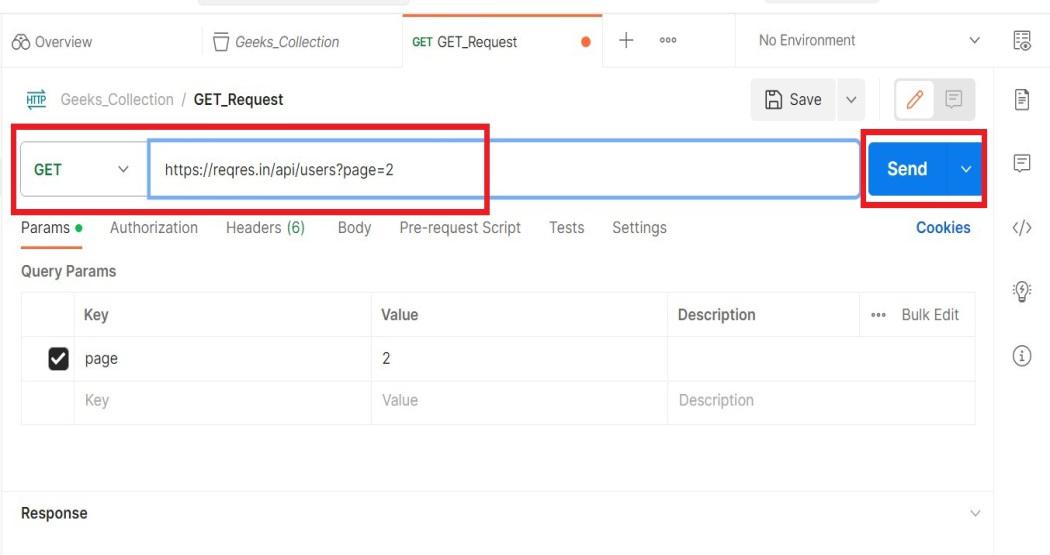
Example: https://reqres.in/api/users?page=2
Only GET requests can be tested in a browser, not POST, PUT, or DELETE.
2. Using Programming Languages
GET requests can also be sent using code in languages like Python, JavaScript, or Java using HTTP libraries or built-in functions.
3. Sending GET request Using Postman
The Prerequisite for using Postman is to have a setup on the machine.
**Step 1: From the home screen of the postman click on 'Create Workspace'
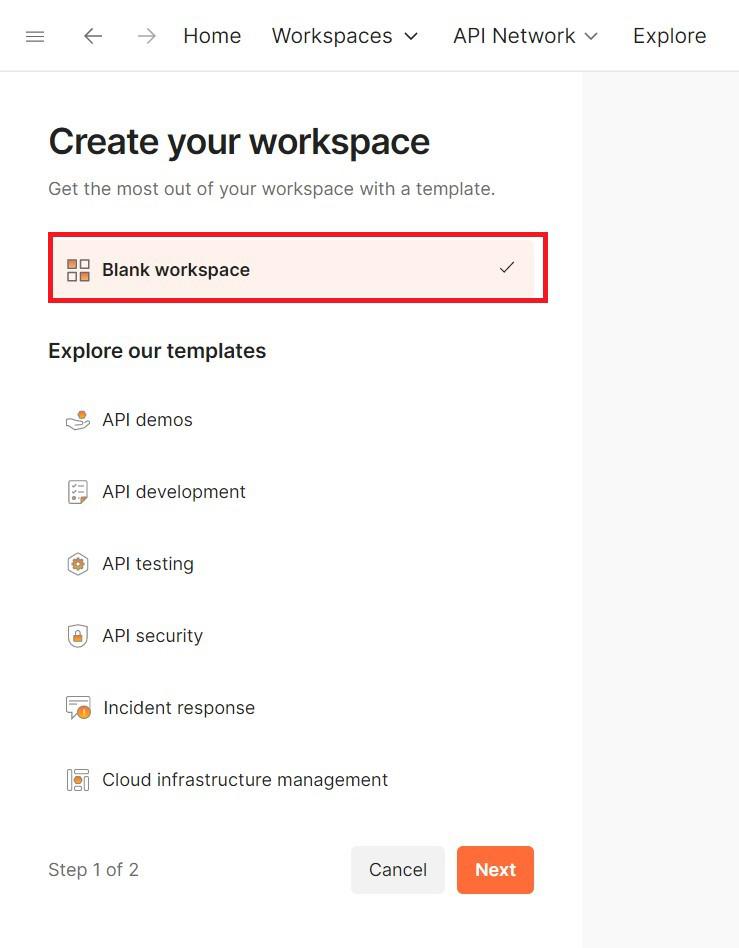
**Step 2: Click on 'Blank WorkSpace' and hit 'Next'.
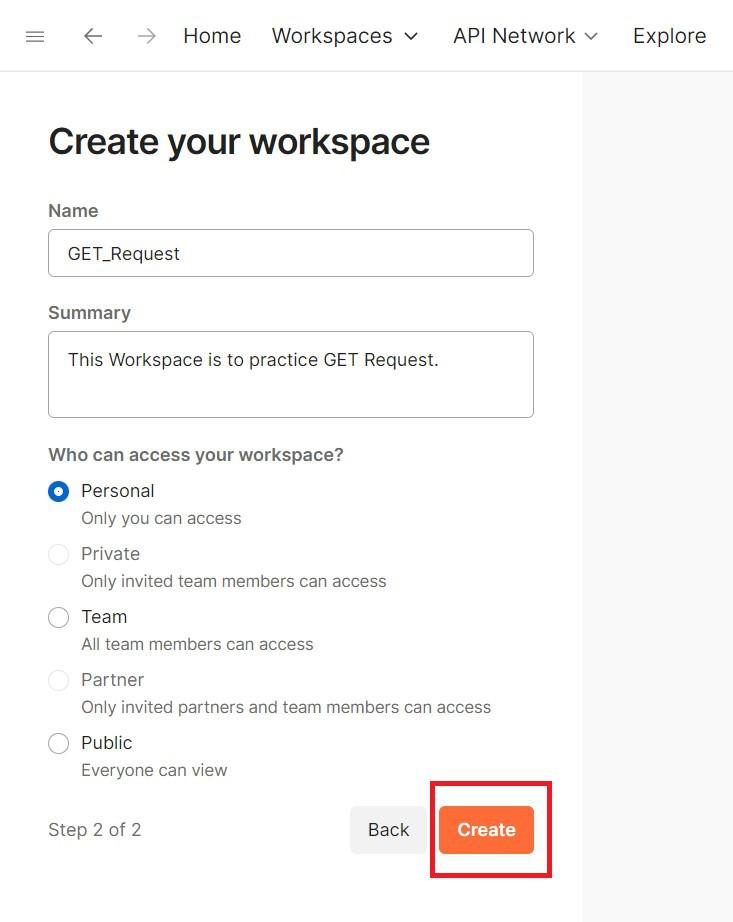
**Step 3: Give a Suitable name and Summary as per your choice and Make the visibility Personal. You can choose another type of Visibility as well.
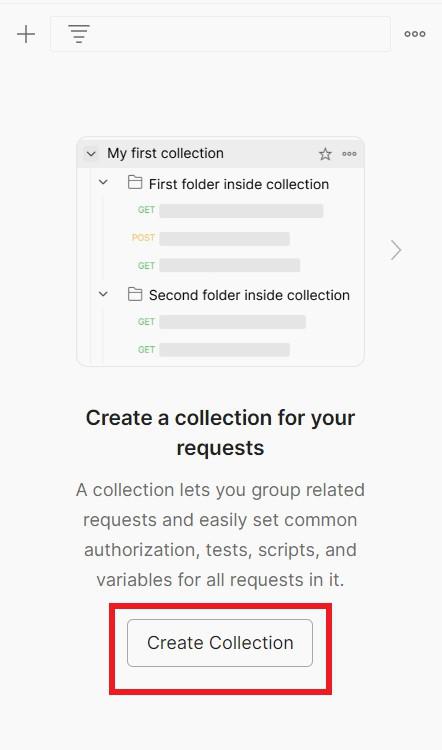
**Step 4: Now Create a New Collection.
**Step 5: Just Rename it to 'Geeks Collection' or any other as per your Choice.
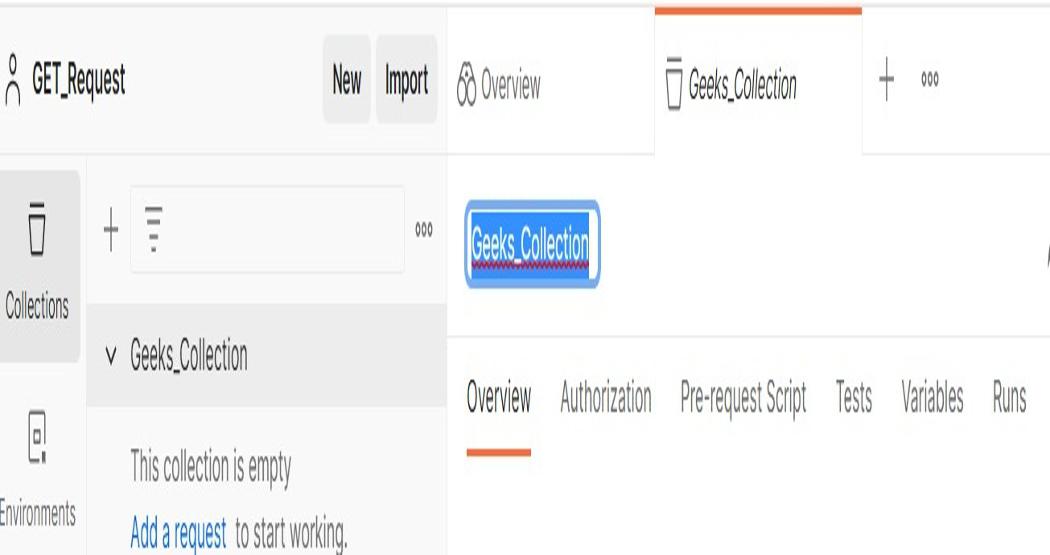
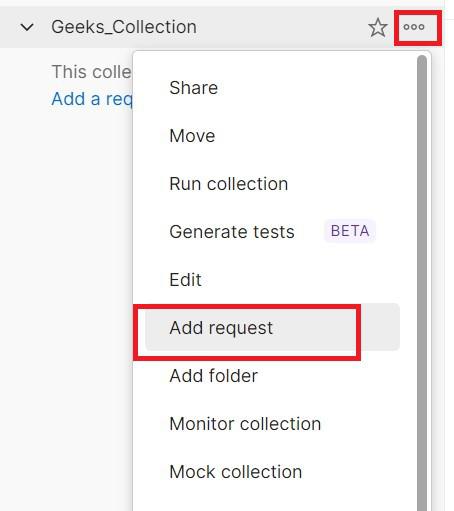
**Step 6: Click on the Add Request to create a new request in the collection.
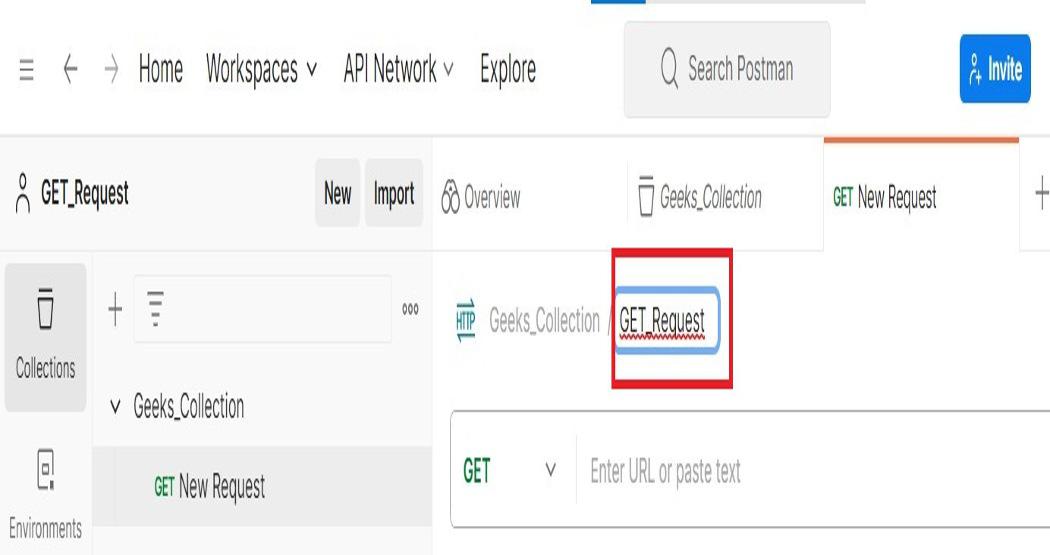
**Step 7: Give any name as per your choice and you will see a new tab opened
**Step 8: Copy the URL Paste it on the URL Section and hit send.
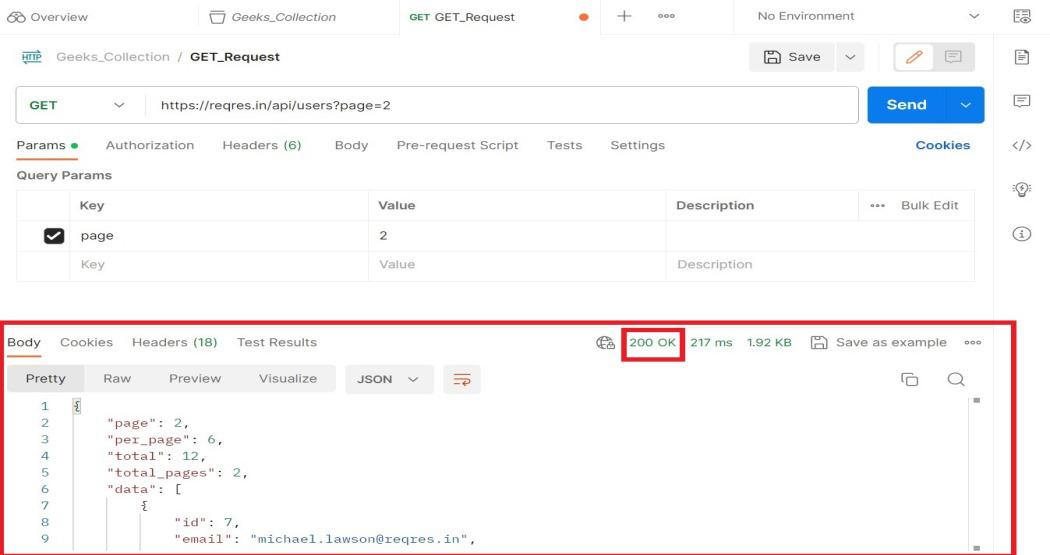
**Step 9: We get some response which is similar to the response which we have seen in the Sample Api Website
Now, you can try the same by sending different GET requests from the Sample API Website and can do Practice.
Understanding the Response Panel (Postman)
Once a request is sent, Postman displays the response so you can easily analyze it.
Key Elements:
- **Status Code: Indicates the result of the request.
Example: 200 (Success), 404 (Not Found), 401 (Unauthorized), 500 (Server Error). - **Response Time: Shows how long the server took to respond, measured in milliseconds. Useful for performance testing.
- **Body Tab: Displays the response data. You can view it in Pretty, Raw, or Preview format depending on the type of data (JSON, HTML, etc.).
- **Headers Tab: Shows metadata sent by the server such as Content-Type, caching details, cookies, etc.