DDL Full Form Data Definition Language (original) (raw)
Last Updated : 30 Dec, 2025
DDL stands for Data Definition Language, which is actually a set of commands used to create a structure and maintain databases. Those would include CREATE, ALTER, DROP, TRUNCATE, and RENAME statements for creating, changing the structure of, and dropping structures in the database, such as tables. DDL basically deals with the storage of the data and not the data itself.
Types of DDL Commands
DDL includes the following commands:
- CREATE
- ALTER
- DROP
- TRUNCATE
- RENAME
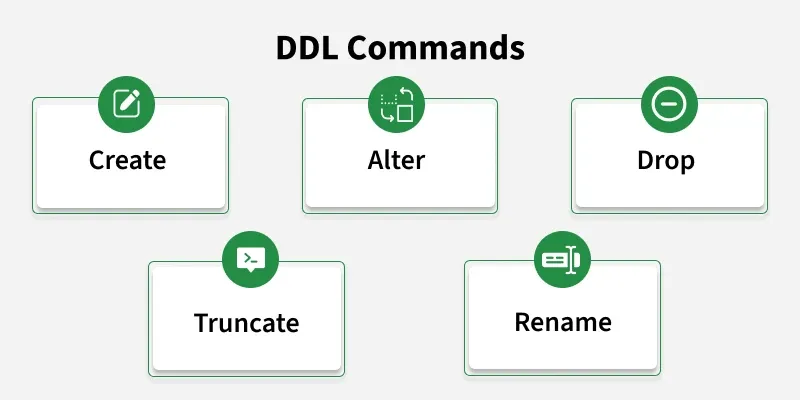
**1. CREATE
This command is used to create table in the relational database.
This can be done by specifying the names and datatypes of various columns.
**Syntax:
CREATE TABLE TABLE_NAME
(
column_name1 datatype1,
column_name2 datatype2,
column_name3 datatype3,
column_name4 datatype4
);
The column_name in create table command will tell the name of the column and corresponding datatype will specify the datatype of that column. Here in this table the three column_names namely - Student_id is of type int, Name is of type varchar and Marks is of type int.
for example:
CREATE TABLE
Student
(Student_id INT,
Name VARCHAR(100),
Marks INT);
| Student_id | Name | Marks |
|---|
**2. ALTER
Alter command is used for altering the table in many forms like:
- Add a column
- Rename existing column
- Drop a column
- Modify the size of the column or change datatype of the column
- **ADD using ALTER:
Syntax to add column :
ALTER TABLE table_name ADD(
column_name datatype);
The above command will add a new column to the table.And the resulting table will have one more column like this:
ALTER TABLE Student
ADD
(Address VARCHAR(200));
Here this command will add a new column "Address" in the table Student of datatype varchar(200);
| Student_id | Name | Marks | Address |
|---|
- **RENAME using ALTER:
Syntax to rename column:
ALTER TABLE
table_name
RENAME
old_column_name TO new_column_name;
The above command will rename the existing column to new column.
ALTER TABLE
Student
RENAME
Marks TO Age;
The command above will change the column_name from Marks to Age;
| Student_id | Name | Age | Address |
|---|
- **DROP using ALTER:
Syntax to Drop a column:
ALTER TABLE
table_name
DROp
(column_name);
The above command will delete the existing column.
For example:
ALTER TABLE Student
DROP
(Age);
Here the column_name ="Age", has been deleted by this command;
| Student_id | Name | Address |
|---|
- **MODIFY using ALTER:
Syntax to Modify a column:
ALTER TABLE
Student MODIFY
(column_name datatype);
The above command will modify the existing column .
For example:
ALTER TABLE
Student
MODIFY
(name varchar(300));
The above command will modify the column_name "Name" by changing the size of that column.
| Student_id | Name | Address |
|---|
**3. TRUNCATE
This command removes all the records from a table. But this command will not destroy the table's structure.
**Syntax :
TRUNCATE TABLE table_name
This will delete all the records from the table. For example the below command will remove all the records from table student.
Example:
TRUNCATE TABLE Student;
**4. DROP
This command completely removes the table from the database along with the destruction of the table structure.
**Syntax -
DROP TABLE table_name
This will delete all the records as well as the structure of the table.
This is the main difference between **TRUNCATE AND **DROP.-TRUNCATE only removes the records whereas DROP completely destroys the table.
Example:
DROP TABLE Student;
This command will remove the table records as well as destroys the schema too.
This is all about the **DDL commands.
Advantages of DDL
- **Defines Structure: DDL commands like CREATE and ALTER allow you to set up and modify the structure of database objects (tables, indexes, views), organizing data effectively.
- **Manages Schema: You can easily create, update, or remove entire database schemas, making it simpler to maintain and update the database structure over time.
- **Enforces Data Integrity: DDL allows the implementation of rules and constraints (PRIMARY KEY, FOREIGN KEY, UNIQUE, NOT NULL) that ensure data remains accurate and consistent.
- **Boosts Performance: By creating indexes and partitions using DDL commands, you can significantly improve query performance and speed up data retrieval.
- **Standardized: DDL commands are standardized across most SQL-based databases, making it easier to apply knowledge across different database systems.
Disadvantages of DDL
- **Irreversible Changes: DDL commands, especially DROP and TRUNCATE, are auto-committed, meaning changes can't be undone once executed. This can result in permanent data loss if not used carefully.
- **Risk of Data Loss: Misuse of commands like DROP can delete entire tables along with their data, leading to significant data loss, particularly if no backup is available.
- **Complex for Large Databases: Altering the structure of large databases can be complicated and may require downtime or additional planning to avoid disrupting operations.
- **Causes Locking: DDL operations can lock database objects during execution, which might slow down or block other operations, impacting overall database performance.
- **Compatibility Issues: While DDL is standardized, different databases (like MySQL, Oracle, or PostgreSQL) may have variations in syntax and features, leading to compatibility issues during migration.
**Applications of DDL
- Creating Database Objects: DDL statements can be used to create various database objects such as tables, views, indexes, and stored procedures.
- Modifying Database Objects: DDL statements can be used to modify the structure of existing database objects such as adding or dropping columns from tables, modifying the data type of columns, renaming tables or columns, etc.
- Managing Database Constraints: DDL statements can be used to create or alter database constraints such as primary keys, foreign keys, unique constraints, and check constraints.
- Granting or Revoking Permissions: DDL statements can be used to grant or revoke permissions to various database objects such as tables, views, stored procedures, and indexes.
- Indexing: DDL statements can be used to create or modify indexes on database tables, which can improve the performance of SQL queries.
- Partitioning: DDL statements can be used to create or modify partitioned tables, which can improve the performance of queries that access large amounts of data.
Overall, DDL is an essential part of SQL and is used extensively in database management systems to create, modify and manage database objects..