How to View the Desktop in Windows 11 Using Shortcuts & Gestures (original) (raw)
Last Updated : 5 Dec, 2025
Navigating to your desktop in Windows 11 is something you do multiple times a day but minimizing every window manually is slow and unnecessary. Windows 11 provides several quick shortcuts, gestures, and built-in tools to instantly show the desktop.
How to Quickly View Your Desktop on Windows 11?
In this article, we'll explore 6 Ways to Show the Desktop in Windows 11.
1. Show the Desktop Using the Show Desktop Button
Windows 11 includes a tiny hidden button on the far-right corner of the taskbar.
**Step 1:
- Right click the taskbar and select Taskbar settings.

**Step 2:
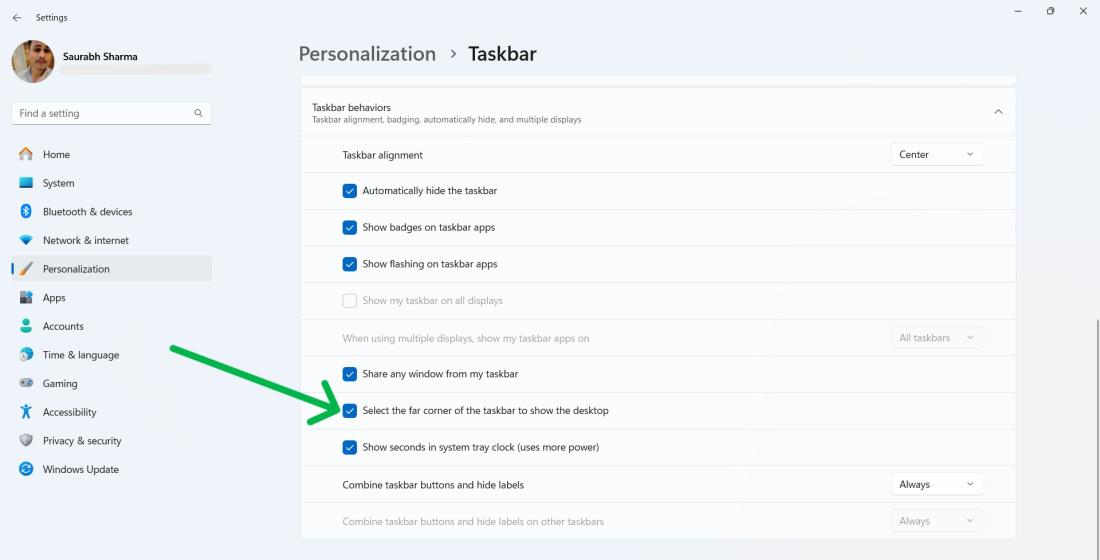
- In taskbar setting, **Expand the **Taskbar behaviors by clicking on it.
S**tep 3:
- Then check the **Select the far corner of the taskbar to show the desktop option.
**Step 4:
- Move your mouse cursor to the right end of the taskbar, and hover over the thin vertical line.
- You will see a small tooltip that says “**Show desktop”.

2. Create a Custom Show Desktop Taskbar Shortcut
If you want a dedicated icon on your taskbar:
**Step 1:
- Right-click on a space on your desktop.
**Step 2:
- Choose "**New" and then "**Shortcut."
**Step 3:
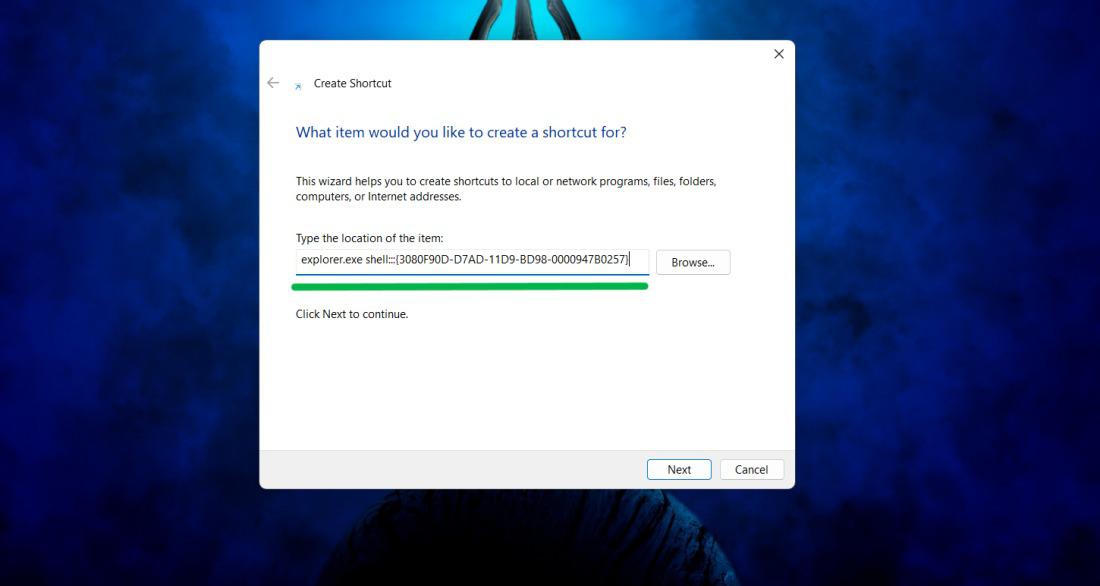
- In the location field, type "**explorer.exe shell:::{3080F90D-D7AD-11D9-BD98-0000947B0257}" and click "**Next."
**Step 4:
- Provide a name for your shortcut and click "**Finish."
**Step 5:
- **Right-click the Show desktop shortcut, choose ****"Show more options,"** and then select "**Pin to taskbar."
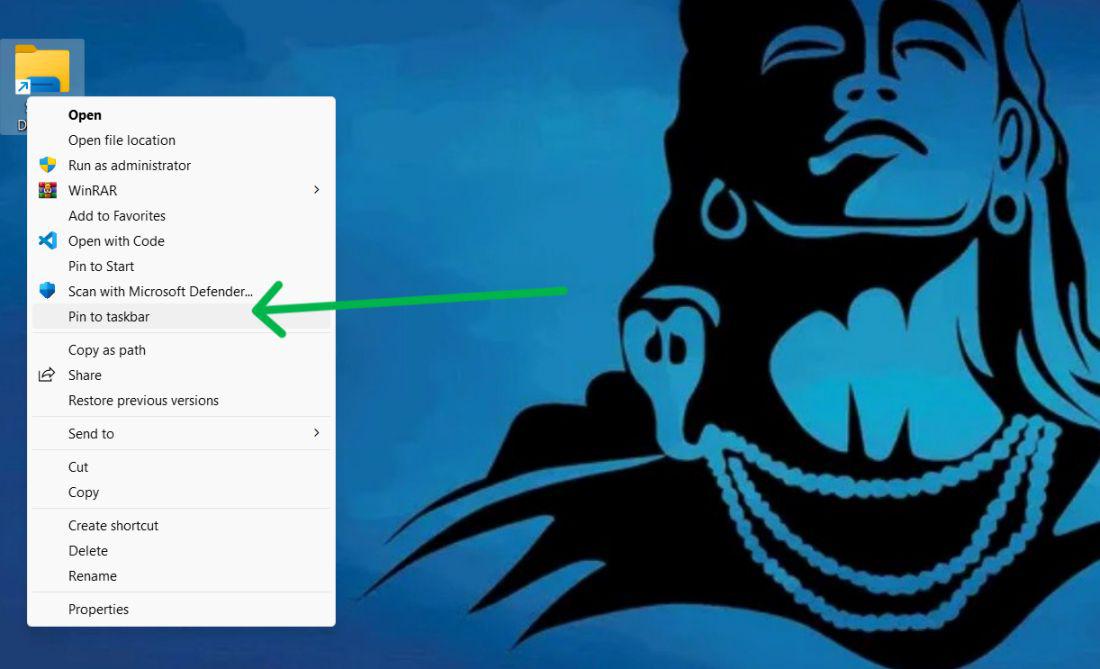
Now, click on "**Show Desktop" icon it will take to Desktop
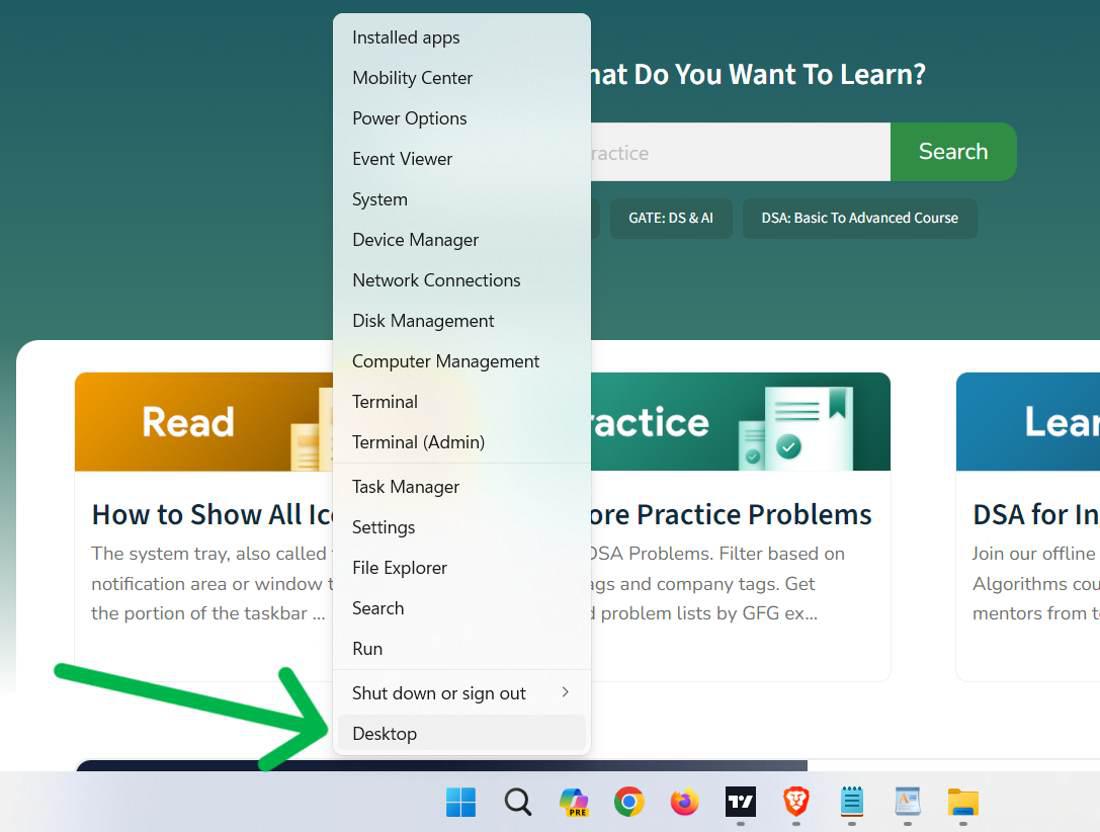
Windows 11’s Power User Menu also includes a direct path to the desktop.
**Step 1:
- Right-click the **Start button or press **Win + X
**Step 2:
- Select **Desktop to minimize all open windows.
4: Show the Desktop With Keyboard Shortcuts (Win + D)
Keyboard enthusiasts can make use of the shortcut ****"Win + D"** on their keyboards to quickly minimize and restore all windows.
**Note:- Simply press the ****"Win + D"** keys together to toggle between the desktop and open windows.
.jpg)
5: Use Minimize Windows Keyboard Shortcut (Win + M)
**Note:- Press the ****"Win + M"** keys at the same time to make all windows go away and show only desktop.
.jpg)
6: Show the Desktop With Touchpad and Touch Gestures
Windows 11 helps you control your computer with a touchpad and swipes for an easier to use desktop.
**Note:- Simple, drag down with **three fingers on your touchpad to make all open windows disappear and show the desktop.