How to Use Siri Shortcuts to Automate Daily Tasks on iOS? (original) (raw)
Last Updated : 23 Jul, 2025
Nowadays, Individuals want to do **Automation of Daily Tasks to reduce the workload burden using several devices. However, if you have an **iOS Device, then you can easily use **Siri Shortcuts to Automate Daily Tasks without any complexity.
Not only **Simple Automation of Daily Tasks, but you can also use the **Voice Commands of Siri to **Start the Automation. This article will focus on the process of **Managing Siri Shortcut Automation.
What is Siri Shortcut Automation?
Automation is the process that helps to complete any complex tasks with a simple tap or a simple action. As users are mostly using it, Apple introduced the **Automation Process in Shortcut Application. However, you can set the **Automation with Voice Commands and this can be done with the help of **Siri on Apple.
When the Automation gets associated with Siri, the complete package is known as the **Siri Shortcut Automation. In such case, you have to simply say ****"Hey Siri"** along with the **Automation Name and the process will be started. All kinds of daily automation, you can perform with the **Automation on Siri Shortcut.
Features Of Siri Shortcut Automation:
- **Voice Commands: When you create **Automation on Shortcut along with Siri, you have a chance to start the automation with the help of the Voice Recognition. If the **Voice Command or Siri is not attached to the Automation, you have to rely on a certain condition to start the automation.
- **Application Integration: When you are going to create the Siri Shortcut Automation, you will find a series of applications listed there. With the help of the listed application, you can design your Automation. That means, when the automation is running, it will also start the execution of any application.
- **Integration of Actions: On the Siri Shortcut Automation, you get a chance to add a series of Actions. That means, when any automation is executed, whatever action you mention there will be performed. It might be any **Voice Output, Message Output, Song Output, etc.
- **High Scale of Use Cases: With the help of **Siri Automation, a high level of daily use cases can be completed. Like **Setting an Alarm to Setting Battery Low-level Mode, all can be done with the help of Siri Automation. You will find a list of automations that you can perform with Siri Shortcut Automation.
How to Create Automation on Siri Shortcut?
**Step 1: Open the **Shortcut Application and go to the **Automation Option. Now, click on the **Plus Symbol to start a new one.

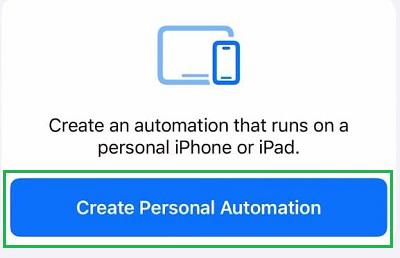
**Step 2: Click on the **Create Personal Automation Option.
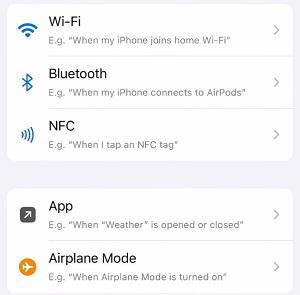
**Step 3: Now, you will find out a series of **Automation List. Choose anyone as per your need.
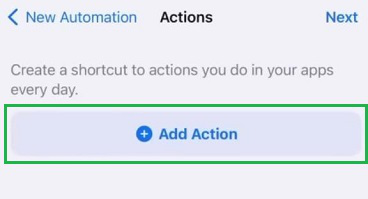
**Step 4: Now, click on the **Add Action option. Like, you can choose any **App or Music to be played at the time of automation.
**Step 5: Now, it is time to **Add Siri. Click on the **Siri Symbol to complete the process.
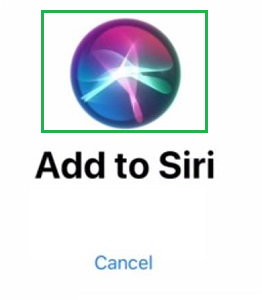
**Note: If you want to make a Simple Automation Shortcut without Siri, click on the **Cancel button.
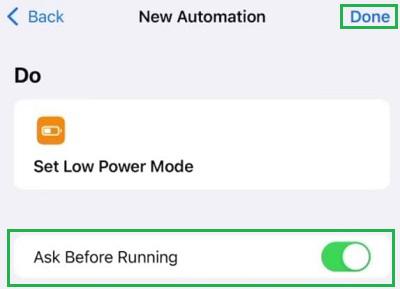
**Step 6: Now, Disable the option **Ask Before Running. Click on **Done to complete the process. To start the Automation, you have to say ****"Hey Siri"** along with the **Automation Name mentioned under the **Do Section.
How to Enable and Disable Automation on Siri Shortcut?
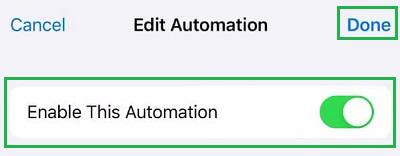
To **Enable or Disable any Siri Automation, you have to select Automation. And click on the **Enable This Automation option. Once, it becomes **Green, the **Automation is Enabled. If it is not in Green, the **Automation is Disabled. At last, click on the **Done Option.
How to Delete Automation on Siri Shortcut?
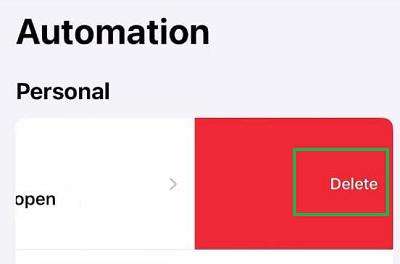
To **Delete any Automation, you have to **Swipe Left the Automation. And you will get the **Delete Option. Click on it to permanently **Delete the Siri Shorcut Automation.
Conclusion
From the above discussion, we can say that the **Creation of Automation with Siri Shortcut is not a complicated task. Also, it is more beneficial to **Add Siri Service with Automation Shortcut to perform any actions with simple **Voice Commands. Hence, **Shortcut with Siri Automation helps to complete hassle-free daily tasks.