Express app.get() Request Function (original) (raw)
Last Updated : 3 Jun, 2026
The app.get() function in Express is used to define routes that handle GET requests. It lets an application respond when a user visits a specific URL, making it one of the most common ways to send web pages, fetch data, or display content in an Express app.
- **Route handling: Matches a specific URL path and runs the callback for
GETrequests. - **Data retrieval: Commonly used to send pages, JSON, or other read-only responses to the client.
- **Core web building block: Forms the basis of most Express routing for loading views and serving API data.
**Syntax
app.get( path, callback )
where,
- **path: It defines the route for which the middleware function is triggered.
- **callback: It can be one or more functions that process the request that has been made to the server.
Working of app.get() in Express
Below are the basic steps to understand how app.get() works.
1. Install Express
First, install Express in your project using npm:
npm install express
2. Import Express and Create an App
This code imports the Express module and creates an Express application instance. This app instance is used to define routes and handle HTTP requests.
JavaScript `
const express = require('express'); const app = express();
`
3. Define a GET Route
This code defines a route that listens for GET requests at /hello. When accessed, it responds with "Hello, World!".
JavaScript `
app.get('/hello', (req, res) => { res.send('Hello, World!'); });
`
4. Start the Server
This code starts the server and makes it listen on port 3000. When the server runs, it logs "Server is running on port 3000" to the console.
JavaScript `
app.listen(3000, () => { console.log('Server is running on port 3000'); });
`
**Example
JavaScript ``
const express = require('express'); const app = express(); const PORT = 3000;
// Define a GET route app.get('/', (req, res) => { res.send('
Welcome to Express.js!
'); });app.listen(PORT, () => {
console.log(Server listening on PORT ${PORT});
});
``
**Output

Example using app.get()
This code imports Express, creates an Express application, defines a GET route for the root URL (/) that returns an HTML response, and starts a server listening on port 3000.
**Example 2: Express allows you to add middleware to routes, which are functions that execute before the final response.
JavaScript ``
const express = require('express'); const app = express(); const PORT = 3000;
// Define a GET route app.get('/', (req, res) => { res.send('
Welcome to Express.js!
'); });app.listen(PORT, () => {
console.log(Server listening on PORT ${PORT});
});
app.get('/middleware', (req, res, next) => {
console.log('Middleware executed');
next();
}, (req, res) => {
res.send('
Response after middleware
'); });``
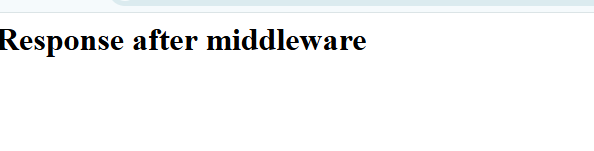
Example of middleware with app.get()
This code imports and initializes an Express app, defines a basic route and a middleware route, executes middleware using next(), and sends HTML responses to complete the request-response cycle.
Use cases of app.get()
Here are some practical use cases of app.get():
- **Serving Web Pages: app.get() can be used to deliver static or dynamic web pages when users visit specific URLs.
- **Retrieving Data: It helps fetch and send data from the server to clients, such as user details, product information, or articles.
- **Handling URL Parameters: The function can process dynamic URL parameters to customize responses based on user input.
- **Processing Query Strings: It allows handling query parameters in the request URL to filter or customize the data sent back to the client.
- **API Endpoint Creation: app.get() is commonly used to define API routes that return JSON data, making it essential for building RESTful web services.
**Advantages of using app.get()
- **Simplified routing: Defines routes for retrieving data from the server cleanly and straightforwardly.
- **Middleware support: Enables tasks like logging, authentication, or data processing before the response.
- **Modularity: Keeps the application easier to manage as it grows.
- **Caching: Saves frequently requested data to reduce repetitive fetching and improve speed.
- **Compression: Reduces data size for faster transfer from server to client.