How to Import/Export collections in Postman (original) (raw)
Last Updated : 23 Jul, 2025
Postman is a popular API testing and development tool offering a feature set for organizing and managing your API requests through collections. Collections are groups of requests that can be easily organized, shared, and executed. Importing and exporting collections in Postman is better for collaboration and efficient API development. In this article, we'll explore the various approaches to import/export collections in Postman, step by step.
Prerequisites:
Approaches:
Table of Content
- How to Import/Export Collections Using the Postman Dashboard
- How to Import Collections Using Code Repositories.
- How to Export Collections in Postman.
1. How to Import/Export Collections Using the Postman Dashboard:
**Step 1: Open Postman and navigate to the "Collections" tab.
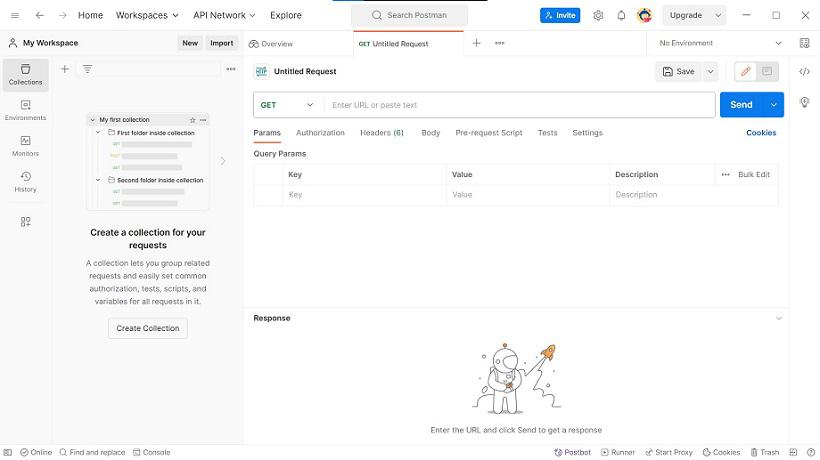
Collection Tab
**Step 2: Click on the "Import" button.
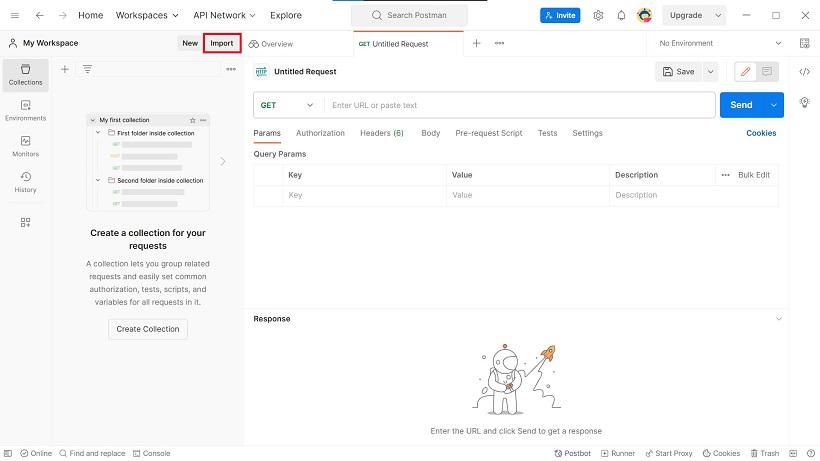
Click on Import Button
**Step 3: Choose the source type, "File"
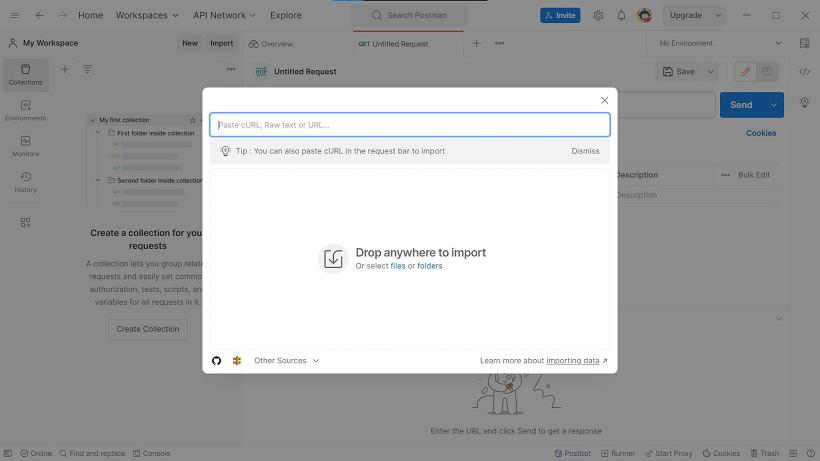
Select files or folder here
**Step 4: Now Select the your json file
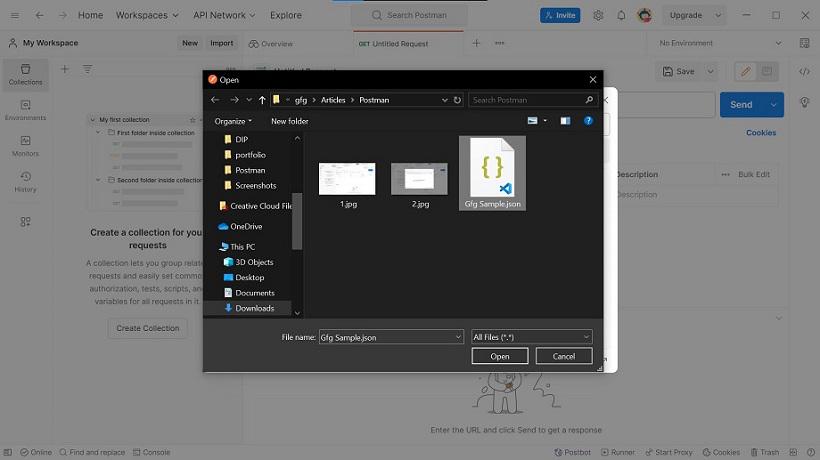
Select your json file
**Step 5: Now you can see the Imported file
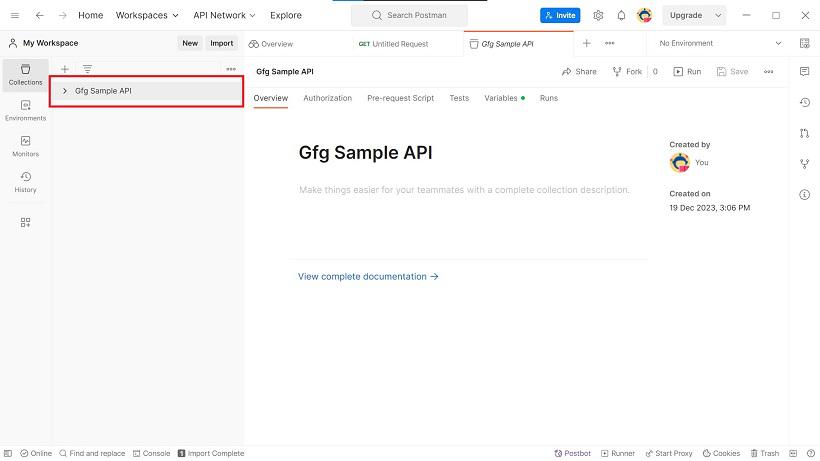
Imported files
2. How to Import Collections Using Code Repositories:
**Step 1: In the "Collections" tab, click "Import."
Click on import button
**Step 2: Click on "Other source" and choose your code repository as you want.
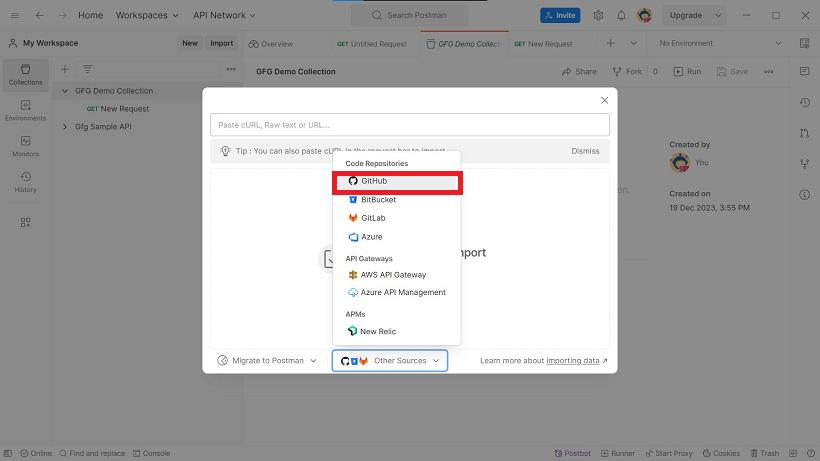
Click on github repository
**Step 3: Now click on github logo.
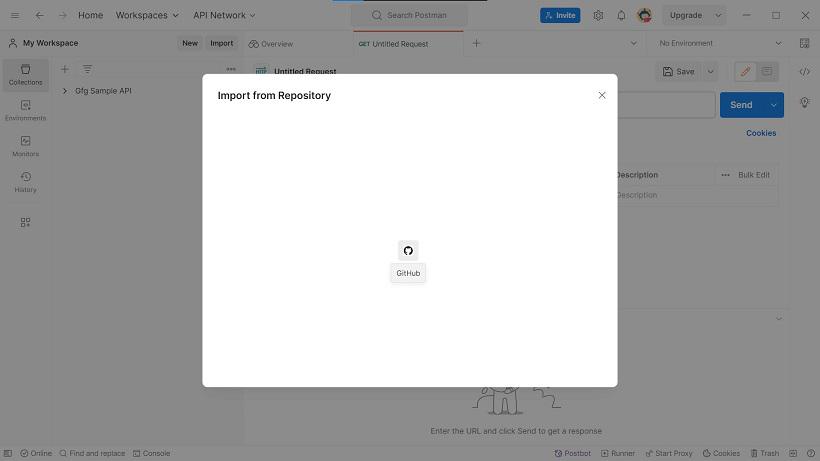
Click on github
**Step 4: Now Choose your repository details from where you want to import (Make sure Postman authenticated with your githhub account)
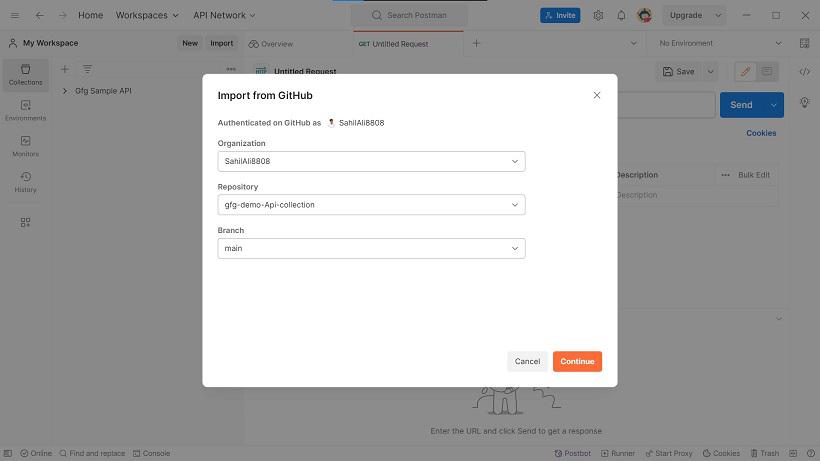
Choose your repository
**Step 5: Now you can see the Import Complete.
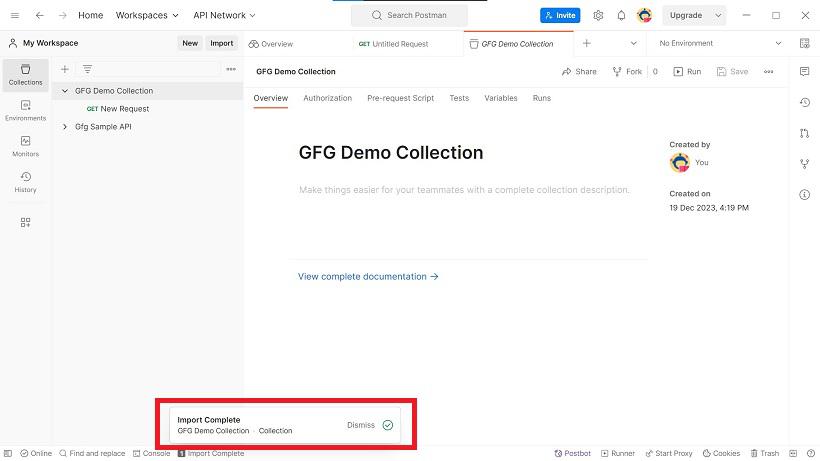
Import Complete
**3. How to Export Collections in Postman:
**Step 1: Click on three dot button of your collection.
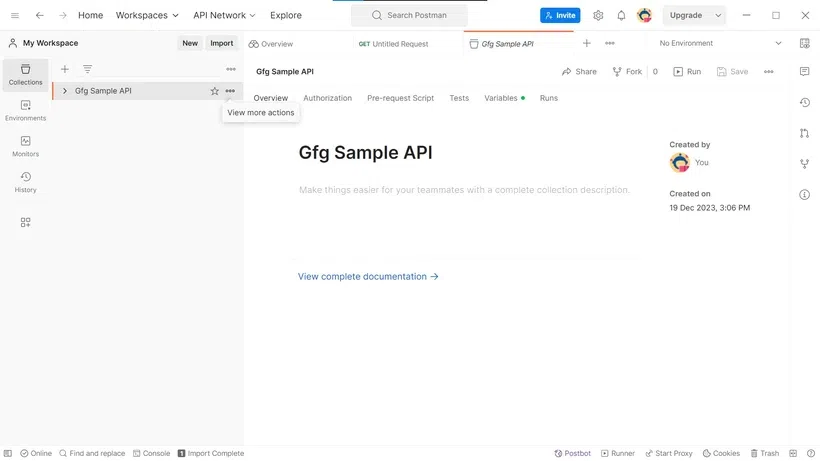
Gfg Sample API
**Step 2: Scroll down and Select Export Option
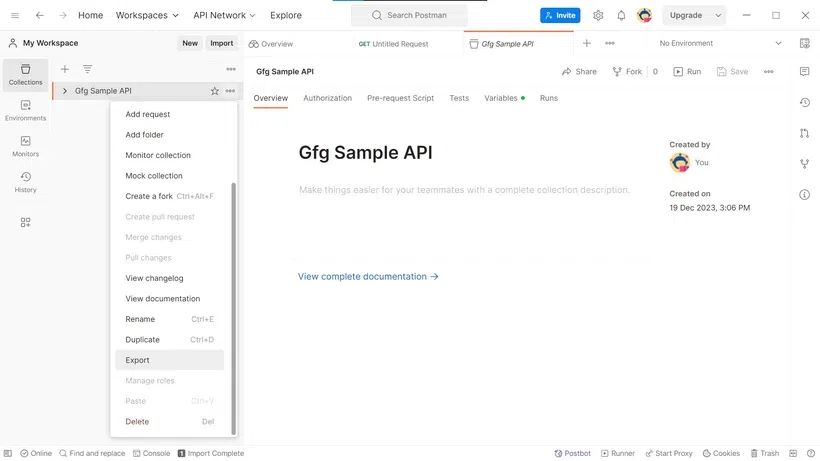
Export Your File
**Step 3: Choose "Collecion v2.1" and Click on "Export" button
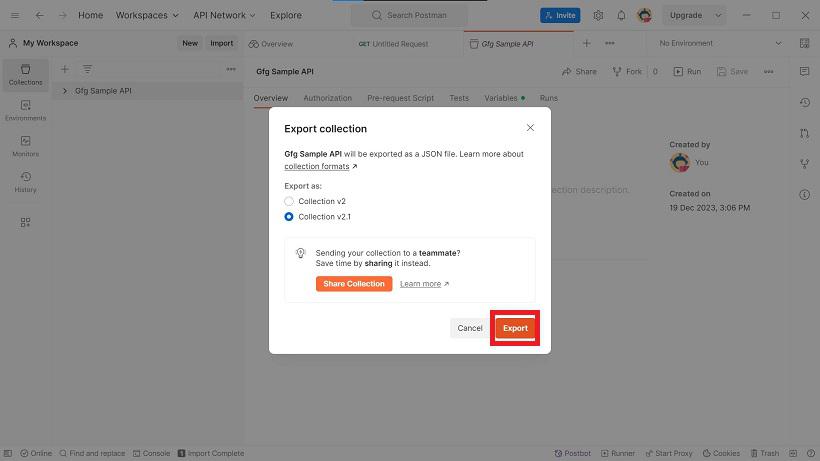
Export
**Step 4: Choose the File location where you want to save this file. then Click "Save" to export the collection.
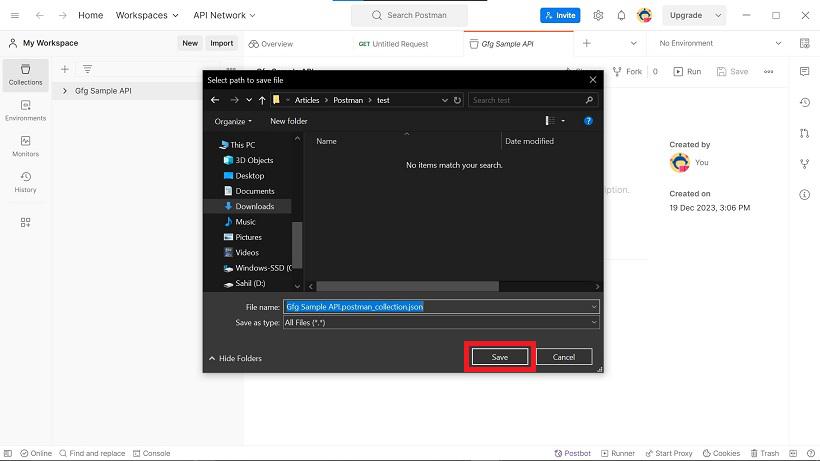
Save your collection
Steps to Create an Application:
Let's create a simple application example to understand the the import/export process. Assume we have a collection named "Test Country API" with requests using REST Countries API.
**Step 1: Click on the "Collections" tab. and Click on the "New Collection" button.
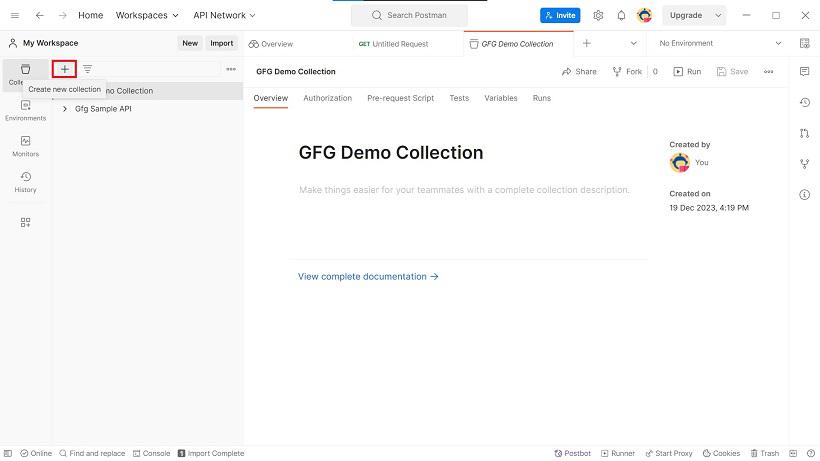
Create Collection
**Step 2: Select "Blank Collection" and Name it "Test Country API."
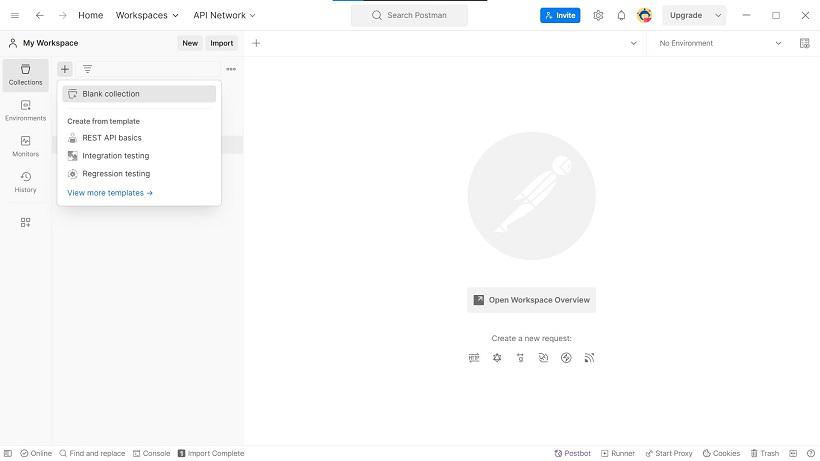
Create Blank Collection
**Step 3: Click "Add a request" in order to add your first request.
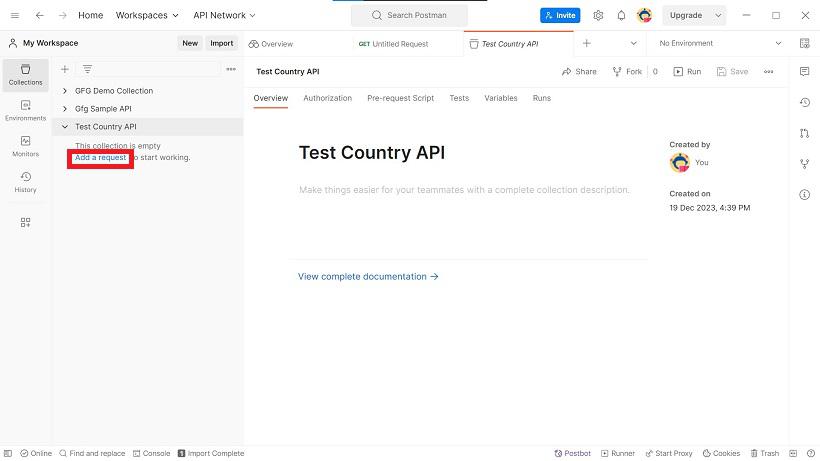
Add a new request
**Step 4: Add Requests to the Collection
**Request 1: Get All Countries
**Method:
GET
**Endpoint:
https://restcountries.com/v3.1/all
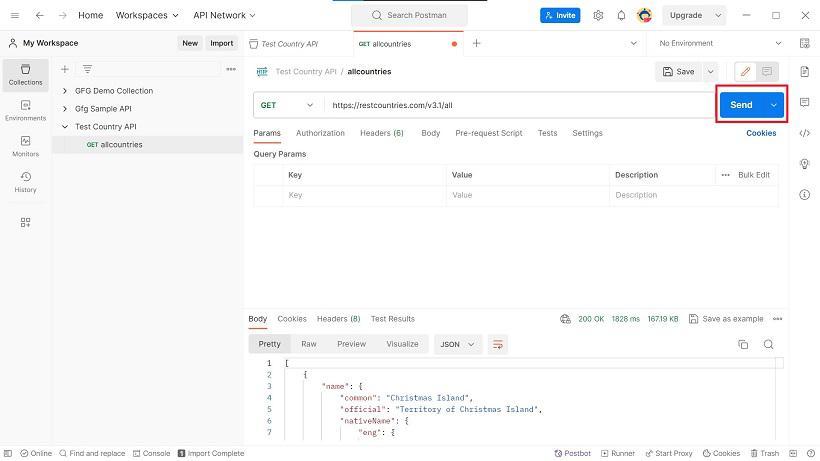
Result
Now, you have a basic application in Postman that includes requests to interact with the REST Countries API.