Introducing Instant: Set Up Agentic Workflows in Minutes (original) (raw)
Instant is a workflow builder that enables users to create agentic AI workflows in seconds using natural language. It's designed for both business users and technical teams who want to quickly set up and test AI-driven processes without complex configurations.
Instant 1.0 is already in use, empowering teams to rapidly create workflows with minimal setup. And Instant 2.0 is just around the corner, promising even more powerful features like Instant Spaces, reusable contexts, and enhanced configuration options.
Creating Workflows with Instant
Instant is built directly into AgentFlow, providing a fast and accessible way to create agentic AI workflows. The goal is to enable users to rapidly test and automate complex tasks, such as decision-making, document processing, and report generation, with minimal upfront configuration.
Instant allows you to:
- Rapidly test workflows by building pilots in minutes.
- Unify multiple AI agents into a single workflow, such as:
- Document AI for classification and data extraction
- Decision AI for structured decision-making
- Report AI for generating business reports
- Conversational AI for dialogue-driven tasks
- Unstructured AI for preparing and processing unstructured data
Instant is designed for teams across industries — whether you’re in finance, insurance, or another field, Instant simplifies the process of automating and validating AI solutions.
We crafted this step-by-step guide to showcase the ease of setting up an agenic workflow in Instant.
Step 1: Create a New Workflow
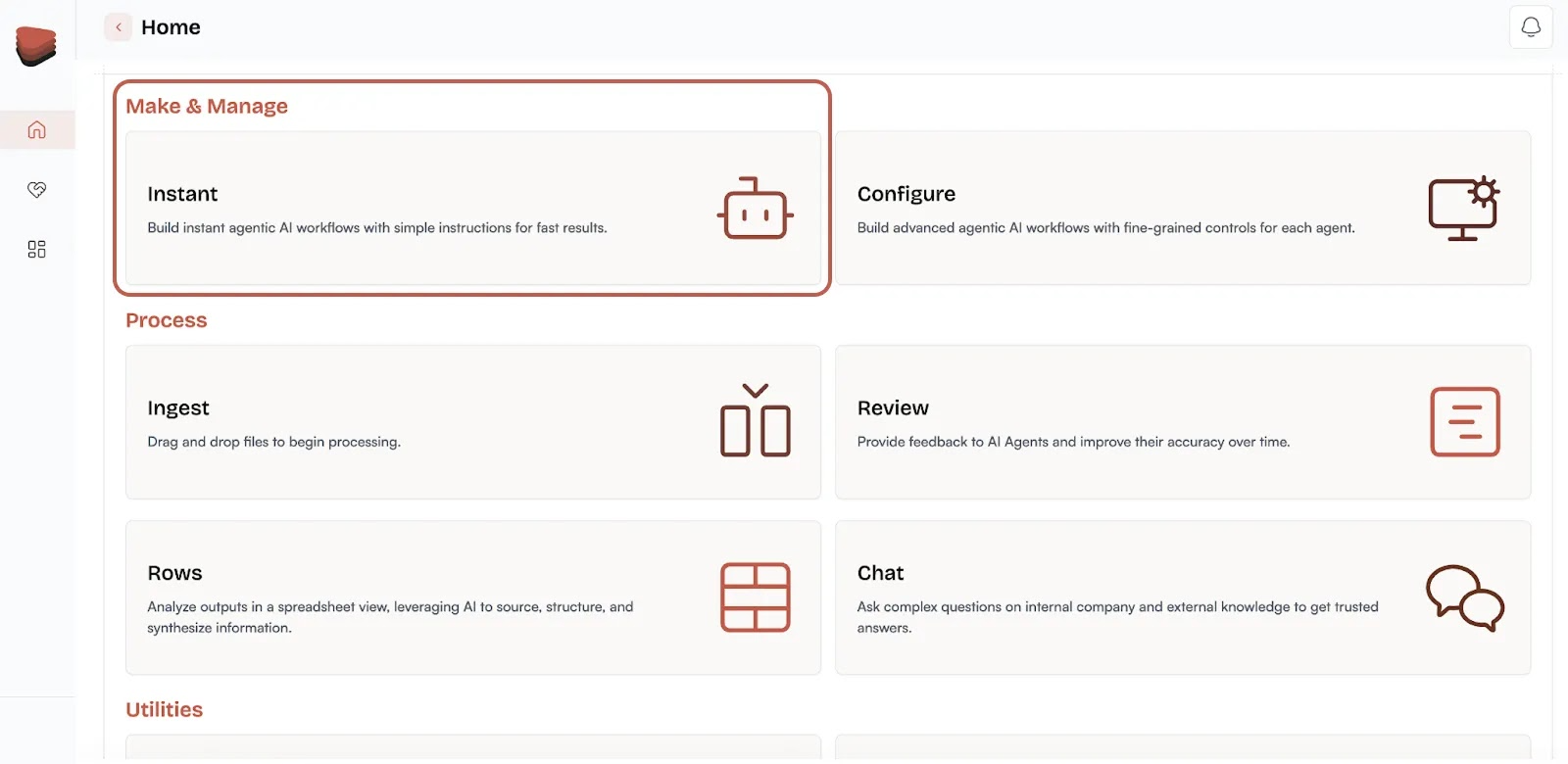
To get started with Instant, head to Home → Make and Manage → Instant on the AgentFlow dashboard.
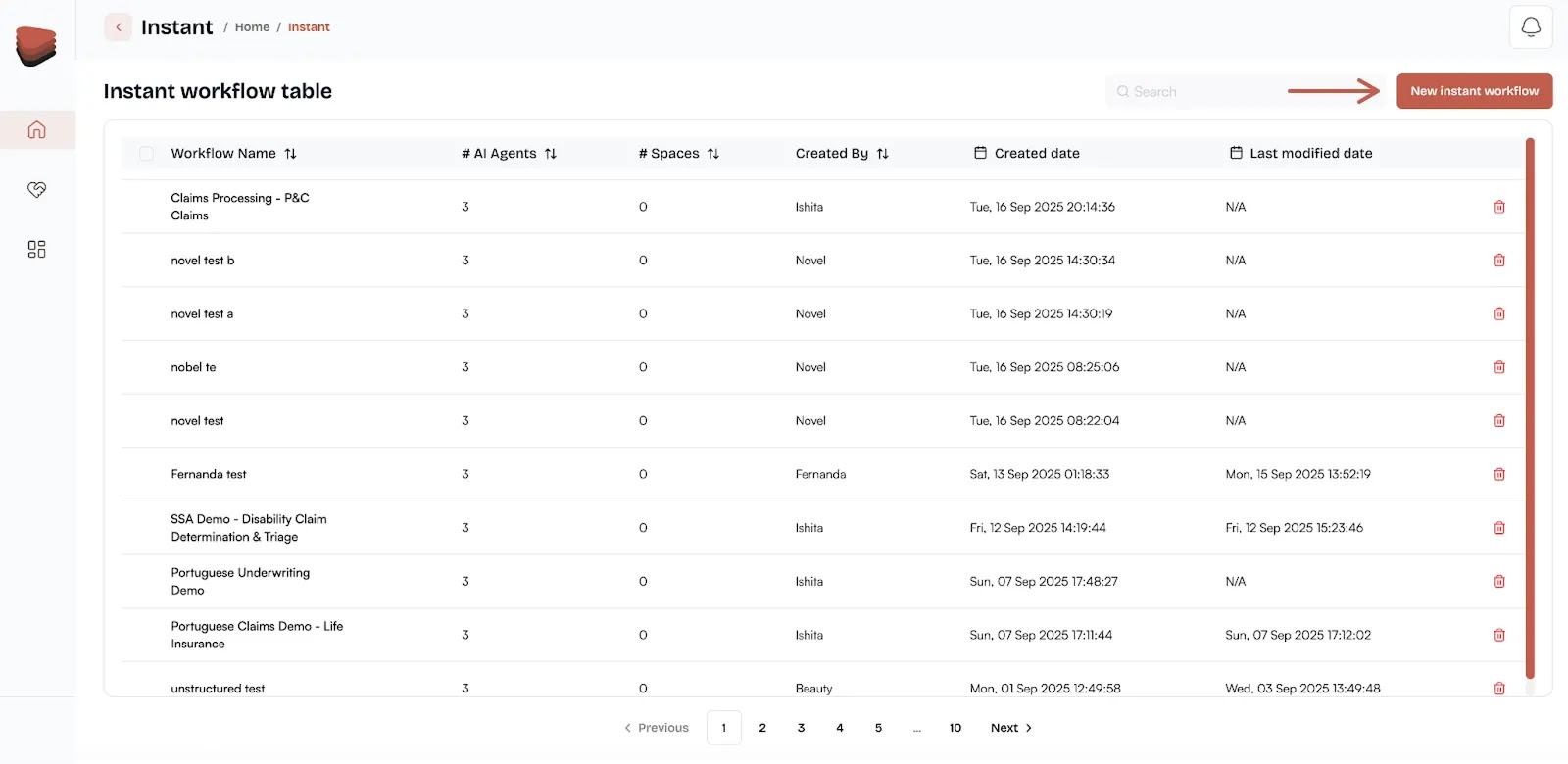
Then in the top right corner click on New instant workflow.
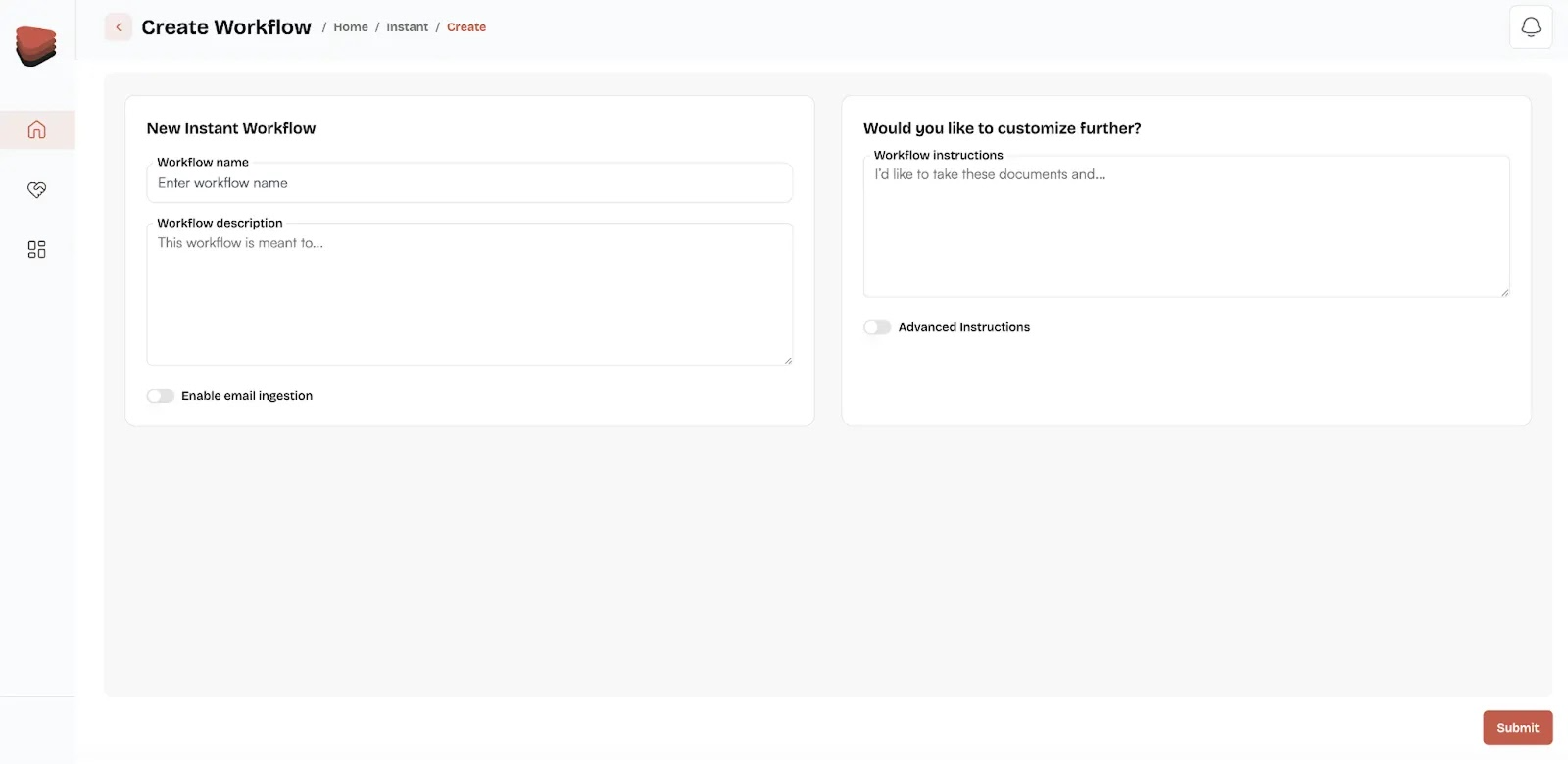
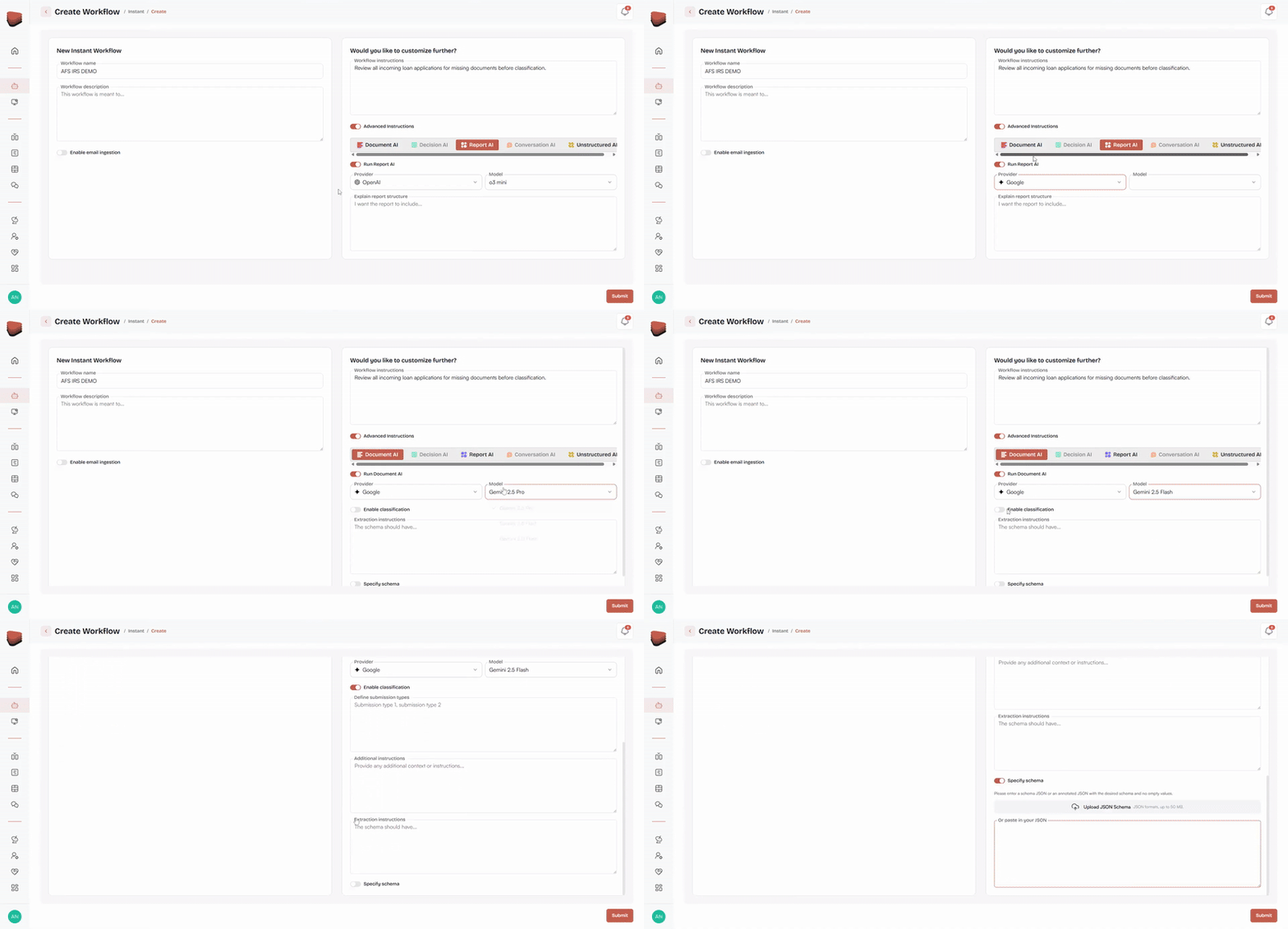
Now you can name your workflow and optionally add a description. This will serve as the foundation for the workflow you’re about to build.
Step 2: Customize Your Workflow
Now that you have the basics, you can customize your workflow by adding the workflow-level instructions that will apply to all agents in the workflow. For instance:
“Review all incoming loan applications for missing documents before classification.”
These instructions will ensure that your workflow aligns with the task at hand.

Step 3: Add Advanced Instructions
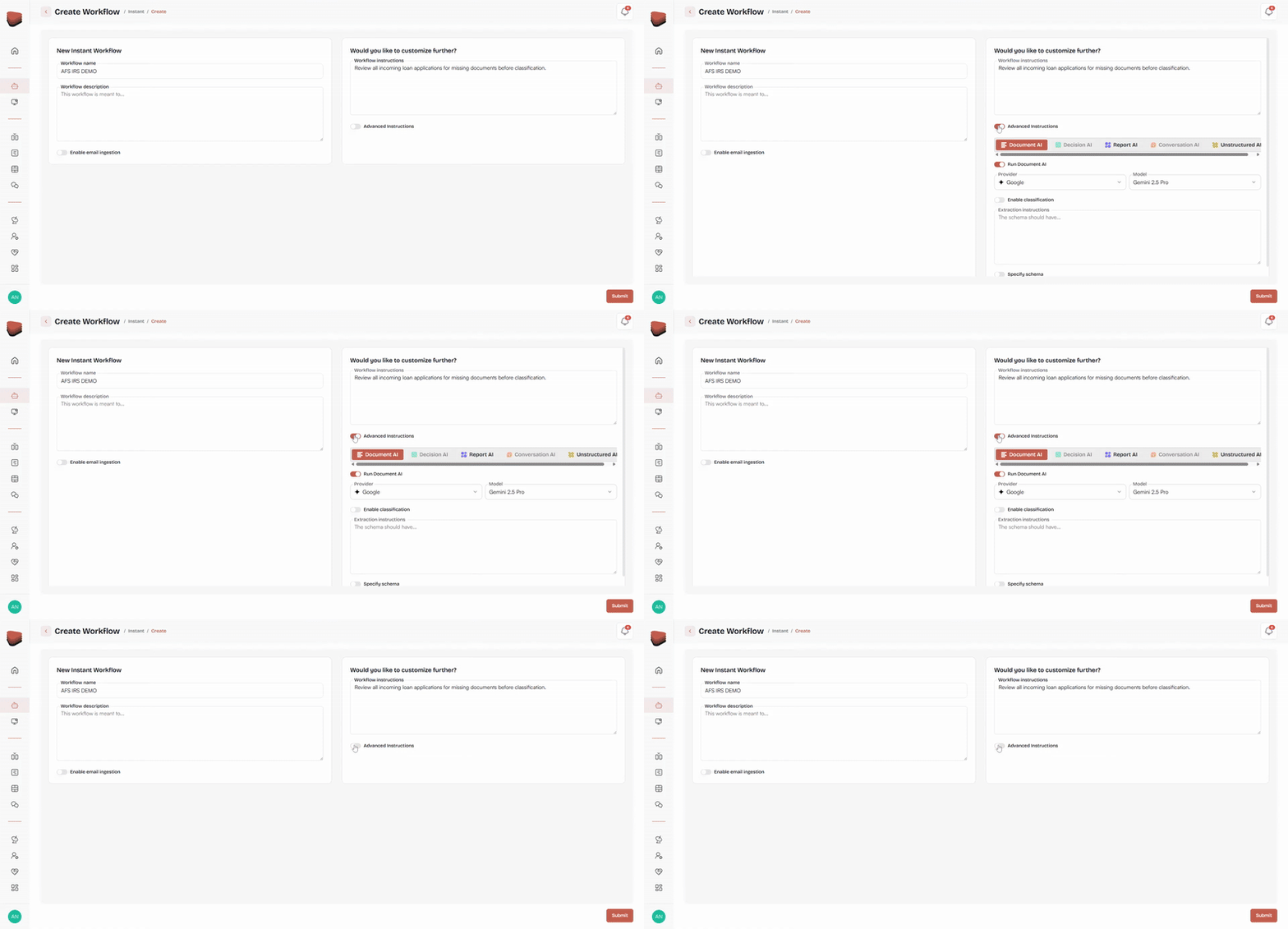
For more customization, you can configure each agent with its own instructions by clicking the toggle button Advanced Instructions. The dropdown will reveal all agents you can further customize.
For example:
- Document AI – Define the document categories and add extraction instructions. You can also upload a schema from a JSON file.
- Decision AI – Set up decision rules, logic, and outcomes.
- Report AI – Specify the report structure you want to generate.
- Conversational AI – Customize the AI's responses based on your business domain.
- Unstructured AI – This is automatically enabled, and doesn’t require model selection.
Choose a model for each agent based on the needs of your workflow. Most agents allow for the selection of different AI models, giving you the flexibility to test different approaches.
Step 4: Submit Your Workflow
Once you’ve set everything up, hit Submit to create your workflow. Instant will automatically configure the workflow and prepare it for testing.

Step 5: Ingest Documentation
Now it’s time to test your workflow with some real data. Go to Home → Process → Ingest.
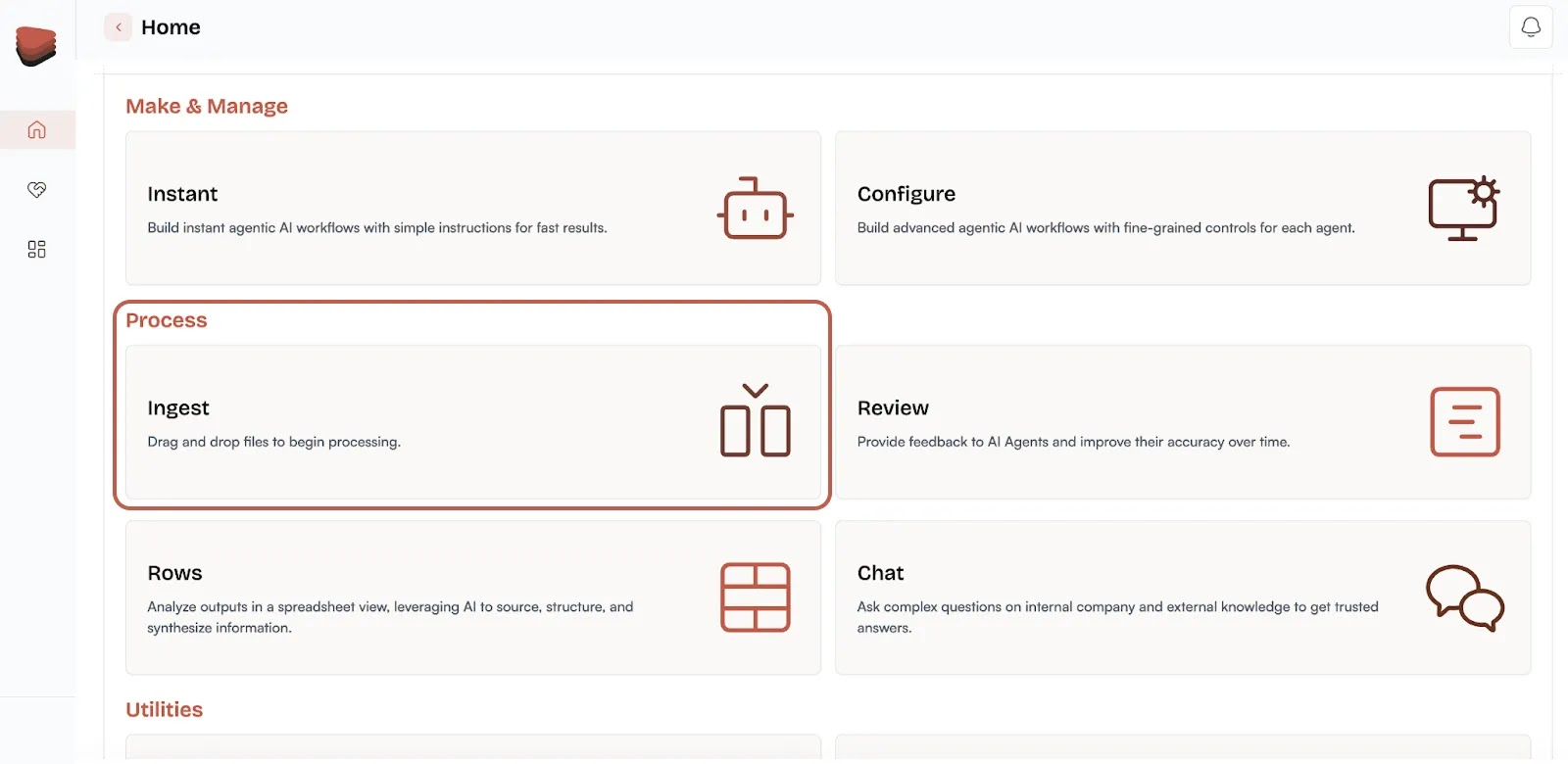
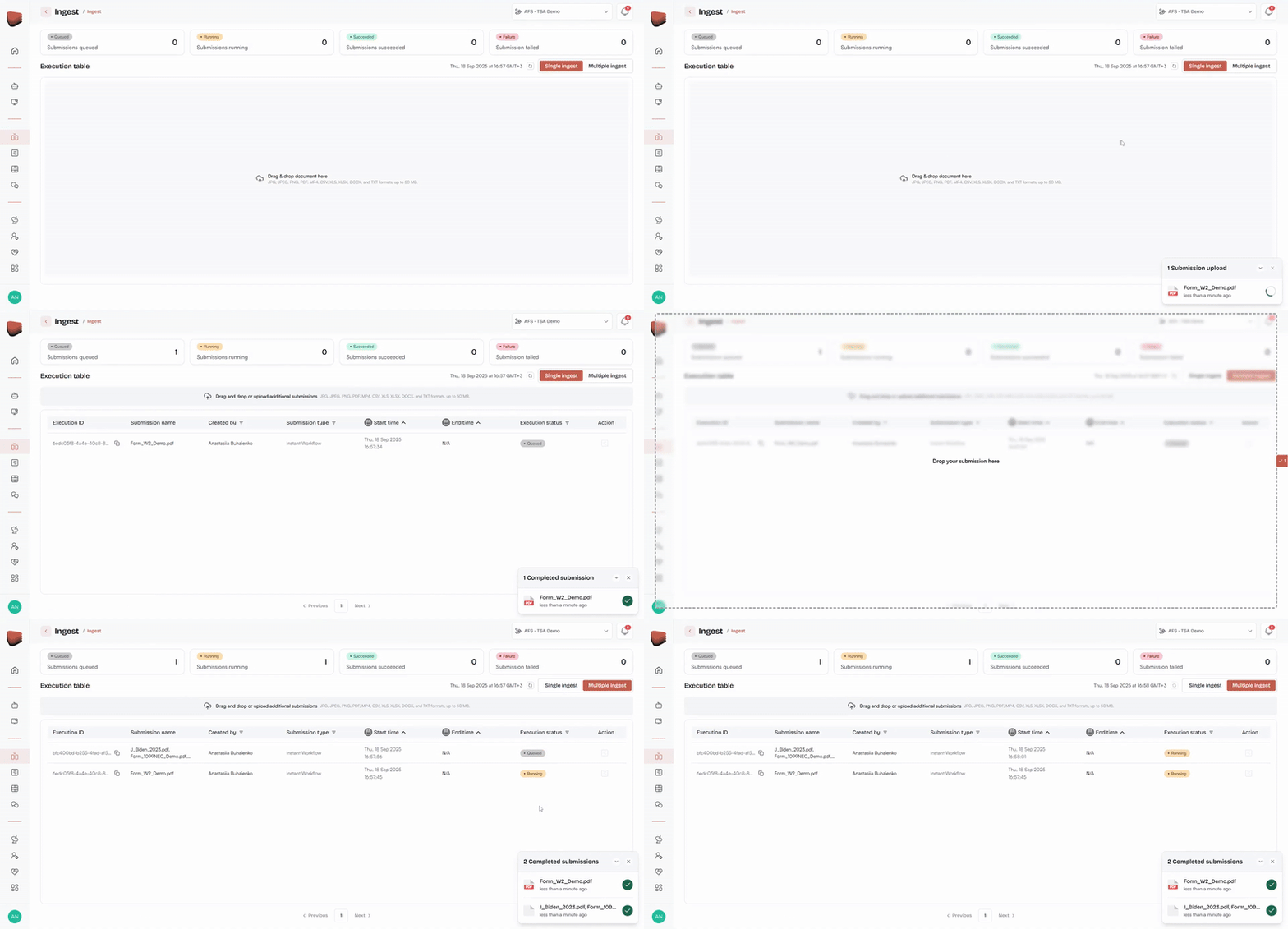
Upload documents and select between:
- Single Ingest – Process one document at a time for initial testing.
- Multiple Ingest – Upload batches of documents for larger scale testing.
The Ingest dashboard tracks the status of each document as it’s processed, so you can see what’s happening in real time.
Step 6: Track Status
You can monitor the status dashboard to see how documents progress from queued → running → success/unsuccessful.
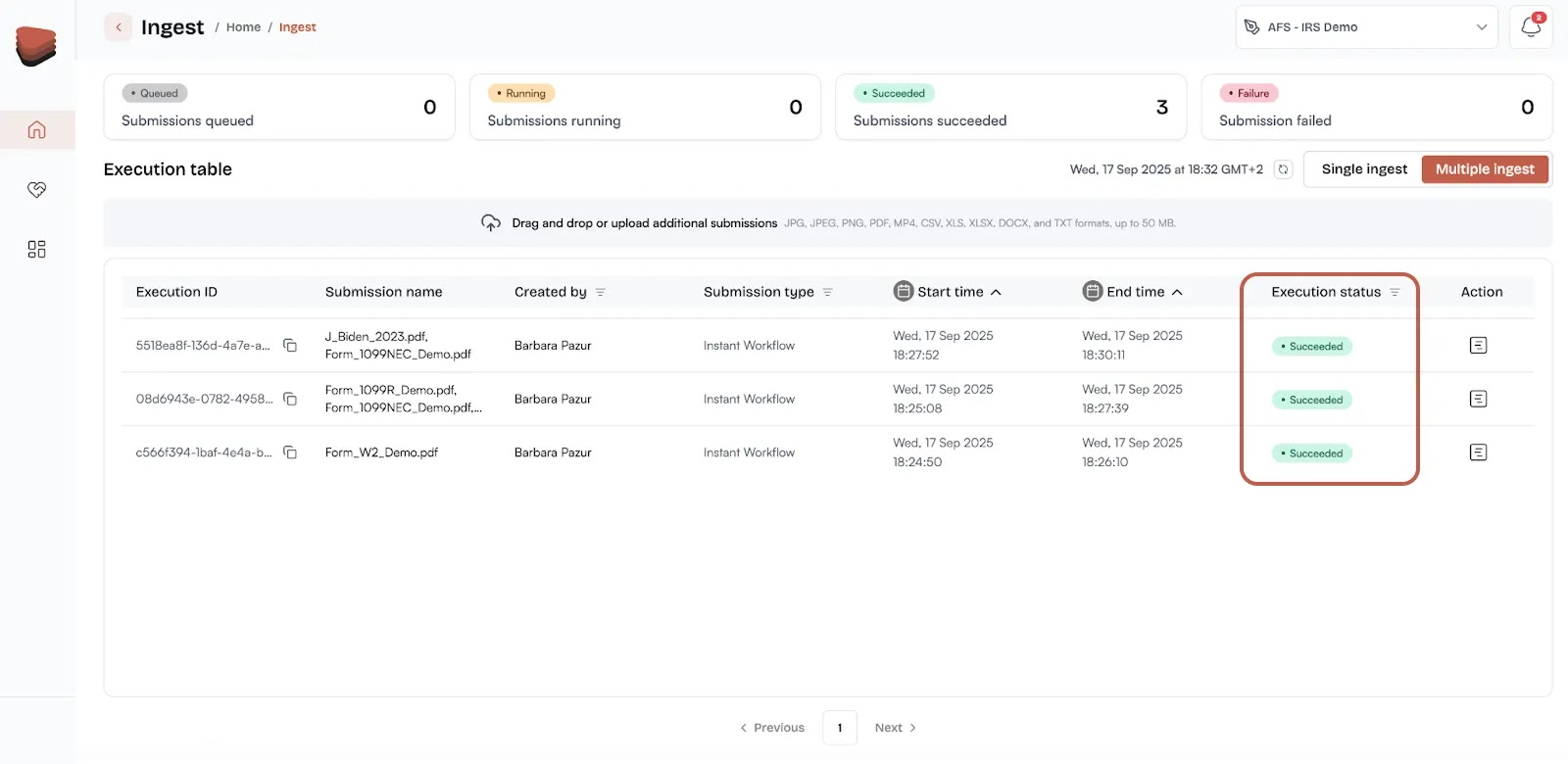
Instant provides full visibility into the execution process, so you can be confident in the results.
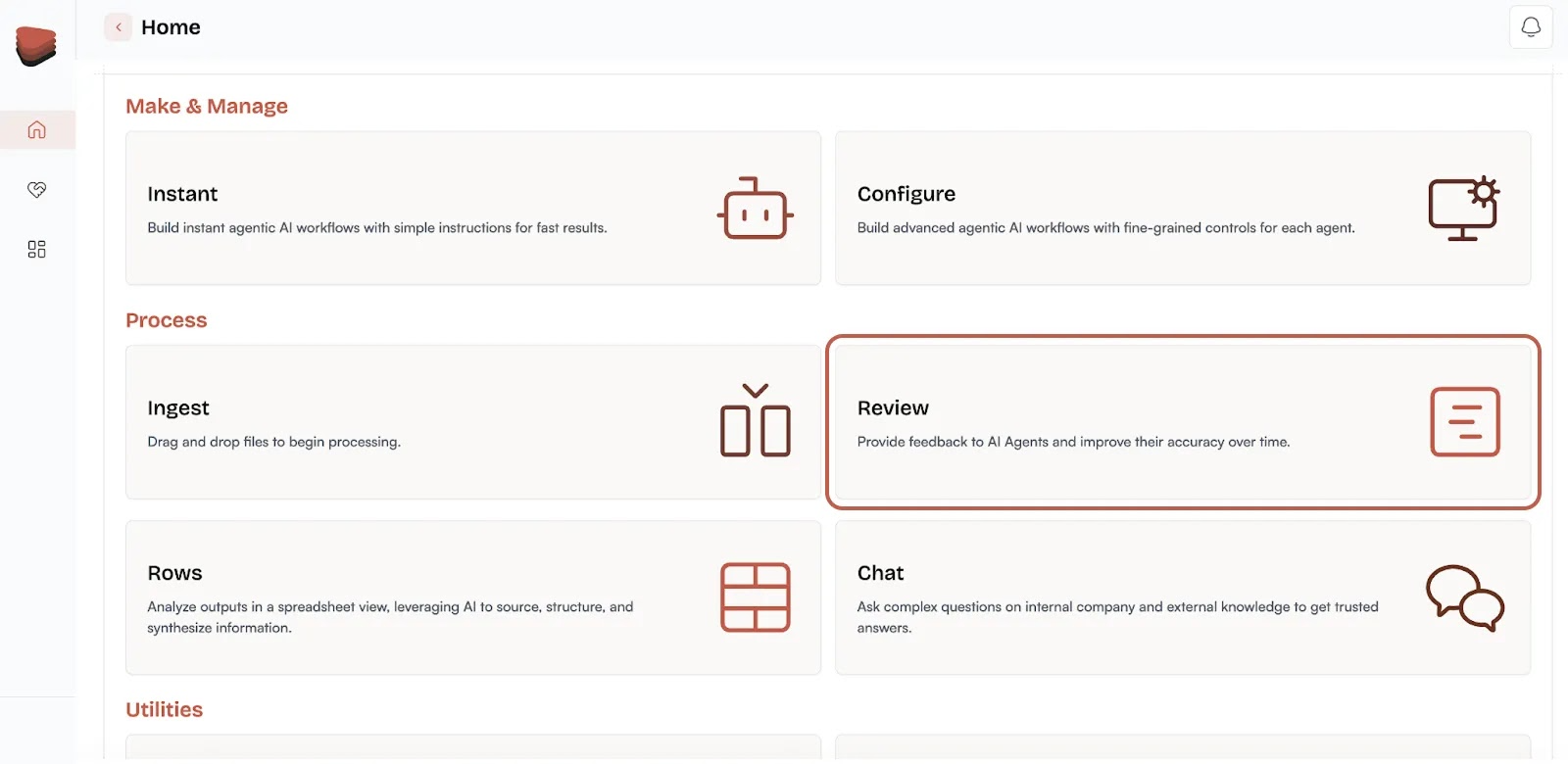
Step 7: Review the Outputs
Once processing is complete, you can review the results of each agent.
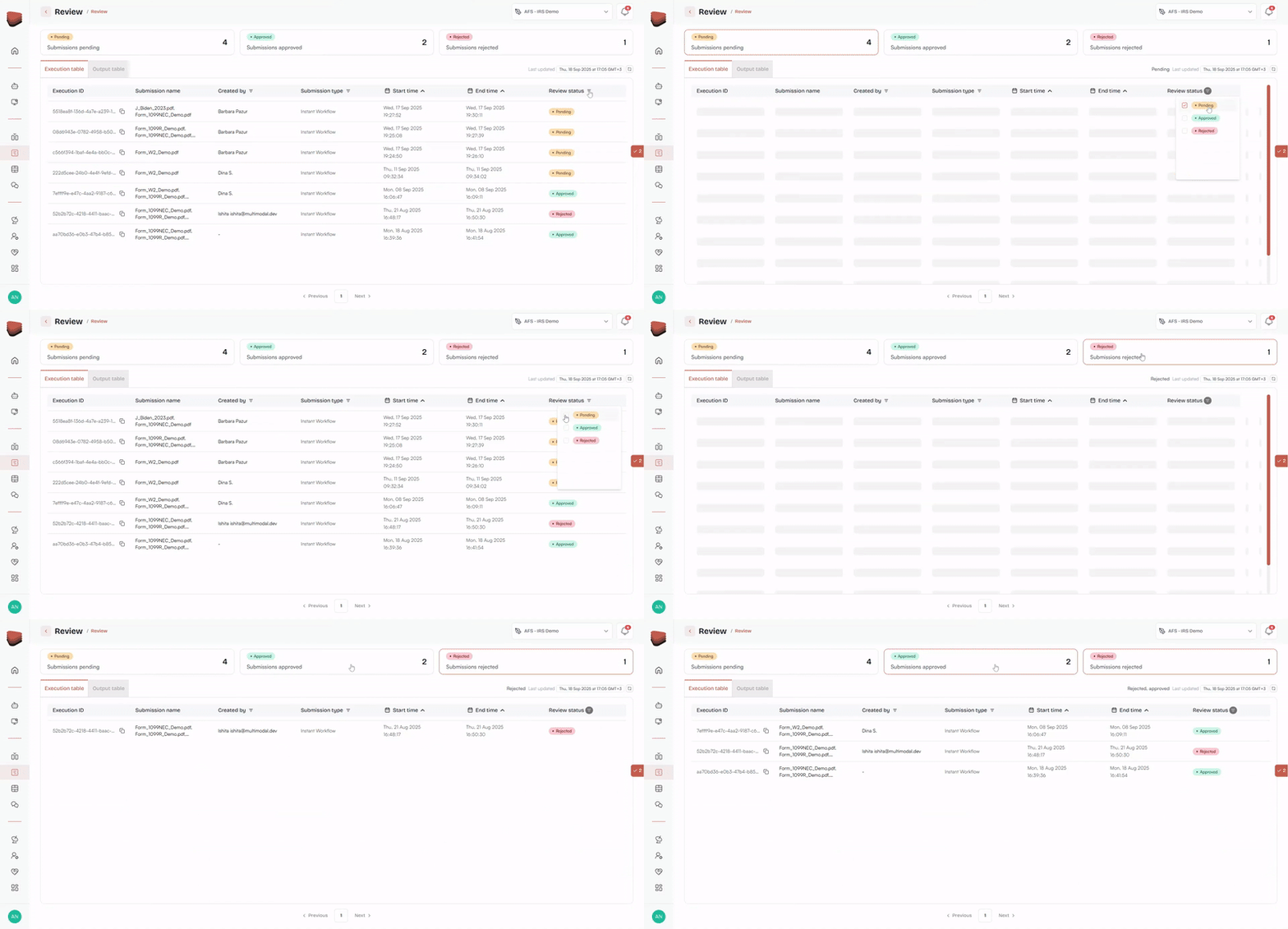
You can review files by their status that can be changed or selected in a dropdown or by clicking on each individual status.
Once you select the file, you can select Input file or Report preview:
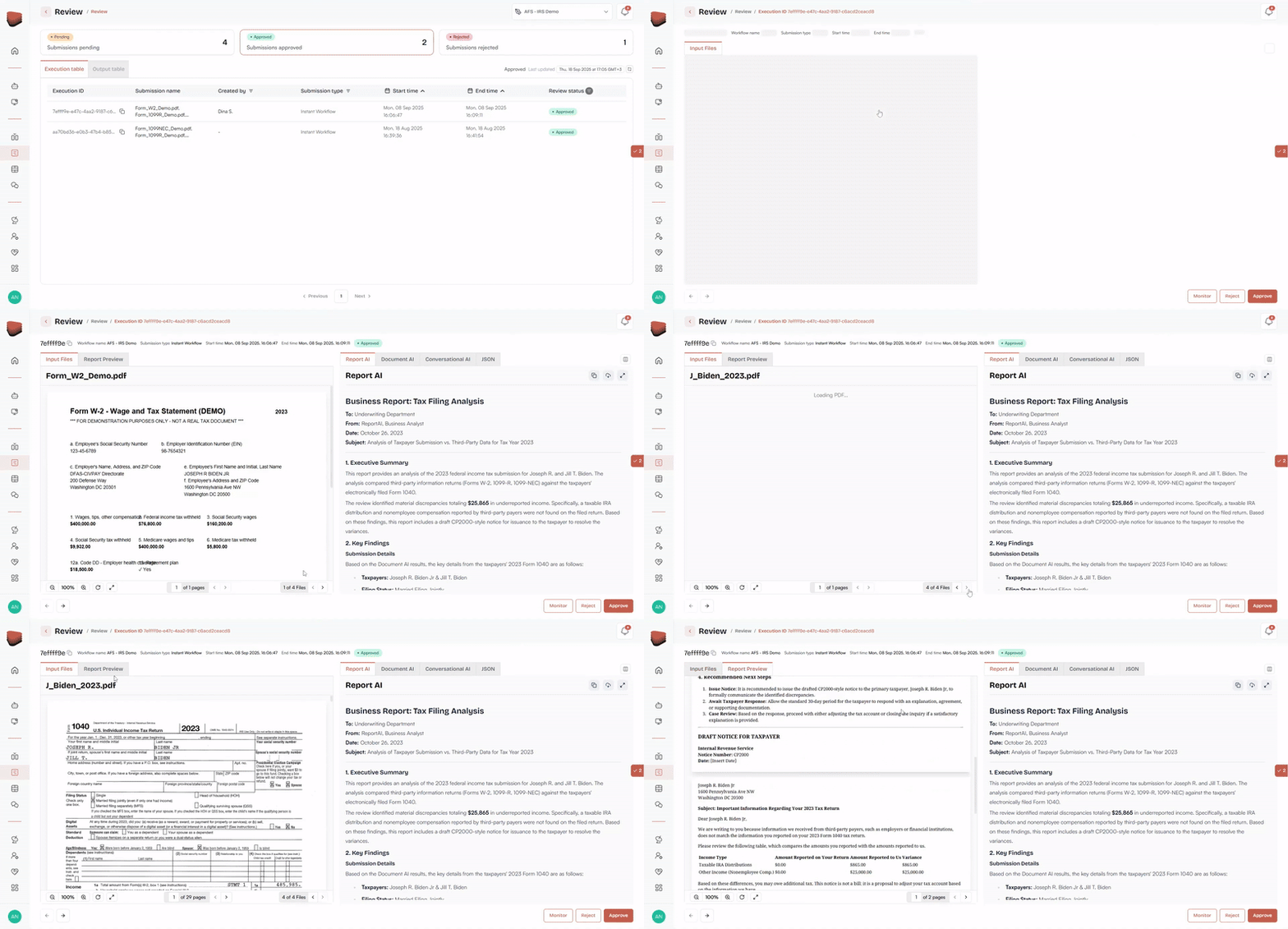
Then you can review the outputs of each AI agent in the workflow that you can monitor, reject or approve in the bottom right corner:
Report AI – Generated reports or memos based on the provided structure.

Document AI – Extracted fields and classifications, along with any schema validation.
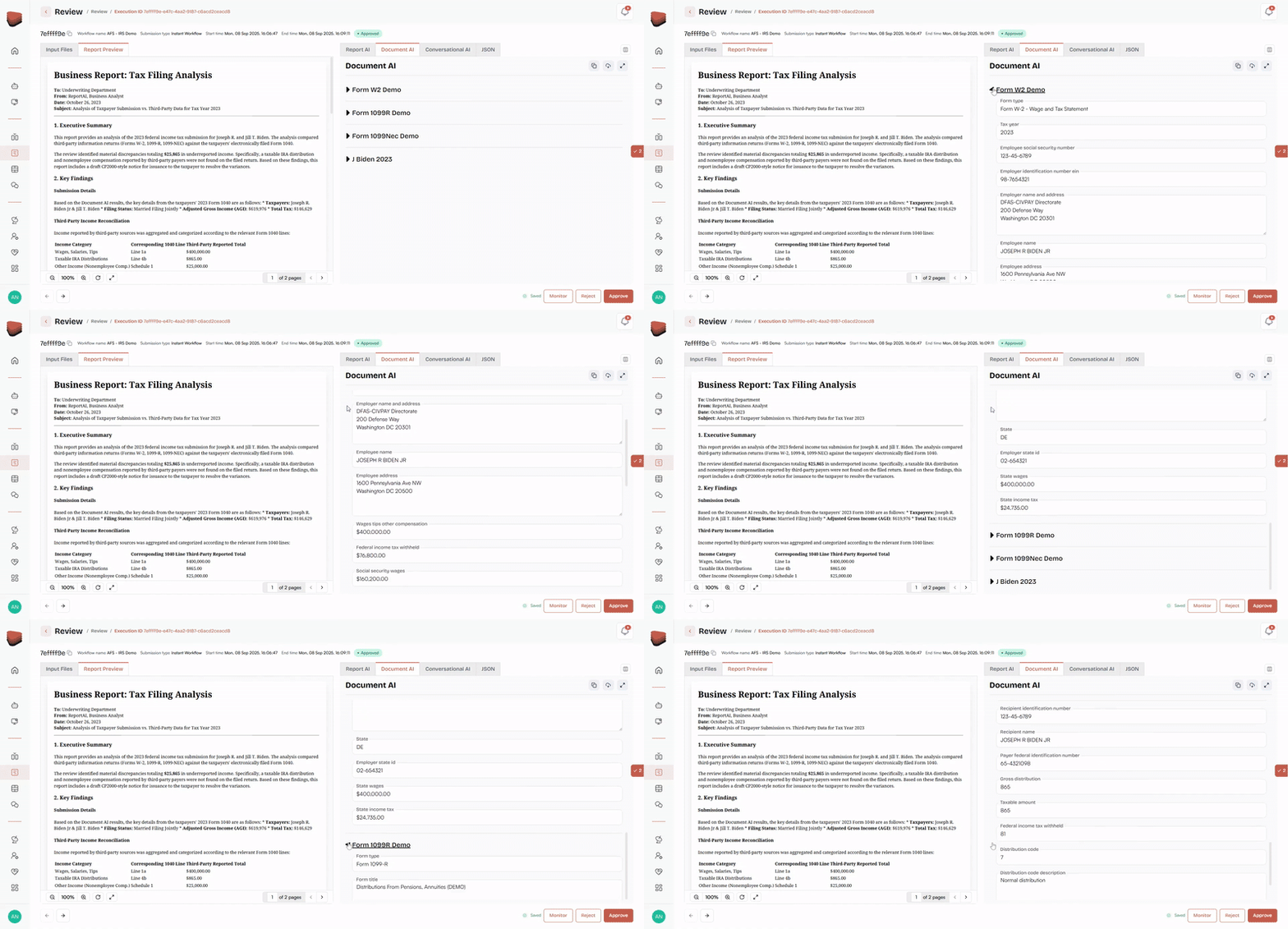
Conversational AI – Dialogue outputs or transcript summaries.
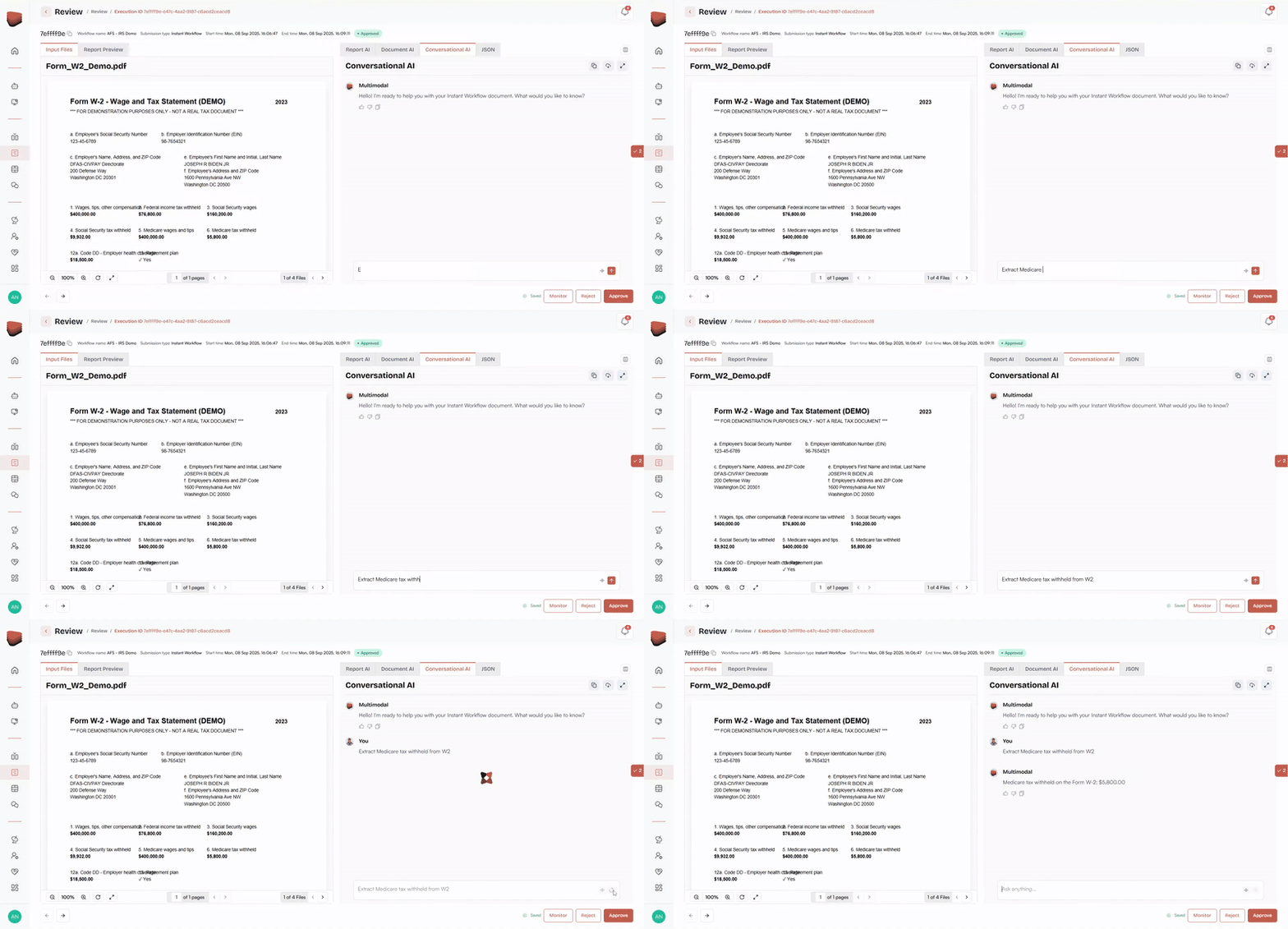
JSON – Download all outputs for easy integration and further analysis.
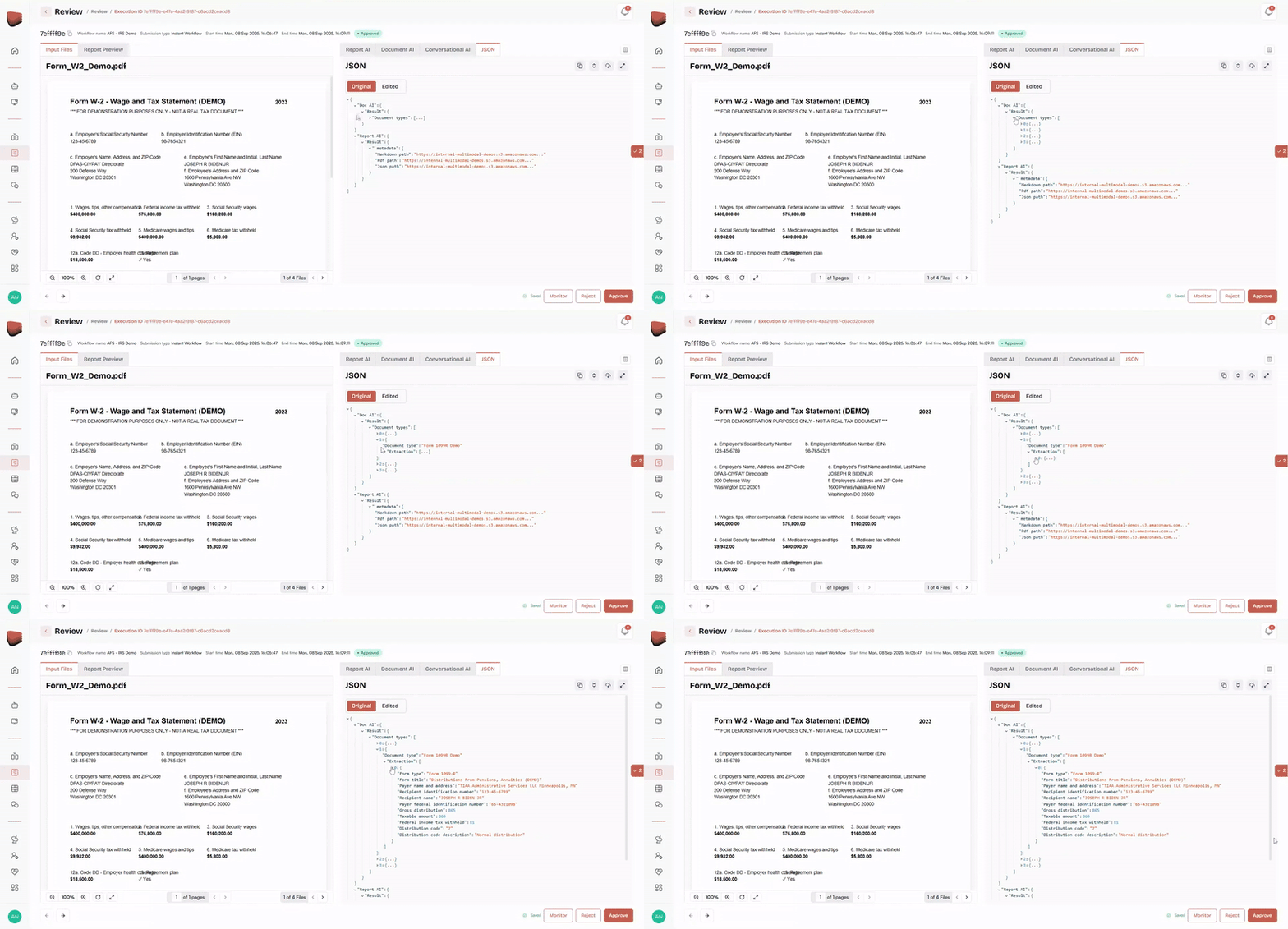
Every output includes confidence scores, audit trails, and logs, making it easy to review and validate the results.
What’s Next: Instant 2.0
While Instant 1.0 offers an incredibly fast way to get started, Instant 2.0 is just around the corner and will unlock even more functionality:
- More configuration options for agents, providing deeper customization.
- Instant Spaces to store and reuse context across workflows for faster iteration.
- Faster onboarding: With Instant 2.0, the process from pilot to production will be even quicker.
Instant 2.0 will empower teams to move from idea to execution faster than ever before.
Ready to Build Your First AI Workflow in Minutes with Instant?
Instant is the tool for teams looking to start testing agentic AI workflows right away. With Instant 1.0, users can create and test workflows in minutes, with minimal configuration required.
And with Instant 2.0 coming soon, the possibilities for faster, more efficient workflows are about to expand even further.
Book a demo and see Instant inside AgentFlow and get started building your first agentic workflow in minutes.