Opera browser AI | Chat and create with AI in Opera | Opera (original) (raw)
Free browser AI
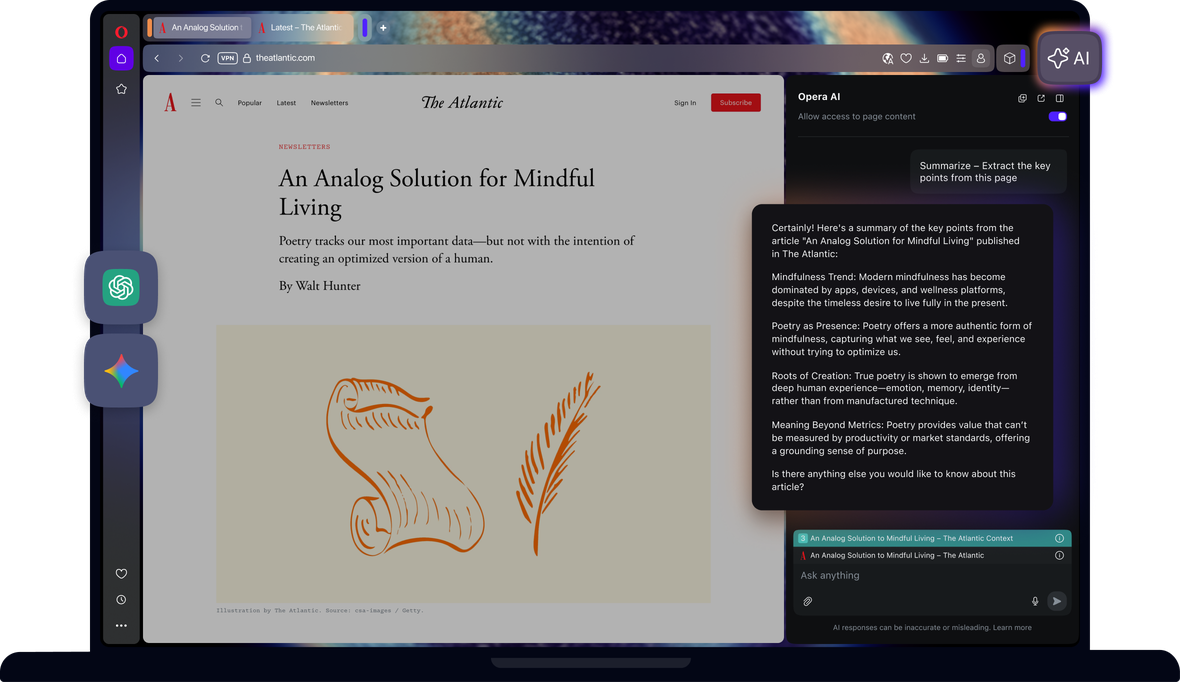
Browse smarter with AI in Opera. Native Opera AI understands the context of your open tabs and helps you generate images, analyze PDFs, and translate YouTube videos. ChatGPT and Gemini are instantly accessible from your sidebar. See more
Benefits of AI in Opera
Get answers, generate text, and create images with Opera AI. Access ChatGPT and Gemini from your sidebar.
Opera AI
Chat and create for free with built-in Opera AI.
Ad Blocker
Browse with less distractions and load websites faster.
Free VPN
Browse comfortably with enhanced privacy and security, for free.
Music Player
A world of music and podcasts at your fingertips.
Snapshot
Easily capture, edit and share your snapshots from webpages.
Tab Islands
Save space, keep organized, and switch contexts easily with Tab Islands.
Tab Emojis
Personalize your tabs and express yourself with Tab Emojis.
Workspaces
Organize tab groups in separate customizable workspaces.
VPN Pro
Browse privately anywhere with VPN Pro.
Slack in Opera
Stay focused and organized with Slack in Opera’s sidebar.
Discord in Opera
Stay connected with your Discord communities in Opera’s sidebar.
Chat in WhatsApp on desktop in your Opera browser.
Use Instagram in Opera’s sidebar while you browse.
X
Explore and tweet conveniently with a better view on desktop.
YouTube
Your favorite videos, alongside your browsing.
Opera Sync
Synchronize the Opera browsers on any of your devices.
Opera Bookmarks
Easily manage, customize and keep your favorite places online.
Video Popout
Pop out online videos so they float on top of webpages as you browse.
Lucid Mode
Enhance online videos and images in one click.
Unit Converter
Automatically convert time-zones, currencies and units of measurement.
Personal News
A customizable and convenient newsfeed on your start page.
Battery Saver
An easy way to noticeably extend your laptop’s battery life.
Flow
Instantly send files, links and notes between your devices.
Pinboards
Save and collect web content easily, share it visually.
Opera Cashback
Automatically get money back when shopping in Opera Browser.
Opera Themes
Completely transform the look, sound and feel of your browser.
Deezer
Play your favorite music in Opera’s sidebar.
How do I access AI in Opera?
To get started, simply download Opera for desktop. Opera AI is now built into your browser - no sign-up required. You can start using it right after installation
How do I start using AI in Opera?
To start using Opera AI, just click the Ask AI button in the top-right of your browser. Opera AI works in context with your open page, stays visible as you browse, and lets you use AI alongside sidebar tools like messengers or music players, all without needing an account.
Is there a keyboard shortcut to open Opera AI?
Yes, you can open Opera AI using the shortcut Ctrl+O (Windows) or Cmd+O (macOS).
How do I add ChatGPT to Opera’s sidebar?
To add ChatGPT to your sidebar, click the three dots at the bottom of the sidebar and enable ChatGPT from the menu.
How do I resize the sidebar panel in Opera?
Hover your cursor over the edge of the sidebar until it turns into a resize icon (a two-sided arrow), then click and drag to adjust the panel width to your preference.
You deserve a better browser
Opera's free VPN, Ad Blocker, and Flow file sharing. Just a few of the must-have features built into Opera for faster, smoother and distraction-free browsing designed to improve your online experience.