Instagram in Opera | Post, view, and message on desktop | Opera (original) (raw)
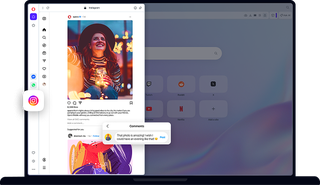
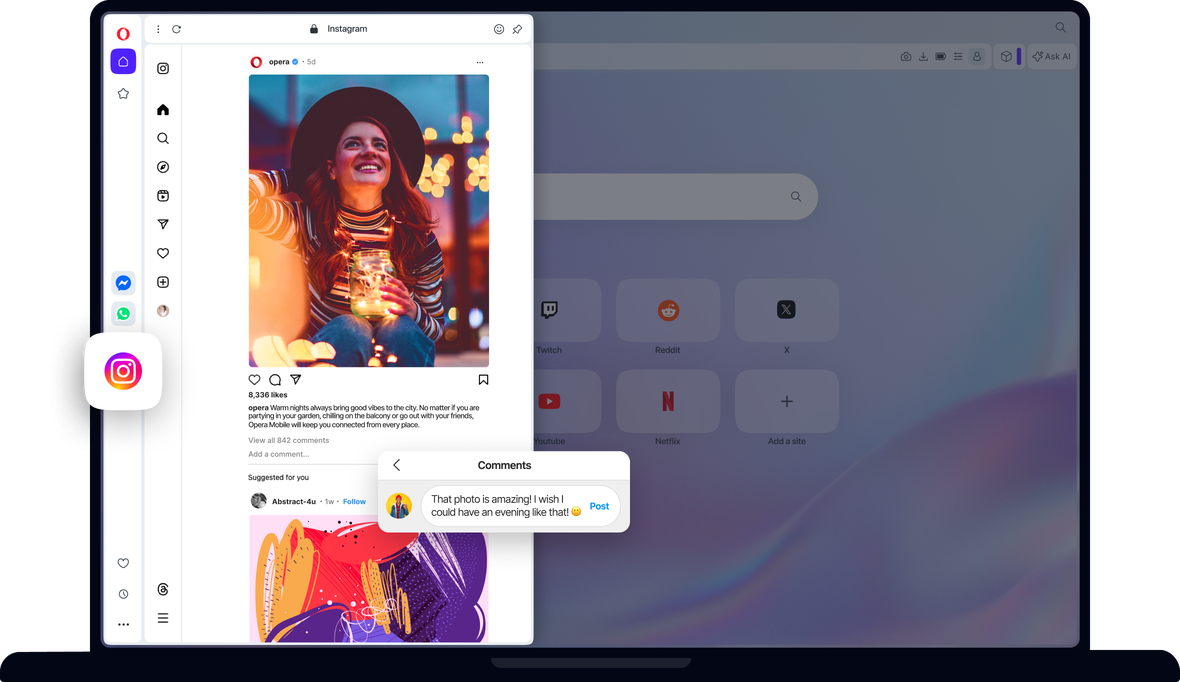
Instagram is now available for desktop. Post to Instagram, send direct messages, view your feed and watch Instagram stories right in the Opera browser. See more
Benefits of Instagram in Opera
Easily keep up with Instagram messages, stories, photos and more - right in your browser.
Opera AI
Chat and create for free with built-in Opera AI.
Ad Blocker
Browse with less distractions and load websites faster.
Free VPN
Browse comfortably with enhanced privacy and security, for free.
Music Player
A world of music and podcasts at your fingertips.
Browser AI
Expand your capabilities with built-in Opera AI, ChatGPT, and Gemini.
Snapshot
Easily capture, edit and share your snapshots from webpages.
Tab Islands
Save space, keep organized, and switch contexts easily with Tab Islands.
Tab Emojis
Personalize your tabs and express yourself with Tab Emojis.
Workspaces
Organize tab groups in separate customizable workspaces.
VPN Pro
Browse privately anywhere with VPN Pro.
Slack in Opera
Stay focused and organized with Slack in Opera’s sidebar.
Discord in Opera
Stay connected with your Discord communities in Opera’s sidebar.
Chat in WhatsApp on desktop in your Opera browser.
X
Explore and tweet conveniently with a better view on desktop.
YouTube
Your favorite videos, alongside your browsing.
Opera Sync
Synchronize the Opera browsers on any of your devices.
Opera Bookmarks
Easily manage, customize and keep your favorite places online.
Video Popout
Pop out online videos so they float on top of webpages as you browse.
Lucid Mode
Enhance online videos and images in one click.
Unit Converter
Automatically convert time-zones, currencies and units of measurement.
Personal News
A customizable and convenient newsfeed on your start page.
Battery Saver
An easy way to noticeably extend your laptop’s battery life.
Flow
Instantly send files, links and notes between your devices.
Pinboards
Save and collect web content easily, share it visually.
Opera Cashback
Automatically get money back when shopping in Opera Browser.
Opera Themes
Completely transform the look, sound and feel of your browser.
Deezer
Play your favorite music in Opera’s sidebar.
Drop photos and post to Instagram from desktop
You don't need a mobile device to post to Instagram. Just open Instagram from your sidebar in the Opera browser. Click the + icon on the left to post photos to Instagram from your desktop computer. Upload photos to Instagram on desktop by selecting or simply dragging and dropping a photo.
Make your Instagram account private
Click the Instagram profile button on the left, then the settings icon (gear) in the top-right. Select Settings and privacy, then toggle on Private account.
Avoid accidentally liking photos on Instagram
Sign into the Instagram web feature in the Opera browser. Then you can only like photos by clicking with your mouse, rather than tapping.
Filter keywords in Instagram
Click the profile button on the left, then the settings (gear) icon in the top-right. Select Settings and privacy. On the left, select How others can interact with you. Below Comments, click Manage comment settings. In the Comment filtering section, you can add keywords. Comments containing those words or phrases will be automatically hidden.
See all the Instagram photos you are tagged in
Using Instagram in the Opera browser, click on your Instagram profile on the left and click Tagged. You will be presented with all the Instagram photos you are tagged in.
Enable Instagram’s two-factor authentication
Instagram’s two-factor authentication is now managed through the Meta Accounts Center. To get there through the Instagram app, click the profile button on the left, then the settings (gear) icon in the top-right. Select Settings and privacy. In the top-left, click See more in Accounts Center, which will open a separate page. There, click Password and security, followed by Two-factor authentication, and follow the instructions.
Change Instagram notification settings
Open Instagram from the sidebar in the Opera browser, click the Instagram profile button on the left, then the settings icon (gear) in the top-right. Select Notifications and choose how you want to be notified.
Download all of your Instagram data
You can download all of your Instagram data through the Meta Accounts Center.To get there through the Instagram app, click the profile button on the left, then the settings (gear) icon in the top-right. Select Settings and privacy. In the top-left, click See more in Accounts Center, which will open a separate page. There, click Your information and permissions, followed by Download your information.
Send direct messages on Instagram
Open Instagram from the sidebar in the Opera browser. Click the Instagram Messages icon on the left. It looks like a paper airplane.
Clear your Instagram search history
You can clear your Instagram search history through the Meta Accounts Center. To get there through the Instagram app, click the profile button on the left, then the settings (gear) icon in the top-right. Select Settings and privacy. In the top-left, click See more in Accounts Center, which will open a separate page. There, click Your information and permissions, followed by Search history, then Clear all searches.
Check your Instagram login activity
You can check your Instagram login activity through the Meta Accounts Center. To get there through the Instagram app in Opera, click the profile button on the left, then the settings (gear) icon in the top-right. Select Settings and privacy. In the top-left, click See more in Accounts Center, which will open a separate page. Click Password and security, followed by Where you’re logged in. There, you can see your activity and confirm whether or not it was you, as well as set up alerts.
See who is following you on Instagram
Click your profile button on the left, then click on followers in the top-center.
You deserve a better browser
Opera's free VPN, Ad Blocker, and Flow file sharing. Just a few of the must-have features built into Opera for faster, smoother and distraction-free browsing designed to improve your online experience.