How to Customize Error Pages (Symfony Docs) (original) (raw)
In Symfony applications, all errors are treated as exceptions, no matter if they are a 404 Not Found error or a fatal error triggered by throwing some exception in your code.
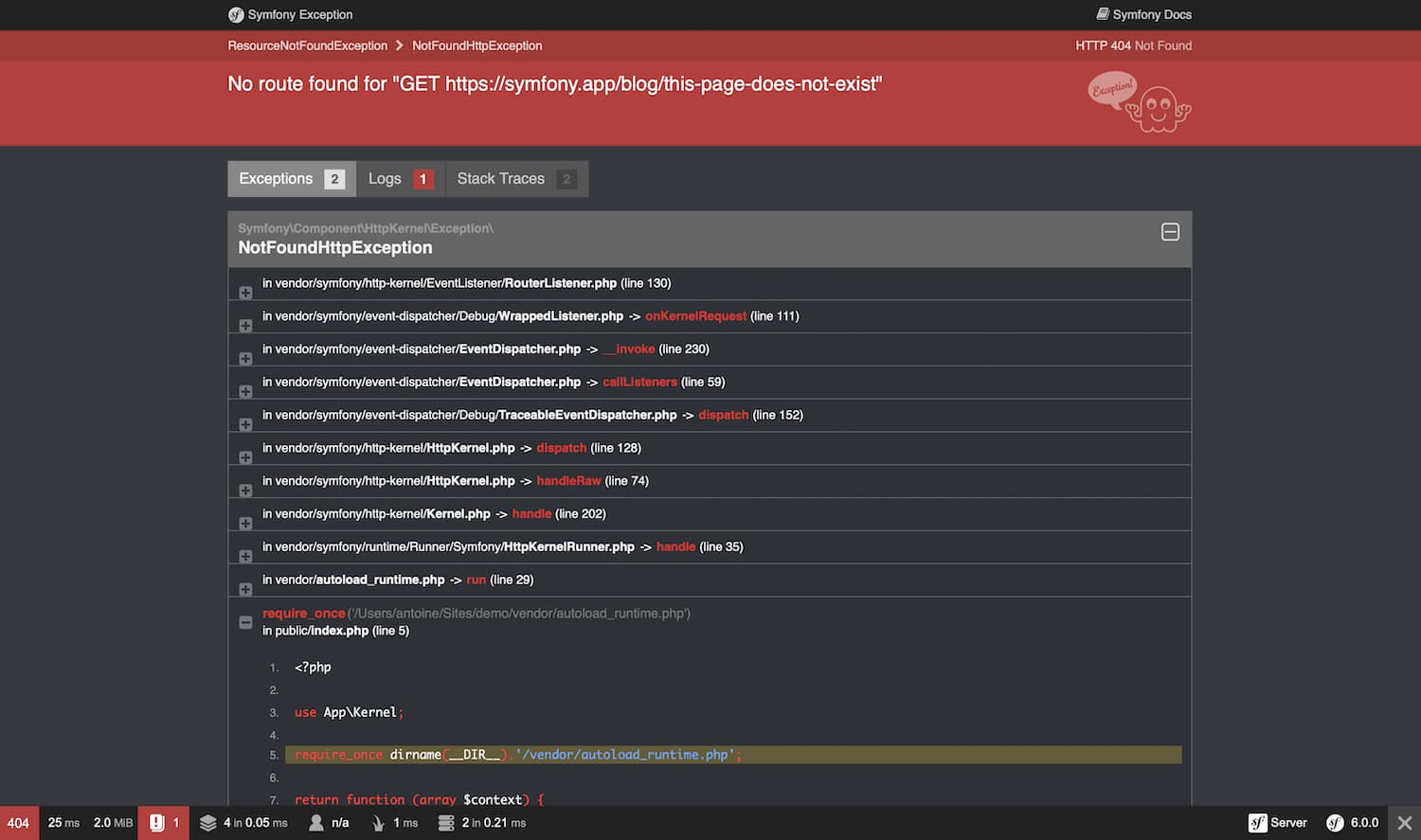
In the development environment, Symfony catches all the exceptions and displays a special exception pagewith lots of debug information to help you discover the root problem:
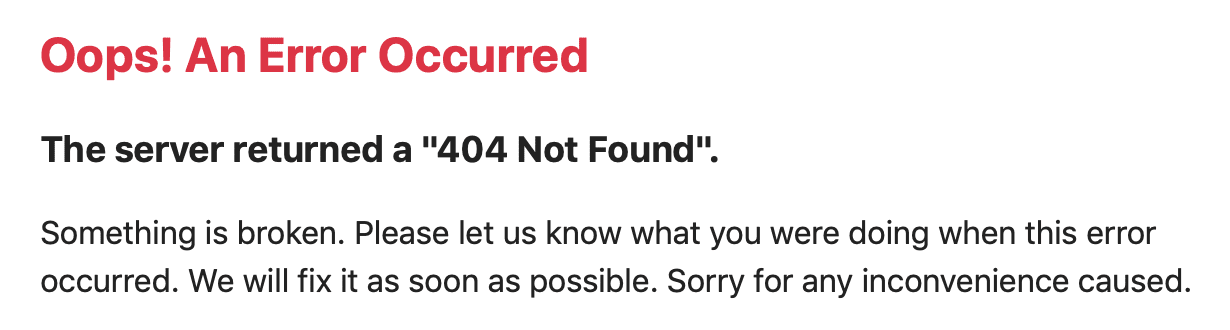
Since these pages contain a lot of sensitive internal information, Symfony won't display them in the production environment. Instead, it'll show a minimal and generic error page:
Error pages for the production environment can be customized in different ways depending on your needs:
- If you only want to change the contents and styles of the error pages to match the rest of your application, override the default error templates;
- If you want to change the contents of non-HTML error output,create a new normalizer;
- If you also want to tweak the logic used by Symfony to generate error pages,override the default error controller;
- If you need total control of exception handling to run your own logicuse the kernel.exception event.
Overriding the Default Error Templates
You can use the built-in Twig error renderer to override the default error templates. Both the TwigBundle and TwigBridge need to be installed for this. Run this command to ensure both are installed:
When the error page loads, TwigErrorRendereris used to render a Twig template to show the user.
This renderer uses the HTTP status code and the following logic to determine the template filename:
- Look for a template for the given status code (like
error500.html.twig); - If the previous template doesn't exist, discard the status code and look for a generic error template (
error.html.twig).
To override these templates, rely on the standard Symfony method foroverriding templates that live inside a bundle and put them in the templates/bundles/TwigBundle/Exception/ directory.
A typical project that returns HTML pages might look like this:
Example 404 Error Template
To override the 404 error template for HTML pages, create a newerror404.html.twig template located at templates/bundles/TwigBundle/Exception/:
In case you need them, the TwigErrorRenderer passes some information to the error template via the status_code and status_text variables that store the HTTP status code and message respectively.
Tip
You can customize the status code of an exception by implementingHttpExceptionInterfaceand its required getStatusCode() method. Otherwise, the status_codewill default to 500.
Additionally you have access to the HttpExceptionobject via the exception Twig variable. For example, if the exception sets a message (e.g. using throw $this->createNotFoundException('The product does not exist')), use {{ exception.message }} to print that message. You can also output the stack trace using {{ exception.traceAsString }}, but don't do that for end users because the trace contains sensitive data.
Tip
PHP errors are turned into exceptions as well by default, so you can also access these error details using exception.
Security & 404 Pages
Due to the order of how routing and security are loaded, security information will_not_ be available on your 404 pages. This means that it will appear as if your user is logged out on the 404 page (it will work while testing, but not on production).
Testing Error Pages during Development
While you're in the development environment, Symfony shows the big _exception_page instead of your shiny new customized error page. So, how can you see what it looks like and debug it?
Fortunately, the default ErrorController allows you to preview your_error_ pages during development.
To use this feature, you need to load some special routes provided by FrameworkBundle (if the application uses Symfony Flex they are loaded automatically when installing symfony/framework-bundle):
With this route added, you can use URLs like these to preview the error page for a given status code as HTML or for a given status code and format (you might need to replace http://localhost/ by the host used in your local setup):
http://localhost/_error/{statusCode}for HTMLhttp://localhost/_error/{statusCode}.{format}for any other format
Overriding Error output for non-HTML formats
To override non-HTML error output, the Serializer component needs to be installed.
The Serializer component has a built-in FlattenException normalizer (ProblemNormalizer) and JSON/XML/CSV/YAML encoders. When your application throws an exception, Symfony can output it in one of those formats. If you want to change the output contents, create a new Normalizer that supports the FlattenException input:
Overriding the Default ErrorController
If you need a little more flexibility beyond just overriding the template, then you can change the controller that renders the error page. For example, you might need to pass some additional variables into your template.
To do this, create a new controller anywhere in your application and set the framework.error_controllerconfiguration option to point to it:
The ErrorListenerclass used by the FrameworkBundle as a listener of the kernel.exception event creates the request that will be dispatched to your controller. In addition, your controller will be passed two parameters:
exception
The original Throwable instance being handled.
logger
A DebugLoggerInterfaceinstance which may be null in some circumstances.
Working with the kernel.exception Event
When an exception is thrown, the HttpKernelclass catches it and dispatches a kernel.exception event. This gives you the power to convert the exception into a Response in a few different ways.
Working with this event is actually much more powerful than what has been explained before, but also requires a thorough understanding of Symfony internals. Suppose that your code throws specialized exceptions with a particular meaning to your application domain.
Writing your own event listenerfor the kernel.exception event allows you to have a closer look at the exception and take different actions depending on it. Those actions might include logging the exception, redirecting the user to another page or rendering specialized error pages.
Note
If your listener calls setResponse() on theExceptionEventevent, propagation will be stopped and the response will be sent to the client.
This approach allows you to create centralized and layered error handling: instead of catching (and handling) the same exceptions in various controllers time and again, you can have just one (or several) listeners deal with them.
Tip
See ExceptionListenerclass code for a real example of an advanced listener of this type. This listener handles various security-related exceptions that are thrown in your application (like AccessDeniedException) and takes measures like redirecting the user to the login page, logging them out and other things.
Dumping Error Pages as Static HTML Files
If an error occurs before reaching your Symfony application, web servers display their own default error pages instead of your custom ones. Dumping your application's error pages to static HTML ensures users always see your defined pages and improves performance by allowing the server to deliver errors instantly without calling your application.
Symfony provides the following command to turn your error pages into static HTML files:
You must also configure your web server to use these generated pages. For example, if you use Nginx:
This work, including the code samples, is licensed under aCreative Commons BY-SA 3.0 license.