Termius - Modern SSH Client (original) (raw)
Modern SSH Client
Modern
SSH Client
Built for Productivity and Collaboration
Built for Productivity and Collaboration
Built for Productivity and Collaboration
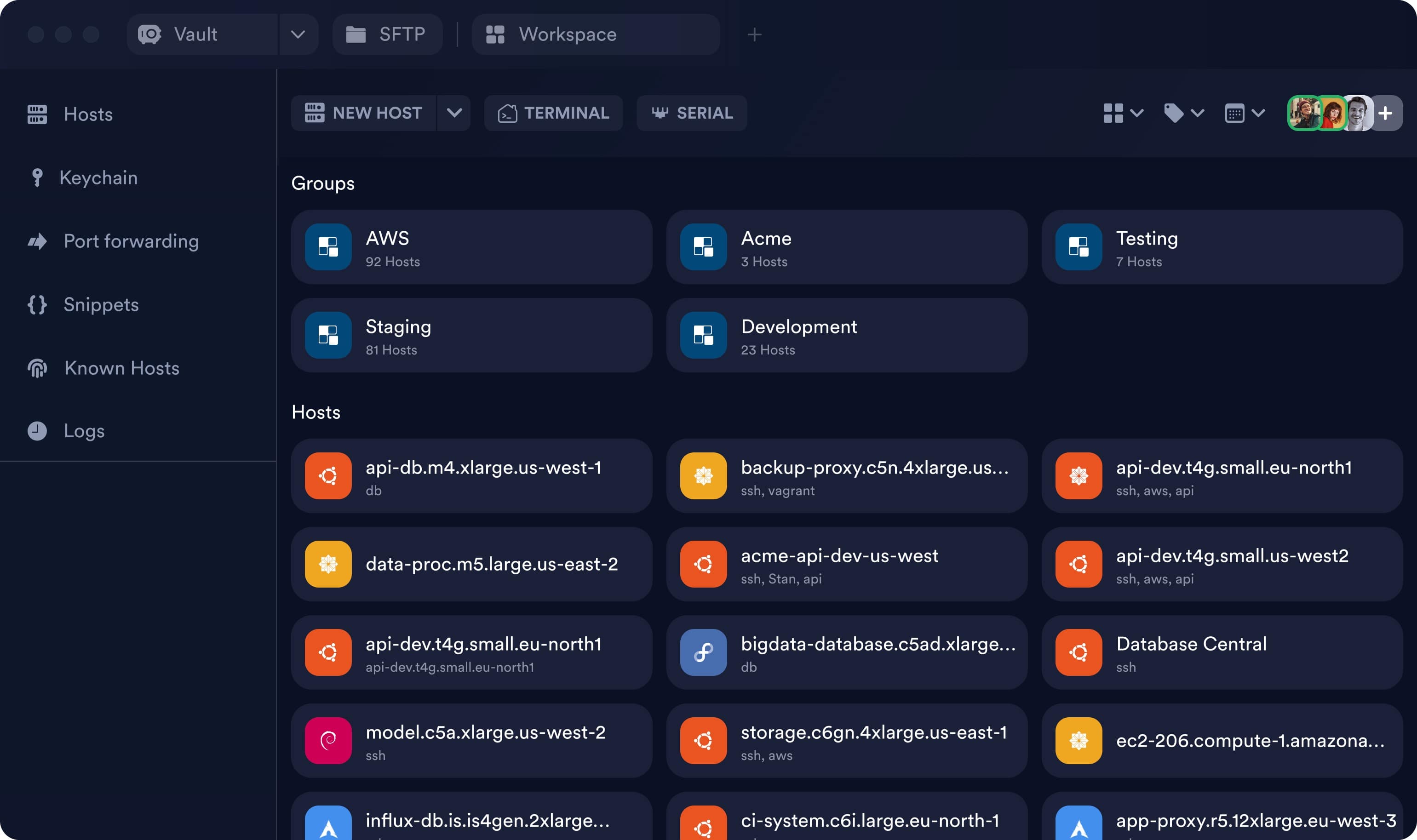
Hosts

api-db.m4.xlarge.us-west-1
db

backup-proxy.c5n.4xlarge.us…
ssh, vagrant
api-dev.t4g.small.eu-north1
ssh, aws, api
data-proc.m5.large.us-east-2
acme-api-dev-us-west
ssh, Stan, api
api-dev.t4g.small.us-west2
ssh, aws, api
api-dev.t4g.small.eu-north1
api-dev.t4g.small.eu-north1

bigdata-database.c5ad.xlarge…
db

model.c5a.xlarge.us-west-2
ssh
storage.c6gn.4xlarge.us-east-1
ssh, aws
ec2-206.compute-1.amazona…

influx-db.is.is4gen.2xlarge…
ssh
ci-system.c6i.large.eu-north-1
ssh, aws
app-proxy.r5.12xlarge.eu-west-3
ssh
Trusted by 2,000,000+ engineers

4.4
Based on 42.4K reviews

4.8
Based on 176 reviews

Trusted by 2,000,000+ engineers
4.4
Based on 42.4K reviews
4.8
Based on 176 reviews
Trusted by 2,000,000+ engineers
4.4
Based on 42.4K reviews
4.8
Based on 176 reviews
Trusted by 2,000,000+ engineers
4.4
Based on 42.4K reviews
4.8
Based on 176 reviews
Full-featured terminal to keep you productive
IDE-style Autocomplete
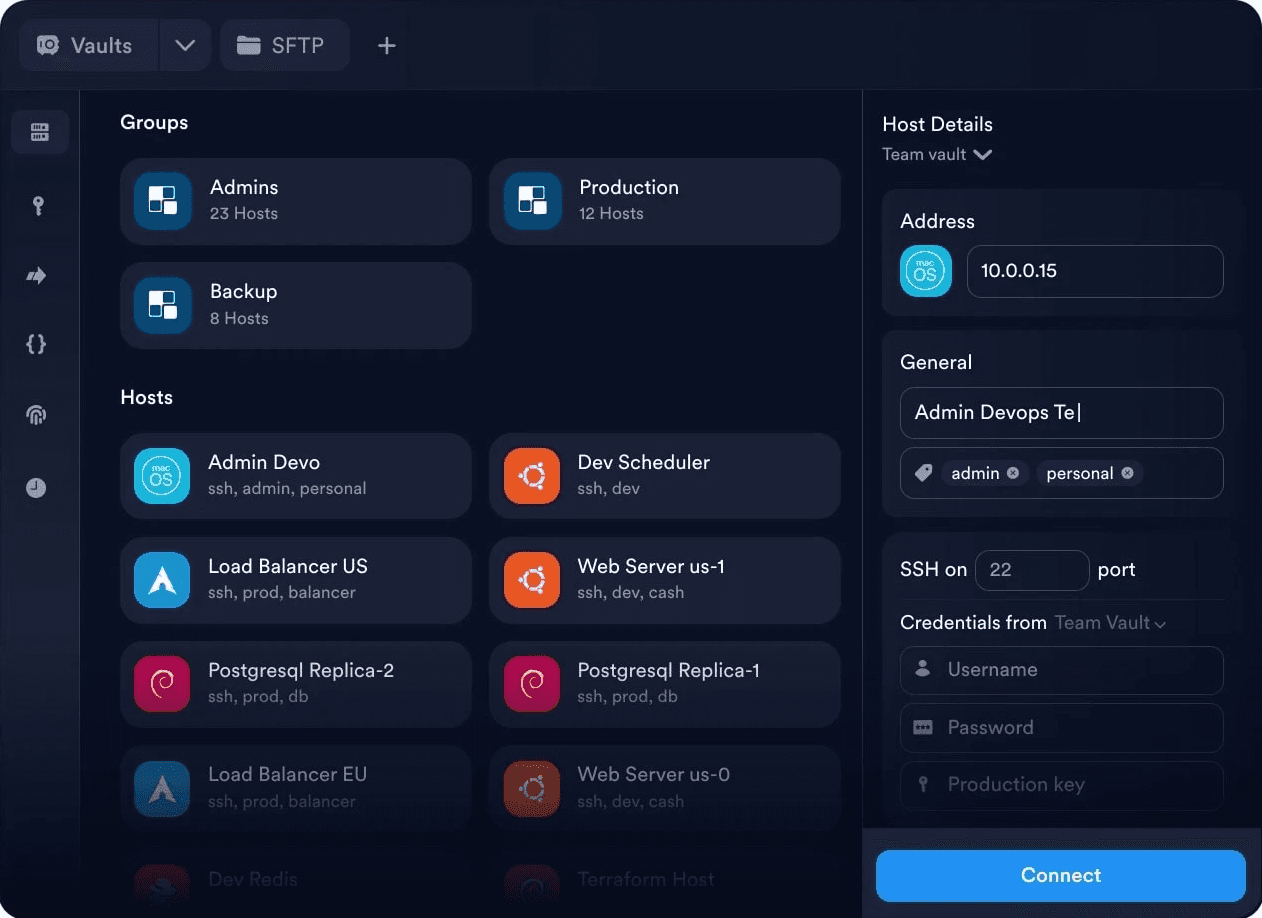
Connect with one-click
No more re-entering IPs, ports, or password. Everything is saved, so you connect instantly.
Restore your Workspace
Secure sync via Encrypted Vault


Connect with one-click
No more re-entering IPs, ports, or password. Everything’s saved, so you connect instantly.
ssh user@10.0.0.15 -p 2201
Welcome to Ubuntu 22.04.4 LTS (GNU/Linux 5.15.0-105-generic x86_64)
Last login: Mon Jun 10 11:12:43 2025 from 10.0.0.3
user@admin-laptop:~$
ssh user@10.0.0.15 -p 2201
Welcome to Ubuntu 22.04.4 LTS (GNU/Linux 5.15.0-105-generic x86_64)
Last login: Mon Jun 10 11:12:43 2025 from 10.0.0.3
user@admin-laptop:~$
Welcome to Ubuntu 22.04.4 LTS (GNU/Linux 5.15.0-67-generic x86_64)
* Documentation: https://help.ubuntu.com
* Management: https://landscape.canonical.com
* Support: https://ubuntu.com/pro
stan@dev-admin:
'backup_2025_06_09/config' -> 'prod_env/backup_2025_06_09/config'
'backup_2025_06_09/config/nginx.conf' -> 'prod_env/backup_2025_06_09/config/nginx.conf'
'backup_2025_06_09/scripts' -> 'prod_env/backup_2025_06_09/scripts'
'backup_2025_06_09/scripts/deploy.sh' -> 'prod_env/backup_2025_06_09/scripts/deploy.sh'
stan@admin-laptop:~$
6 updates can be applied immediately.
3 of these updates are standard security updates.
To see these additional updates run: apt list --upgradable
9 additional security updates can be applied with ESM Apps.
Learn more about enabling ESM Apps service at https://ubuntu.com/esm
*** System restart required ***
Last login: Mon Aug 5 03:45:03 2024 from 203.97.21.86
stan@dev-admin:~$
'backup_2025_06_09/config' -> 'prod_env/backup_2025_06_09/config'
'backup_2025_06_09/config/nginx.conf' -> 'prod_env/backup_2025_06_09/config/nginx.conf'
'backup_2025_06_09/scripts' -> 'prod_env/backup_2025_06_09/scripts'
'backup_2025_06_09/scripts/deploy.sh' -> 'prod_env/backup_2025_06_09/scripts/deploy.sh'
stan@admin-laptop:~$
System information as of Tue Aug 6 02:55:19 UTC 2025
System load: 0.0 Processes: 102
Usage of /: 22.4% of 24.05GB Users logged in: 1
Memory usage: 28% IPv4 address for eth0: 137.184.95.44
Swap usage: 0% IPv4 address for eth0: 10.48.0.7
stan@dev-admin:~$
'backup_2025_06_09/config' -> 'prod_env/backup_2025_06_09/config'
'backup_2025_06_09/config/nginx.conf' -> 'prod_env/backup_2025_06_09/config/nginx.conf'
'backup_2025_06_09/scripts' -> 'prod_env/backup_2025_06_09/scripts'
'backup_2025_06_09/scripts/deploy.sh' -> 'prod_env/backup_2025_06_09/scripts/deploy.sh'
user@admin-laptop:~$

ssh user@10.0.0.15 -p 2201
Welcome to Ubuntu 22.04.4 LTS (GNU/Linux 5.15.0-105-generic x86_64)
Last login: Mon Jun 10 11:12:43 2025 from 10.0.0.3
stan@dev-admin:~$
ssh user@10.0.0.15 -p 2201
Welcome to Ubuntu 22.04.4 LTS (GNU/Linux 5.15.0-105-generic x86_64)
Last login: Mon Jun 10 11:12:43 2025 from 10.0.0.3
stan@dev-admin:~$
ssh user@10.0.0.15 -p 2201
Welcome to Ubuntu 22.04.4 LTS (GNU/Linux 5.15.0-105-generic x86_64)
Last login: Mon Jun 10 11:12:43 2025 from 10.0.0.3
stan@dev-admin:~$

Display processes by memory consumption
ps aux --sort=-%mem | head -n 10
What does it do:
List process by memory
Risk: low Runs: 0
ssh user@10.0.0.15 -p 2201
Welcome to Ubuntu 22.04.4 LTS (GNU/Linux 5.15.0-105-generic x86_64)
Last login: Mon Jun 10 11:12:43 2025 from 10.0.0.3
stan@dev-admin:~$
IDE-style Autocomplete
With autocomplete suggestions for frequently used commands, arguments, and file paths, you can save time and focus on more important things.
Restore your Workspace
Group multiple connections into a single tab to restore your workspace and save it exactly as you left it.

Split view

Focus mode
ssh user@10.0.0.15 -p 2201
Welcome to Ubuntu 22.04.4 LTS (GNU/Linux 5.15.0-105-generic x86_64)
Last login: Mon Jun 10 11:12:43 2025 from 10.0.0.3
stan@admin-laptop:~$ cp -rv backup_2025_06_09/ prod_env
Welcome to Ubuntu 22.04.4 LTS (GNU/Linux 5.15.0-67-generic x86_64)
* Documentation: https://help.ubuntu.com
* Management: https://landscape.canonical.com
* Support: https://ubuntu.com/pro
stan@dev-admin:
6 updates can be applied immediately.
3 of these updates are standard security updates.
To see these additional updates run: apt list --upgradable
9 additional security updates can be applied with ESM Apps.
Learn more about enabling ESM Apps service at https://ubuntu.com/esm
*** System restart required ***
Last login: Mon Aug 5 03:45:03 2024 from 203.97.21.86
stan@dev-admin:~$
System information as of Tue Aug 6 02:55:19 UTC 2025
System load: 0.0 Processes: 102
Usage of /: 22.4% of 24.05GB Users logged in: 1
Memory usage: 28% IPv4 address for eth0: 137.184.95.44
Swap usage: 0% IPv4 address for eth0: 10.48.0.7
stan@dev-admin:~$
ssh user@10.0.0.15 -p 2201
Welcome to Ubuntu 22.04.4 LTS (GNU/Linux 5.15.0-105-generic x86_64)
Last login: Mon Jun 10 11:12:43 2025 from 10.0.0.3
stan@admin-laptop:~$ cp -rv backup_2025_06_09/ prod_env
Welcome to Ubuntu 22.04.4 LTS (GNU/Linux 5.15.0-67-generic x86_64)
* Documentation: https://help.ubuntu.com
* Management: https://landscape.canonical.com
* Support: https://ubuntu.com/pro
stan@dev-admin:
6 updates can be applied immediately.
3 of these updates are standard security updates.
To see these additional updates run: apt list --upgradable
9 additional security updates can be applied with ESM Apps.
Learn more about enabling ESM Apps service at https://ubuntu.com/esm
*** System restart required ***
Last login: Mon Aug 5 03:45:03 2024 from 203.97.21.86
stan@dev-admin:~$
System information as of Tue Aug 6 02:55:19 UTC 2025
System load: 0.0 Processes: 102
Usage of /: 22.4% of 24.05GB Users logged in: 1
Memory usage: 28% IPv4 address for eth0: 137.184.95.44
Swap usage: 0% IPv4 address for eth0: 10.48.0.7
stan@dev-admin:~$
ssh user@10.0.0.15 -p 2201
Welcome to Ubuntu 22.04.4 LTS (GNU/Linux 5.15.0-105-generic x86_64)
Last login: Mon Jun 10 11:12:43 2025 from 10.0.0.3
stan@admin-laptop:~$ cp -rv backup_2025_06_09/ prod_env
Welcome to Ubuntu 22.04.4 LTS (GNU/Linux 5.15.0-67-generic x86_64)
* Documentation: https://help.ubuntu.com
* Management: https://landscape.canonical.com
* Support: https://ubuntu.com/pro
stan@dev-admin:
6 updates can be applied immediately.
3 of these updates are standard security updates.
To see these additional updates run: apt list --upgradable
9 additional security updates can be applied with ESM Apps.
Learn more about enabling ESM Apps service at https://ubuntu.com/esm
*** System restart required ***
Last login: Mon Aug 5 03:45:03 2024 from 203.97.21.86
stan@dev-admin:~$
System information as of Tue Aug 6 02:55:19 UTC 2025
System load: 0.0 Processes: 102
Usage of /: 22.4% of 24.05GB Users logged in: 1
Memory usage: 28% IPv4 address for eth0: 137.184.95.44
Swap usage: 0% IPv4 address for eth0: 10.48.0.7
stan@dev-admin:~$
Secure sync via Encrypted Vault
Termius syncs your hosts across iOS and Android, keeping them available on all your devices.
Full-featured terminal to keep you productive

Built for modern teams
Vault is your team's single source of truth for all infrastructure. Your team will be more productive collaborating and sharing securely in Termius!
Built for modern teams
Vault is your team's single source of truth for all infrastructure. Your team will be more productive collaborating and sharing securely in Termius!

Single source of truth
End-to-end encrypted vaults for all your infrastructure to keep your team in sync.

Granular permisions
Organize your data and separate access to it using multiple vaults.

Secure sharing
Ensure secure sharing of your team's data using encrypted vaults within Termius.
Terminal multiplayer
Collaborate in the terminal in real-time using the multiplayer sessions. Troubleshoot together or guide teammates through your workflow.
Terminal multiplayer
Collaborate in the terminal in real-time using the multiplayer sessions. Troubleshoot together or guide teammates through your workflow.
One person can type at a time
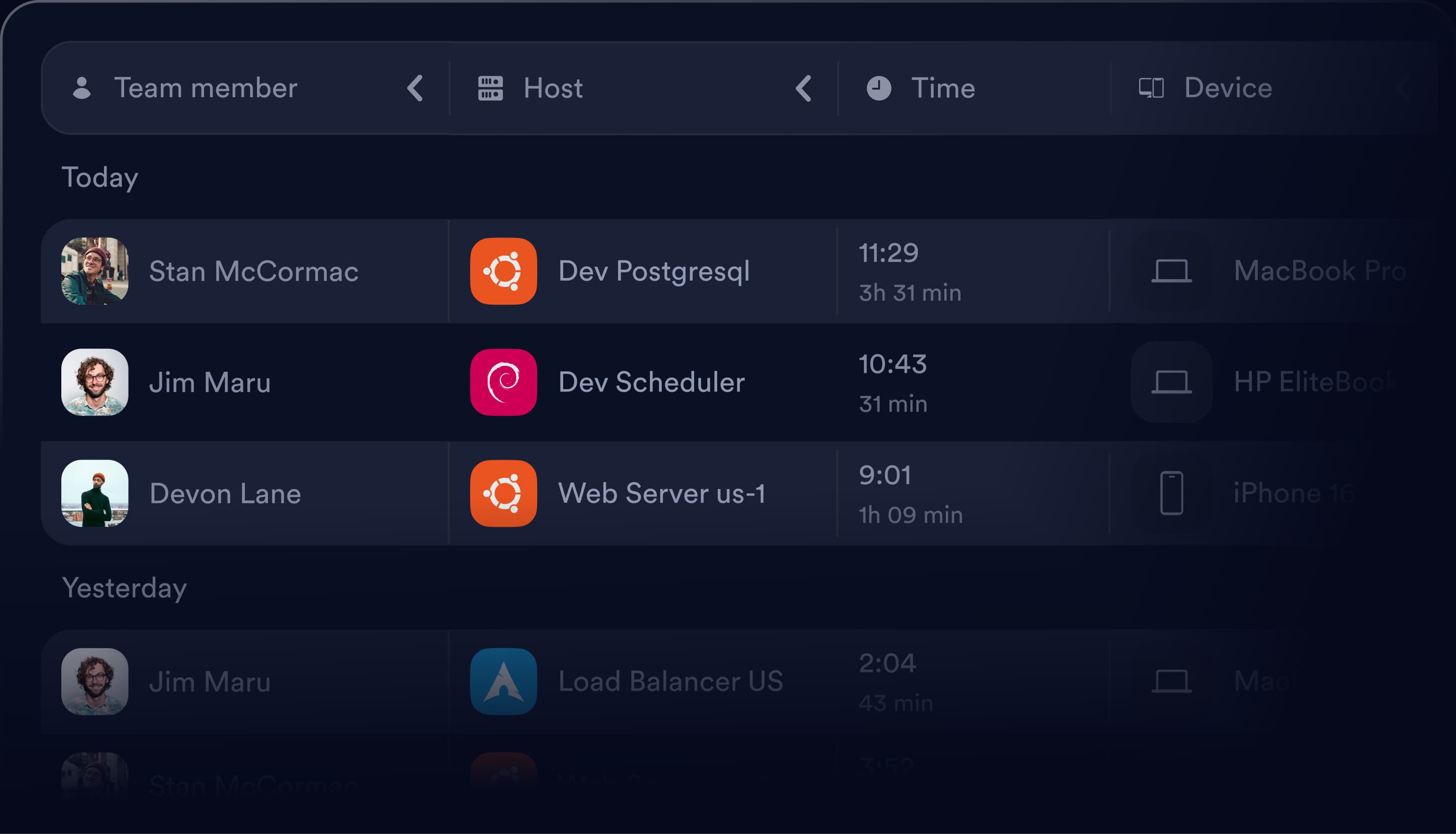
Session logs
Make your team view the latest terminal sessions on any host, regardless of who connected, for easier task handovers, collaboration, and audits.
Session logs
Make your team view the latest terminal sessions on any host, regardless of who connected, for easier task handovers, collaboration, and audits.
Manage keys and passwords
Centralize your passwords, keys, and certificates in the Keychain. Effortlessly import, generate, and update your credentials.
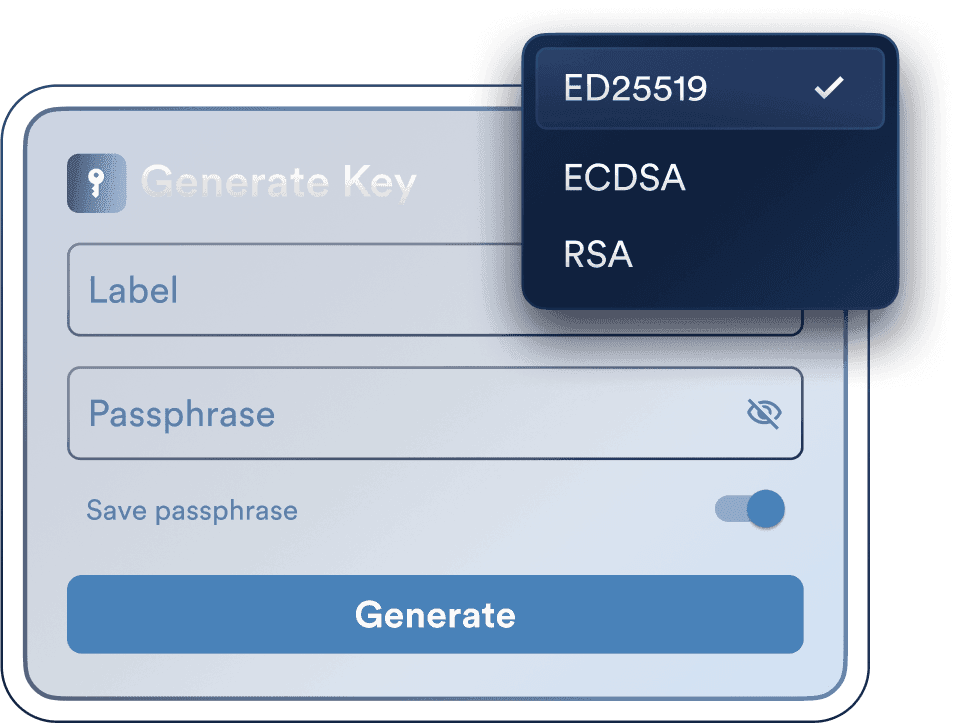
Keygen
Create and manage your SSH keys with passphrase protection. Everything is encrypted and easily accessible from any device.
Hardware security keys
Secure SSH authentication with FIDO2 security keys and MFA.

Secure sharing
Securely share SSH keys, passwords, and other sensitive information across teammates via encrypted vaults.
Biometric keys
Secure connections with device-bound keys and biometric protection with Windows Hello, Touch ID/Face ID, or Android biometrics.

Keygen
Create and manage your SSH keys with passphrase protection. Everything is encrypted and easily accessible from any device.
Hardware security keys
Secure SSH authentication with FIDO2 security keys and MFA.
Secure sharing
Securely share SSH keys, passwords, and other sensitive information across teammates via encrypted vaults.
Biometric keys
Secure connections with device-bound keys and biometric protection with Windows Hello, Touch ID/Face ID, or Android biometrics.
Keygen
Create and manage your SSH keys with passphrase protection. Everything is encrypted and easily accessible from any device.
Hardware security keys
Secure SSH authentication with FIDO2 security keys and MFA.
Secure sharing
Securely share SSH keys, passwords, and other sensitive information across teammates via encrypted vaults.
Biometric keys
Secure connections with device-bound keys and biometric protection with Windows Hello, Touch ID/Face ID, or Android biometrics.
Keygen
Create and manage your SSH keys with passphrase protection. Everything is encrypted and easily accessible from any device.
Hardware security keys
Secure SSH authentication with FIDO2 security keys and MFA.
Secure sharing
Securely share SSH keys, passwords, and other sensitive information across teammates via encrypted vaults.
Biometric keys
Secure connections with device-bound keys and biometric protection with Windows Hello, Touch ID/Face ID, or Android biometrics.

Enterprise-grade security
All connections and data are protected with industry-standard encryption, ready for teams that take security seriously.

SOC 2 Type II compliance
SOC 2 Type II compliance
Termius meets SOC 2 Type 2 standards for handling sensitive customer data. Business customers can access the report in the dashboard.
Termius meets SOC 2 Type 2 standards for handling sensitive customer data. Business customers can access the report in the dashboard.

End-to-end encryption
End-to-end encryption
All your infrastructure is end-to-end encrypted on your device. Termius never accesses your plaintext data, so only you can decrypt it. Take a close look at our encryption.
All your infrastructure is end-to-end encrypted on your device. Termius never accesses your plaintext data, so only you can decrypt it. Take a close look at our encryption.

Direct connection
Direct connection
Termius doesn't depend on the cloud to manage your access. Your infrastructure is stored and encrypted locally. Connect directly to your servers without the internet, a proxy, or VPN.
Termius doesn't depend on the cloud to manage your access. Your infrastructure is stored and encrypted locally. Connect directly to your servers without the internet, a proxy, or VPN.
Why people choose Termius
4.4
Based on 42.4K reviews
4.8
Based on 176 reviews
4.4
Based on 42.4K reviews
4.8
Based on 176 reviews

Try Modern SSH client
for free
Try Modern SSH client
for free
Try Modern SSH client
for free
Try Modern SSH client for free
Frequently Asked Questions
What is Termius and how is it different from other SSH clients?
Is Termius free to use? Do I need an account?
Is it safe to store passwords and SSH keys in Termius?
Can I use Termius offline?
Does Termius support file transfer and port forwarding?