Compute Engine (original) (raw)
Virtual machines for any workload
Run VMs on high-performance and reliable cloud infrastructure. Choose from preset or custom machine types for web servers, databases, and applications that fuel your agents.
Features
Preset and custom configurations
Industry-leading reliability
Compute Engine offers the best single instance compute availability SLA of any cloud provider: 99.95% availability for memory-optimized VMs and 99.9% for all other VM families.
Is downtime keeping you up at night? Maintain workload continuity during planned and unplanned events with live migration. When a VM goes down, Compute Engine performs a live migration to another host in the same zone.
Automations and recommendations for resource efficiency
Automatically add VMs to handle peak load and replace underperforming instances with managed instance groups.
Manually adjust your resources using historical data with rightsizing recommendations, or guarantee capacity for planned demand spikes with future reservations.
All of our latest compute instances (including C4A, C4, C4D, N4, C3D, X4, and Z3) run on Titanium, a system of purpose-built microcontrollers and tiered scale-out offloads to improve your infrastructure performance, life cycle management, and security.
Transparent pricing and discounting
Security controls and configurations
Encrypt data-in-use and while it’s being processed with Confidential VMs.
Defend against rootkits and bootkits with Shielded VMs.
Meet stringent compliance standards for data residency, sovereignty, access, and encryption with Assured Workloads.
Workload manager
Now available for SAP workloads, Workload Manager evaluates your application workloads by detecting deviations from documented standards and best practices to proactively prevent issues, continuously analyze workloads, and simplify system troubleshooting.
VM manager
VM Manager is a suite of tools that can be used to manage operating systems for large virtual machine (VM) fleets running Windows and Linux on Compute Engine.
Sole-tenant nodes
Sole-tenant nodes are physical Compute Engine servers dedicated exclusively for your use. Sole-tenant nodes simplify deployment for bring-your-own-license (BYOL) applications. Sole-tenant nodes give you access to the same machine types and VM configuration options as regular compute instances.
Autonomous infrastructure management
Empower AI agents to securely manage your VMs with the new Google Compute Engine MCP server. Agents can discover and execute tools to provision, inspect, and resize resources, enabling you to automate workflows from day-1 builds to day-2 operations, like dynamically adapting to load or hunting down orphaned resources to eliminate waste.
TPU accelerators
Cloud TPUs can be added to accelerate machine learning and artificial intelligence applications. Cloud TPUs can be reserved, used on-demand, or available as preemptible VMs.
Linux and windows support
Run your choice of OS, including Debian, CentOS Stream, Fedora CoreOS, SUSE, Ubuntu, Red Hat Enterprise Linux, FreeBSD, or Windows Server 2008 R2, 2012 R2, and 2016. You can also use a shared image from the Google Cloud community or bring your own.
Container support
Run, manage, and orchestrate Docker containers on Compute Engine VMs with Google Kubernetes Engine.
Placement policy
Use placement policy to specify the location of your underlying hardware instances. Spread placement policy provides higher reliability by placing instances on distinct hardware, reducing the impact of underlying hardware failures. Compact placement policy provides lower latency between nodes by placing instances close together within the same network infrastructure.
Choose the right VM
| Optimization | Workloads | Our recommendation |
|---|---|---|
| EfficientLowest cost per core. | Web and app servers (low traffic)Dev and test environmentsContainerized microservicesVirtual desktops | General purpose E-SeriesE2 |
| FlexibleBest price-performance for balanced and flexible workloads. | Web and app servers (low to medium traffic)Containerized microservicesVirtual desktopsBack-office, CRM, or BI applicationsData pipelinesDatabases (small to medium sized)Agentic planning, reasoning, and orchestrationSecure agent sandboxes for untrusted code execution | General purpose N-SeriesN4, N4A, N4D, N2, N2D, and N1 |
| PerformanceBest performance with advanced capabilities. | Web and app servers (high traffic)Ad serversGame serversData analyticsDatabases (any size)In-memory cachesMedia streaming and transcodingAgentic planning, reasoning, and orchestrationSecure agent sandboxes for untrusted code executionReinforcement learning (RL) loops and simulationsSmall language model (SLM) inference | General purpose C-SeriesC4, C4A, C4D, C3, and C3D |
| ComputeHighest compute per core. | Web and app servers Game serversMedia streaming and transcoding Compute-bound workloads High performance computing (HPC)CPU-based AI/ML | Specialized H-SeriesH4[D]([object Object]), and H3 |
| MemoryHighest memory per core. | Databases (large)In-memory cachesElectronic design automationModeling and simulationHigh-performance vector databasesRetrieval-augmented generation (RAG) data layersMassive in-memory context cachingReal-time semantic search | Specialized M-Series M3, M4, and X4 |
| Storage Highest storage per core. | Data analyticsDatabases (large horizontal scale-out, flash-optimized, data warehouses, and more)Hypervisors | Specialized Z-SeriesZ3, Z3H Bare Metal (preview) |
| Training, inference, and HPC with GPUs and TPUsHighest performing accelerators. | AI model training and fine-tuning including large language models (LLM), Mixture of Experts (MoE), deep learning, computer visionHigh-performance AI inference including real-time LLM, generative AI, recommendation systems, conversational AI, natural language processing (NLP)HPC including climate modeling, molecular dynamics (drug discovery), and scientific visualization | Specialized A-seriesA4, A3Custom-designed TPUsv6e, v5p |
| Graphics and inference with GPUsBalanced performance and efficiency GPUs. | AI inference including computer vision and BERT NLPVideo streaming and analyticsVideo encoding, decoding, and transcodingGraphics rendering, and visualizationVirtual workstations | Specialized G-seriesG4, G2 |
| Network and I/OHigh performance I/O and lower TCO for data bound workloads | Latency-critical AI applicationsMassive-scale data ingestion and AI preprocessing pipelinesHigh-throughput data sanitization and secure AI ingressDemanding network and security appliancesHigh performance computingLatency-sensitive databases (such as Oracle)Distributed parallel file systems | C4N (preview) and M4N (preview) |
| Bare MetalDirect hardware control and native architectural parity. | Full and direct control over CPU scheduling Custom hypervisors and private cloud platformsAndroid and arm device emulation Workloads requiring integrated CPU accelerators (QAT, DSA)Workloads that are sensitive to CPU performanceStrict per-core software licensing environments | Bare metal instancesA4X Max, C4, C4A (preview), C4D, X4, and Z3 |
Efficient
Lowest cost per core.
Workloads
- Web and app servers (low traffic)
- Dev and test environments
- Containerized microservices
- Virtual desktops
Our recommendation
General purpose E-Series
Flexible
Best price-performance for balanced and flexible workloads.
Workloads
- Web and app servers (low to medium traffic)
- Containerized microservices
- Virtual desktops
- Back-office, CRM, or BI applications
- Data pipelines
- Databases (small to medium sized)
- Agentic planning, reasoning, and orchestration
- Secure agent sandboxes for untrusted code execution
Our recommendation
Performance
Best performance with advanced capabilities.
Workloads
- Web and app servers (high traffic)
- Ad servers
- Game servers
- Data analytics
- Databases (any size)
- In-memory caches
- Media streaming and transcoding
- Agentic planning, reasoning, and orchestration
- Secure agent sandboxes for untrusted code execution
- Reinforcement learning (RL) loops and simulations
- Small language model (SLM) inference
Our recommendation
Compute
Highest compute per core.
Workloads
- Web and app servers
- Game servers
- Media streaming and transcoding
- Compute-bound workloads
- High performance computing (HPC)
- CPU-based AI/ML
Our recommendation
Specialized H-Series
H4[D]([object Object]), and H3
Memory
Highest memory per core.
Workloads
- Databases (large)
- In-memory caches
- Electronic design automation
- Modeling and simulation
- High-performance vector databases
- Retrieval-augmented generation (RAG) data layers
- Massive in-memory context caching
- Real-time semantic search
Our recommendation
Specialized M-Series
Storage
Highest storage per core.
Workloads
- Data analytics
- Databases (large horizontal scale-out, flash-optimized, data warehouses, and more)
- Hypervisors
Our recommendation
Specialized Z-Series
Z3, Z3H Bare Metal (preview)
Training, inference, and HPC with GPUs and TPUs
Highest performing accelerators.
Workloads
- AI model training and fine-tuning including large language models (LLM), Mixture of Experts (MoE), deep learning, computer vision
- High-performance AI inference including real-time LLM, generative AI, recommendation systems, conversational AI, natural language processing (NLP)
- HPC including climate modeling, molecular dynamics (drug discovery), and scientific visualization
Our recommendation
Specialized A-series
Custom-designed TPUs
Graphics and inference with GPUs
Balanced performance and efficiency GPUs.
Workloads
- AI inference including computer vision and BERT NLP
- Video streaming and analytics
- Video encoding, decoding, and transcoding
- Graphics rendering, and visualization
- Virtual workstations
Our recommendation
Specialized G-series
Network and I/O
High performance I/O and lower TCO for data bound workloads
Workloads
- Latency-critical AI applications
- Massive-scale data ingestion and AI preprocessing pipelines
- High-throughput data sanitization and secure AI ingress
- Demanding network and security appliances
- High performance computing
- Latency-sensitive databases (such as Oracle)
- Distributed parallel file systems
Our recommendation
C4N (preview) and M4N (preview)
Bare Metal
Direct hardware control and native architectural parity.
Workloads
- Full and direct control over CPU scheduling
- Custom hypervisors and private cloud platforms
- Android and arm device emulation
- Workloads requiring integrated CPU accelerators (QAT, DSA)
- Workloads that are sensitive to CPU performance
- Strict per-core software licensing environments
Our recommendation
How It Works
Compute Engine is a computing and hosting service that lets you create and run virtual machines on Google infrastructure, comparable to Amazon EC2 and Azure Virtual Machines. Compute Engine also offers scale, performance, and value to easily launch large compute clusters with no up-front investment.
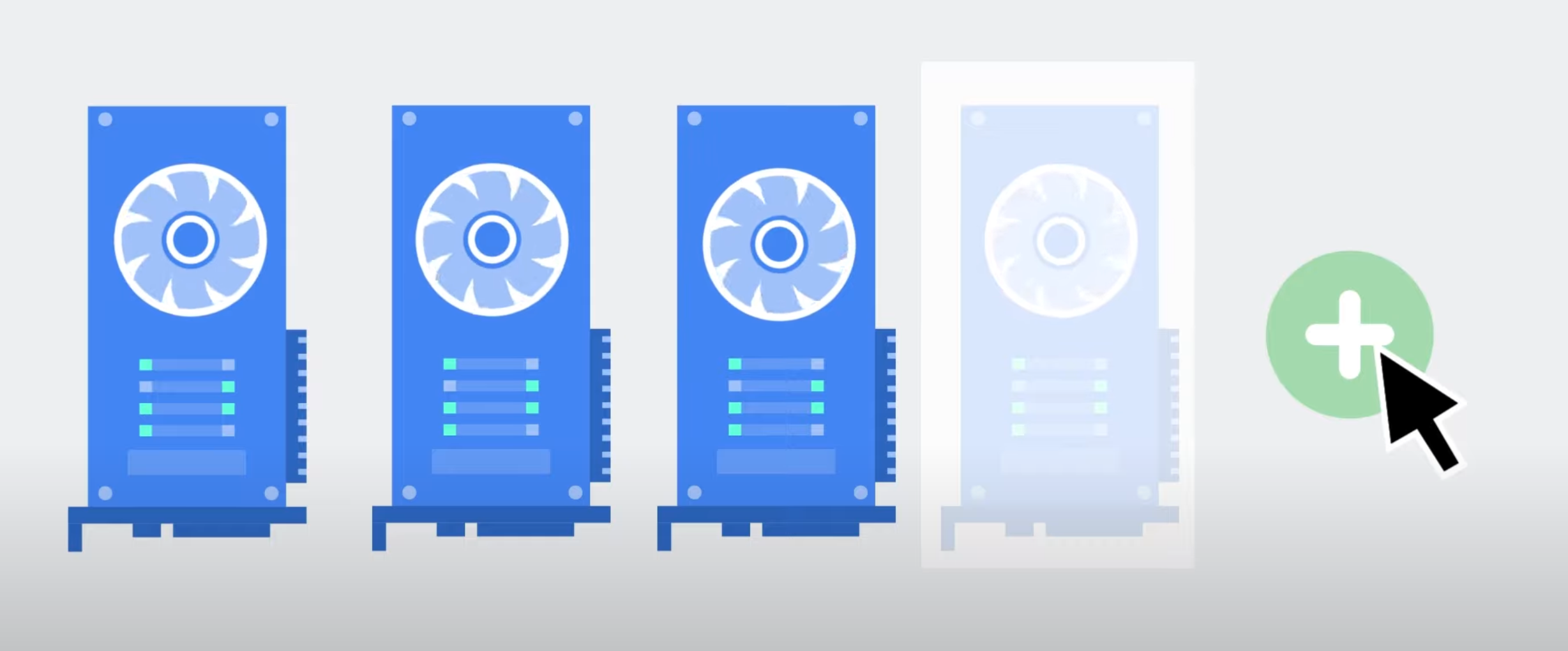
A quick overview of Compute Engine, and how this Google Cloud tool can help you seamlessly migrate your workloads to the Cloud
Common Uses
Create your first VM
Tutorials, quickstarts, & labs
Learning resources
Three ways to get started
- Complete a tutorial. Learn how to deploy a Linux VM, Windows Server VM, load balanced VM, Java app, custom website, LAMP stack, and much more.
- Deploy a pre-configured sample application—Jump Start Solution—in just a few clicks.
- Create a VM from scratch using the Google Cloud console, CLI, API, or Client Libraries like C#, Go, and Java. Use our documentation for step-by-step guidance.
How to create a VM instance on GCE
- Blog: What is a Jump Start Solution?
- Documentation: Create custom VM images from source disks, images, and snapshots
- Documentation: Create multiple VMs that you can treat as a single entity
Tutorials, quickstarts, & labs
Three ways to get started
- Complete a tutorial. Learn how to deploy a Linux VM, Windows Server VM, load balanced VM, Java app, custom website, LAMP stack, and much more.
- Deploy a pre-configured sample application—Jump Start Solution—in just a few clicks.
- Create a VM from scratch using the Google Cloud console, CLI, API, or Client Libraries like C#, Go, and Java. Use our documentation for step-by-step guidance.
How to create a VM instance on GCE
- Blog: What is a Jump Start Solution?
- Documentation: Create custom VM images from source disks, images, and snapshots
- Documentation: Create multiple VMs that you can treat as a single entity
Learning resources
Migrate enterprise applications
Backup and restore your applications
Tutorials, quickstarts, & labs
Learning resources
Explore your options
Compute Engine offers ways to backup and restore:
- Virtual machine instances
- Persistent Disk and Hyperdisk volumes
- Workloads running in Compute Engine and on-premises
Start with a tutorial, or read the detailed options in our documentation.
Tutorials, quickstarts, & labs
Explore your options
Compute Engine offers ways to backup and restore:
- Virtual machine instances
- Persistent Disk and Hyperdisk volumes
- Workloads running in Compute Engine and on-premises
Start with a tutorial, or read the detailed options in our documentation.
Learning resources
Access a fully managed backup and disaster recovery service
We offer a managed backup and disaster recovery (DR) service for centralized data protection of VMs and other workloads running in Google Cloud and on-premises. It uses snapshots to incrementally backup data from your persistent disks at the instance level.
Run modern container-based applications
Tutorials, quickstarts, & labs
Tutorials, quickstarts, & labs
Infrastructure for AI workloads
Learning resources
Learning resources
Generate a solution
What problem are you trying to solve?
What you'll get:
Step-by-step guide
Reference architecture
Available pre-built solutions
Pricing
| How pricing works | Pricing is based on virtual machines, networking, and storage | |
|---|---|---|
| Services | Description | Price (USD) |
| Get started free | New users get $300 in free trial credits to use within 90 days. | Free |
| The Compute Engine free tier gives you one e2-micro VM instance, up to 30 GB standard persistent disk storage, and up to 1 GB of outbound data transfers per month. | Free | |
| VM instances | Pay-as-you-goOnly pay for the services you use. No up-front fees. No termination charges. Pricing varies by product and usage. | Starting at$0.01(e2-micro) |
| Confidential VMsEncrypt data-in-use and while it’s being processed. | Starting at$0.936Per vCPU per month | |
| Sole tenant nodesPhysical servers dedicated to your project. Pay a premium on top of the standard price (pay-as-you-go rate for selected vCPU and memory resources). | +10%On top of standard price | |
| Discount: Committed usePay less when you commit to a minimum spend in advance. | Save up to 70% | |
| Discount: Spot VMsPay less when you run fault-tolerant jobs using excess Compute Engine capacity. | Save up to 91% | |
| Discount: Sustained usePay less on resources that are used for more than 25% of a month (and are not receiving any other discounts). | Save up to 30% | |
| Storage | Persistent diskDurable network storage devices that your virtual machine (VM) instances can access. The data on each Persistent Disk volume is distributed across several physical disks. | Starting at$0.04 Per GB per month |
| HyperdiskThe fastest persistent disk storage for Compute Engine with configurable performance and volumes that can be dynamically resized. | Starting at$0.125 Per GB per month | |
| Local SSDPhysically attached to the server that hosts your VM. | Starting at$0.08Per GB per month | |
| Networking | Standard tierLeverage the public internet to carry traffic between your services and your users. | FreeInbound transfers, always. Outbound transfers, up to 200 GB per month. |
| Premium tierLeverage Google's premium backbone to carry traffic to and from your external users. | Starting at$0.08Per GB per month for outbound data transfers. Inbound transfers remain free. |
How pricing works
Pricing is based on virtual machines, networking, and storage
Description
Price (USD)
Free
The Compute Engine free tier gives you one e2-micro VM instance, up to 30 GB standard persistent disk storage, and up to 1 GB of outbound data transfers per month.
Description
Free
Description
Pay-as-you-go
Only pay for the services you use. No up-front fees. No termination charges. Pricing varies by product and usage.
Price (USD)
Starting at
$0.01
(e2-micro)
Description
Starting at
$0.936
Per vCPU per month
Physical servers dedicated to your project. Pay a premium on top of the standard price (pay-as-you-go rate for selected vCPU and memory resources).
Description
+10%
On top of standard price
Discount: Committed use
Pay less when you commit to a minimum spend in advance.
Description
Save up to 70%
Discount: Spot VMs
Pay less when you run fault-tolerant jobs using excess Compute Engine capacity.
Description
Save up to 91%
Discount: Sustained use
Pay less on resources that are used for more than 25% of a month (and are not receiving any other discounts).
Description
Save up to 30%
Description
Durable network storage devices that your virtual machine (VM) instances can access. The data on each Persistent Disk volume is distributed across several physical disks.
Price (USD)
Starting at
$0.04
Per GB per month
The fastest persistent disk storage for Compute Engine with configurable performance and volumes that can be dynamically resized.
Description
Starting at
$0.125
Per GB per month
Physically attached to the server that hosts your VM.
Description
Starting at
$0.08
Per GB per month
Description
Leverage the public internet to carry traffic between your services and your users.
Price (USD)
Free
Inbound transfers, always. Outbound transfers, up to 200 GB per month.
Leverage Google's premium backbone to carry traffic to and from your external users.
Description
Starting at
$0.08
Per GB per month for outbound data transfers. Inbound transfers remain free.
Pricing calculator
Estimate your monthly Compute Engine charges, including cluster management fees.
Need help?
Chat to us online, call us directly, or request a call back.
Start today
Start with $300 in free credits
Have a large project?

Browse quickstarts, tutorials, or interactive walkthroughs for Compute Engine

Choose a learning path, build your skills, and validate your knowledge with Cloud Skills Boost

Learn and experiment with pre-built solution templates handpicked by our experts
Business Case
Learn from Compute Engine customers
Migrating 40,000 on-prem VMs to the cloud, Sabre reduced their IT costs by 40%.
Joe DiFonzo, CIO, Sabre
We’ve taken hundreds of millions of dollars of costs out of our business.
Partners & Integration
Accelerate your migration with partners
Assessment and planning
Migration
Assessment and planning
Migration
Ready to move your compute workloads to Google Cloud? These partners can guide you through every stage—from initial planning and assessment to migration.
More ways to get your questions answered
What is Compute Engine? What can it do?
Compute Engine is an Infrastructure-as-a-Service product offering flexible, self-managed virtual machines (VMs) hosted on Google's infrastructure. Compute Engine includes Linux and Windows-based VMs running on KVM, local, and durable storage options, and a simple REST-based API for configuration and control. The service integrates with Google Cloud technologies, such as Cloud Storage, App Engine, and BigQuery to extend beyond the basic computational capability to create more complex and sophisticated apps.
What is a virtual CPU in Compute Engine?
On Compute Engine, each virtual CPU (vCPU) is implemented as a single hardware hyper-thread on one of the available CPU Platforms. On Intel Xeon processors, Intel Hyper-Threading Technology allows multiple application threads to run on each physical processor core. You configure your Compute Engine VMs with one or more of these hyper-threads as vCPUs. The machine type specifies the number of vCPUs that your instance has.
How are compute engine and app engine related?
We see the two as being complementary. App Engine is Google's Platform-as-a-Service offering and Compute Engine is Google's Infrastructure-as-a-Service offering. App Engine is great for running web-based apps, line of business apps, and mobile backends. Compute Engine is great for when you need more control of the underlying infrastructure. For example, you might use Compute Engine when you have highly customized business logic or you want to run your own storage system.
How do I get started?
How does pricing and purchasing work?
Compute Engine charges based on compute instance, storage, and network use. VMs are charged on a per-second basis with a one minute minimum. Storage cost is calculated based on the amount of data you store. Network cost is calculated based on the amount of data transferred between VMs that communicate with each other and with the internet. For more information, review our price sheet.
Do you offer paid support?
Yes, we offer paid support for enterprise customers. For more information, contact our sales organization.
Do you offer a service level agreement (SLA)?
Where can I send feedback?
For billing-related questions, you can send questions to the appropriate support channel.
For feature requests and bug reports, submit an issue to our issues tracker.
How can I create a project?
- Go to the Google Cloud console. When prompted, select an existing project or create a new project.
- Follow the prompts to set up billing. If you are new to Google Cloud, you have free trial credit to pay for your instances.
What is the difference between a project number and a project ID?
Every project can be identified in two ways: the project number or the project ID. The project number is automatically created when you create the project, whereas the project ID is created by you, or whoever created the project. The project ID is optional for many services, but is required by Compute Engine. For more information, see Google Cloud console projects.
What steps does Google take to protect my data?
How do I choose the right size for my persistent disk?
Where can I request more quota for my project?
By default, all Compute Engine projects have default quotas for various resource types. However, these default quotas can be increased on a per-project basis. Check your quota limits and usage in the quota page on the Google Cloud console. If you reach the limit for your resources and need more quota, make a request to increase the quota for certain resources using the IAM quotas page. You can make a request using the Edit Quotas button on the top of the page.
What kind of machine configuration (memory, RAM, CPU) can I choose for my instance?
Compute Engine offers several configurations for your instance. You can also create custom configurations that match your exact instance needs. See the full list of available options on the machine types page.
If I accidentally delete my instance, can I retrieve it?
No, instances that have been deleted cannot be retrieved. However, if an instance is simply stopped, you can start it again.
Do I have the option of using a regional data center in selected countries?
Yes, Compute Engine offers data centers around the world. These data center options are designed to provide low latency connectivity options from those regions. See regions and zones for specific region information, including the geographic location of regions.
How can I tell if a zone is offline?
What operating systems can my instances run on?
What are the available zones I can create my instance in?
What if my question wasn’t answered here?
Take a look at a longer list of FAQs here.