Complete guide on How to build a Video Player in Android (original) (raw)
Last Updated : 12 Jul, 2025
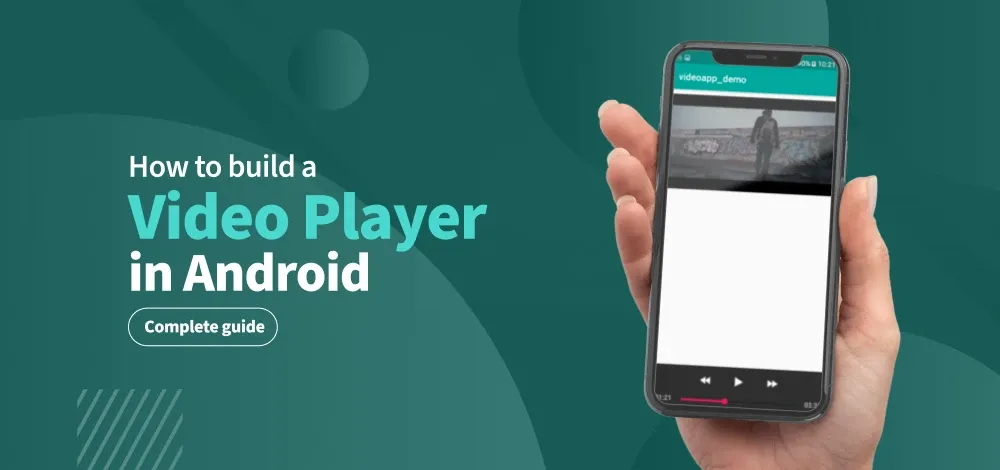
This article explains the stepwise process as to **how to build a Video Player using Android Studio. For viewing videos in android, there is a special class called "**Exoplayer". In this article, we will be having 2 videos which are connected by the "Dialog box", i.e. a dialog box will come after completion of the first video which will ask the user whether he wants to replay or play next video.
Step by Step Implementation
Step 1: Create a New Project
To create a new project in the Android Studio, please refer to How to Create/Start a New Project in Android Studio?
Step 2: Add Dependency for Exoplayer
Navigate to **Gradle Scripts > build.gradle.kts (Module :app) and add the following dependencies in the **dependencies {} section.
dependencies {
...
val exoplayerVersion = "1.6.1"
// Core ExoPlayer library
implementation("androidx.media3:media3-exoplayer:$exoplayerVersion")
// Common utilities (recommended)
implementation("androidx.media3:media3-common:$exoplayerVersion")
// UI components
implementation("androidx.media3:media3-ui:$exoplayerVersion")
// DASH support
implementation("androidx.media3:media3-exoplayer-dash:$exoplayerVersion")
// HLS support
implementation("androidx.media3:media3-exoplayer-hls:$exoplayerVersion")
// Smooth Streaming support
implementation("androidx.media3:media3-exoplayer-smoothstreaming:$exoplayerVersion")
// Optional: Extractor (for progressive formats like MP4, MP3)
implementation("androidx.media3:media3-exoplayer-rtsp:$exoplayerVersion")
}
Step 3: Add Internet permission in manifest
Navigate to **app > manifests > AndroidManifest.xml and add the following permission
Step 4: Working with activity_main.xml
Navigate to **app > res > layout > activity_main.xml and add the following code. In here, we will adding the Media3 playerview where we will display the videos.
**activity_main.xml:
XML `
<androidx.media3.ui.PlayerView
    android:id="@+id/player_view"
    android:layout_width="match_parent"
    android:layout_height="match_parent"/>
`
Step 5: Working with MainActivity file
Navigate to **app > java > {package-name} > MainActivity.kt/.java and add the following code. Comments are added for better understanding.
MainActivity.java `
package org.geeksforgeeks.demo;
import android.os.Bundle; import androidx.appcompat.app.AlertDialog; import androidx.appcompat.app.AppCompatActivity;
import androidx.media3.common.MediaItem; import androidx.media3.common.Player; import androidx.media3.exoplayer.ExoPlayer; import androidx.media3.ui.PlayerView;
import java.util.Arrays; import java.util.List;
public class MainActivity extends AppCompatActivity {
// initialize player view from layout
private PlayerView playerView;
// initialize player from ExoPlayer
private ExoPlayer player;

// define a array of video urls
private final List<String> videoUrls = Arrays.asList(
        "https://videos.pexels.com/video-files/2519660/2519660-sd_640_360_24fps.mp4",
        "https://videos.pexels.com/video-files/2023708/2023708-sd_360_640_30fps.mp4",
        "https://videos.pexels.com/video-files/3629511/3629511-sd_360_450_24fps.mp4"
);

// define a variable to keep track of current video index
private int currentVideoIndex = 0;

@Override
protected void onCreate(Bundle savedInstanceState) {
    super.onCreate(savedInstanceState);
    setContentView(R.layout.activity_main);

    // define player view from layout
    playerView = findViewById(R.id.player_view);
    initializePlayer();
}

// define a function to initialize player
private void initializePlayer() {
    // initialize player
    player = new ExoPlayer.Builder(this).build();
    // set player to player view
    playerView.setPlayer(player);

    // set first video
    setVideo(videoUrls.get(currentVideoIndex));

    // add listener to player to handle playback end
    player.addListener(new Player.Listener() {
        @Override
        public void onPlaybackStateChanged(int playbackState) {
            if (playbackState == Player.STATE_ENDED) {
                showCompletionDialog();
            }
        }
    });
}

// define a function to set videos to player
private void setVideo(String url) {
    MediaItem mediaItem = MediaItem.fromUri(url);
    player.setMediaItem(mediaItem);
    player.prepare();
    player.play();
}

// define a function to show a dialog box after video completion
private void showCompletionDialog() {
    // show a dialog box with two options - replay or play next video
    AlertDialog dialog = new AlertDialog.Builder(this)
            .setTitle("Playback Finished!")
            .setMessage("Want to replay or play next video?")
            .setIcon(R.mipmap.ic_launcher)
            // set two buttons
            // replay button will set video to start from beginning
            .setPositiveButton("Replay", (dialogInterface, i) -> {
                player.seekTo(0);
                player.play();
            })
            // next video button will play next video
            .setNegativeButton("Next", (dialogInterface, i) -> {
                currentVideoIndex = (currentVideoIndex + 1) % videoUrls.size();
                setVideo(videoUrls.get(currentVideoIndex));
            })
            // cancel button will dismiss the dialog
            .create();

    // show the dialog box
    dialog.show();
}

@Override
protected void onStop() {
    super.onStop();

    // release player when app is stopped
    player.release();
}
}
MainActivity.kt
package org.geeksforgeeks.demo
import android.os.Bundle import androidx.appcompat.app.AlertDialog import androidx.appcompat.app.AppCompatActivity import androidx.media3.common.MediaItem import androidx.media3.common.Player import androidx.media3.exoplayer.ExoPlayer import androidx.media3.ui.PlayerView
class MainActivity : AppCompatActivity() {
// initialize player view from layout
private lateinit var playerView: PlayerView
// initialize player from ExoPlayer
private lateinit var player: ExoPlayer

// define a array of video urls
private val videoUrls = listOf(
    "https://videos.pexels.com/video-files/2519660/2519660-sd_640_360_24fps.mp4",
    "https://videos.pexels.com/video-files/2023708/2023708-sd_360_640_30fps.mp4",
    "https://videos.pexels.com/video-files/3629511/3629511-sd_360_450_24fps.mp4"
)

// define a variable to keep track of current video index
private var currentVideoIndex = 0

override fun onCreate(savedInstanceState: Bundle?) {
    super.onCreate(savedInstanceState)
    setContentView(R.layout.activity_main)

    // define player view from layout
    playerView = findViewById(R.id.player_view)
    initializePlayer()
}

// define a function to initialize player
private fun initializePlayer() {
    // initialize player
    player = ExoPlayer.Builder(this).build()
    // set player to player view
    playerView.player = player

    // set first video
    setVideo(videoUrls[currentVideoIndex])

    // add listener to player to handle playback end
    player.addListener(object : Player.Listener {
        override fun onPlaybackStateChanged(playbackState: Int) {
            if (playbackState == ExoPlayer.STATE_ENDED) {
                showCompletionDialog()
            }
        }
    })
}

// define a function to set videos to player
private fun setVideo(url: String) {
    val mediaItem = MediaItem.fromUri(url)
    player.setMediaItem(mediaItem)
    player.prepare()
    player.play()
}

// define a function to show a dialog box after video completion
private fun showCompletionDialog() {
    // show a dialog box with two options - replay or play next video
    val dialog = AlertDialog.Builder(this)
        .setTitle("Playback Finished!")
        .setMessage("Want to replay or play next video?")
        .setIcon(R.mipmap.ic_launcher)
        // set two buttons
        // replay button will set video to start from beginning
        .setPositiveButton("Replay") { _, _ ->
            player.seekTo(0)
            player.play()
        }
        // next video button will play next video
        .setNegativeButton("Next") { _, _ ->
            currentVideoIndex = (currentVideoIndex + 1) % videoUrls.size
            setVideo(videoUrls[currentVideoIndex])
        }
        // cancel button will dismiss the dialog
        .create()

    // show the dialog box
    dialog.show()
}

override fun onStop() {
    super.onStop()

    // release player when app is stopped
    player.release()
}
}
`
Output: