MS Access – A GUI Database (original) (raw)
Last Updated : 23 Jul, 2025
**MS Access (also known as Microsoft Access) is a useful tool for organizing and managing data. It's been around since 1992 and is popular with businesses, schools, and even hobbyists. **Access combines a powerful database with an easy-to-use interface, so you don't need to be a tech expert to use it. You can store large amounts of data, run complex searches, and create detailed reports with it. Whether you're keeping track of customer information, managing inventory, or doing research, Microsoft Access can help you handle your data effectively.
What is MS Access?
**MS Access (also known as Microsoft Access) is a **popular DBMS (Database Management System) software and a member of the MS Office suite, **developed by Microsoft in 1992. Microsoft **combines the relational Access Database Engine (ACE) with a graphical user interface and software development tools and developed the first version of the GUI database MS Access. It stores data in its format based on the Access Database Engine (popularly, Jet Database Engine). It can also import/export or link directly to data stored in other applications and databases. After the launch of MS Access, Microsoft ruled the Database Market beat all competitors (Borland, Fox, Ashton-Tate), and gained instant success and popularity.
-200.jpg)
MS Access 2021
Unlike an ordinary database, it is a GUI (Graphical User Interface) based database that enables users to create, manage, and modify the database and its data. It is an application software and a user-friendly database system. **Users do not require any high knowledge of programming languages like SQL, MySQL, No-SQL, MongoDB, etc., to work on it. It is a graphical interface software. Users should know DBMS and MS Access to work on it. It is basically a type of RDBMS (Relational DBMS). It has table-like structure (a little different from Excel) i.e. rows and columns to store data in it and has all the features of RDBMS. We will deep dive into the topic.
Features of MS Access
- It allows user to define a primary key in the Access table like in Excel.
- Users can create tables, queries, forms and reports, and connect them together with macros and store data in database.
- Allows **easy importing/exporting of data from other databases and applications in any file format.
- Allows user to enhance a database with predefined templates.
- Allows user to select and store more than one values in one field i.e. multi-valued function.
- Access also has report creation features that can help users to create a report of stored data in a custom way.
- It has "Tell Me What to Do" feature that enables user to create tables, reports, queries and forms easily.
- User can use **SQL statements to edit and view queries graphically and also to manipulate Access tables with Macros and VBA Modules.
- Users can view their reports in different previews: print, design, layout and report.
Uses of MS Access
- It is especially designed to store a large amount of data easily and establish relationship between tables.
- MS Access is also used for developing web applications and application software. Various software developers use it for the same purpose.
- It is used to import/export data and link directly to other applications and databases of any file format.
- MS Excel
- Text
- MySQL
- MS SQL Server
- Oracle
- HTML (Hyper Text Markup Language)
- XML (Extensible Markup Language)
- DB2
- dBase
- FoxPro
- Outlook
- It can be used in school for making schedules and storing records in a database.
- It is used for creating front-end of the program while other softwares acting as back-end such as MS SQL Server or else.
- It enables user to perform repetitive tasks with the help of macros.
Components of MS Access
There are mainly seven components of MS Access for storing and accessing data. They are below:
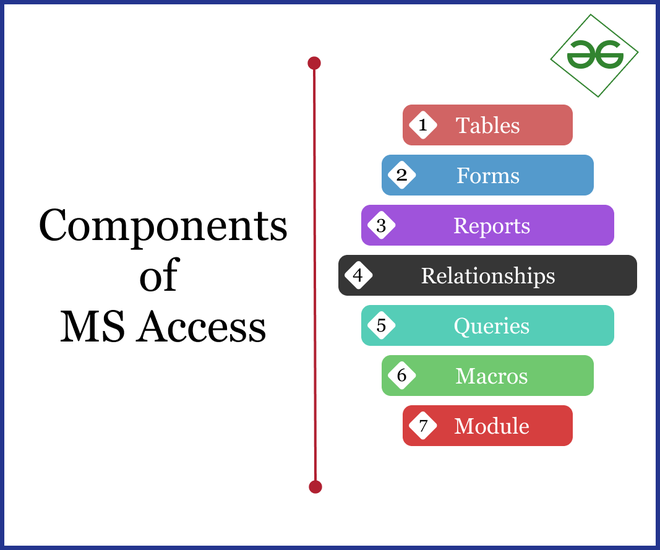
Components of MS Access
- **Tables- Tables are an important part of RDBMS for storing data in form of rows and columns and MS Access is RDBMS software. MS Access tables looks exactly same as of MS Excel and MS Word with columns and headings. For creating a database in MS Access, we need to create a table in the database. Remember, all the data in the table must be correct and according to defined data types to avoid errors.
- **Forms- Forms are user interface that enables users to enter the data in a table of any database. It is a database object component. There are two types of forms: bound and unbound. These fields collect information from source and store in a database.
- **Reports- Reports are a way to view, format and summarize information or data in database. Unlike forms, reports are immutable. It means that we can customize and modify the reports as per the requirements. Generally, reports are used to view and analyze the data entered in the database.
- **Relationships- Relationships helps in combining data from two different tables. Whenever data from two or more tables combined together then a connection or link is created between the tables, this connection is known as relation. Simply, it define a link or connection between two or more tables. There are four types of relationships:-
- One to One relationship
- One to Many relationship
- Many to One relationship
- Many to Many relationship
- **Queries- Queries are the commands that are used to retrieve and modify data in the database (like MySQL, etc). Queries are also used to insert data in the table.
- **Macros- A macro is a tool that has predefined functions which allows user to automate tasks (mostly frequently used processes or tasks) and add functionalities to reports, forms and controls. Multiple tasks can be assigned and they function whenever macros are enabled. It is a collection of actions used to run set of tasks.
- **Module- Modules are user-defined and predefined functions that are written in VBA (Visual Basic for Applications) created by programmers which are used to perform automatic operations. Users can easily use them throughout the database and repetitively. It enhances the efficiency.
Difference Between MS Access and MS Excel
Although both software are part of MS Office and developed by Microsoft for data analysis, still both are different from each other in many aspects. Some of them are:
| MS Access | MS Excel |
|---|---|
| It is a type of RDBMS which stores and manages data easily in the database. | It is a type of spreadsheet, used for calculations and data visualization. |
| It is specially build for storing a large amount of data as compared to MS Excel. | It is build for analyzing and comparing, so it stores a small amount of data. |
| It is more flexible than MS Excel. | It is less flexible than MS Access. |
| It is an RDBMS so it contains the tables, forms, queries, reports, modules and macros. | It contains a simple spreadsheet, so it looks same as a paper spreadsheet, simple table. |
| It helps the user in storing and manipulating the data directly in the database. | It helps the user for storing, building and analyzing financial and statistical models and charts. |
| It is complex and difficult to learn. | It is simple and easy to learn. |
| This software works on relational data models. | This software is totally based on non-relational data models, only a simple worksheet. |
It require programming concepts and knowledge of DBMS and basics.  MS Access DB MS Access DB |
It don't require any programming concepts and special knowledge.  MS Excel Spreadsheet MS Excel Spreadsheet |
Merits and Demerits of MS Access
MS Access is a most popular GUI database and dominated the desktop database market due to its various advantages, but apart from advantages MS Access has some limitations also. Let's see
Merits
- Easy to install and understand its working.
- Allows user to create functional database in lesser time.
- Use user friendly programming language.
- The graphical user interface makes it easy to work on.
- Allows user to import and export data and link database from other applications.
- Lots of new features are added since its release.
- Easy customization according to company and personal needs.
- With the help of Macros, users can create and connect tables, forms, queries, and reports.
Demerits
- Too many people cannot use same database at same time.
- It is only limited to small-scale companies or individual, but not useful for large-scale companies.
- It is very difficult to use same database with different OS.
- It is not available separately. One needs to buy full MS Office Suite.
- Not much secure like other databases. Not good for storing confidential data.
- Its efficiency and speed got affected when user stores a large amount of data in a database in single file.
Versions of MS Access
Here are some insight of MS Access versions from earliest to latest.

MS Access Versions