Fine Tuning Large Language Model (LLM) (original) (raw)
Last Updated : 9 May, 2026
Fine-tuning refers to the process of taking a pre-trained model and adapting it to a specific task by training it further on a smaller, domain-specific dataset. It refines the model’s capabilities and improves its accuracy in specialised tasks without needing a massive dataset or expensive computational resources.
- Steer the model towards performing optimally on particular tasks.
- Ensure model outputs align with expected results for real-world applications.
- Reduce model hallucinations and improve output relevance and honesty.
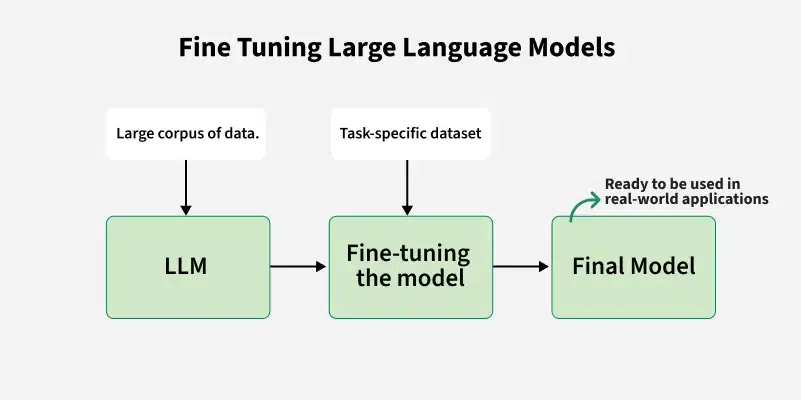
Fine Tuning Large Language Model
How is Fine-Tuning Performed?
- **Select Base Model: Choose a pre-trained model based on our task and compute budget.
- **Choose Fine-Tuning Method: Select the most appropriate method like **Instruction Fine-Tuning, Supervised Fine-Tuning, PEFT, LoRA, QLoRA, etc based on the task and dataset.
- **Prepare Dataset: Structure our data for task-specific training, ensuring the format matches the model's requirements.
- **Training: Use frameworks like TensorFlow, PyTorch or high-level libraries like Transformers to fine-tune the model.
- **Evaluate and Iterate: Test the model, refine it as necessary and re-train to improve performance.
Types of Fine Tuning Methods
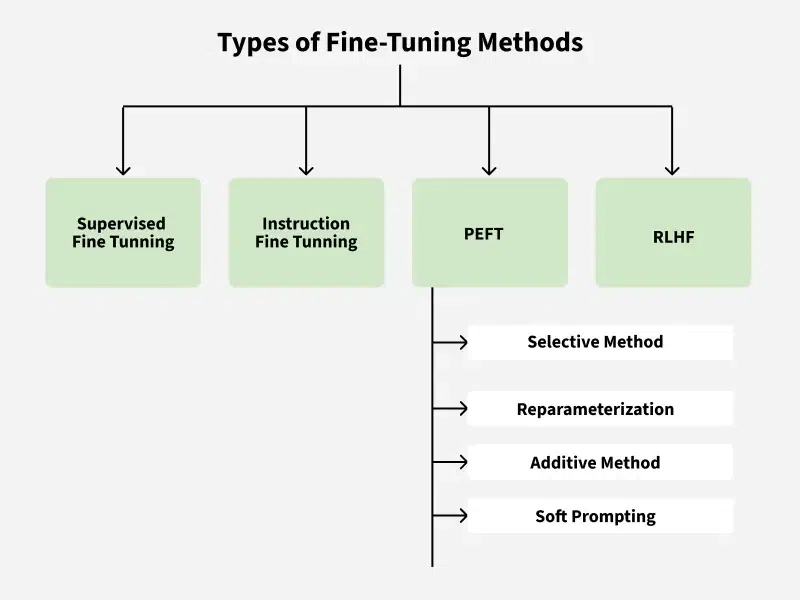
**1. Supervised Fine-Tuning
- Further trains a pre-trained model on a task-specific labeled dataset (input-output pairs).
- Updates all model weights to adapt it to the new task.
- Best for tasks like sentiment analysis and text classification where labeled data is available.
**2. Instruction Fine-Tuning
- Trains the model using datasets pairing instructions (prompts) with expected responses.
- Helps the model generalize to new tasks and follow natural language instructions.
- Commonly used in chatbots, question answering and open-ended tasks.
**3. Parameter-Efficient Fine-Tuning (PEFT)
- Adjusts only a small subset of parameters, keeping most of the model unchanged.
- Methods include training adapter layers, low-rank reparameterization (LoRA) or just prompt tokens.
- Enables efficient adaptation of large models with less memory and computation—for example, PEFT can reduce trainable parameters from tens of thousands to just a few thousand.
**4. Reinforcement Learning with Human Feedback (RLHF)
- Uses human ratings to teach a model to align outputs with human preferences.
- Involves three steps: generate outputs, train a reward model from human feedback and optimize model behavior using reinforcement learning (like PPO).
- Ideal for tasks requiring alignment with human values and nuanced preferences such as generating helpful, safe or ethical content.
Implementing Fine Tuning Large Language Model using DialogSum Database
Let's fine tune a model using PEFT LoRa Method. We will use flan-t5-base model and DialogSum database.
- Flan-T5 is the instruction fine-tuned version of T5 released by Google.
- DialogSum is a large-scale dialogue summarization dataset, consisting of 13,460 (Plus 100 holdout data for topic generation) dialogues with corresponding manually labeled summaries and topics.
**Step 1: Install Necessary Libraries
The following commands install the required libraries for the task, including Hugging Face Transformers, Datasets and PEFT (Parameter-Efficient Fine-Tuning). These libraries enable model loading, training and fine-tuning.
Python `
!pip install datasets !pip install transformers !pip install evaluate !pip install accelerate -U !pip install transformers[torch] !pip install peft
`
**Step 2: Set Up Environment
Configure the device for computation, using GPU if available. Import all necessary libraries for dataset handling, model loading, tokenization and evaluation.
Python `
import torch device = 'cuda' if torch.cuda.is_available() else 'cpu'
from datasets import load_dataset from transformers import AutoModelForSeq2SeqLM, AutoTokenizer, TrainingArguments, Trainer, GenerationConfig import evaluate import pandas as pd import numpy as np
`
**Step 3: Load Dataset
Load the Hugging Face dataset for dialogue summarization. In this example, we use the "knkarthick/dialogsum" dataset.
Python `
huggingface_dataset_name = "knkarthick/dialogsum" dataset = load_dataset(huggingface_dataset_name)
`
**Output:
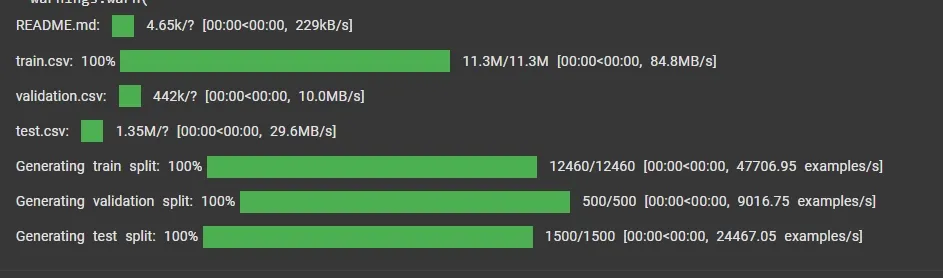
Loading Dataset
**Step 4: Load Pre-trained Model and Tokenizer
Use a pre-trained T5 model (google/flan-t5-base) for sequence-to-sequence learning and initialize its tokenizer.
Python `
model_name = "google/flan-t5-base" base_model = AutoModelForSeq2SeqLM.from_pretrained(model_name) tokenizer = AutoTokenizer.from_pretrained(model_name)
`
**Output:
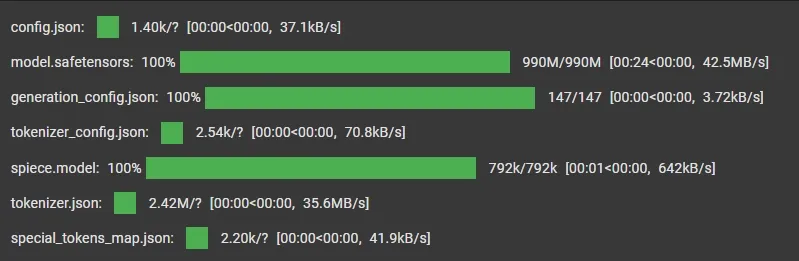
Loading Pre-trained Model and Tokenizer
**Step 5: Check Trainable Parameters
Define a function to calculate and print the percentage of trainable parameters in the model.
Python `
def print_number_of_trainable_model_parameters(model): trainable_model_params = 0 all_model_params = 0 for _, param in model.named_parameters(): all_model_params += param.numel() if param.requires_grad: trainable_model_params += param.numel() return f"trainable model parameters: {trainable_model_params}\nall model parameters: {all_model_params}\npercentage of trainable model parameters: {100 * trainable_model_params / all_model_params:.2f}%"
print(print_number_of_trainable_model_parameters(base_model))
`
**Output:
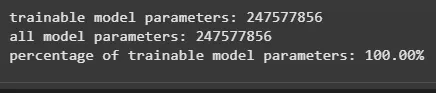
Trainable Parameters
**Step 6: Perform Baseline Inference
Test the pre-trained model on a sample from the test set to evaluate its performance before fine-tuning.
Python `
i = 20 dialogue = dataset['test'][i]['dialogue'] summary = dataset['test'][i]['summary']
prompt = f"Summarize the following dialogue {dialogue} Summary:"
input_ids = tokenizer(prompt, return_tensors="pt").input_ids output = tokenizer.decode(base_model.generate(input_ids, max_new_tokens=200)[0], skip_special_tokens=True)
print(f"Input Prompt : {prompt}") print("--------------------------------------------------------------------") print("Human evaluated summary ---->") print(summary) print("---------------------------------------------------------------------") print("Baseline model generated summary : ---->") print(output)
`
**Output:
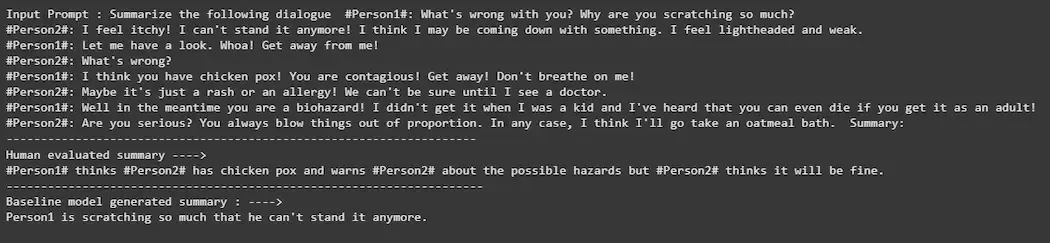
Baseline Inference
**Step 7: Tokenize Dataset
Tokenize the dataset to prepare it for training. The function generates input and label IDs, truncating or padding them to a fixed length.
Python `
def tokenize_function(example): start_prompt = 'Summarize the following conversation.\n\n' end_prompt = '\n\nSummary: '
# Create prompts
prompt = [start_prompt + dialogue + end_prompt for dialogue in example["dialogue"]]

# Tokenize inputs
model_inputs = tokenizer(prompt, padding="max_length", truncation=True)

# Tokenize summaries (labels)
labels = tokenizer(example["summary"], padding="max_length", truncation=True)

# Replace padding tokens with -100
labels["input_ids"] = [
    [(token if token != tokenizer.pad_token_id else -100) for token in label]
    for label in labels["input_ids"]
]

model_inputs["labels"] = labels["input_ids"]

return model_inputs
tokenized_datasets = dataset.map(tokenize_function, batched=True)
Remove unnecessary columns
tokenized_datasets = tokenized_datasets.remove_columns(['id', 'topic', 'dialogue', 'summary'])
`
**Output:
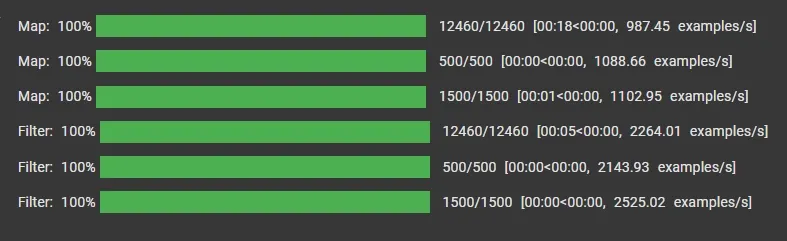
Tokenize Dataset
**Step 8: Apply PEFT with LoRA Configuration
Use PEFT (Parameter-Efficient Fine-Tuning) to minimize training time and resource usage by tuning only specific layers.
Python `
from peft import LoraConfig, get_peft_model, TaskType
lora_config = LoraConfig( task_type=TaskType.SEQ_2_SEQ_LM, r=8, lora_alpha=32, lora_dropout=0.1, )
peft_model_train = get_peft_model(base_model, lora_config)
print(print_number_of_trainable_model_parameters(peft_model_train))
`
**Output:
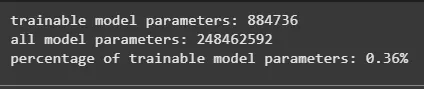
LoRA Configuration
**Step 9: Define Training Arguments
Set up training configurations, including batch size, learning rate and the number of epochs.
Python `
from transformers import TrainingArguments
peft_training_args = TrainingArguments( output_dir="./peft-dialogue-summary-training", auto_find_batch_size=True, learning_rate=1e-3, num_train_epochs=3, logging_steps=10, report_to="none" )
`
**Step 10: Train the Model
Use Hugging Face Trainer API to train the PEFT-enabled model.
Python `
from transformers import Trainer
peft_trainer = Trainer( model=peft_model_train, args=peft_training_args, train_dataset=tokenized_datasets["train"], )
`
**Output:
**Step 11: Save the Fine-Tuned Model
Save the trained PEFT model and tokenizer for future use.
Python `
peft_model_path = "./peft-dialogue-summary-checkpoint-local"
peft_trainer.model.save_pretrained(peft_model_path) tokenizer.save_pretrained(peft_model_path)
`
**Output:

Fine-tuned Model
**Step 12: Load and Test Fine-Tuned Model
Load the fine-tuned model and test its performance on the same input prompt.
Python `
from peft import PeftModel from transformers import AutoModelForSeq2SeqLM, GenerationConfig
Load base + adapter
peft_model_base = AutoModelForSeq2SeqLM.from_pretrained("google/flan-t5-base") peft_model = PeftModel.from_pretrained(peft_model_base, peft_model_path, is_trainable=False)
Generate output
peft_model_outputs = peft_model.generate( input_ids=input_ids, generation_config=GenerationConfig(max_new_tokens=200, num_beams=1) )
peft_model_text_output = tokenizer.decode( peft_model_outputs[0], skip_special_tokens=True )
Print results
print(f"Input Prompt:\n{prompt}") print("--------------------------------------------------") print("Human Summary:\n", summary) print("--------------------------------------------------") print("Baseline Output:\n", output) print("--------------------------------------------------") print("PEFT Output:\n", peft_model_text_output)
`
**Output:
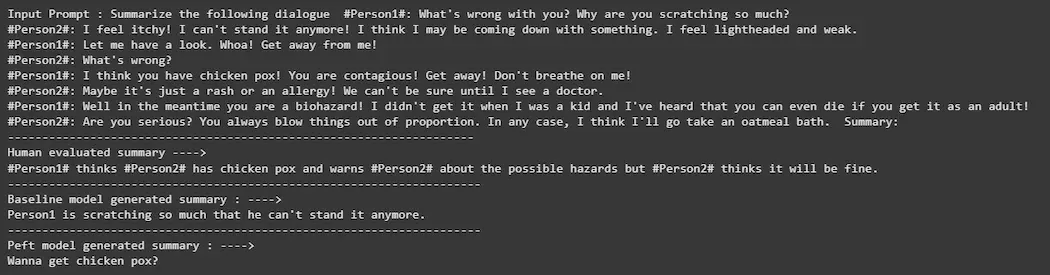
Testing and Result
We can download the source code from here.