Deployment Of Spring Boot Application In Jenkins (original) (raw)
Last Updated : 23 Jul, 2025
In this article, we will be exploring how to automate the process of building Spring Boot applications by employing a polling trigger. We will also learn how to generate reports and store artifacts in the process. To achieve this, we will be leveraging the Jenkins server. Our goal is to create a pipeline and write a script that will run every minute to detect any commits that are pushed to our GitHub repository.
**What Is A Spring Boot?
**Spring Boot is a framework that is built using Java programming language. Although it can perform all the functions of the Spring Framework, it stands out for its autoconfiguration (automatically change configurations based on dependencies), shorter code length, user-friendliness, stand-alone nature (can run by itself using embedded servers), and opinionated nature (install only the dependencies you require). It is widely used to develop Java applications.
**What Is Jenkins?
Jenkins is a automation tool used for Continuous Integration (CI) to automate, manage, and control software delivery at different stages such as build, testing, and deployment.
Deploying Spring Boot Application In Jenkins: A Step-By-Step Guide
Step 1: Downloading Jenkins
- Download the JDK 11 on your machine.
- Make sure nothing is running on port 8080 (Jenkins will use it to run locally)
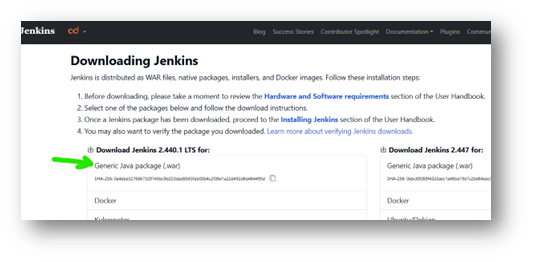
Note: You should have Java 11 or Java 17 to run the current jar downloaded.
**Step 2: Starting The Jenkins
- Go to the directory in which you have downloaded the jar and open command prompt in that directory.
java -jar jenkins.war
- In logs, if you observe, you will get the password if you are running for the first time (save it, we will be using it in later steps)
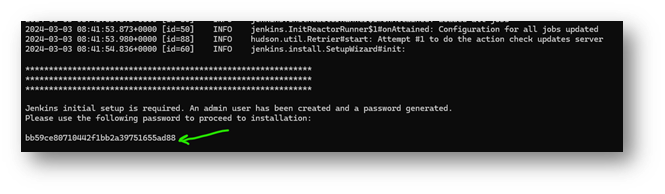
- Go to the browser and type “localhost:8080”. Add the previously saved password and press **continue.
- Select **Install suggested plugins.
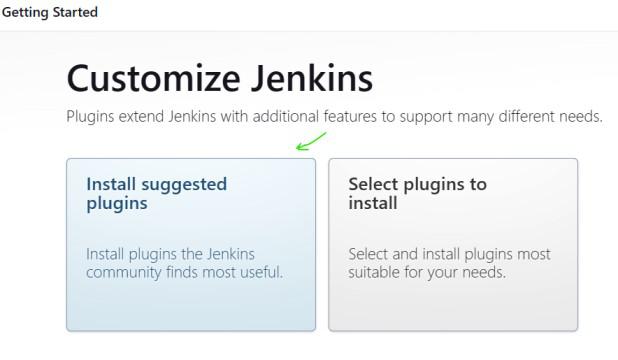
- Once completed, a form will appear, and you have to fill in all the details.
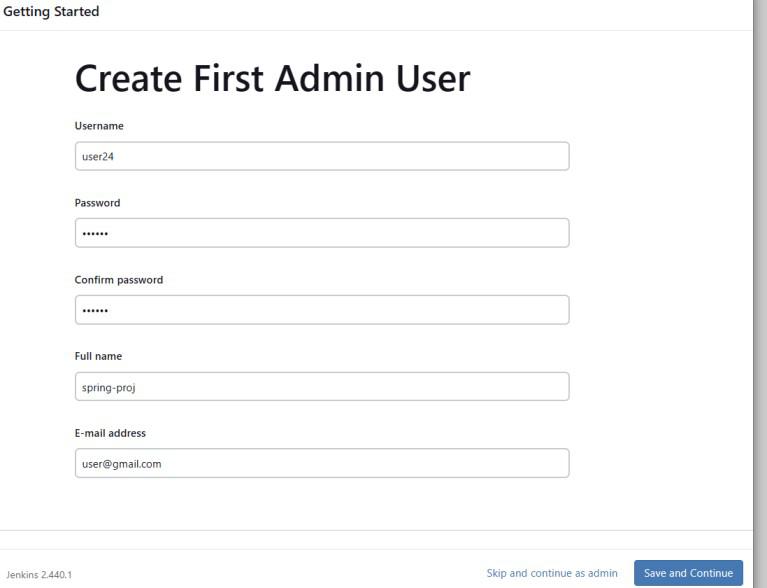
- **Note: Next time your currently given **password and username will be used for login, instead of autogenerated password. So, Remember it.
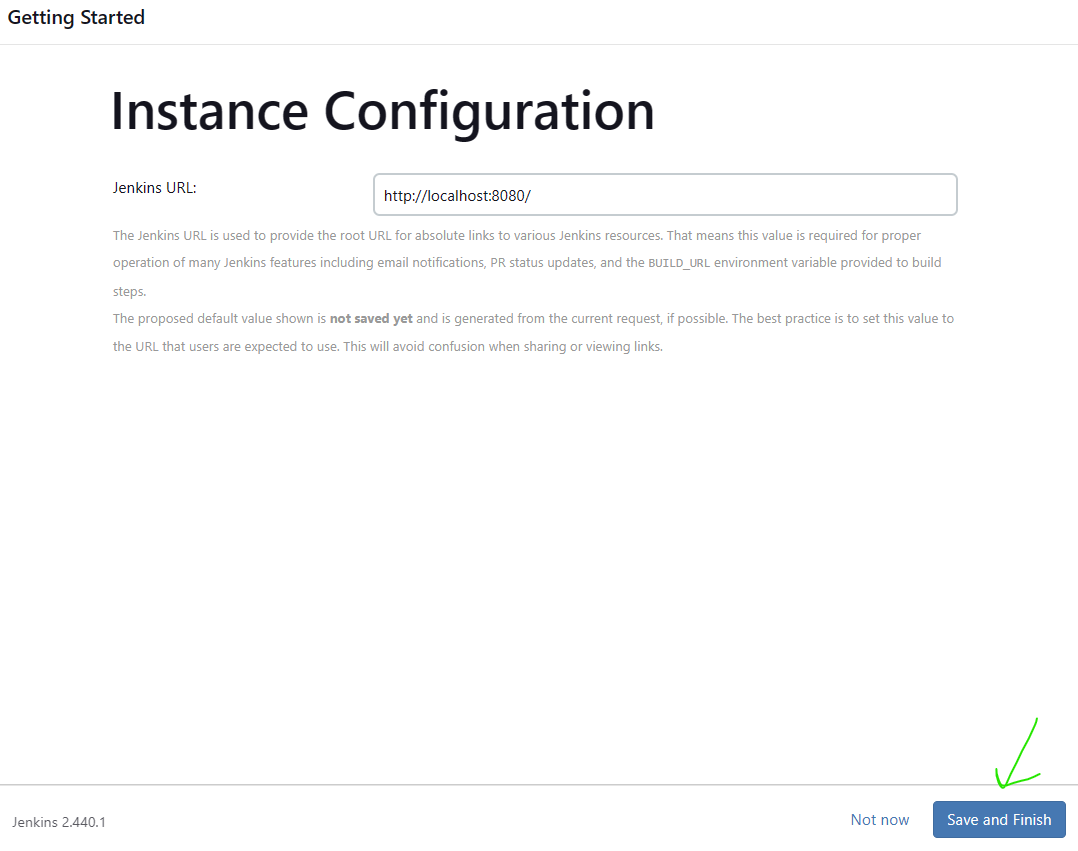
- Click **Save and continue. Leave the Instance configuration (URL) default and **press save and finish.
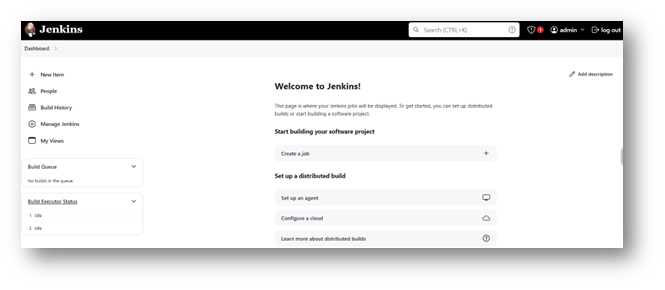
- Click **Start Jenkins and you will come to the dashboard
**Step 3: Downloading Required Plugins
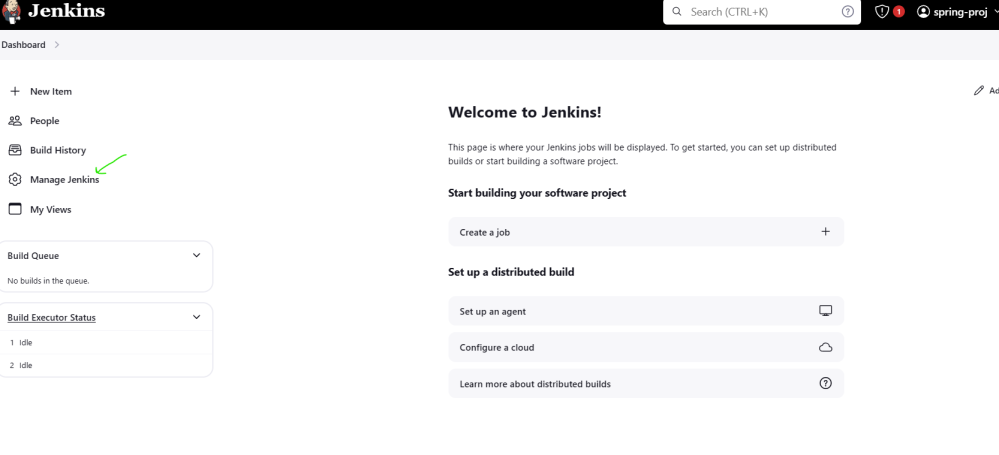
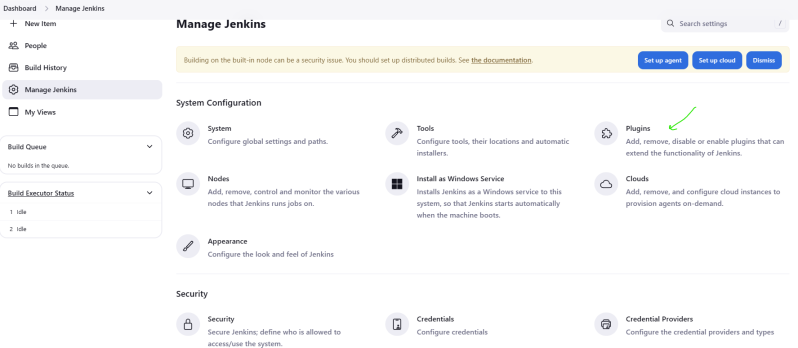
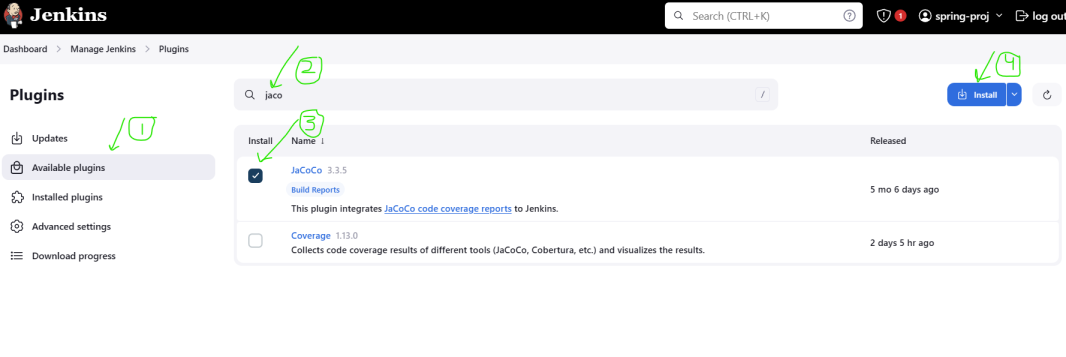
Click on **Manage Plugins -> Under system configuration Click **Plugins -> **Available plugins
- The following screenshot illustrates on navigation to plugins in Manage Jenkins Section.
- Search "jacoco" -> Check box beside jacoco -> hit **install top right.
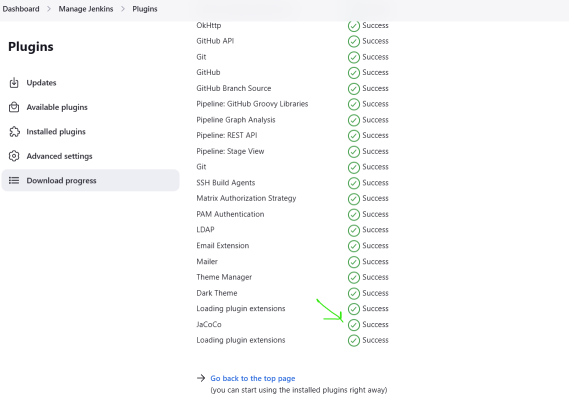
- Let it install and come back to dashboard (by clicking on dashboard at top left)
**Step 4: Creating A Pipeline
- On dashboard page,
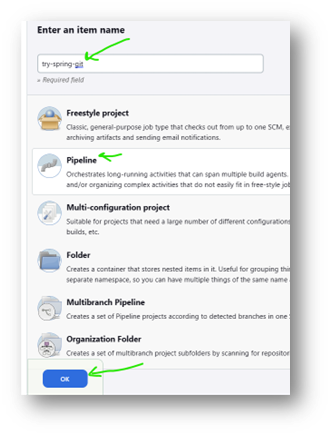
- Click **new Item -> Write new item name -> Click on **Pipeline -> press **OK button at the bottom.
- On General setting page, check GitHub Project and put the link of forked repository (or any public repository to try).
.png)
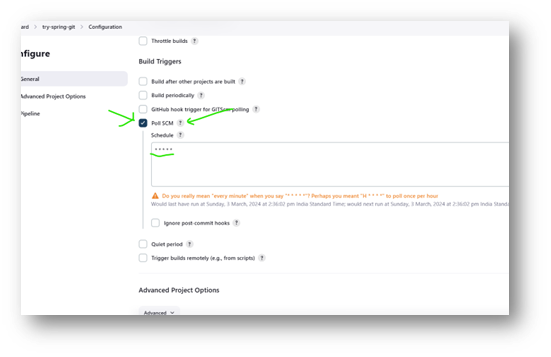
- Scroll down to **Build triggers and check Poll SCM and fill '* * * * *' in text box (without single quotes).
- This checks for commits in the source code every minute and if it finds at least one commit in past one minute then it will run a build.
- Scroll down to Pipeline and select Pipeline script in drop down of **Description.
- Now we have to write a script in given text box with the heading as **Script.
**Note: We are running Jenkins on windows machine so my command will be having **bat as prefix instead of **sh (MacOS).
pipeline {
agent any
stages {
stage('checkout') {
steps {
git branch: 'master', url: 'https://github.com/programenth/spring-boot-jenkinsArt'
}
}
stage('build') {
steps {
bat './gradlew build'
}
}
stage('capture') {
steps {
archiveArtifacts '**/build/libs/*.jar'
junit '**/build/test-results/test/*.xml'
// Configure Jacoco for code coverage
jacoco(execPattern: '**/build/jacoco/*.exec')
}
}
}
post {
always {
// Clean up workspace
cleanWs()
}
success {
// Notify on success
echo 'Build successful!'
}
unstable {
// Notify on unstable build
echo 'Build unstable.'
}
failure {
// Notify on failure
echo 'Build failed!'
}
}
}
Understanding Of Script
- **checkout stage: checkout to master branch of the connected repository.
- **build tage: To run Gradle build.
- **capture stage: saving the artifacts products in respective folder after build. Then it also takes JUnit ran file in xml form. jacoco is the one which gives us the information about coverage.
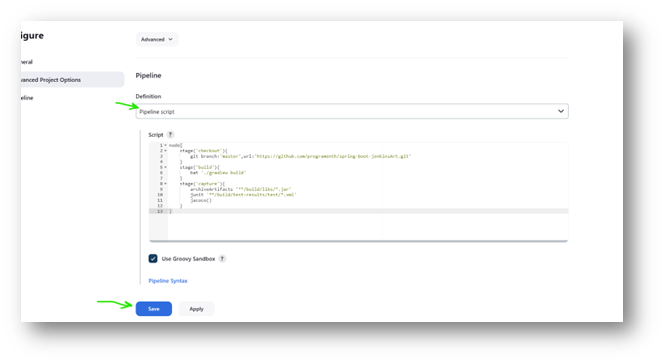
- Once the script is complete, let other setting be default and click Save.
Step 5: Triggering Pipeline
- To run it manually we can first click on **Build now (in left menu).
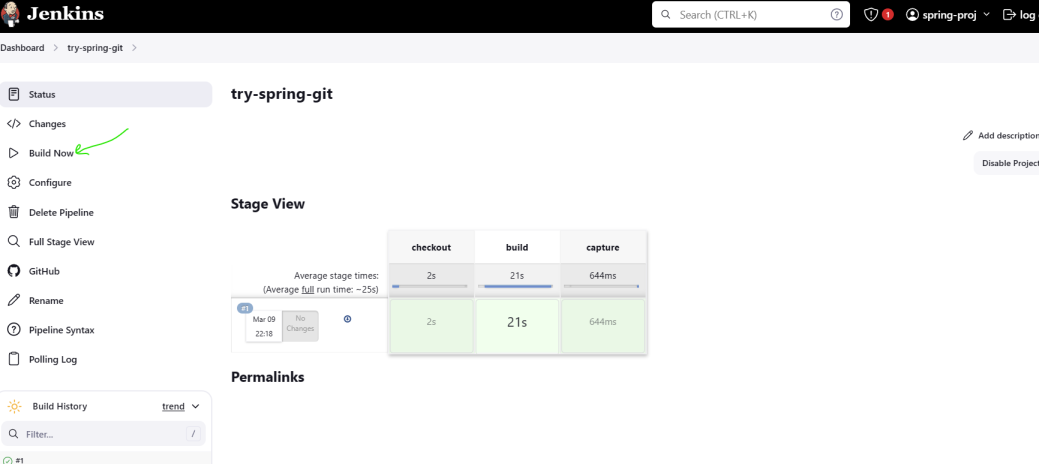
- We successfully deployed the Spring boot application manually. Now let's run it automatically based on any commit we did to repository!
- Change something in your repository like a commit in readme.md file.
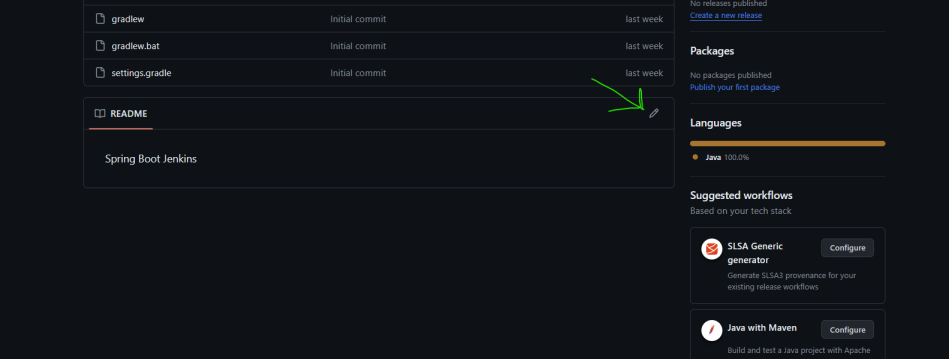
- Select the option as in the below screenshot and commit the changes.
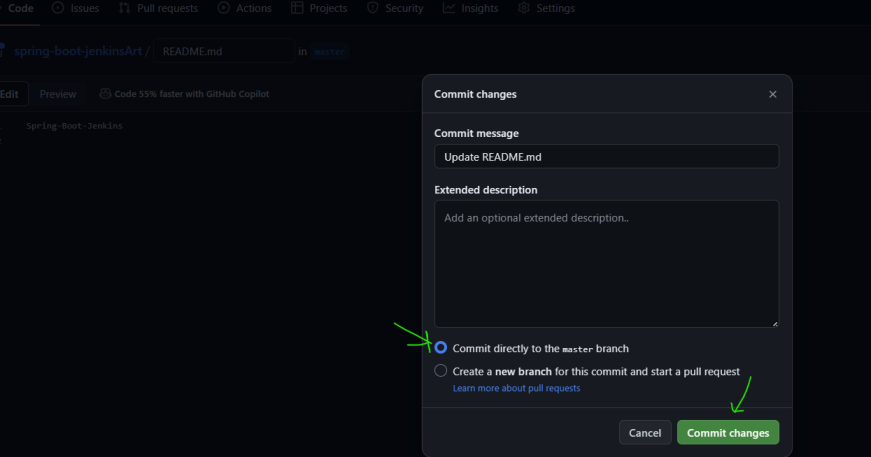
- Then quickly switch back to Jenkins page, you can see build triggering automatically (Within 1min)
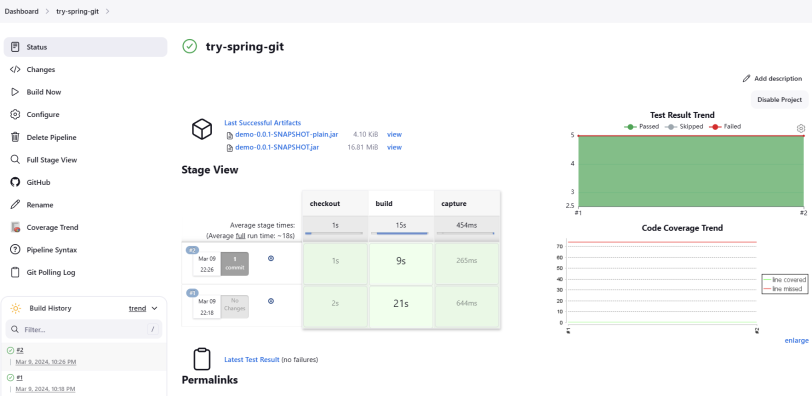
- Once done you can refresh the page to see artifacts.
- You can also look into specific build by clicking into build number like for us if we want to look into 5th build, we can click on #5 build.