Disk and File System Commands in Linux (original) (raw)
Last Updated : 7 Jan, 2026
Disk and file system commands in Linux are used to manage disks, partitions, and file systems. These commands help administrators monitor disk usage, create and modify partitions, mount file systems, perform backups, and restore data safely.
Disk and file system commands are essential for:
- Managing hard disks and partitions
- Monitoring disk space and file system usage
- Mounting and unmounting storage devices
- Performing backups and restoring data
- Checking and repairing file systems
Below are some commonly used Disk and File System Commands in Linux.
1. cfdisk
The cfdisk command is an interactive, text-based disk partitioning utility.
- Provides a menu-driven interface
- Easier to use than fdisk
- Supports both MBR and GPT partition tables
**Syntax:
cfdisk [device]
**Example:
cfdisk /dev/sda
2. df
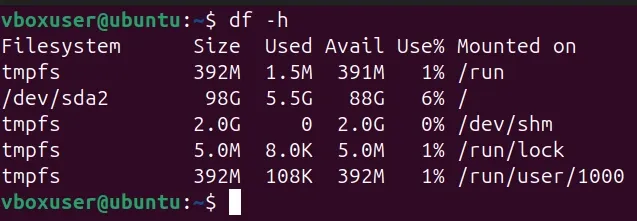
The df command displays disk space usage of mounted file systems.
- Shows total, used, and available disk space
- Helps monitor storage utilization
- Commonly used with human-readable output
**Syntax:
df [options] [filesystem]
**Example:
df -h
3. dosfsck
The dosfsck command checks and repairs FAT (MS-DOS) file systems.
- Verifies file system integrity
- Fixes errors in FAT file systems
- Mostly used for USB drives and SD cards
**Syntax:
dosfsck [options] device
**Example:
sudo dosfsck -a /dev/sdb1

This command automatically repair the filesystem on a FAT-formatted partition, use the -a option
4. dump
The dump command is used to create backups of Linux file systems.
- Supports full and incremental backups
- Works at the file system level
- Commonly used with ext file systems
**Syntax:
dump [options] filesystem
**Example:
sudo dump 0uf /dev/qft0 /dev/sda6

This shows the dump command performing a level-0 (full) backup of the /dev/sda6 filesystem to the tape device /dev/qft0. It displays the backup progress, data size, transfer speed, completion status, and then prompts to mount the next volume to continue the backup process.
5. dumpe2fs
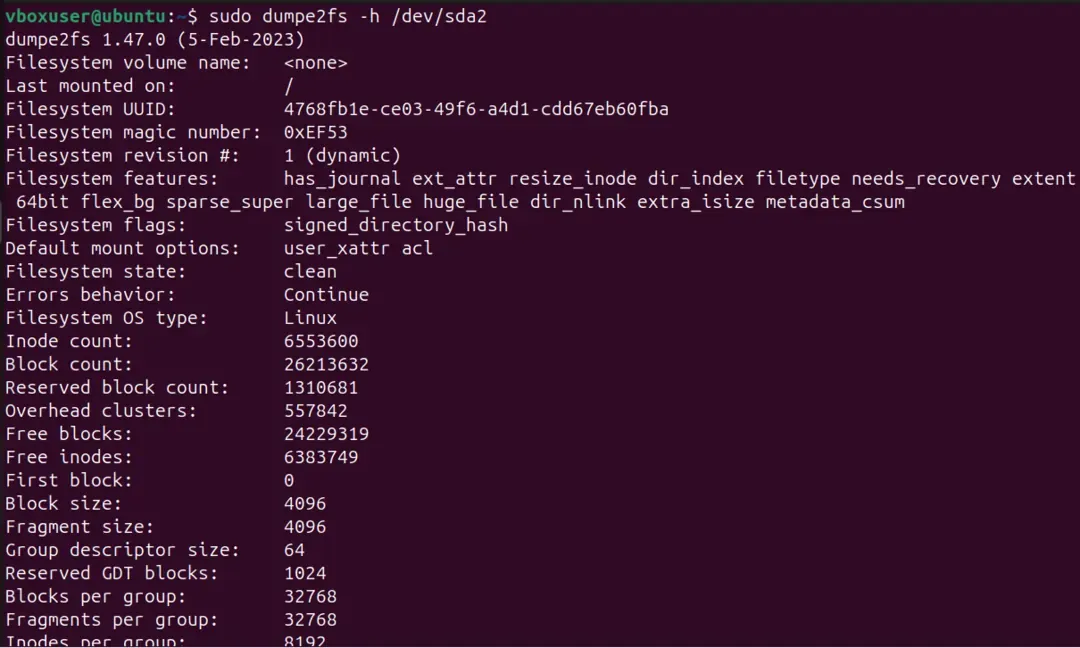
The dumpe2fs command displays detailed information about ext file systems.
- Shows superblock and block group details
- Useful for troubleshooting file system issues
- Displays file system metadata
**Syntax:
dumpe2fs [options] device
**Example:
dumpe2fs /dev/sda2
6. fdisk
The fdisk command is used to create, delete, and manage disk partitions.
- Used for disk partitioning
- Works mainly with MBR partition tables
- Requires administrator privileges
**Syntax:
fdisk [device]
**Example:
fdisk /dev/sda
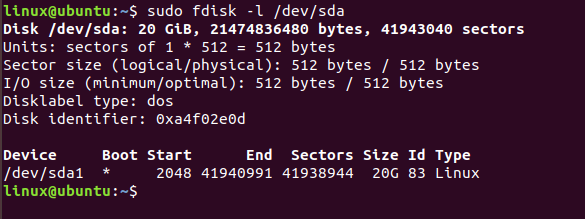
This command is used to view all disk partitions on device '/dev/sda'.
7. mount
The mount command attaches a file system to a directory.
- Makes storage devices accessible
- Used for disks, USB drives, and network storage
- Supports multiple file system types
**Syntax:
mount [options] device directory
**Example:
mount
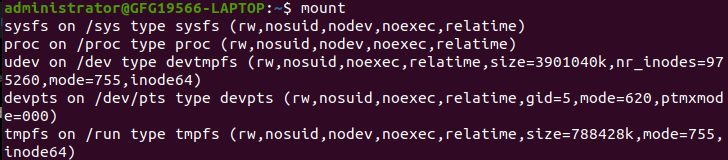
The mount command allows us to view this information easily:
8. restore
The restore command is used to recover files from backups created using dump.
- Restores entire file systems or selected files
- Supports interactive restore mode
- Used during disaster recovery
**Syntax:
restore [options]
**Example:
restore
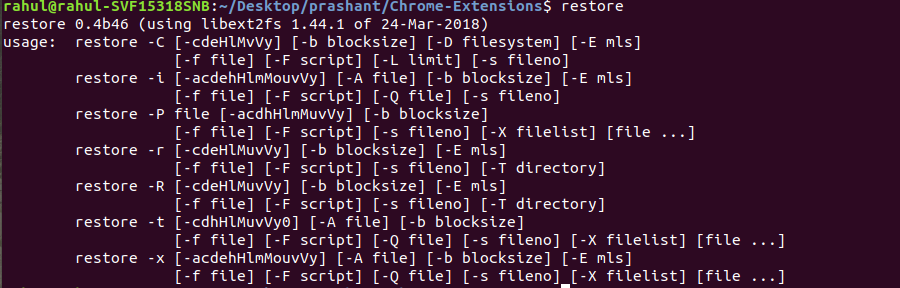
It will be going to print the general syntax of the command along with the various options that can be used with the restore command.
9. sync
The sync command forces cached data to be written to disk.
- Ensures all write operations are completed
- Prevents data loss before shutdown
- Commonly used before reboot or power-off
**Syntax:
sync
**Example:
sync