Kernel and Module Management Commands in Linux (original) (raw)
Last Updated : 7 Jan, 2026
Kernel and module management commands in Linux are used to control, load, unload, and manage kernel modules and system services. These commands help administrators extend kernel functionality, manage hardware drivers, and control background services efficiently.
These commands are mainly used to:
- Load and remove kernel modules dynamically
- View information about loaded kernel modules
- Manage system services and daemons
- Maintain system stability and performance
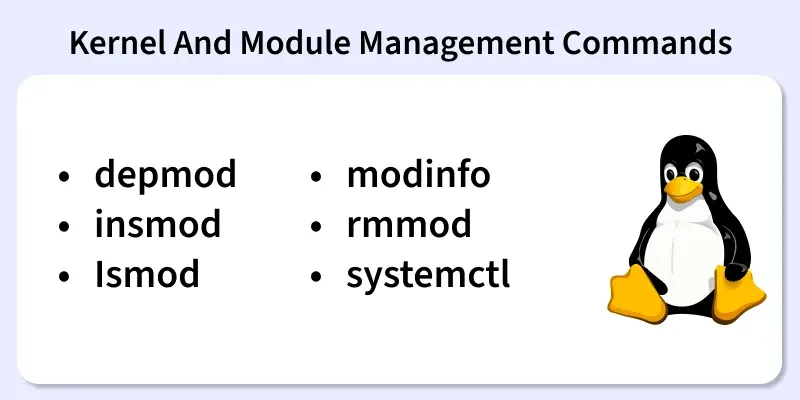
Below are the commonly used Kernel and Module Management Commands in Linux
1. depmod
The depmod command is used to generate dependency files for kernel modules. It ensures that modules are loaded in the correct order.
- Updates module dependency database
- Required after installing new kernel modules
- Helps the system resolve module dependencies
**Syntax:
depmod
**Example:
depmod
- This command rebuilds the module dependency list for the current kernel.
**Output:

**Note : The depmod command runs silently if executed successfully.
2. insmod
The insmod command is used to insert a specific kernel module into the running kernel.
- Loads a single kernel module
- Does not resolve dependencies automatically
- Mainly used for testing purposes
**Syntax:
insmod module_name.ko
**Example:
insmod sample_driver.ko
- This loads the sample_driver kernel module into the kernel.
**Note: Normally no output if successful, module silently loads
If something goes wrong, you may see errors like : No such file or Invalid module format ....
3. lsmod
The lsmod command displays all currently loaded kernel modules.
- Shows active kernel modules
- Displays module size and usage count
- Useful for troubleshooting hardware issues
**Syntax:
lsmod
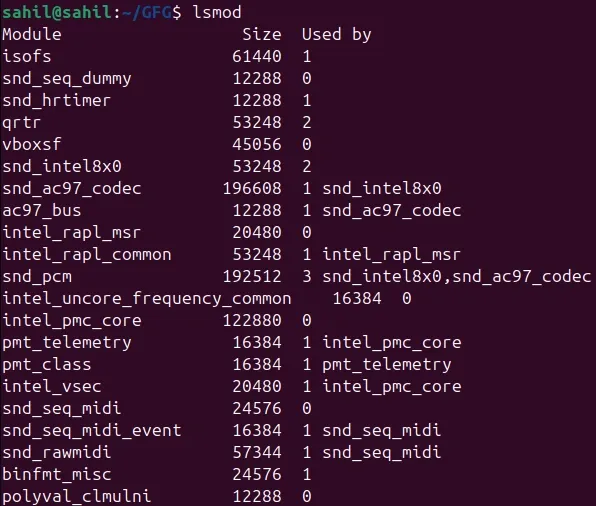
**Example:
lsmod
- This lists all kernel modules currently loaded in the system.
4. modinfo
The modinfo command displays detailed information about a kernel module.
- Shows module author, version, and license
- Displays dependencies and parameters
- Helps verify module compatibility
**Syntax:
modinfo module_name
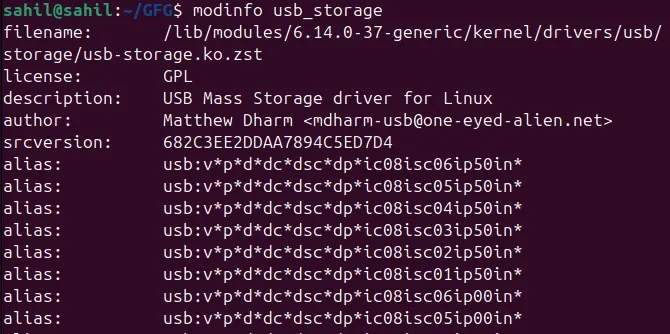
**Example:
modinfo usb_storage
This shows detailed information about the usb_storage kernel module.
5. rmmod
The rmmod command is used to remove a kernel module from the running kernel.
- Unloads kernel modules safely
- Frees system resources
- Module must not be in use
**Syntax:
rmmod module_name
**Example:
rmmod sample_driver
- This removes the sample_driver module from the kernel.
**Note: No output if successful If there is a problem, you may see errors
6. systemctl
The systemctl command is used to manage services controlled by systemd.
- Starts, stops, and restarts services
- Enables or disables services at boot
- Checks service status
**Syntax:
systemctl command service_name
**Examples:
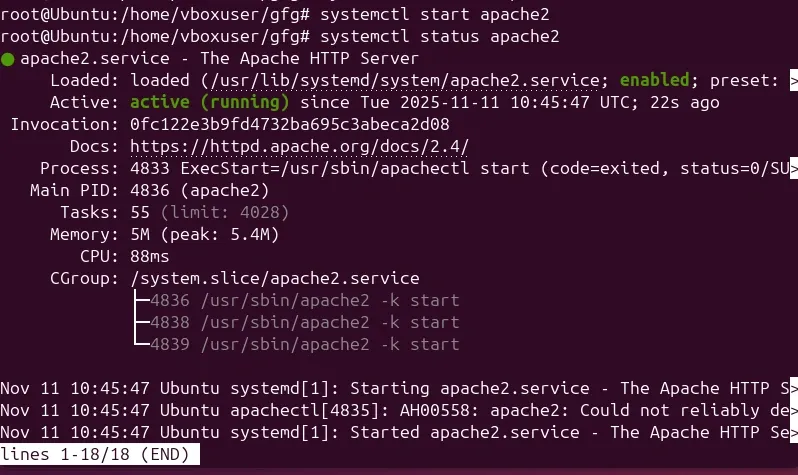
systemctl start apache2
- Starts the Apache service.
systemctl status apache2
- Displays the current status of the Apache service