How To Track ISS (International Space Station) Using Python? (original) (raw)
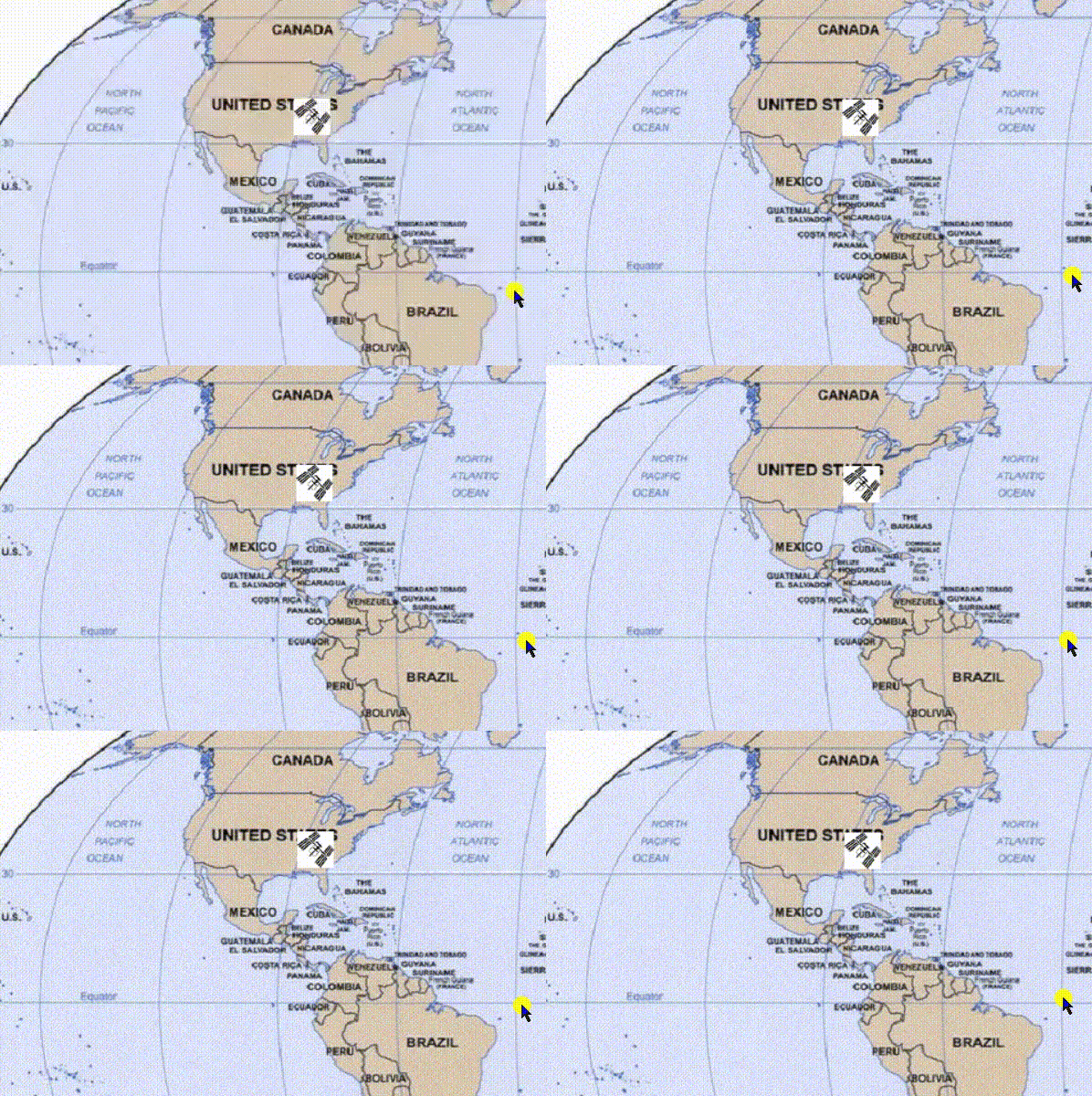
In this article, we will discuss how to track the current location of ISS(International Space Station) and then maps the location. We will write a script that will display the current location of ISS along with onboarded crew names. It works on API, it takes the current location of ISS in the form of latitude and longitude and then locates that value onto the map. It takes the value from the website at every 5 sec and then updates the value of latitude and longitude and thus also moves the ISS icon on the world map. The movement visible is very little but you can notice that movement in the gif below. This is possible by using some of the modules of python like JSON, urllib.requests, Webbrowser, Geocoder etc. Numerous functions are used to create this script.
Modules Needed:
- JSON : It is JavaScript Object Notation, python supports JSON through a built-in package called JSON. It is just similar to the dictionary in python. To use the functions of this module, import the JSON module into the script.
pip install jsonlib
- Turtle: The Python turtle library contains all of the necessary methods and functions for creating our designs and images.
pip install turtle
- urllib: urllib.request is a python module for fetching URLs (Uniform Resource Locators). This module offers a very simple interface, in the form of the urlopen function. It combines several modules to preprocess the URLsThis is capable of fetching URLs using a variety of different protocols.
pip install urllib3
- Time: This module performs a variety of time-related functions. See also the datetime and calendar modules for related functionality.
pip install times
- Webbrowser: Users can view Web-based documents using the webbrowser module, which provides a high-level interface. This module includes URL-opening functions for interactive browser applications.
pip install pycopy-webbrowser
- Geocoder: This module transforms the various place name descriptions into a location on the earth's surface. Because each geocoding provider has its own JSON schema, it can be difficult to parse them all at times. Here this module will help us to retrieve latitude and longitude using just simple functions.
pip install geocoder
Getting Started
So now there is a problem with tracking ISS because it travels at a speed of almost 28000km/h. Thus, it takes only 90 minutes to complete 1 rotation around the earth. At such a speed, it becomes quite difficult to lock the exact coordinates. So here comes the API to solve this issue. API acts as an intermediate between the website and the program, thus providing the current time data for the program.
In our case, API will provide us with the current location of ISS in earth's orbit, so visit the link below as an API link for astronaut info.
url = "http://api.open-notify.org/astros.json"
Accessing Data:
Use urllib.request.urlopen() function inorder to open the API url and json.loads(.read()) function to read the data from the url.
Python3 `
import json
import turtle
import urllib.request
import time
import webbrowser
import geocoder
url = "http://api.open-notify.org/astros.json" response = urllib.request.urlopen(url) result = json.loads(response.read()) result
`
Output:
{'people': [{'name': 'Mark Vande Hei', 'craft': 'ISS'}, {'name': 'Oleg Novitskiy', 'craft': 'ISS'}, {'name': 'Pyotr Dubrov', 'craft': 'ISS'}, {'name': 'Thomas Pesquet', 'craft': 'ISS'}, {'name': 'Megan McArthur', 'craft': 'ISS'}, {'name': 'Shane Kimbrough', 'craft': 'ISS'}, {'name': 'Akihiko Hoshide', 'craft': 'ISS'}, {'name': 'Nie Haisheng', 'craft': 'Tiangong'}, {'name': 'Liu Boming', 'craft': 'Tiangong'}, {'name': 'Tang Hongbo', 'craft': 'Tiangong'}], 'number': 10, 'message': 'success'}
Create.txt file for astronauts info: Create iss.text file using an open() function in write mode and write the result(names & numbers of astronauts) as data inside the file.
Python3 `
file = open("iss.txt", "w") file.write( "There are currently " + str(result["number"]) + " astronauts on the ISS: \n\n")
people = result["people"] for p in people: file.write(p['name'] + " - on board" + "\n")
`
Current Latitude & Longitude of User:
Use geocoder.ip('me') to know your current location in terms of latitude and longitude and after that using write the data in the file and then close the file using the file.close() function.
Python3 `
print long and lat
g = geocoder.ip('me') file.write("\nYour current lat / long is: " + str(g.latlng)) file.close() webbrowser.open("iss.txt")
`
Setting Up The World Map:
Use turtle.screen() function to get access to the screen, then use screen.setup() to set the size and position of the output window. Use screen.setworldcoordinates() function to set the coordinates of all 4 corners on x, y-axis so that when iss reach out from reaches they appear again from another edge.
Python3 `
screen = turtle.Screen() screen.setup(1280, 720) screen.setworldcoordinates(-180, -90, 180, 90)
`
Set map as background pic using screen.bgpic() function and set iss image as turtle shape using screen.register_shape() function. Use it as an object and assign it as a shape using iss.shape() function, then set the angle of shape using iss.setheading() function. iss.penup() function indicates that their drawings. Thus, the turtle stops.
The file can be downloaded:


Code:
Python3 `
load the world map image
screen.bgpic("images\map.gif") screen.register_shape("images\iss.gif") iss = turtle.Turtle() iss.shape("images\iss.gif") iss.setheading(45) iss.penup()
`
Access the current status of ISS using the API below:
url = "http://api.open-notify.org/iss-now.json"
Extract the current location of ISS in terms of latitude and longitude from the above API. This script below runs inside the while loop so you can see the updated position and movement of the ISS until you stop the program.
Python3 `
load the current status of the ISS in real-time
url = "http://api.open-notify.org/iss-now.json" response = urllib.request.urlopen(url) result = json.loads(response.read())
Extract the ISS location
location = result["iss_position"] lat = location['latitude'] lon = location['longitude']
Output lon and lat to the terminal in the
float format
lat = float(lat) lon = float(lon) print("\nLatitude: " + str(lat)) print("\nLongitude: " + str(lon))
`
Update the position of ISS every 5 seconds by refreshing the latitude and longitude value from API.
Python3 `
Update the ISS location on the map
iss.goto(lon, lat)
Refresh each 5 seconds
time.sleep(5)
`
Below is the full implementation.
Python3 `
json convert the python dictionary
above into a json
import json
import turtle
urllib.request fetch URLs using
a variety of different protocols
import urllib.request import time
webbrowser provides a high-level interface
to allow displaying Web-based documents
to users
import webbrowser
geocoder takes the data and locate these
locations in the map
import geocoder
url = "http://api.open-notify.org/astros.json" response = urllib.request.urlopen(url) result = json.loads(response.read()) file = open("iss.txt", "w") file.write("There are currently " + # prints number of astronauts str(result["number"]) + " astronauts on the ISS: \n\n") people = result["people"]
prints names of crew
for p in people: file.write(p['name'] + " - on board" + "\n")
print long and lat
g = geocoder.ip('me') file.write("\nYour current lat / long is: " + str(g.latlng)) file.close() webbrowser.open("iss.txt")
Setup the world map in turtle module
screen = turtle.Screen() screen.setup(1280, 720) screen.setworldcoordinates(-180, -90, 180, 90)
load the world map image
screen.bgpic("images/map.gif") screen.register_shape("images\iss.gif") iss = turtle.Turtle() iss.shape("images\iss.gif") iss.setheading(45) iss.penup()
while True:
# load the current status of the ISS in real-time
url = "http://api.open-notify.org/iss-now.json"
response = urllib.request.urlopen(url)
result = json.loads(response.read())

# Extract the ISS location
location = result["iss_position"]
lat = location['latitude']
lon = location['longitude']

# Ouput lon and lat to the terminal
lat = float(lat)
lon = float(lon)
print("\nLatitude: " + str(lat))
print("\nLongitude: " + str(lon))

# Update the ISS location on the map
iss.goto(lon, lat)

# Refresh each 5 seconds
time.sleep(5)
`
Output:
Crew Information: Here is info on the onboarded crew members along with their names.

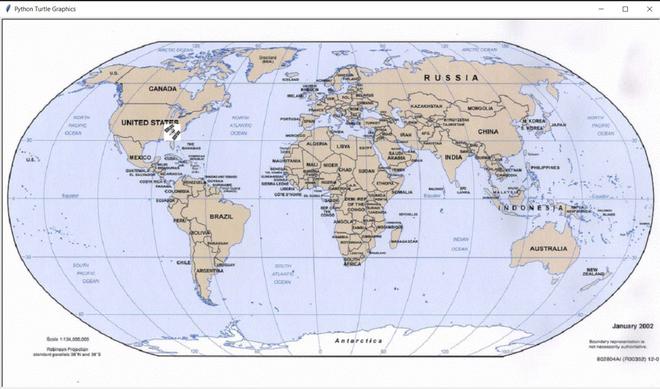
ISS Location: Here is a screenshot of the moving ISS i.e orbiting around the earth. You can see it by zooming in on the screenshot.
ISS Moving look: Here you can see the ISS moving every 5 seconds.