Setting Up A CI/CD Pipeline For PHP Applications Using Jenkins (original) (raw)
Last Updated : 23 Jul, 2025
In contemporary software development, Continuous Integration and Continuous Deployment (CI/CD) pipelines have arisen as key devices for smoothing out the deployment cycle and ensuring the quick conveyance of high-quality applications. This guide centers around designing a CI/CD pipeline custom-fitted explicitly for PHP applications utilizing Jenkins, an open-source automation server prestigious for its adaptability and extensibility.
CI/CD pipelines automate the means engaged with building, testing, and deploying software, offering various advantages like expanded productivity, decreased manual mistakes, and quicker time-to-advertise. Jenkins fills in as the foundation of this automation, giving a strong stage to coordinating the whole improvement lifecycle.
As PHP remains a common language for web development, it's fundamental for developers to have a complete comprehension of how to integrate CI/CD rehearses consistently into their PHP projects. By following the means framed in this guide, developers can outfit the force of Jenkins to automate dreary undertakings, implement coding norms, and speed up the delivery of PHP applications.
Understanding Of Primary Terminologies
- **CI/CD Pipeline: A CI/CD pipeline is a progression of automated advances that a product goes through, from introductory code changes to deployment. "CI" represents Continuous Integration, which includes consequently building and testing code changes as they are focused on a version control repository. "CD" represents Continuous Deployment or Continuous Delivery, which automates the sending of code changes to creation or organizing conditions in the staging environments after passing tests
- **Jenkins: Jenkins is an open-source automation server that works with the automation of different jobs in software development, including building, testing, and sending applications. It gives an electronic connection point to make and oversee CI/CD pipelines, incorporating version control systems like Git, build tools, and testing systems.
- **PHP: PHP is a broadly utilized server-side scripting language essentially utilized for web improvement. It is known for its effortlessness, usability, and expansive local area support. PHP is frequently used to make dynamic site pages, associate with data sets, and develop web-based applications.
- **Version Control System (VCS): A version control system is a product instrument that enables developers to oversee changes to source code over a long time. VCS tracks corrections, works with coordinated effort among colleagues, and gives systems to branching, merging, and rollback. Instances of VCS incorporate Git, SVN (Subversion), and Mercurial.
Create CI/CD Pipeline For PHP Application Using Jenkins: A Step-By-Step Guide
Step 1: Launch An EC2 Instance
- Launch EC2 instance with Amazon Linux2 Kernel 5.10(AMI) along with port numbers SSH – 22 AND HTTP 80 and custom tcp 8080 and select storage t2.micro

- Now connect with git bash by using SSH command
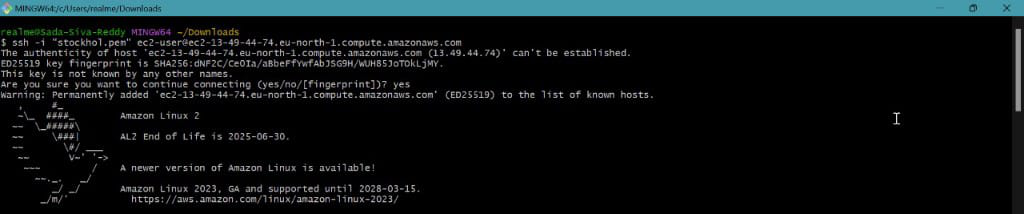
Step 2: Install Jenkins And Java
- Install Jenkins in your local machine to perform our further operations. Perform to run the following commands to install jenkins packages
sudo wget -O /etc/yum.repos.d/jenkins.repo \
https://pkg.jenkins.io/redhat-stable/jenkins.repo
sudo rpm --import https://pkg.jenkins.io/redhat-stable/jenkins.io-2023.key
sudo yum upgrade

Now install java because jenkins runtime is Java so need to install java without java our jenkins cannot run. Install java by using following command
sudo yum -y install java-17*
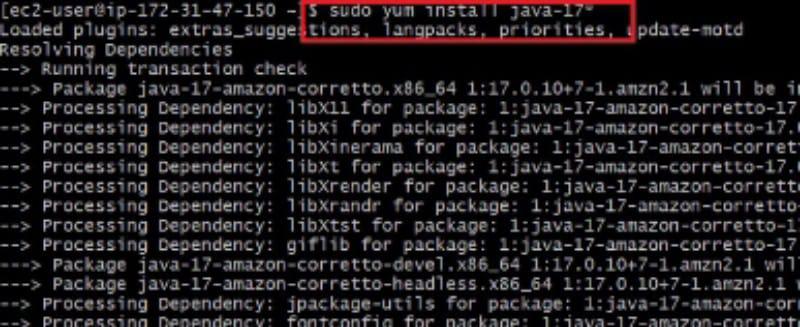
- Now install jenkins by using following command
sudo yum -y install jenkins
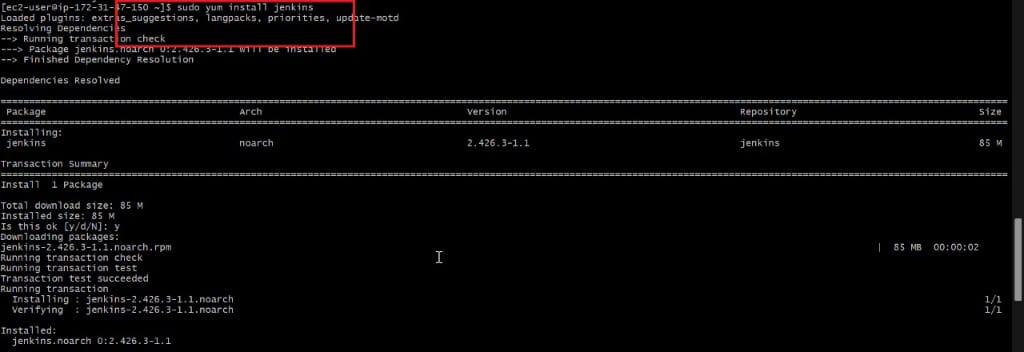
- Now start and enable our jenkins by using following commands
sudo systemctl start Jenkins
sudo systemctl enable Jenkins
sudo systemctl status Jenkins
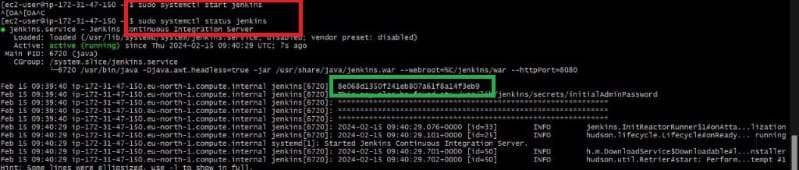
- Now copy Public IP and Browse it along with port 8080, Because our jenkins default port number is 8080
- In below highlighted words is the administrator password

- Now unlock our jenkins page by pasting Administration Password
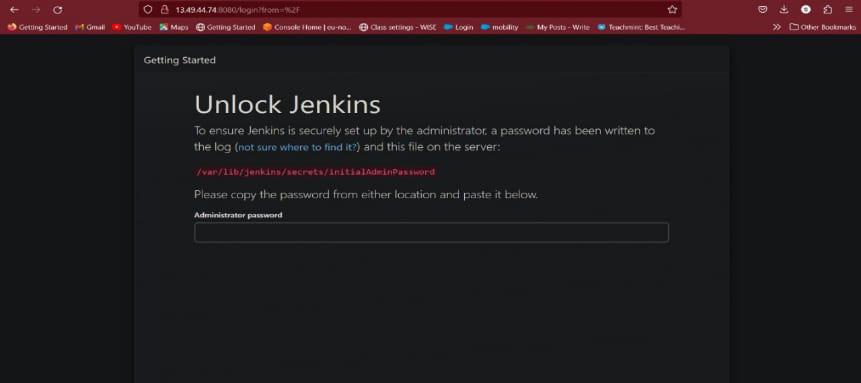
The following screenshot is the successful setup of jenkins server.

Step 3: Create Clone Job And Build Job For Setting Up A Ci/ Cd Pipeline
- Now click on New item and select Freestyle Project
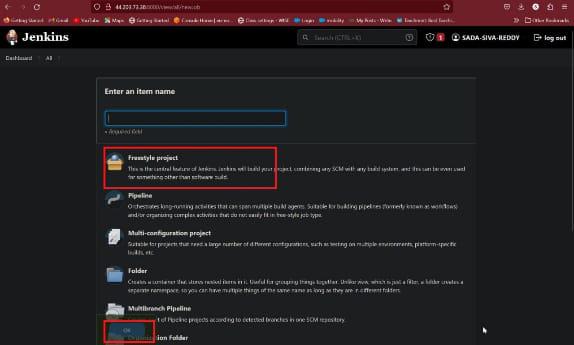
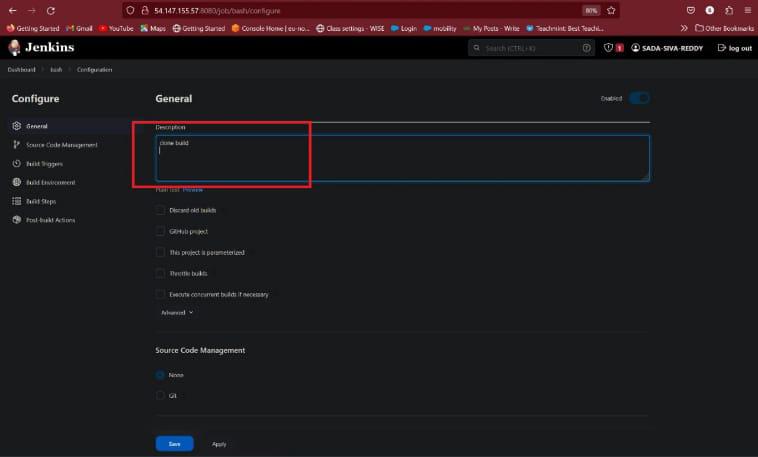
- Here gives description according to project
- In build steps there is an option execute shell, in execute shell write an script as shown in figure and save it
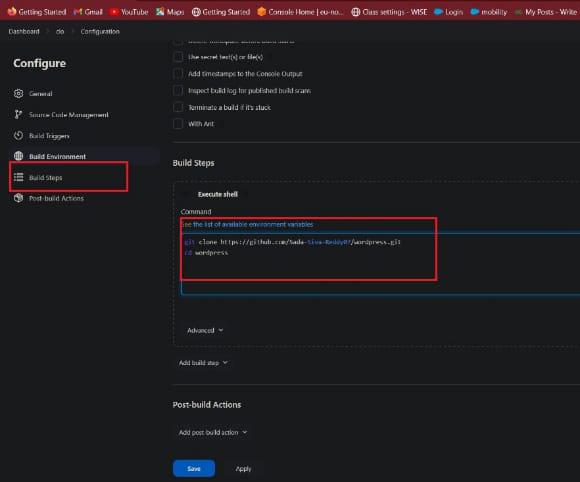
Here we are cloning from GitHub repository or follow below script of PHP Application
version: '3.3'
services:
db:
image: mysql:8.0.27
command: '--default-authentication-plugin=mysql_native_password'
volumes:
- db_data:/var/lib/mysql
restart: always
environment:
- MYSQL_ROOT_PASSWORD=somewordpress
- MYSQL_DATABASE=wordpress
- MYSQL_USER=wordpress
- MYSQL_PASSWORD=wordpress
expose:
- 3306
- 33060
wordpress:
image: wordpress:latest
ports:
- 80:80
restart: always
environment:
- WORDPRESS_DB_HOST=db
- WORDPRESS_DB_USER=wordpress
- WORDPRESS_DB_PASSWORD=wordpress
- WORDPRESS_DB_NAME=wordpress
volumes:
db_data:
- Now create another job for build purpose
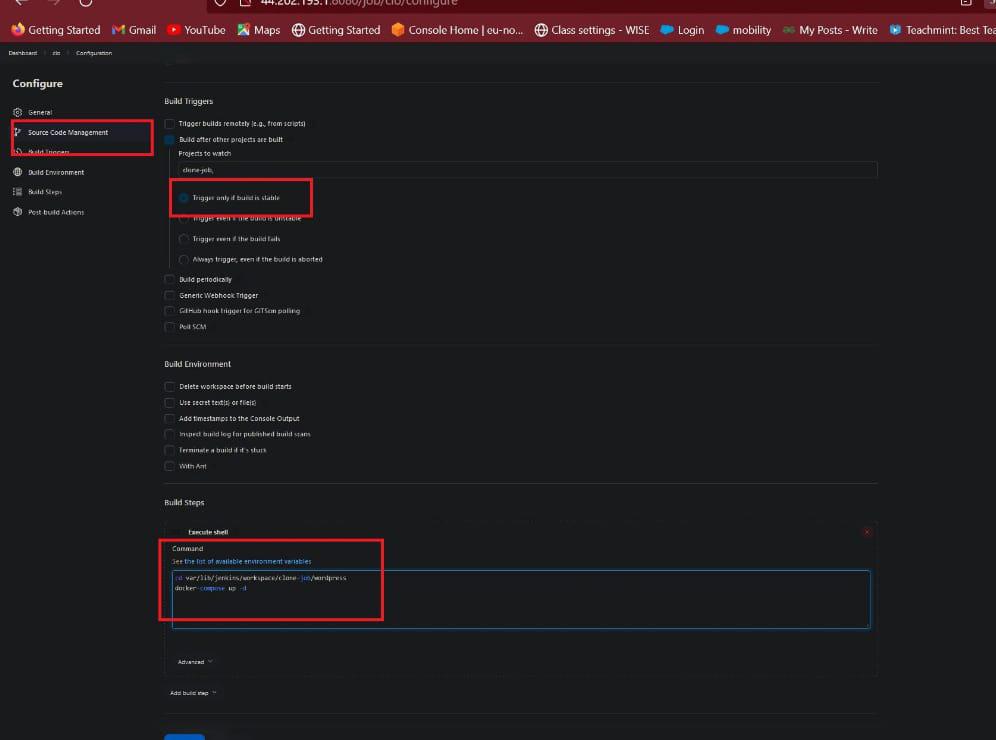
- In this Source Code Management there is a option Build after other other project are built in this select previous job name. This is the path for the CI/CD Pipeline view.
- Now click on save. Now our build job and clone job was ready.
Step 4: Setting Up CI/CD
- Now install build pipeline plugin in jenkins
- Manage jenkins --> Available plugins --> Search for Build pipeline --> Install plugin
- Give name to it and select build pipeline view and click on create
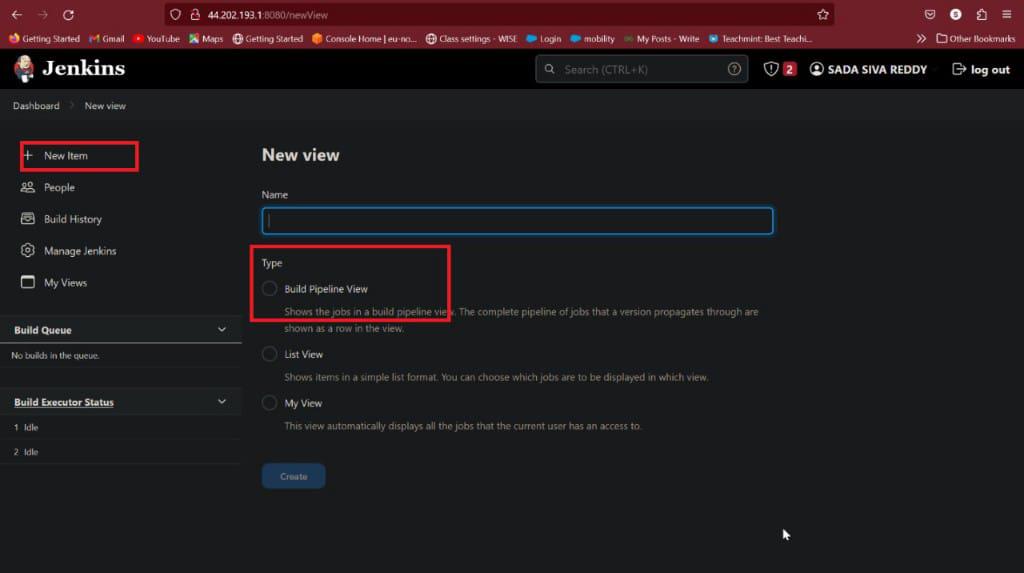
- Give name and description
- In pipeline Flow in upstream / downstream config select clone-job
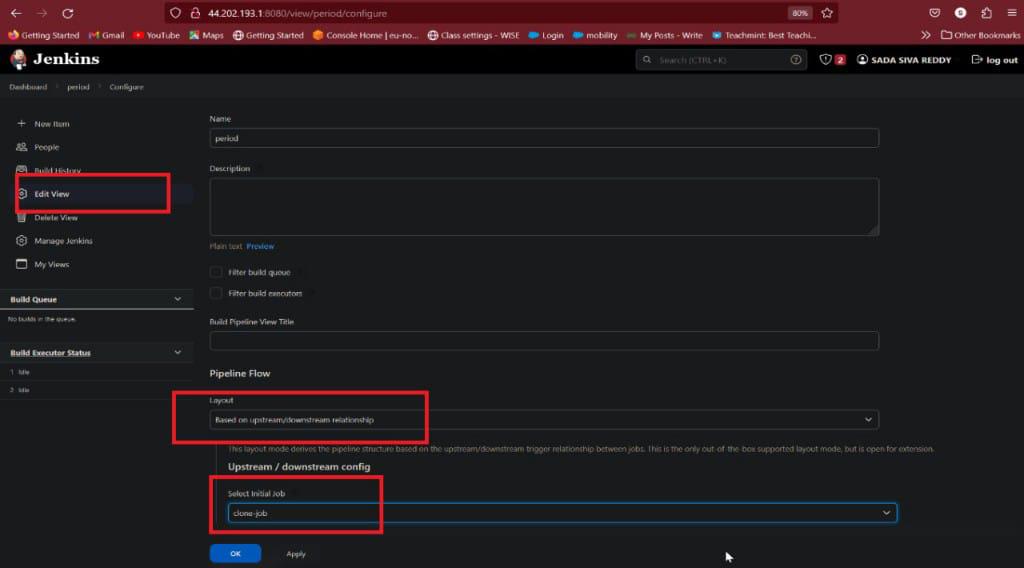
- Restrict triggers to most recent successful builds for this option click on YES
- Always allow manual trigger on pipeline steps for this option click on YES
- In display options Select number of
- displays build it shows more option like 1, 2, 3, 5, …….

- After completion of this click on OK
- Now our CI/CD pipeline was ready
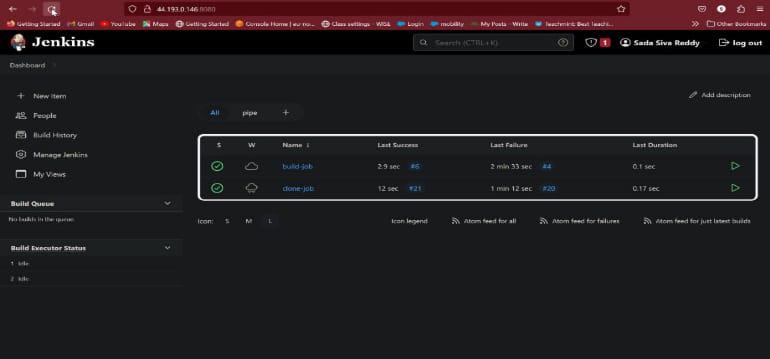
- This is pipeline view of our jobs

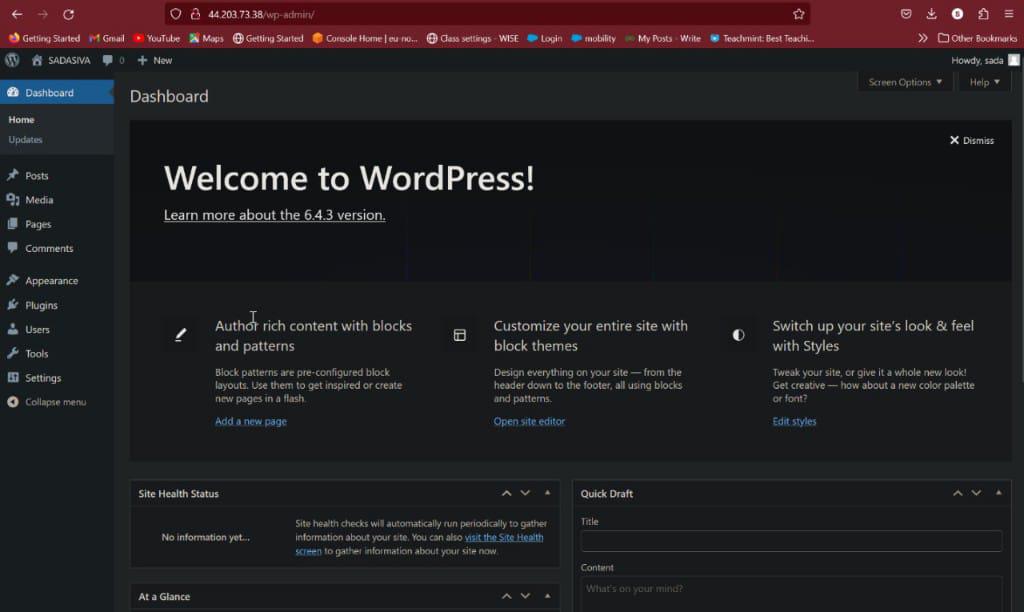
- Now browse our public IP address our PHP Application was host on server
Conclusion
Setting up a CI/CD pipeline for PHP applications using Jenkins enables developers to streamline their development work processes, further develop code quality, and speed up the conveyance of software. Via automating tasks like building, testing, and deployment, groups can accomplish more efficiency reliability, dependability, and deftness in their software development processes.
Through this guide, we've investigated the key ideas of CI/CD pipelines, Jenkins, and PHP development, giving step-by-step instructions to configuring a hearty pipeline custom fitted to PHP projects. From establishment and arrangement to testing and deployment, developers have figured out how to use Jenkins to automate repetitive tasks and implement best practices in their development lifecycle.
By taking on CI/CD practices with Jenkins, organizations can understand various advantages, including more limited release cycles, decreased manual errors, and expanded coordinated effort among members. Moreover, the capacity to continuously integrate and deploy code changes ensures that software stays up-to-date and receptive to evolving requirements.