File Management in Linux (original) (raw)
Last Updated : 1 Jun, 2026
File management in Linux involves handling files and directories through various operations such as creation, modification, organization and access control within the filesystem.
- Linux treats everything as a file, including devices and system configurations.
- Ensures efficient data organization and accessibility.
- Common commands include cp, mv, rm, ls and cat.
Linux categorizes files into three main types, each serving a specific purpose in the system:
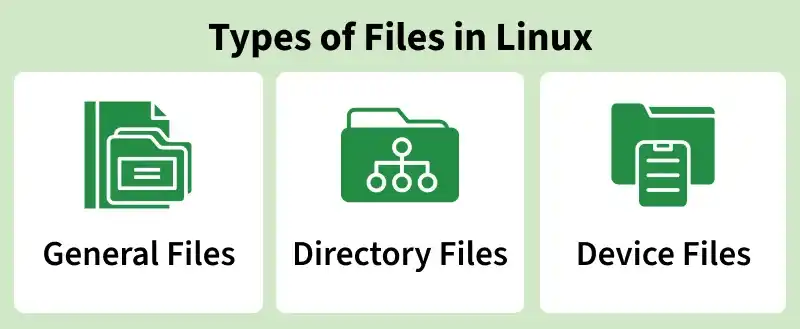
1. General Files
These are the most common file types that store user data such as text files, images, and binaries.
- Represent regular data like documents, programs, or scripts.
- Form the majority of files in Linux/UNIX systems.
- May contain human-readable text (ASCII), executable binaries, or program data.
2. Directories:
These act as containers that organize files and other directories hierarchically.
- Similar to folders in Windows.
- Store lists of file names and their related metadata.
Important directories include:
- /: Root directory (base of the system)
- /home/:User home directories
- /bin/: Essential user binaries
- /boot/: Static boot files
3. Device Files:
These files represent hardware devices and handle input/output (I/O) operations.
- Used to interact with physical devices like printers, disks, or terminals.
- Found mostly in the /dev/ directory.
- Allow the operating system to treat hardware as if it were a regular file.
common file management operations
1. Listing Files
- To list files and directories in Linux, the ls command is used. It provides a quick view of the contents of a directory, including files, subdirectories, and optional details like permissions, ownership, and timestamps.
$ls

- Lists all files and directories in the current directory.
- Each type of file is displayed with a different color for easy identification.
- Directories are typically shown in blue if you are on the default theme.
Running ls -l returns a detailed listing of files and directories in the current directory.
**Command:
$ls -l
**Output:

Displays important information such as:
- File permissions (who can read, write, or execute).
- Owner and group of each file.
- File size and last modification date.
- Helps determine which users or groups can access or manage each file, providing insights into system security and file management.
2. Creating Files
- The touch command is used to create a new file in Linux.
- If the specified file does not exist, touch creates a new blank file.
- If the file already exists, its contents remain unaffected, and only the file’s timestamp may be updated.
**Example:
touch filename

3. Displaying File Contents
- The cat command is used to display the contents of a file in the terminal.
- For large files, the output may scroll past the screen too quickly; in such cases, commands like more or less can be used to view the content page by page.
**Example:
cat filename

4. Copying a File
- The cp command is used to create a copy of a file in Linux.
- It copies the contents of the source file to a new file at the specified destination.
- The new file will have the same name and content as the original, unless a different name is specified.
**Syntax:
cp source/filename destination/
**Example:
cp source/filename destination/

5. Moving a File
- The mv command is used to move a file from one location to another in Linux.
- It moves the file from the source directory and places it in the destination directory with the same name and content.
**Example:
mv source/filename destination/

6. Renaming a File
- The mv command can also be used to rename a file in Linux.
- It changes the file name from filename to new_filename while retaining the file’s content.
- Essentially, the original file is replaced with a file of the new name without altering the data.
mv filename new_filename

7. Deleting a File
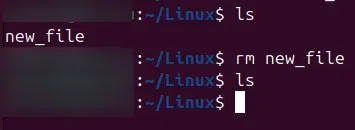
- The rm command is used to delete a file in Linux.
- It permanently removes the specified file from the directory.
- Use this command carefully, as deleted files cannot be easily recovered.
rm filename