Set up HAProxy as a load balancer for Nginx on CentOS (original) (raw)
Last Updated : 23 Jul, 2025
In this article, we are going to see how to set up HAProxy as a load balancer for Nginx on CentOS.
What is Load balancing?
Load balancing, commonly referred to as server farming or server pools is the process of efficiently dispersing incoming network traffic among a collection of backend servers. Modern high-traffic websites must quickly and reliably respond to hundreds of thousands, if not millions, of concurrent user or client requests for the right text, photos, videos, or application data. Modern computing best practices typically necessitate the addition of extra servers in order to cost-effectively scale to handle these enormous volumes.
What is HAProxy?
An open-source, high-performance load balancer and reverse proxy for TCP and HTTP applications is called HAProxy. By dispersing their workloads, users may utilise HAProxy to enhance the performance of websites and apps. Reduced reaction times and improved throughput are two examples of performance enhancements.
Setup HAProxy as a load balancer for Nginx on CentOS
Follow the below steps to setup HAProxy as a load balancer for Nginx on CentOS:
Step 1: For the load balancer edit the /etc/hosts file
$ vim /etc/hosts 3.19.229.234 server_01 3.17.9.217 server-02
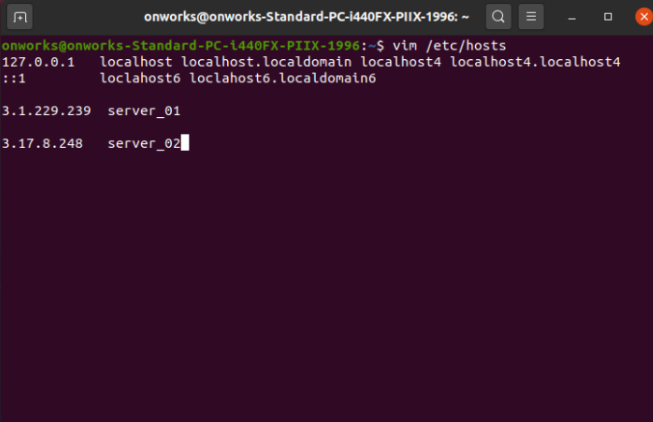
Save the changes after completion, then close the configuration file.
Step 2: Update the /etc/hosts file with the IP address and hostname of the load balancer:
3.17.12.132 load-balancer

Step 3: Set up and maintain HAProxy on the load balancer
Use the yum or dnf package managers to install it.
yum update
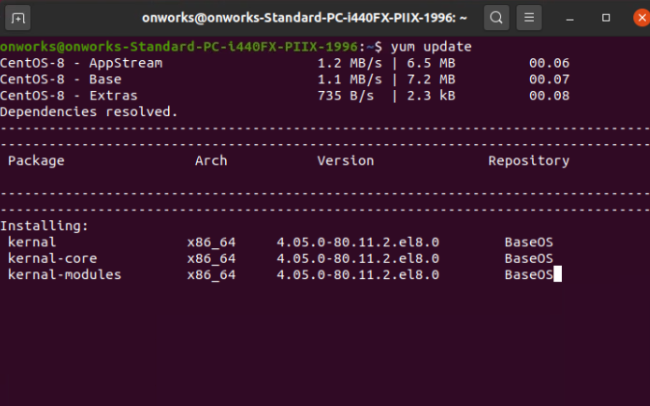
Step 4: Install HAProxy as load balancer by using the below command:
yum install haproxy

Step 5: To access the haproxy directory run the following command.
cd /etc/haproxy

Step 6: Set up and customize Nginx:
In both instances, alter the index.html file to show or simulate how the load balancer can distribute web traffic among the two servers.
systemctl start nginx
systemctl enable nginx

Step 7: Checking the load balancer's functionality
Enter the load balancer and repeatedly use the curl command.
curl 3.17.12.132

Step 8: Check the installation
Now HAProxy as a load balancer for Nginx on CentOS is successfully installed and ready to execute

Conclusion:
Although the configuration process for HAProxy on CentOS can be a bit challenging, we have attempted to cover all the essentials in this post to assist you in setting up a basic HAProxy load balancer on your system.