Deployment Diagram in Unified Modeling Language(UML) (original) (raw)
Last Updated : 23 Jul, 2025
A Deployment Diagram is a type of Structural UML Diagram that shows the physical deployment of software components on hardware nodes. It illustrates the mapping of software components onto the physical resources of a system, such as servers, processors, storage devices, and network infrastructure.

Table of Content
- What is a Deployment Diagram?
- Key elements of a Deployment Diagram
- Components and Notations in Deployment Diagram
- Use Cases of Deployment Diagrams
- Steps for creating a Deployment Diagram
- Deployment Patterns
- Real-World Examples For Deployment Diagram
- Integration of Deployment Diagrams with Other UML Diagrams
- Benefits of Deployment Diagrams
- Challenges of Deployment Diagrams
What is a Deployment Diagram?
A Deployment Diagram shows how the software design turns into the actual physical system where the software will run. They show where software components are placed on hardware devices and shows how they connect with each other. This diagram helps visualize how the software will operate across different devices
**Key elements of a Deployment Diagram
Below are the key elements of deployment diagram:
- **Nodes: These represent the physical hardware entities where software components are deployed, such as servers, workstations, routers, etc.
- **Components: Represent software modules or artifacts that are deployed onto nodes, including executable files, libraries, databases, and configuration files.
- **Artifacts: Physical files that are placed on nodes represent the actual implementation of software components. These can include executable files, scripts, databases, and more.
- **Dependencies: These show the relationships or connections between nodes and components, highlighting communication paths, deployment constraints, and other dependencies.
- **Associations: Show relationships between nodes and components, signifying that a component is deployed on a particular node, thus mapping software components to physical nodes.
- **Deployment Specification: This outlines the setup and characteristics of nodes and components, including hardware specifications, software settings, and communication protocols.
- **Communication Paths: Represent channels or connections facilitating communication between nodes and components and includes network connections, communication protocols, etc.
**Components and Notations in Deployment Diagram
Below are the components and their notations in deployment diagram:
1. Component

A component represents a modular and reusable part of a system, typically implemented as a software module, class, or package. It encapsulates its behavior and data and can be deployed independently.
Typically represented as a **rectangle with two smaller rectangles protruding from its sides, indicating ports for connections. The component's name is written inside the rectangle.
2. Artifact
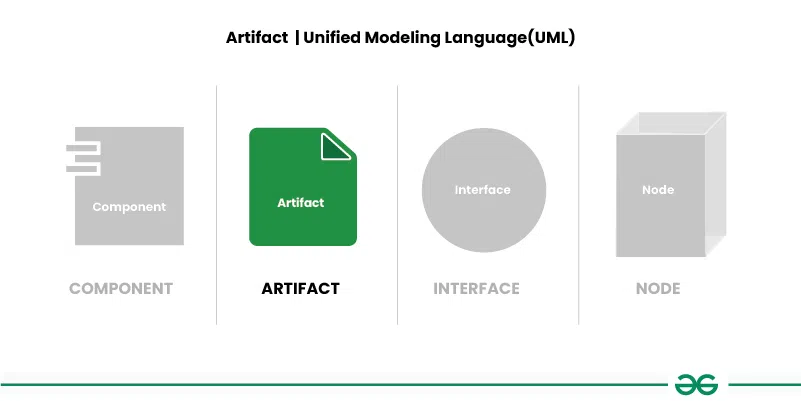
An artifact represents a physical piece of information or data that is used or produced in the software development process. It can include source code files, executables, documents, libraries, configuration files, or any other item.
Typically represented as a **rectangle with a folded corner, labeled with the artifact's name. Artifacts may also include additional information, such as file extensions or versions.
3. Interface

An interface defines a contract specifying the methods or operations that a component must implement. It represents a point of interaction between different components or subsystems.
Represented as a **circle or ellipse labeled with the interface's name. Interfaces can also include provided and required interfaces, denoted by "+" and "-" symbols, respectively.
4. Node
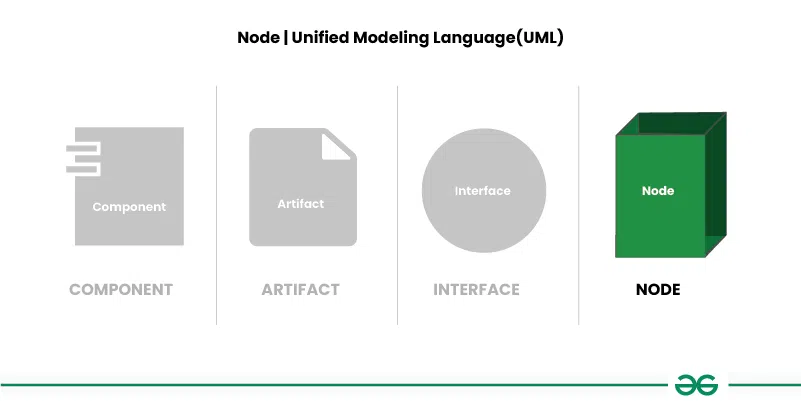
A node represents a physical or computational resource, such as a hardware device, server, workstation, or computing resource, on which software components can be deployed or executed.
Represented as a box with rounded corners, usually labeled with the node's name. Nodes can also include nested nodes to represent hierarchical structures.
5. **Communication path

A straight line that represents communication between two device nodes. Dashed lines in deployment diagrams represents relationships or dependencies between elements, indicating that one element is related to or dependent on another.
**Use Cases of Deployment Diagrams
Below are the use cases of deployment diagrams:
- Deployment diagrams help plan how software systems will be set up on different devices.
- They help design the hardware needed to support the software. By showing which software parts go where, they help decide what devices and networks are needed.
- Deployment diagrams make sure each part of the software has enough resources, like memory or processing power, to run well.
- They show how different parts of the software depend on each other and on the hardware.
- By seeing how everything is set up, teams can find ways to make the software run faster and smoother.
**Steps for creating a Deployment Diagram
Below are the main steps for creating a deployment diagram:
- **Step1: Identify Components: List all software parts and hardware devices that will be in the deployment diagram.
- **Step 2: Understand Relationships: Figure out how these parts connect and work together.
- **Step 3: Gather Requirements: Collect details about hardware, network setups, and any special rules for deployment.
- **Step 4: Draw Nodes and Components: Start by drawing the hardware devices (nodes) and software parts (components) using standard symbols roughly at first improvise it and draw the final one.
- **Step 5: Connect Nodes and Components: Use lines or arrows to show how nodes and components are linked.
- **Step 6: Add Details: Label everything clearly and include any extra info, like hardware specs or communication protocols.
- **Step 7: Documentation: Write down any important decisions or assumptions made while creating the diagram.
**Deployment Patterns
Deployment patterns are standardized methods for efficiently installing software on hardware infrastructure. They offer guidance for organizing and deploying software components, addressing challenges like scalability, reliability and performance.
- **Client-Server Deployment: Illustrates the connection between client applications and server nodes in a client-server architecture.
- **Three-Tier Architecture: Shows the distribution of presentation, application logic, and data storage components across different nodes.
- **Microservices Architecture: Depicts how individual microservices are deployed on separate nodes or containers.
- **Containerization: Displays the deployment of different containers on host machines using technologies like Docker.
- **Cloud Deployment: Illustrates the distribution of components across various cloud services or regions in a cloud environment.
**Real-World Examples For Deployment Diagram
Below are the real-world examples for deployment diagram:
Example 1:
Deployement Diagram For Mobile Banking Andorid Services.
In this example, one node represents the client’s Android device. The components represent the software installed on these devices, with the banking application being the specific component on the Android device.
- The diagram also shows how the user connects to the banking server through the web.
- This means the user opens the banking app on their Android device, which then talks to the application server online to carry out tasks like checking account balances or transferring money.
Overall, the deployment diagram visually illustrates how software components are set up on hardware nodes and how they interact to provide the necessary functions to the user.
.webp)
**Example 2:
Deployement Diagram For Online Exam Registration System.
The online exam registration process typically includes a series of features designed to streamline and simplify the registration experience for users. After logging in or registering for an account, users can browse and select their desired exam from a list of available options.
.webp)
Below is the explanation of the above example:
- **Login or Registration: Users start by entering their credentials to access the exam registration system. New users must register by providing details like their name, email, and contact number.
- **Select Exam: After logging in or registering, users can choose the exam they want to sign up for. This involves picking from available exams, checking dates and locations, and ensuring they meet eligibility requirements.
- **Manage Profile and Status: Users can update their profiles, check their registration status, and print e-receipts.
- **View Profile: Users can access their registered information to confirm its accuracy, update contact details, print e-receipts, and save their profile.
- **Payment: After selecting an exam, users go to the payment page to pay the exam fee using options like credit/debit cards, net banking, or digital wallets.
- **Test: After registration and payment, users can access sample tests or practice papers, if available, to prepare for the exam.
- **View Result: Once the exam is finished, users can log in to their account to check their results.
- **Report: Users may receive various reports, such as scorecards, response sheets, or feedback forms, depending on the exam and the policies of the examination board
**Integration of Deployment Diagrams with Other UML Diagrams
Integration of Deployment Diagrams with other UML diagrams helps in providing a comprehensive view of the system, showing both the logical structure (as depicted in other UML diagrams) and the physical deployment of the system components.
- **Use Case Diagrams: Deployment diagrams can be related to use case diagrams to show which hardware nodes are involved in each use case. This helps in understanding the physical infrastructure needed to support different use cases.
- **Class Diagrams: Deployment diagrams can be linked to class diagrams to show how classes are distributed across different nodes. This helps in understanding the distribution of software components in the system.
- **Sequence Diagrams: Deployment diagrams can be connected to sequence diagrams to illustrate how messages flow between objects in different nodes. This helps in understanding the network communication between different parts of the system.
- **Component Diagrams: Deployment diagrams can be linked to component diagrams to show how components are deployed on nodes. This helps in understanding the physical distribution of components in the system.
- **Activity Diagrams: Deployment diagrams can be related to activity diagrams to show how activities are distributed across nodes.
**Benefits of Deployment Diagrams
Below are the benefits of deployment diagram:
- Deployment diagrams provide a clear picture of how software parts are placed on hardware, making it easy to understand
- They help teams talk about how to set up the system, making it easier to discuss and decide on deployment strategies.
- Deployment diagrams assist in planning and managing the deployment process, ensuring resources are used efficiently and system requirements are met.
- They serve as useful documentation for understanding how the system is set up, helping with maintenance and future changes.
**Challenges of Deployment Diagrams
Below are the challenges of deployment diagram:
- Deployment diagrams can get complicated and especially in big systems with lots of parts. Managing this complexity is tough.
- Making and understanding deployment diagrams needs knowledge of UML symbols, which not everyone might have.
- Updating deployment diagrams when the system changes takes time and effort.
- Deployment diagrams might not show how things change over time or in real-life use.
- Making deployment diagrams often needs lots of people to work together, which can be tricky.