How to Rename Files and Folders Using CMD? (original) (raw)
Last Updated : 23 Jul, 2025
Renaming files and folders is a fundamental task for system organization. While it's simple through the graphical interface, using CMD provides more flexibility, particularly for batch operations or when the interface is unavailable.
In this guide, you’ll master the ren (or rename) command, a built-in CMD utility for renaming files and directories. We’ll cover everything from basic syntax to advanced techniques.
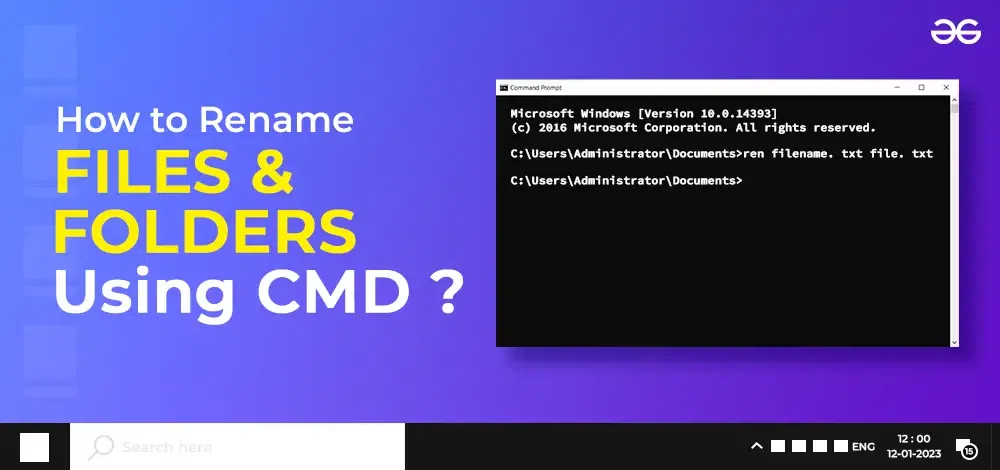
How to Rename Files and Folders Using CMD
What is CMD?
CMD, short for Command Prompt, is the command-line interpreter application available in most Windows operating systems. It allows users to execute commands to perform tasks on their computers without using a Graphical User Interface (GUI). CMD provides a direct way to interact with the operating system by typing text commands, enabling users to run programs, manage files and directories, configure system settings, and troubleshoot various issues. It’s a powerful tool for advanced users, system administrators, and developers to automate tasks and perform system-level operations.
Steps to Rename Files and Folders Using CMD
Let’s go through a quick walkthrough of the steps involved in renaming files in cmd:
Step 1: Opening CMD
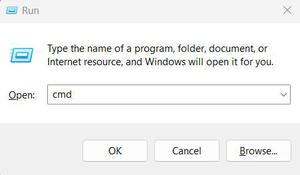
- To rename a file in the command prompt, open CMD by pressing both ****'Windows'** along with 'R' simultaneously then open up the 'Run' and type “cmd” and click the **OK button. This will enable opening CMD instantly.
Step 2: Getting to the Directory- using the 'cd' Command
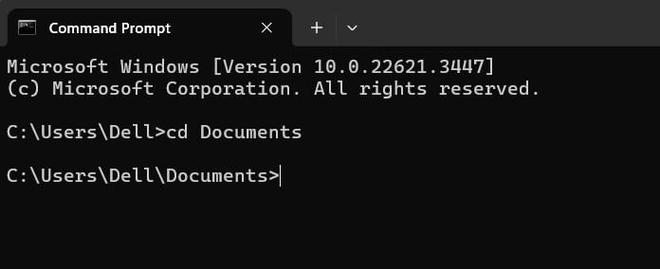
- When you have the CMD window open, go to the directory where the file or folder that you want to rename is located. You can make this possible by using the ‘cd’ command plus the path to the directory. For example, should the file be found under the ‘Documents’ folder type ‘cd Documents’ then hit ‘Enter’."
Step 3: Renaming Files and Folders - The 'ren' Command
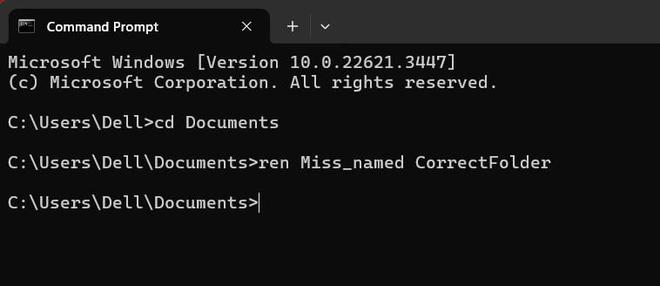
- You can use the command 'ren' for moving files. Let's say we have a folder with the old name 'Miss_named' which we want to rename as 'CorrectFolder' using the command 'ren Miss_named CorrectFolder'. For changing the name of any document or directory through the prompt type ‘ren oldname newname’ where the original filename/foldername (oldname) goes before space in single quotes followed by spaces and then what you would like it to be referred to as (newname) also in single quotes once more before hitting **Enter on your keyboard.
Step 4: Renaming Multiple Files - using Wildcard Characters
- By using CMD, the renaming of multiple files simultaneously is possible. You can do that by using the wildcard character '*'. A good example would be when you have files in numerical order which look like ‘file1.txt’, and ‘file2.txt’ thereby having a file name beginning with “file” followed by numbers. If one wanted them within this order changed to have doc instead for example doc1.doc doc2.doc he/ she would type in ren file*.txt doc*.txt.
Important Points to Remember
- It's crucial to remember that when using the command prompt to rename files and folders, there is no 'undo' option. Take care to double-check your commands before pressing 'Enter'.
- Furthermore, if the filename or folder name contains spaces, ensure to enclose the name in double quotes. For example, 'ren ****"old file.txt" "new file.txt"'.**
**Conclusion
Renaming files and folders via the Command Prompt is a powerful skill that can streamline your workflow, especially when handling multiple files or folders at once. By mastering the **CMD rename command, you can efficiently **rename files and folders using CMD with ease and precision. Whether you're a seasoned professional or just starting out, understanding these command-line techniques will enhance your ability to manage files on your system.