Android UI Layouts (original) (raw)
Last Updated : 12 Jul, 2025
**Layouts in Android define the user interface and hold UI controls or widgets that appear on the screen of an application. Every Android application consists of View and ViewGroup elements. Since an application contains multiple activities—each representing a separate screen—every activity has multiple UI components, which are instances of **View and **ViewGroup. These components are structured using a hierarchy of View and ViewGroup objects.
View and ViewGroup
A **View is defined as an interactive U which is used to create interactive UI components such as TextView, ImageView, EditText, RadioButton, etc., and is responsible for event handling and drawing. They are Generally Called Widgets.
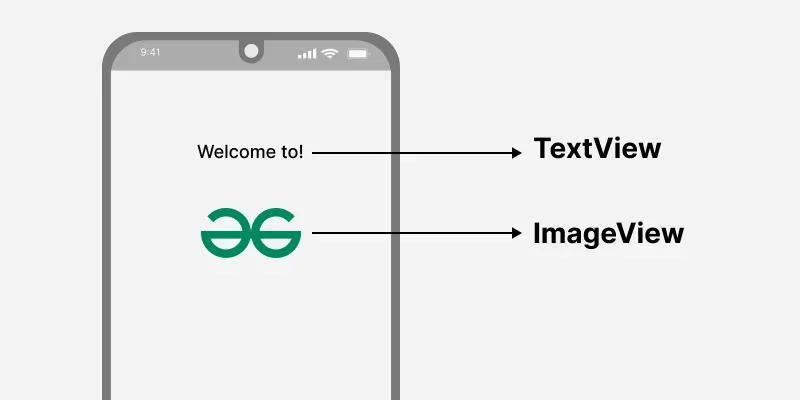
A **ViewGroup act as a base class for layouts and layouts parameters that hold other Views or ViewGroups and to define the layout properties. They are generally Called layouts.
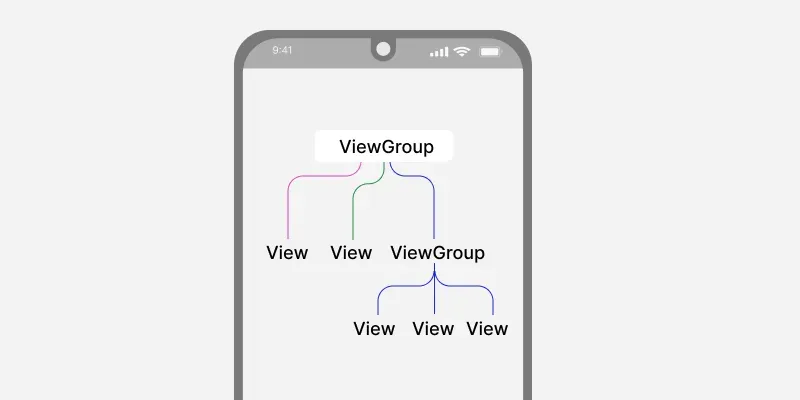
Refer to this article to know the difference between View and Viewgroup.
The Android framework will allow us to use UI elements or widgets in two ways:
- Use UI elements in the XML file
- Create elements in the Kotlin file dynamically
Types of Android Layout
- **Android Linear Layout****:** LinearLayout is a ViewGroup subclass, used to provide child View elements one by one either in a particular direction either horizontally or vertically based on the orientation property.
- **Android Relative Layout****:** RelativeLayout is a ViewGroup subclass, used to specify the position of child View elements relative to each other like (A to the right of B) or relative to the parent (fix to the top of the parent).
- **Android Constraint Layout****:** ConstraintLayout is a ViewGroup subclass, used to specify the position of layout constraints for every child View relative to other views present. A ConstraintLayout is similar to a RelativeLayout, but having more power.
- **Android Frame Layout****:** FrameLayout is a ViewGroup subclass, used to specify the position of View elements it contains on the top of each other to display only a single View inside the FrameLayout.
- **Android Table Layout****:** TableLayout is a ViewGroup subclass, used to display the child View elements in rows and columns.
- **Android Web View****:** WebView is a browser that is used to display the web pages in our activity layout.
- **Android ListView****:** ListView is a ViewGroup, used to display scrollable lists of items in a single column.
- **Android Grid View****:** GridView is a ViewGroup that is used to display a scrollable list of items in a grid view of rows and columns.
How to create a layout?
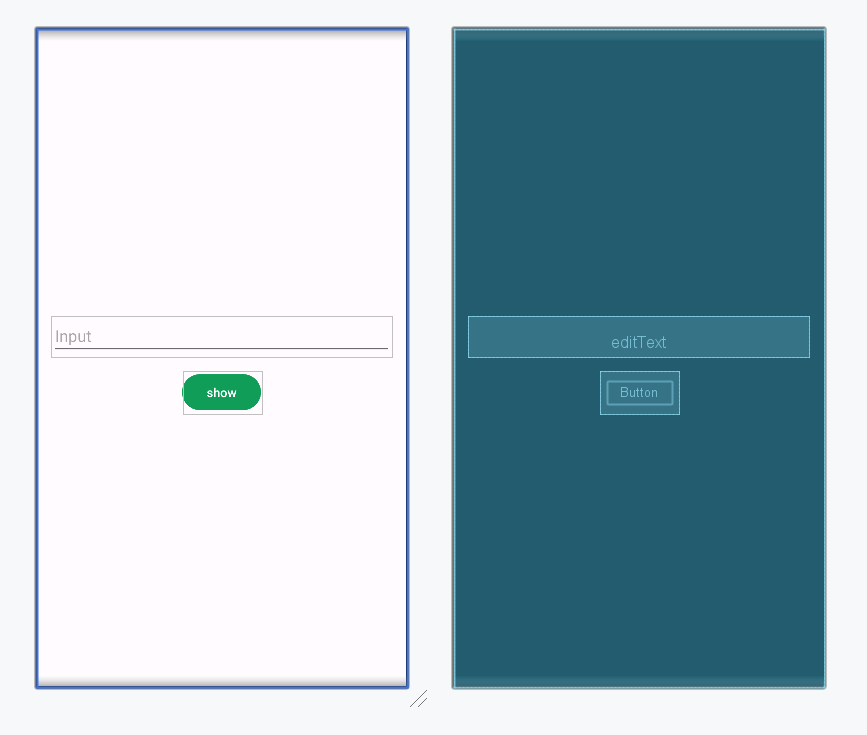
Here, we can create a layout similar to web pages. The XML layout file contains at least one root element in which additional layout elements or widgets can be added to build a View hierarchy. Following is an example.
**activity_main.xml:
XML `
<!--EditText with id editText-->
<EditText
    android:id="@+id/editText"
    android:layout_width="match_parent"
    android:layout_height="wrap_content"
    android:layout_margin="16dp"
    android:hint="Input"
    android:inputType="text"/>

<!--Button with id showInput-->
<Button
    android:id="@+id/showInput"
    android:layout_width="wrap_content"
    android:layout_height="wrap_content"
    android:layout_gravity="center_horizontal"
    android:text="show"
    android:backgroundTint="@color/colorPrimary"
    android:textColor="@android:color/white"/>
`
**Design UI:
Load XML Layout File and its elements from the Activity
When we have created the layout, we need to load the XML layout resource from our activity **onCreate() callback method and access the UI element from the XML using **findViewById.
override fun onCreate(savedInstanceState: Bundle?) {
...
// finding the button
val button= findViewById(R.id.button)
    // finding the edit text
    val editText = findViewById<EditText>(R.id.editText)
    ...
}
Here, we can observe the above code and finds out that we are calling our layout using the **setContentView method in the form of **R.layout.activity_main. Generally, during the launch of our activity, the _onCreate() callback method will be called by the android framework to get the required layout for an activity.
Create elements in the Kotlin file Dynamically
We can create or instantiate UI elements or widgets during runtime by using the custom View and ViewGroup objects programmatically in the Kotlin file. Below is the example of creating a layout using LinearLayout to hold an EditText and a Button in an activity programmatically.
**MainActivity.kt:
Kotlin `
package org.geeksforgeeks.demo
import android.os.Bundle import android.widget.Button import android.widget.EditText import android.widget.LinearLayout import android.widget.Toast import androidx.appcompat.app.AppCompatActivity
class MainActivity : AppCompatActivity() {
override fun onCreate(savedInstanceState: Bundle?) {
    super.onCreate(savedInstanceState)
    setContentView(R.layout.activity_main)

    // create the button
    val showButton = Button(this)
    showButton.text = "Submit"

    // create the editText
    val editText = EditText(this)

    val linearLayout = findViewById<LinearLayout>(R.id.main)
    linearLayout.addView(editText)
    linearLayout.addView(showButton)

    // Setting On Click Listener
    showButton.setOnClickListener {
        // Getting the user input
        val text = editText.text

        // Showing the user input
        Toast.makeText(this, text, Toast.LENGTH_SHORT).show()
    }
}
}
`
Different Attribute of the Layouts
| XML attributes | Description |
|---|---|
| android:id | Used to specify the id of the view. |
| android:layout_width | Used to declare the width of View and ViewGroup elements in the layout. |
| android:layout_height | Used to declare the height of View and ViewGroup elements in the layout. |
| android:layout_marginLeft | Used to declare the extra space used on the left side of View and ViewGroup elements. |
| android:layout_marginRight | Used to declare the extra space used on the right side of View and ViewGroup elements. |
| android:layout_marginTop | Used to declare the extra space used in the top side of View and ViewGroup elements. |
| android:layout_marginBottom | Used to declare the extra space used in the bottom side of View and ViewGroup elements. |
| android:layout_gravity | Used to define how child Views are positioned in the layout. |