Types of Internet Protocols (original) (raw)
Last Updated : 4 Jun, 2026
Internet relies on various protocols to enable communication between devices. These protocols define how data is packaged, addressed, transmitted, and received across networks. Some commonly used protocols are:
**1. TCP/IP
TCP/IP (Transmission Control Protocol/ Internet Protocol) is a standard communication protocol suite that defines how data is transmitted over the Internet using packet switching. It provides a framework that enables reliable communication between devices across different networks.
- IP provides unique IP addresses to identify devices on a network.
- TCP breaks data into segments before transmission.
- Ensures reliable delivery of data packets.
- TCP is a connection-oriented protocol, ensuring a stable communication session.
- Forms the backbone of Internet communication.

**2. SMTP
SMTP (Simple Mail Transfer Protocol) is an application-layer protocol used for sending and routing outgoing emails over a network. It is responsible for transferring email messages from the sender’s mail server to the receiver’s mail server in a reliable manner.
- Used only for sending emails, not for receiving them.
- Transfers emails from the sender’s mail server to the receiver’s mail server.
- Uses email headers to identify the sender and recipients.
- Removes the email from the outgoing queue after successful delivery.
- Supports text, images, and multimedia content through MIME extensions.
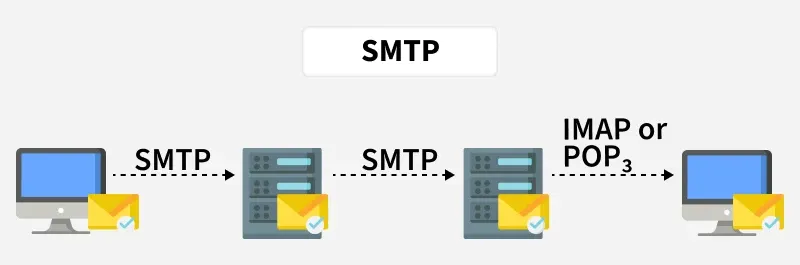
SMTP
**3. PPP
PPP (Point-to-Point Protocol) is a data link layer protocol used to establish a direct connection between two network devices. It provides a standardized method for transmitting data over point-to-point links and is widely used in network communications.
- Used for direct device-to-device communication.
- Supports authentication between devices (such as PAP and CHAP).
- Commonly used by Internet Service Providers (ISPs) for user connections.
- Can be used to connect routers directly.
- Supports multiple network layer protocols, including IP.
**4. FTP
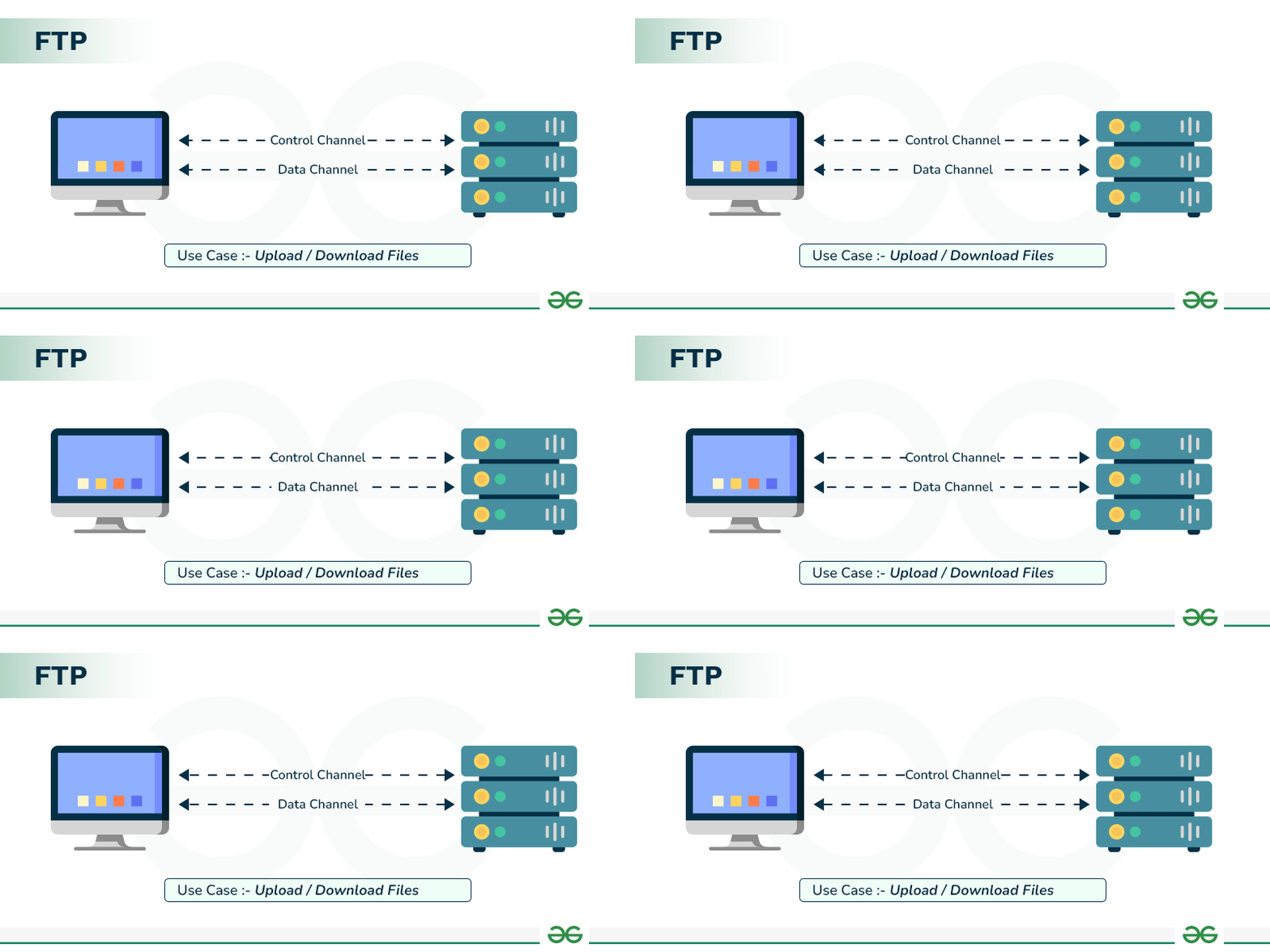
FTP (File Transfer Protocol) is a client–server protocol used to transfer files between systems over a network. It enables users to upload and download files reliably using a standardized method of communication.
- Allows uploading and downloading of files between client and server.
- Requires authentication using a username and password.
- Uses TCP to ensure reliable data transfer.
- Commonly used for website management and file sharing.
- Not secure by default, unless encryption mechanisms are used.
**5. SFTP
SFTP (Secure File Transfer Protocol) is a secure file transfer protocol that operates over SSH (Secure Shell). It encrypts both commands and data during transmission, ensuring secure file transfer and remote file management over a network.
- Uses SSH to provide secure communication.
- Encrypts data and commands during transmission.
- Provides secure remote file access and management.
- Acts as a safer alternative to FTP.
- Commonly used by system administrators for secure file transfers.
**6. HTTP
HTTP (Hyper Text Transfer Protocol) is an application-layer protocol used to transfer hypertext documents over the World Wide Web. It defines how web browsers (clients) and web servers communicate to request and deliver web content.
- Used for web page communication.
- Works on a client–server model.
- Transfers text, images, audio, video, and other multimedia content.
- It is a stateless protocol, meaning it does not retain session information.
- Not secure by default, unless used with HTTPS.

**7. HTTPS
HTTPS (HyperText Transfer Protocol Secure) is the secure version of HTTP that uses SSL/TLS encryption to protect data exchanged between a web browser and a web server. It ensures confidentiality, integrity, and authentication during online communication.
- Encrypts sensitive data during transmission.
- Used for secure websites.
- Protects credit card details, passwords, and OTPs.
- Displays a padlock icon in web browsers.
- Essential for secure online transactions and data privacy.
**8. TELNET
TELNET (Terminal Network) is a remote login protocol that allows users to access and control a remote computer over a network. It enables users to execute commands on a remote system as if they were physically present at that machine.
- Works on a client–server model.
- Enables command execution on remote systems.
- Transmits data in plain text, without encryption.
- Considered not secure due to lack of data protection.
- Mostly replaced by SSH because of security concerns
**9. POP3
POP3 (Post Office Protocol 3) is an email protocol used to retrieve emails from a mail server to a local device. It allows users to download messages from the server so they can be accessed offline.
- Downloads emails to the local system.
- Emails are usually deleted from the server after download.
- Operates as a one-way client-server protocol.
- Uses port 110 (unencrypted) and port 995 (secure POP3 over SSL/TLS).
- Suitable for single-device email access.
**10. IPv4
IPv4 (Internet Protocol version 4) is the fourth version of the Internet Protocol used to uniquely identify devices on a network using 32-bit IP addresses. It has been the foundation of traditional Internet addressing and routing since the early days of the Internet.
- Uses 32-bit addresses, allowing approximately 4.3 billion unique addresses.
- Represents addresses in dotted decimal notation (e.g., 192.168.1.1).
- Each address contains network and host components.
- Widely used, but facing the problem of address exhaustion.
- Forms the base of traditional Internet addressing and routing.
**11. IPv6
IPv6 (Internet Protocol version 6) is the latest version of the Internet Protocol designed to overcome the limitations of IPv4, especially address exhaustion. It uses a much larger addressing scheme and provides improved features for modern networking requirements.
- Uses 128-bit addressing, providing a huge number of unique IP addresses.
- Eliminates the problem of IP address exhaustion.
- Improves security with built-in support for IPsec.
- Provides better support for mobile devices and modern networks.
- Being gradually adopted to replace IPv4.
Also read Differences between IPv4 and IPv6 article.
**12. ICMP
ICMP (Internet Control Message Protocol) is a network-layer protocol used to send error messages and operational information about network conditions. It is mainly used by network devices such as routers to report problems encountered while forwarding IP packets and to help diagnose network connectivity issues.
- Used to report errors and exceptional conditions in IP packet delivery.
- ICMP messages are typically generated by routers and network devices.
- Common ICMP message types include Echo Request and Echo Reply (used by ping), Destination Unreachable, Time Exceeded, and Redirect messages.
- Helps test the reachability of a host on a network.
- Used to measure round-trip time (RTT) between source and destination.
- Plays an important role in network troubleshooting and diagnostics.
- Not a secure protocol and can be exploited in certain attacks, such as DDoS amplification attacks.
**13. UDP
UDP (User Datagram Protocol) is a connectionless transport-layer protocol that provides fast data transmission without guaranteeing reliable delivery. It is designed for applications where speed and low latency are more important than accuracy.
- No connection setup is required before data transmission.
- Does not provide error correction or flow control.
- Faster than TCP due to low overhead.
- Commonly used in streaming, online gaming, and VoIP applications.
- Suitable for scenarios where speed matters more than accuracy.
**14. IMAP
IMAP (Internet Message Access Protocol) is an email protocol that allows users to access, read, and manage emails directly on the mail server. Unlike POP3, it keeps emails stored on the server, making them accessible from multiple devices.
- Emails remain stored on the server.
- Supports access from multiple devices.
- Synchronizes emails and mailbox status across devices.
- More flexible than POP3 for modern email usage.
- Allows folder creation and organization of emails.
**15. SSH
SSH (Secure Shell) is a secure network protocol used for remote login and secure communication over an unsecured network. It provides encrypted connections, ensuring confidentiality and integrity of data exchanged between client and server.
- Encrypts data transmission to prevent eavesdropping.
- Uses public-key cryptography for authentication.
- Considered more secure than Telnet.
- Supports secure file transfer using SCP and SFTP.
- Widely used by system administrators for secure remote access and management.
16. Gopher
Gopher is a file retrieval protocol used to search, access, and download files from remote systems over a network. It was one of the earliest Internet protocols designed to organize and retrieve information in a simple and structured manner.
- Organizes files in a hierarchical, menu-based structure.
- Provides descriptions for files and directories.
- Largely obsolete in modern networks.
- Mostly replaced by HTTP and FTP.