Python Turtle Tutorial (original) (raw)
Last Updated : 3 Oct, 2025
Python’sTurtle modulelets you create drawings by controlling a “turtle” that moves and draws on the screen. It’s great for beginners to learn programming concepts through visual and interactive coding. Turtle is commonly used for teaching basics, making shapes and simple animations.
**Important Facts to Know
- Uses easy commands for movement and drawing.
- Provides instant visual feedback for better learning.
- Included in Python’s standard library—no installation needed.
How Turtle Works
- The turtle moves around the screen, drawing lines as it moves.
- You can move the turtle forward, backward, turn it left or right and control its drawing attributes.
- The pen can be lifted up or put down to start or stop drawing.
Example: Drawing a Square
Python `
import turtle t = turtle.Turtle()
for _ in range(4): t.forward(100) t.right(90)
turtle.done()
`
**Output
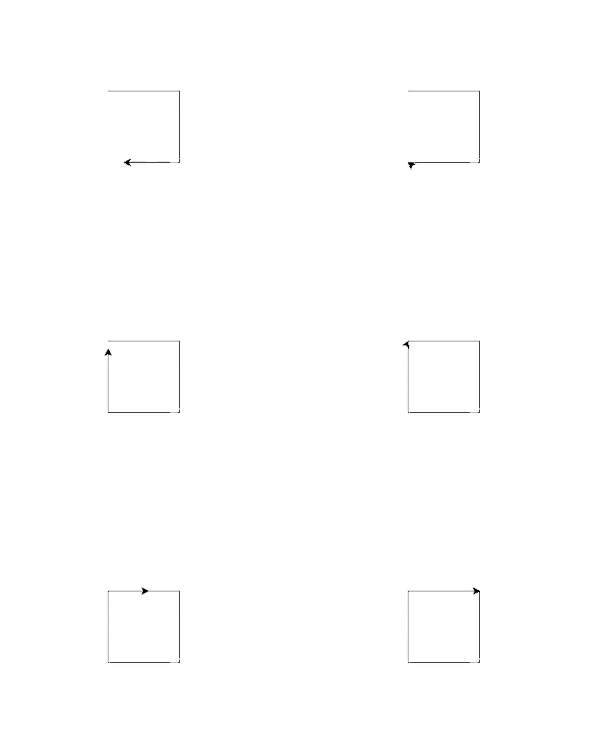
Square
**Explanation:
- **turtle.Turtle() creates a turtle object to draw with.
- **for _ in range(4): repeats the next steps 4 times (once for each side).
- **t.forward(100) moves the turtle forward 100 pixels, drawing a line.
- **t.right(90) turns the turtle 90° to the right for the next side.
Table of Content
- 1. Basic Movement Methods
- 2. Drawing and Utility Methods
- 3. Pen Control Methods
- 4. Event Handling Functions
- 5. Working with Turtle State
- 6. Working with Turtle Screen
- 7. Special Turtle Methods
- 8. Turtle Exercises and Projects
1. Basic Movement Methods
These methods control the position and direction of the turtle. Use them to make your turtle walk, turn and move to specific spots.
- turtle.backward()
- turtle.left()
- turtle.right()
- turtle.setx()
- turtle.sety()
- turtle.seth()
- turtle.home()
- turtle.speed()
2. Drawing and Utility Methods
These commands let you create patterns, mark positions, and check where your turtle is. They’re useful for building more advanced designs.
- turtle.dot()
- turtle.undo()
- turtle.stamp()
- turtle.clearstamp()
- turtle.towards()
- turtle.heading()
- turtle.xcor()
- turtle.ycor()
3. Pen Control Methods
Pen control lets you decide when to draw and when to move without leaving a mark. You can also adjust stroke width and write text on the screen.
3.1 Pen Position and Drawing Control
- turtle.up() or turtle.penup()
- turtle.down() or turtle.pendown()
- turtle.isdown()
- turtle.width()
- turtle.pen()
- turtle.write()
3.2 Color and Fill Control
- turtle.color()
- turtle.fillcolor()
- turtle.pencolor()
- turtle.filling()
- turtle.begin_fill()
- turtle.end_fill()
- turtle.clear()
4. Event Handling Functions
Turtle can respond to mouse clicks, keyboard presses, and timers, allowing you to make interactive programs.
4.1 Mouse and Keyboard Event Setup
4.2 Timers, Drag and Exit
5. Working with Turtle State
The turtle has a “state” - its position, direction, visibility and shape. You can adjust these to create different effects.
5.1 Visibility and Shape Control
- turtle.showturtle()
- turtle.isvisible()
- turtle.shape()
- turtle.turtlesize()
- turtle.tilt()
- turtle.shapetransform()
5.2 Advanced Shape and Position Control
6. Working with Turtle Screen
The screen is the canvas for your turtle drawings. You can customize it with backgrounds, titles and coordinate systems.
6.1 Screen Setup and Reset
- turtle.reset()
- turtle.resetscreen()
- turtle.Screen().setup()
- turtle.clear()
- turtle.bgpic()
- turtle.Screen().turtles()
- turtle.setworldcoordinates()
6.2 Input, Size, Title and Window Control
- turtle.textinput()
- turtle.window_height()
- turtle.window_width()
- turtle.screensize()
- turtle.title()
- turtle.done()
- turtle.bye()
7. Special Turtle Methods
These are extra features for cloning turtles, managing the undo history, and accessing pen or shape details.
7.1 Cloning and Undo Control
7.2 Pen, Shapes and Screen Access
8. Turtle Exercises and Projects
Practicing with projects is the fastest way to master Turtle. Start small, then challenge yourself with more complex designs.
8.1 Beginners:
- Get coordinate of screen
- Draw square and rectangle
- Draw color-filled shapes
- Draw polygon (hexagon, octagon, any polygon)
- Draw star and color-filled star
- Draw rainbow
- Write text (e.g., "GFG")
- Draw smiling face emoji
8.2 Intermediate:
- Draw Olympic symbol
- Draw concentric VIBGYOR circles
- Draw dot patterns
- Draw clock design and digital clock
- Draw Tic Tac Toe board
- Draw chessboard
- Draw spiraling stars and colorful spiral web